
1. پیژندنه
Welcome to the user manual for your Linsoul 7Hz x Crinacle Zero:2 In-Ear Monitors. These high-fidelity in-ear monitors are designed for musicians, audiophiles, and gamers, offering an updated 10mm dynamic driver for an enhanced audio experience. This manual provides essential information on setting up, operating, maintaining, and troubleshooting your device to ensure optimal performance and longevity.
2. محصول ختم شوview
2.1 کلیدي ځانګړتیاوې
- 7Hz x Crinacle Collaboration: Tuned in collaboration with renowned audio reviewer Crinacle, ensuring an optimal tonal balance.
- Enhanced Bass and Tonal Excellence: Features 3dB more in low frequencies for a powerful and engaging bass presence, with improved bass impact, extension, and a warmer midrange.
- New 10mm Dynamic Driver: Incorporates a newly developed 10mm dual-cavity dynamic driver with an upgraded PU+Metal composite diaphragm for increased responsiveness, faster diaphragm movement, and precise audio reproduction across a 10Hz to 20kHz frequency range.
- Improved Custom Cable: Equipped with a high-purity oxygen-free copper cable with silver plating, featuring a coaxial structure for enhanced strength and superior audio transmission. The cable is detachable for user customization and extended product life.
۲.۱ په بکس کې څه دي

Description: The complete package contents of the Linsoul 7Hz x Crinacle Zero:2, featuring the in-ear monitors, detachable cable, a variety of colorful ear tips, and the user manual.
- Linsoul 7Hz x Crinacle Zero:2 In-Ear Monitors (Silver)
- Detachable OFC IEM Cable
- Various Silicone Ear Tips
- د کارن لارښود
۲.۳ د محصول لیدونه

Description: A pair of Linsoul 7Hz x Crinacle Zero:2 In-Ear Monitors in silver, showcasing their transparent housing and metallic faceplate, connected by their detachable cable.

Description: A close-up view of one Linsoul 7Hz x Crinacle Zero:2 In-Ear Monitor, highlighting its updated 10mm dynamic driver and a red ear tip, resting on a smartphone.

Description: An exploded diagram illustrating the internal components of the Linsoul 7Hz x Crinacle Zero:2 In-Ear Monitor, including the alloy faceplate, imported voice coil, custom diaphragm, and medical-grade resin housing.
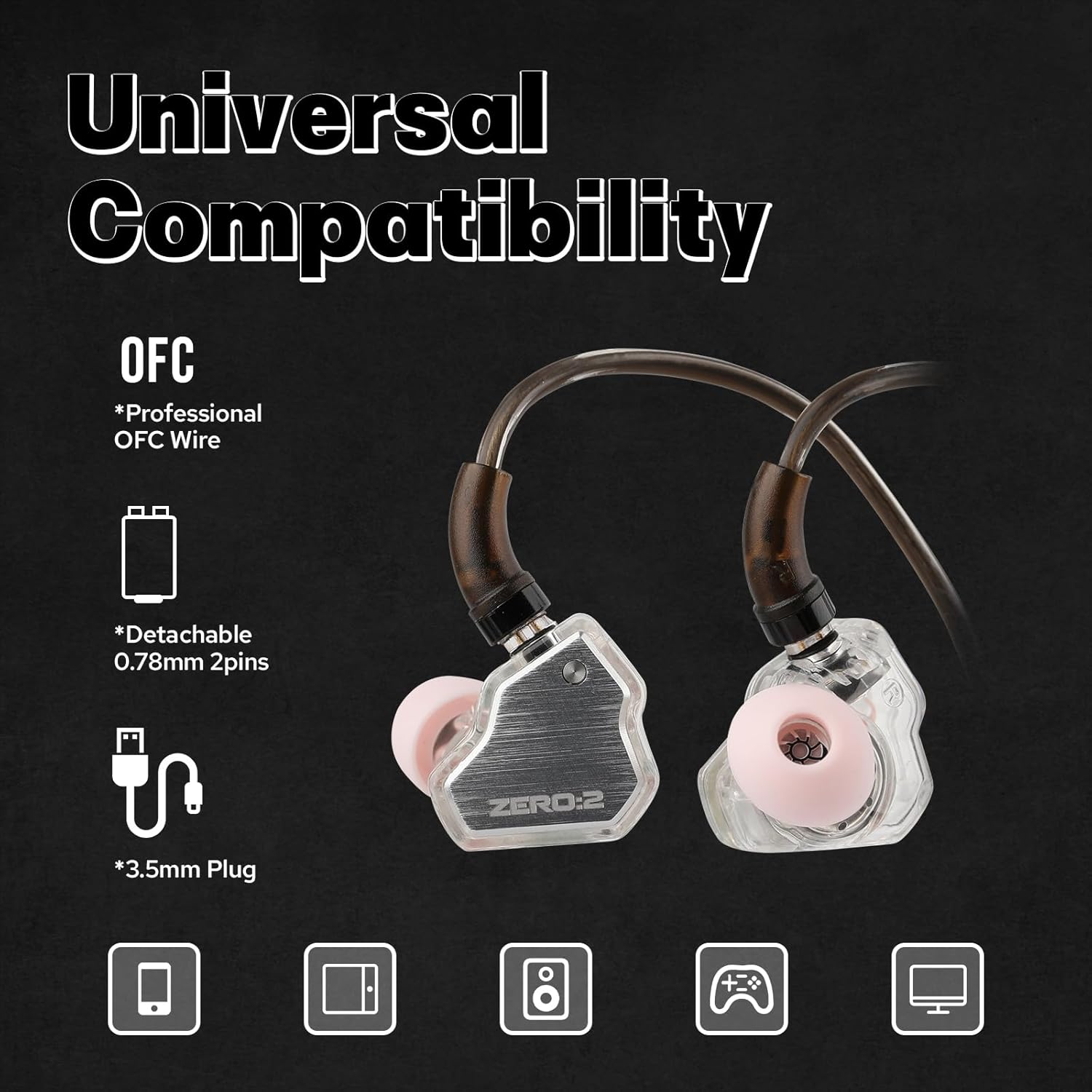
Description: The Linsoul 7Hz x Crinacle Zero:2 In-Ear Monitors with their detachable OFC cable and 3.5mm plug, indicating compatibility with various devices like phones, tablets, and gaming consoles.
۵.۶ د محصول ویډیوview
Description: This short video provides a quick overview of the Linsoul 7Hz x Crinacle Zero:2 In-Ear Monitors, highlighting their design and main functionalities.
3. ترتیب کول
3.1 د کیبل نښلول
- په کیبل کې د کیڼ (L) او ښي (R) غوږونو ټوټې او اړونده نښلونکي وپیژنئ.
- Align the 2-pin connector on the cable with the receptacle on each earpiece. Ensure the pins are correctly oriented.
- Gently push the cable connector into the earpiece until it is securely seated. Do not force the connection.
- د بل غوږۍ لپاره تکرار کړئ.
3.2 Choosing and Attaching Ear Tips
Selecting the correct ear tips is crucial for sound quality and comfort. Experiment with the various sizes provided to find the best fit for your ears.
- د غوږونو مخکې نصب شوي سرونه په نرمۍ سره د نوزل څخه په ایستلو سره لرې کړئ.
- Select a pair of ear tips that feel comfortable and create a good seal in your ear canal. A good seal is essential for optimal bass response and noise isolation.
- Push the new ear tips onto the nozzle of the earpiece until they are firmly attached.
3.3 Wearing the IEMs
- Insert the earpieces into your ear canals.
- Route the cable over the top of your ears. The cable is designed to loop around the ear for a secure and comfortable fit, reducing microphonics.
- Adjust the earpieces until they feel snug and comfortable, ensuring a proper seal.
4. عملیات
۴.۱ اساسي اورېدل
- Connect the 3.5mm jack of the cable to your audio source (e.g., smartphone, tablet, laptop, digital audio player).
- Start playing audio from your device.
- Adjust the volume on your audio source to a comfortable listening level. Avoid excessively high volumes to protect your hearing.
4.2 Cable Control (if applicable)
If your specific cable variant includes a microphone and remote control, you can use it for:
- Playing/Pausing music.
- Skipping tracks.
- Answering/Ending calls.
Refer to your audio source device's manual for specific compatibility and control functions.
5. ساتنه
5.1 Cleaning the IEMs and Ear Tips
- Regularly clean your IEMs to prevent earwax buildup and maintain hygiene.
- Gently wipe the earpieces with a soft, dry, lint-free cloth.
- د غوږونو څوکې لرې کړئ او په نرمو صابون او اوبو سره یې ومینځئ. په ښه توګه یې ومینځئ او پریږدئ چې د بیا نښلولو دمخه په بشپړه توګه وچ شي.
- Use a small brush or earwax removal tool to carefully clear any debris from the nozzle of the earpieces.
۶.۲ د کیبل پاملرنه
- په کیبل کې د تیزو کږو یا ډیر کشولو څخه ډډه وکړئ.
- د ذخیره کولو پر مهال، کیبل په نرمۍ سره وصل کړئ ترڅو د ګډوډۍ او زیان مخه ونیول شي.
- If the cable becomes dirty, wipe it with a soft, damp ټوکر
5.3 ذخیره کول
When not in use, store your IEMs in a protective case to prevent damage from impacts, dust, and moisture.
6. ستونزه حل کول
| ستونزه | احتمالي لامل | د حل لاره |
|---|---|---|
| هیڅ غږ یا متقابل غږ نشته | Loose cable connection, incorrect audio source selection, low volume, damaged cable. | Ensure cable is securely connected to both IEMs and audio source. Check audio output settings on your device. Increase volume. Test with another cable if available. |
| Poor sound quality (e.g., lack of bass, distorted audio) | د غوږ د څوکې ناسم مهر، د غوږ موم جوړېدل، د غږ ټیټ کیفیت file. | Adjust ear tips for a better seal. Clean ear tips and IEM nozzles. Try a higher quality audio file یا سرچینه. |
| IEMs fall out easily | Incorrect ear tip size, improper wearing technique. | Try different sized ear tips for a more secure fit. Ensure the cable is looped over your ears correctly. |
7. مشخصات

Description: A frequency response graph for the 7Hz x Crinacle Zero:2 In-Ear Monitors, showing the audio performance across the frequency spectrum from 20Hz to 20kHz.
| فیچر | تفصیل |
|---|---|
| برانډ | لینسول |
| د ماډل شمیره | 7Hz x Crinacle Zero:2 |
| رنګ | سره زر |
| د غوږ ځای پرځای کول | په غوږ کې |
| د فارم فکتور | په غوږ کې |
| خنډ | 32 اوهم |
| د شور کنټرول | هیڅ نه |
| حساسیت | 108 dB |
| د تعدد ځواب | 10-20000Hz |
| د آډیو ډرایور ډول | متحرک چلوونکی |
| د آډیو ډرایور اندازه | 10 ملی میتر |
| د کیبل ځانګړتیاوې | Detachable, High-purity oxygen-free copper |
| هیډفون جیک | 3.5 ملی جیک |
| د شبکې ارتباط ټیکنالوژي | تارونه |
| مواد | پلاستیک |
| د توکي وزن | 0.07 کیلوګرامه |
| د کنټرول ډول | د کیبل کنټرول |
| د کنټرول طریقه | لرې |
| مطابقت لرونکې وسیلې | ګرځنده تلیفونونه، ټابلیټونه، لیپټاپونه، ډیسټاپونه |
| د محصول لپاره ځانګړي کارول | میوزیک، لوبې کول |
| د اوبو د مقاومت کچه | د اوبو مقاومت نلري |
8. تضمین او ملاتړ
Your Linsoul 7Hz x Crinacle Zero:2 In-Ear Monitors come with a standard manufacturer's warranty. Please refer to the warranty card included in your package or visit the official Linsoul webد تضمین د تفصيلي شرایطو او مقرراتو لپاره سایټ.
For technical support, product inquiries, or warranty claims, please contact Linsoul customer service through their official webسایټ یا مجاز توزیع کونکي.