
پیژندنه
Thank you for choosing the TECURS KB195 Foldable Bluetooth Keyboard. This ultra-portable, multi-device compatible keyboard is designed for convenience and efficiency across various operating systems. This manual provides detailed instructions for setup, operation, maintenance, and troubleshooting to ensure optimal performance.

The TECURS KB195 Foldable Bluetooth Keyboard, demonstrating its compact folded state and its functional unfolded state with a smartphone securely placed on its integrated stand.
د بسته محتويات
- 1 x TECURS Foldable Bluetooth Keyboard
- 1 x د ډول-C چارج کیبل
- 1 x د کارونکي لارښود
- 1 x بار وړونکې کڅوړه
محصول پای ته ورسیدview
Familiarize yourself with the key components of your TECURS KB195 keyboard:
- د رڼا شاخص: د اتصال حالت او د بیټرۍ کچه ښیې.
- د بریښنا سویچ: To turn the keyboard on or off.
- د چارج کولو پورټ (ډول-سي): د چارج کولو کیبل د نښلولو لپاره.
- د سلیپ ضد پیډونه: Located on the bottom for stability during use.
- مدغم شوی سټینډ: A magnetic stand designed to hold smartphones or tablets.

تفصيلي views of the keyboard's key features: the indicator light, power switch, charging port, and anti-slip pads.
د کیبورډ چارج کول
Before initial use, fully charge the keyboard. A full charge takes approximately 2 hours.
- ورکړل شوی ټایپ-سي چارجینګ کیبل د کیبورډ چارجینګ پورټ سره وصل کړئ.
- د کیبل بله پای د USB بریښنا سرچینې سره وصل کړئ (د بیلګې په توګه، کمپیوټر، دیوال اډاپټر).
- د شاخص څراغ به د چارج کولو حالت وښيي او کله چې په بشپړ ډول چارج شي نو بند شي.
The keyboard offers up to 45 hours of continuous working time and 580 days of standby time on a single charge.

The keyboard being charged via its Type-C port, highlighting its impressive battery life of 45 hours of continuous use and 580 hours of standby.
تنظیم او جوړه کول
آن/بندول
- To turn on: Locate the power switch and slide it to the 'ON' position.
- To turn off: Slide the power switch to the 'OFF' position.
د بلوتوث جوړې کول
The keyboard supports connection to up to three devices simultaneously via Bluetooth channels. You can seamlessly switch between them.

The keyboard's ability to connect to multiple devices (smartphone, tablet, PC) via three distinct Bluetooth channels (BT1, BT2, BT3).
- کیبورډ چالان کړئ.
- فشار ورکړئ او ونیسئ fn + A keys for BT1, Fn + S for BT2, or Fn + D for BT3 until the corresponding indicator light flashes, indicating pairing mode.
- On your device (smartphone, tablet, or PC), enable Bluetooth and search for available devices.
- Select "TECURS Keyboard" (or similar name) from the list of found devices to connect.
- یوځل چې وصل شي، د شاخص څراغ به ځلیدل ودروي.
د وسیلو تر مینځ بدلول
To switch between paired devices, simply press the corresponding function key combination:
- For Device 1: Press fn + A
- For Device 2: Press Fn + S
- For Device 3: Press Fn + D
د سیسټم مطابقت
The keyboard is broadly compatible with major operating systems:
- iOS (iPad، iPhone)
- Android (Smartphones, Tablets)
- Windows (Laptops, PCs)

The keyboard is compatible with Windows, iOS, and Android devices, offering versatile usage.
عملیات
د ټایپ کولو تجربه
The keyboard features a QWERTZ layout and scissor-switch keys, designed for improved sensitivity, accuracy, and a quiet, comfortable typing experience.

A detailed look at the scissor-switch key mechanism, engineered for durability and a responsive typing feel, rated for 3 million presses.
د مدغم شوي سټینډ کارول
The magnetic integrated stand can be deployed to securely hold your smartphone or tablet, providing an ergonomic setup for typing.
د بریښنا خوندي کولو حالت
To conserve battery life, the keyboard automatically enters power-saving mode after 10 minutes of inactivity. To wake it up, press any key, and it will reconnect within 3 seconds.

The keyboard in use within a library, demonstrating its portability and convenience for quiet work environments.
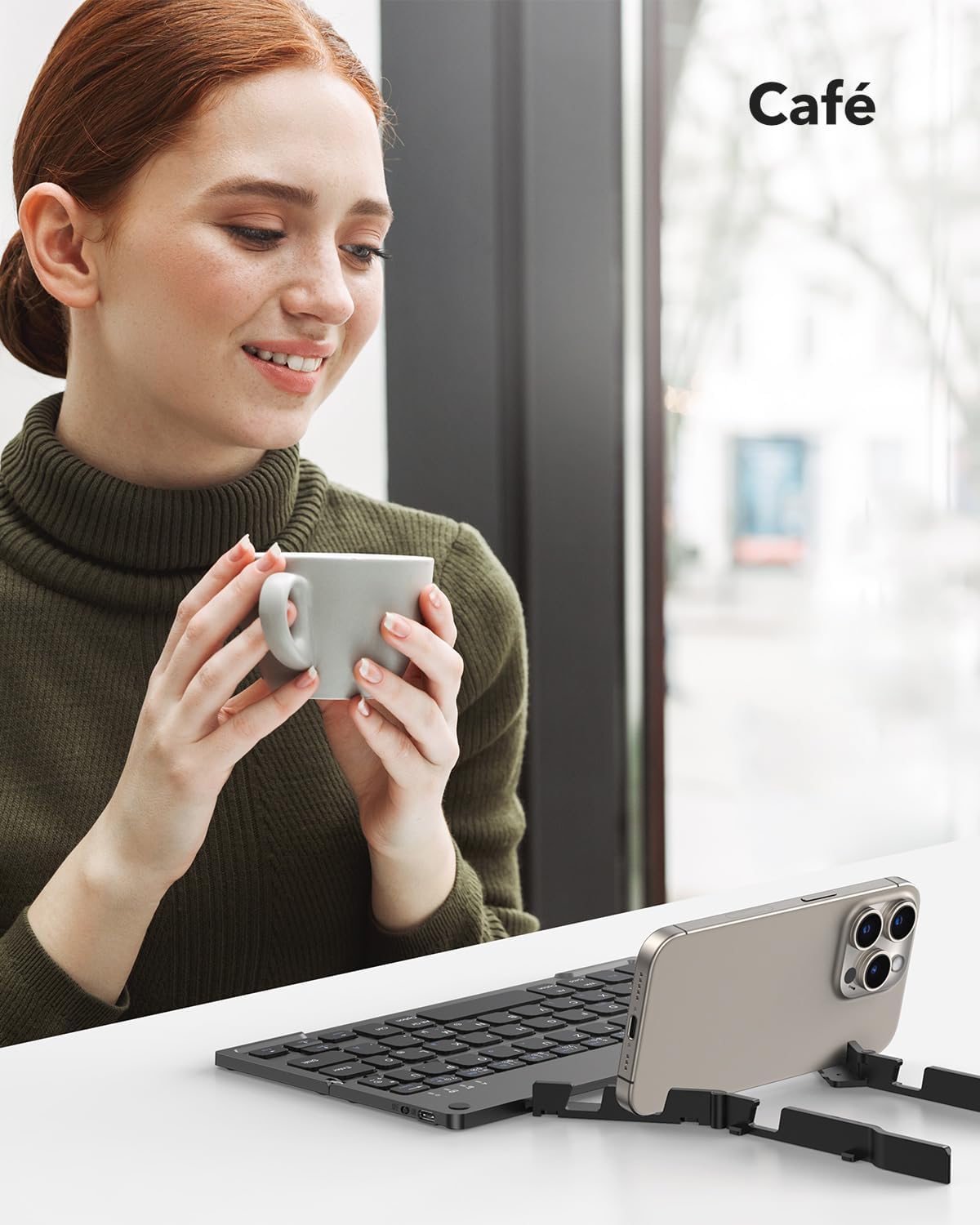
The keyboard being used in a cafe, showcasing its adaptability for various mobile work scenarios.
ساتنه
پاکول
- ډاډ ترلاسه کړئ چې کیبورډ د پاکولو دمخه بند دی.
- د سطحې د پاکولو لپاره نرم، وچ، له لینټ څخه پاک ټوکر وکاروئ.
- د سختې خاورې لپاره، لږ څهampټوکر د اوبو یا نرم پاکولو محلول سره ومینځئ، بیا سمدلاسه وچ کړئ.
- د سختو کیمیاوي موادو یا خړوبولو موادو کارولو څخه ډډه وکړئ.
ذخیره کول
When not in use, fold the keyboard to protect the keys and make it more compact for storage or travel. Store it in the provided carrying bag to prevent scratches and damage.

The compact dimensions of the keyboard (22.9 x 7.4 x 1.37 cm, 260g) and its portability, fitting easily into a bag for on-the-go use.
د ستونزو حل کول
- Keyboard not turning on: Ensure the battery is charged. Connect the Type-C cable and charge for at least 30 minutes.
- د بلوتوث له لارې جوړه نشي کولی:
- Ensure the keyboard is in pairing mode (indicator light flashing after pressing Fn + BT channel key).
- ډاډ ترلاسه کړئ چې ستاسو په وسیله کې بلوتوث فعال دی او د موندلو وړ دی.
- Move the keyboard closer to your device (within 10 meters).
- هڅه وکړئ چې کیبورډ او خپل وسیله دواړه بیا پیل کړئ.
- Keyboard disconnects frequently:
- ډاډ ترلاسه کړئ چې کیبورډ ستاسو د وسیلې د 10 مترو بلوتوث رینج کې دی.
- د نورو بې سیم وسیلو څخه د مداخلې لپاره وګورئ.
- ډاډ ترلاسه کړئ چې د کیبورډ بیټرۍ په کافي اندازه چارج شوې ده.
- هغه کیلي چې ځواب نه ورکوي یا په غلط ډول ټایپ کوي:
- Check if the keyboard is connected to the correct operating system mode (e.g., iOS, Android, Windows).
- Restart the keyboard and reconnect it to your device.
- ډاډ ترلاسه کړئ چې د کیلي ګانو لاندې هیڅ کثافات نه وي.
مشخصات
| فیچر | تفصیل |
|---|---|
| برانډ | TECURS |
| د ماډل شمیره | KB195 |
| رنګ | تور |
| د ارتباط ټیکنالوژي | بلوتوث |
| ځانګړي ځانګړتیاوې | Foldable, Integrated Stand |
| مطابقت لرونکې وسیلې | iPad, Tablet, Smartphone, PC (iOS, Android, Windows) |
| د کیبورډ توضیحات | Multifunctional, QWERTZ Layout, Scissor-Switch Keys |
| وړاندیز شوي استعمالونه | Office, Daily Use, Travel |
| د بیټرۍ ډول | لیتیم آیون (۱ پکې شامل دی) |
| د چارج کولو وخت | نږدې 2 ساعته |
| دوامداره کاري وخت | تر 45 ساعتونو پورې |
| ولاړ وخت | تر 580 ورځو پورې |
| ابعاد (پوښ شوی) | ۷۱.۲ x ۲۷.۶ x ۴۵.۹ سانتي متره (تقریبا) |
| وزن | ۴.۲ ګرامه (تقریبا) |
| مواد | ABS Plastic, Aluminum back casing |
تضمین او ملاتړ
For warranty information and customer support, please refer to the documentation included with your purchase or visit the official TECURS website. This manual does not contain specific warranty details.