
Yanmai 49411
Yanmai SF-900 USB Microphone User Manual
Model: SF-900 (49411)
1. پیژندنه
Thank you for choosing the Yanmai SF-900 USB Microphone. This manual provides detailed instructions for setting up, operating, and maintaining your microphone to ensure optimal performance. Please read this manual thoroughly before using the product.
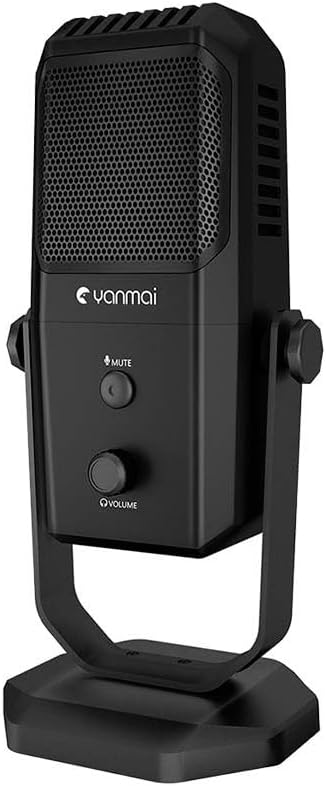
Image: The Yanmai SF-900 USB Microphone, showcasing its sleek black design and integrated stand.
2. د بسته محتويات
مهرباني وکړئ تصدیق کړئ چې لاندې ټول توکي ستاسو په کڅوړه کې شامل دي:
- Yanmai SF-900 USB Microphone
- د USB اتصال کیبل
- د کارونکي لارښود (دا لارښود)

Image: Contents of the Yanmai SF-900 package, including the microphone, USB cable, and user guide.
3. ترتیب کول
Follow these steps to set up your Yanmai SF-900 USB Microphone:
- مایکروفون خلاص کړئ: Carefully remove the microphone and all accessories from the packaging.
- د مایکروفون ځای ونیسئ: Place the microphone on a stable, flat surface using its integrated stand. Ensure it is positioned optimally for your recording or communication needs.
- کمپیوټر سره وصل کړئ: Insert the USB cable into the USB port on the microphone. Then, connect the other end of the USB cable to an available USB port on your computer (PC or Mac).
- د موټر چلوونکي اتومات نصب کول: Your computer should automatically detect and install the necessary drivers. This may take a few moments. No manual driver installation is typically required.
- د ډیفالټ وسیله په توګه غوره کړئ: Once installed, navigate to your computer's sound settings (e.g., Sound Control Panel on Windows, System Preferences > Sound on macOS) and select the Yanmai SF-900 as your default input device.
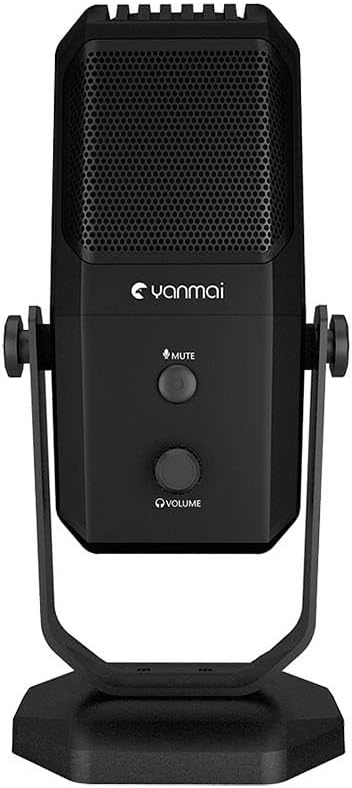
انځور: مخکینۍ برخه view of the Yanmai SF-900 microphone, highlighting the mute button and volume control knob.
4. عملیاتي لارښوونې
The Yanmai SF-900 is designed for ease of use. Here are the primary operating functions:
- تteۍ غږول: Located on the front of the microphone, press this button to instantly mute or unmute your audio input. An indicator light (if present) will change color to show the mute status.
- د حجم کنټرول نوب: Below the mute button, rotate this knob to adjust the microphone's input volume (gain). Turn clockwise to increase volume and counter-clockwise to decrease it. Adjust this to an appropriate level to avoid distortion.
- Software Volume Control: For finer adjustments, you can also control the microphone's volume through your computer's sound settings or within your recording/communication software.
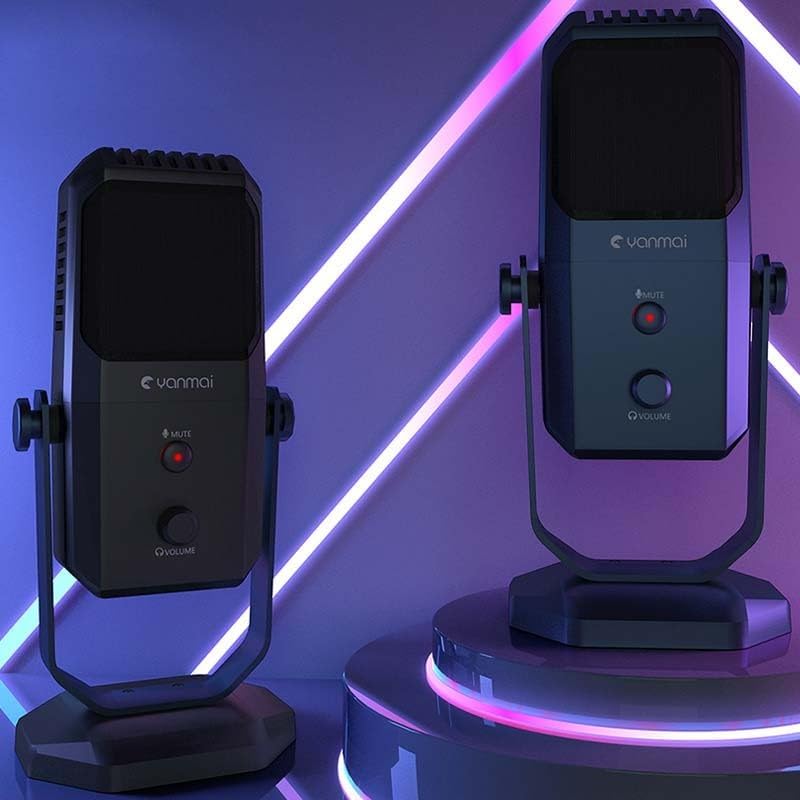
Image: Two Yanmai SF-900 microphones, demonstrating their illuminated controls in an operational setting.
5. ساتنه
Proper care will extend the life and performance of your microphone:
- پاکول: Use a soft, dry cloth to wipe the exterior of the microphone. Do not use liquid cleaners, aerosols, or solvents, as these can damage the device.
- ذخیره کول: When not in use, store the microphone in a cool, dry place, away from direct sunlight and extreme temperatures.
- سمبالول: Avoid dropping the microphone or subjecting it to strong impacts, which can damage internal components.
- د کیبل پاملرنه: د USB کیبل ډېر مه ځړئ یا یې مه غوڅوئ. د منقطع کولو پر مهال تل پلګ ونیسئ، نه کیبل.
6. ستونزه حل کول
If you encounter issues with your Yanmai SF-900 microphone, refer to the following common problems and solutions:
| ستونزه | احتمالي لامل | د حل لاره |
|---|---|---|
| هیڅ غږ انډول نشته | مایکروفون په سمه توګه وصل نه دی ناسم ان پټ وسیله غوره شوې ده مایکروفون خاموش شو حجم ډیر ټیټ دی | ډاډ ترلاسه کړئ چې USB کیبل په خوندي ډول وصل دی. Check computer's sound settings; select SF-900 as default input. په مایکروفون کې د خاموش تڼۍ فشار ورکړئ. Adjust the volume knob on the microphone and in software. |
| Sound is distorted or too loud | Volume (gain) set too high | Decrease the volume using the knob on the microphone or in your computer's sound settings. |
| مایکروفون د کمپیوټر لخوا نه پیژندل کیږي | غلط USB پورټ د موټر چلوونکي ستونزه | د یو بل USB پورټ سره وصل کولو هڅه وکړئ. Restart your computer. If issues persist, check device manager for driver status. |
7. مشخصات
| فیچر | تفصیل |
|---|---|
| د ماډل شمیره | 49411 |
| ASIN | B0CPPPPZB4 |
| برانډ | Yanmai |
| رنګ | Colourful (as per product listing, though product is black) |
| د توکي وزن | ۲.۴۵ پونډه |
| د کڅوړې ابعاد | 13.78 x 9.45 x 6.3 انچه |
| ارتباط | USB |
| مطابقت | PC, Mac (USB compatible systems) |
8. تضمین او ملاتړ
The Yanmai SF-900 USB Microphone comes with a standard manufacturer's warranty. For specific warranty terms and conditions, please refer to the warranty card included with your product or visit the official Yanmai website. For technical support, troubleshooting assistance beyond this manual, or warranty claims, please contact Yanmai customer service through their official support channels.