
Docooler 14 Inch 2-in-1 Touchscreen Laptop
Docooler 14 Inch 2-in-1 Touchscreen Laptop User Manual
Model: 14 Inch 2-in-1 Touchscreen Laptop
1. محصول ختم شوview
The Docooler 14 Inch 2-in-1 Touchscreen Laptop is a versatile computing device designed for both productivity and entertainment. Featuring a 4K UHD IPS display and a 360-degree convertible design, it adapts to various usage scenarios, from traditional laptop mode to tablet mode. Powered by an Intel N95 processor, it offers efficient performance for daily tasks.

Image: The Docooler 14 Inch 2-in-1 Touchscreen Laptop in its tent configuration, showcasing its flexible design and vibrant display.
2. د بسته محتويات
مهرباني وکړئ تصدیق کړئ چې ټول توکي په کڅوړه کې شتون لري:
- Docooler 14 Inch 2-in-1 Touchscreen Laptop
- د چارج کیبل
- د کارن لارښود
3. پیل کول
3.1 ابتدايي ترتیب
- Charge the Laptop: Before first use, connect the charging cable to the laptop's USB-C port and plug it into a power outlet. Allow the battery to charge fully.
- پاور آن: Press and hold the power button located on the side of the laptop until the screen illuminates.
- د وینډوز تنظیم کول: Follow the on-screen prompts to complete the Windows 11 initial setup, including language selection, network connection, and user account creation.
4. Understanding Your Laptop
4.1 کلیدي ځانګړتیاوې
- ښکاره کول: 14-inch 4K UHD (3840x2160) IPS touchscreen with 500 Nits brightness for a clear visual experience.
- پروسیسر: Equipped with the 12th Gen Intel N95 CPU (4-core, 4-thread, up to 3.4GHz) for efficient performance.
- حافظه او ذخیره: 12GB LPDDR5 4800MHz high-frequency memory and 512GB/1TB NVMe SSD for fast operation and ampد ذخیره کولو لپاره.
- د بدلون وړ ډیزاین: 360-degree flip-and-fold design allows for multiple modes of use.
- ټچ سکرین: 10-level multi-touch screen with gravity sensing for intuitive interaction.
- امنیت: Fingerprint unlock for quick and secure access.
- کیبورډ: Backlit keyboard for comfortable typing in various lighting conditions.
- ارتباط: Dual-band Wi-Fi (2.4G/5.0G Hz 802.11ac) and Bluetooth for stable wireless connections.

Image: Visual representation of the laptop's 4K UHD display capabilities, highlighting its high resolution and brightness.

Image: Illustration of the Intel N95 12th Generation processor, emphasizing its role in the laptop's performance.
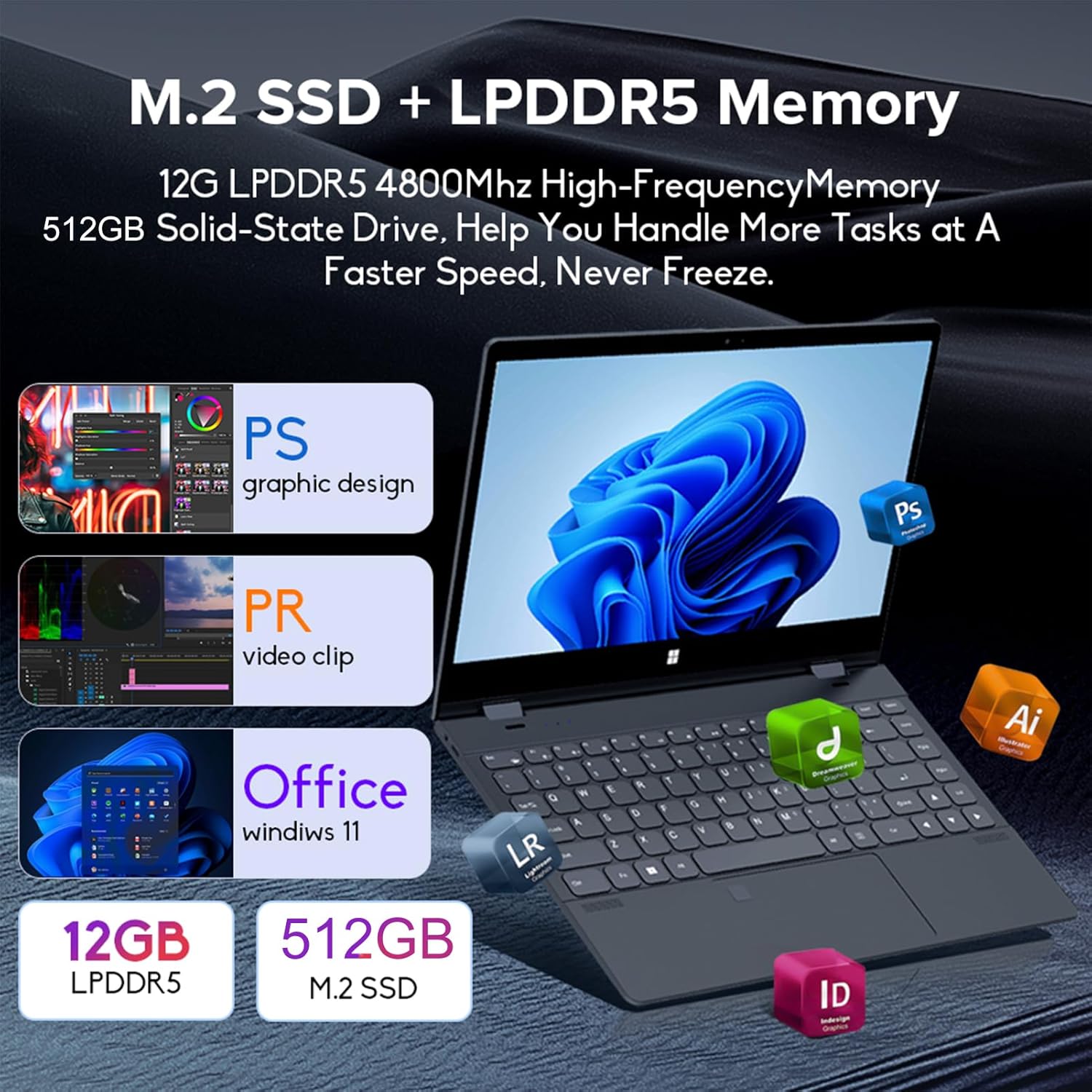
Image: Depiction of the laptop's memory and storage, showing 12GB LPDDR5 RAM and 512GB/1TB M.2 SSD, suitable for various applications.
4.2 بندرونه او نښلونکي
Familiarize yourself with the available ports on your laptop:
- USB-C (بشپړ ځانګړتیاوې): Supports audio, video, data transmission, and PD2.0 fast charging.
- USB 3.0: د USB وسیلو د نښلولو لپاره.
- آډیو په: د هیډفونونو یا بهرنیو سپیکرو لپاره.
- DC په کې: Power input (if applicable, though USB-C is primary charging).
- د TF کارت لوستونکی: د حافظې کارتونو لپاره.

انځور: یو مفصل view of the laptop's side ports, including USB-C, USB 3.0, audio jack, and TF card slot.
۶.۱ د بدلولو وړ حالتونه
The 360-degree hinge allows the laptop to transform into four distinct modes:
- Notebook Mode: Traditional laptop experience for typing and productivity.
- د ټابلیټ حالت: Fold the screen back completely for a tablet experience, ideal for touch-based applications and gaming.
- Viewing Mode (Tent Mode): Stand the laptop in a tent shape for watching videos or presentations.
- Conference Mode (Stand Mode): Flip the keyboard under the screen to share content easily in a group setting.

Image: Visual guide demonstrating the four convertible modes of the laptop: Notebook, Tablet, Viewing, and Conference.
5. عملیات
5.1 د ټچ سکرین کارول
The 10-point multi-touch screen allows for intuitive navigation. Use gestures similar to a smartphone or tablet. The gravity sensing feature enhances the experience, especially in tablet mode.

Image: Demonstrates the ease of touchscreen operation and the benefit of gravity sensing for gaming.
5.2 Using the Backlit Keyboard and Fingerprint Unlock
- شاته کیبورډ: Press the Function (Fn) key combined with the appropriate F-key (usually F3 or F4, check keyboard icons) to toggle the keyboard backlight on/off or adjust its brightness.
- د ګوتې نښه خلاصه کول: Set up your fingerprint in Windows Settings > Accounts > Sign-in options. Once configured, you can unlock your laptop quickly by placing your registered finger on the fingerprint sensor.
۳.۴ د وای فای او بلوتوث سره وصل کیدل
The laptop supports dual-band Wi-Fi (2.4G/5.0G Hz 802.11ac) and Bluetooth for wireless connectivity.
- وای فای: په ټاسک بار کې د وای فای آیکون باندې کلیک وکړئ، خپله مطلوبه شبکه غوره کړئ، که چیرې غوښتنه وشي نو پټنوم دننه کړئ، او په "Connect" کلیک وکړئ.
- بلوتوث: Go to Windows Settings > Bluetooth & devices. Ensure Bluetooth is turned on, then click 'Add device' to pair with Bluetooth peripherals like headphones or mice.

Image: Visual representation of the laptop's dual-band Wi-Fi and Bluetooth connectivity features.
6. ساتنه او پالنه
- پاکول: د نرم، لینټ پاک ټوکر څخه لږ څه کار واخلئampد ښودنې پاکولو لپاره د اوبو یا سکرین کلینر سره مینځل شوی. د کیبورډ او چیسس لپاره، وچ، نرم ټوکر وکاروئ. د سختو کیمیاوي موادو څخه ډډه وکړئ.
- د بیټرۍ پاملرنه: د بیټرۍ د ژوند اوږدولو لپاره، د بیټرۍ په مکرر ډول د بشپړ چارج کولو څخه ډډه وکړئ. لیپ ټاپ په یخ او وچ ځای کې وساتئ کله چې د اوږدې مودې لپاره نه کارول کیږي.
- وینټیلیشن: ډاډ ترلاسه کړئ چې د لیپ ټاپ د هوا د تودوخی د مخنیوي لپاره د هوا د تودوخی دروازې بندې نه وي. لیپ ټاپ په یوه سخته او پلنه سطحه وکاروئ.
- د سافټویر تازه معلومات: خپل عملیاتي سیسټم او ډرایورونه په منظم ډول تازه کړئ ترڅو غوره فعالیت او امنیت ډاډمن کړئ.
7. ستونزه حل کول
| ستونزه | احتمالي حل |
|---|---|
| لیپ ټاپ نه چالانېږي. | Ensure the charging cable is securely connected and the power outlet is functional. Allow the laptop to charge for at least 30 minutes before attempting to power on again. |
| د وای فای اتصال ستونزې. | Restart your router and modem. On the laptop, disable and re-enable Wi-Fi. Ensure you are within range of the Wi-Fi signal. |
| ټچ سکرین بې ځوابه دی. | Restart the laptop. Check for any physical obstructions on the screen. Ensure Windows updates are current. |
| د کیبورډ بیک لایټ کار نه کوي. | Press Fn + F-key (check keyboard icon) to toggle or adjust backlight brightness. Ensure drivers are up to date. |
| لیپ ټاپ ورو روان دی. | Close unnecessary applications. Check for background processes. Ensure sufficient free storage space. Run a system scan for malware. |
8. تخنیکي مشخصات
| فیچر | مشخصات |
|---|---|
| د سکرین اندازه | ۷۸۷ انچه |
| قرارداد | 3840 x 2160 پکسلز (4K UHD) |
| پروسیسر | Intel N95 (up to 3.4GHz) |
| د RAM حافظې نصب شوې اندازه | 12 GB LPDDR5 |
| د هارډ ډیسک توضیحات | 512GB/1TB NVMe SSD |
| عملیاتي سیسټم | د وینډوز 11 کور |
| د ګرافیک کاپروسیسر | د انټل UHD ګرافیک (مدغم) |
| بې سیم ارتباط | 2.4G/5.0G Hz 802.11ac Wi-Fi, Bluetooth |
| ټول USB پورټونه | 2 (including 1 full-featured USB-C) |
| رنګ | د سرو زرو خړ |
| د توکي وزن | 3.46 پونډه (1570 ګرامه) |
| د کڅوړې ابعاد | 15.35 x 9.84 x 3.35 انچه |
| د اصلي هیواد | چین |
9. تضمین او ملاتړ
For warranty information and technical support, please refer to the documentation provided with your purchase or visit the official Docooler webسایټ. د تضمین ادعاوو لپاره د پیرود ثبوت وساتئ.
Docooler is committed to providing quality products and customer satisfaction. For further assistance, please contact Docooler customer service.
Note: Protection plans may be available for extended coverage. Please check with your retailer for details.
Ask a question about this manual
Ask about setup, troubleshooting, compatibility, parts, safety, or missing instructions. Manuals+ will review the question and use this page’s manual context to help answer it.