
1. پیژندنه
The MAGIC-REFINER AKL680 is an ultra-thin wireless mechanical keyboard designed for versatility and comfort. It features an updated low-latency wireless chip, enabling connection to up to three wireless devices simultaneously: one via 2.4G wireless and two via Bluetooth. The compact 68-key layout prioritizes practicality, including a full set of arrow keys and frequently used control keys. This keyboard is battery-powered (batteries not included) and offers extended usage thanks to its smart hibernation function and non-backlit design.
This manual provides essential information for setting up, operating, and maintaining your keyboard.
2. د بسته محتويات
- 1 x MAGIC-REFINER AKL680 Wireless Mechanical Keyboard
- 1 x کیکیپ پلر
- 1 x USB Receiver (2.4G dongle)
- 1 x د کارونکي لارښود
3. محصول ختم شوview
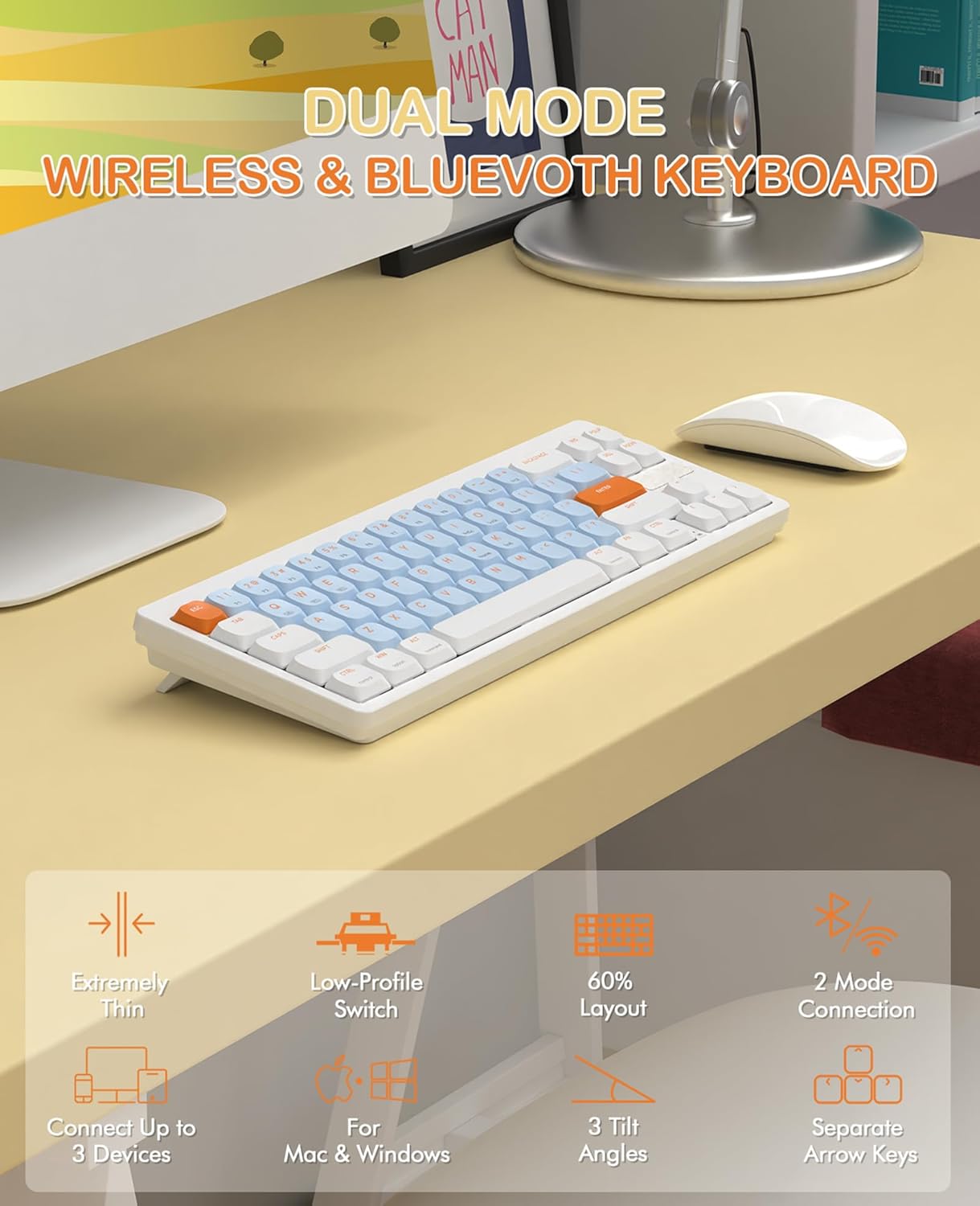
Image 3.1: The MAGIC-REFINER RKL680 keyboard showcasing its dual wireless modes and compact design with low-profile switches and adjustable tilt angles.
کلیدي ځانګړتیاوې:
- الټرا پتلی ډیزاین: پتلی پروfile and lightweight (450g) for portability and reduced wrist strain.
- Dual Wireless Modes: Supports 2.4 GHz wireless and Bluetooth 5.0 connectivity.
- د څو وسیلو نښلول: Connects up to three devices simultaneously (1 x 2.4G, 2 x Bluetooth).
- ۶۱-کليدي ترتیب: Compact yet practical, including dedicated arrow keys and essential control keys.
- ټیټ پروfile د نسواري رنګه رنګ سویچونه: Ensures faster response, easier typing, and quiet operation with tactile feedback.
- Adjustable Tilt Angles: دوه ګونیtage kickstands provide 3 different typing angles for ergonomic comfort.
- دوامداره کیپونه: Double-shot ABS keycaps are oil and wear-resistant.
- د پراخ سیسټم مطابقت: Supports Windows XP/7/8/10/11, Mac OS, Android, and iOS.
- د بیټرۍ اوږد ژوند: Non-backlit design and smart hibernation allow up to 6 months of use (batteries not included).
4. ترتیب کول
4.1 د بیټرۍ نصب کول
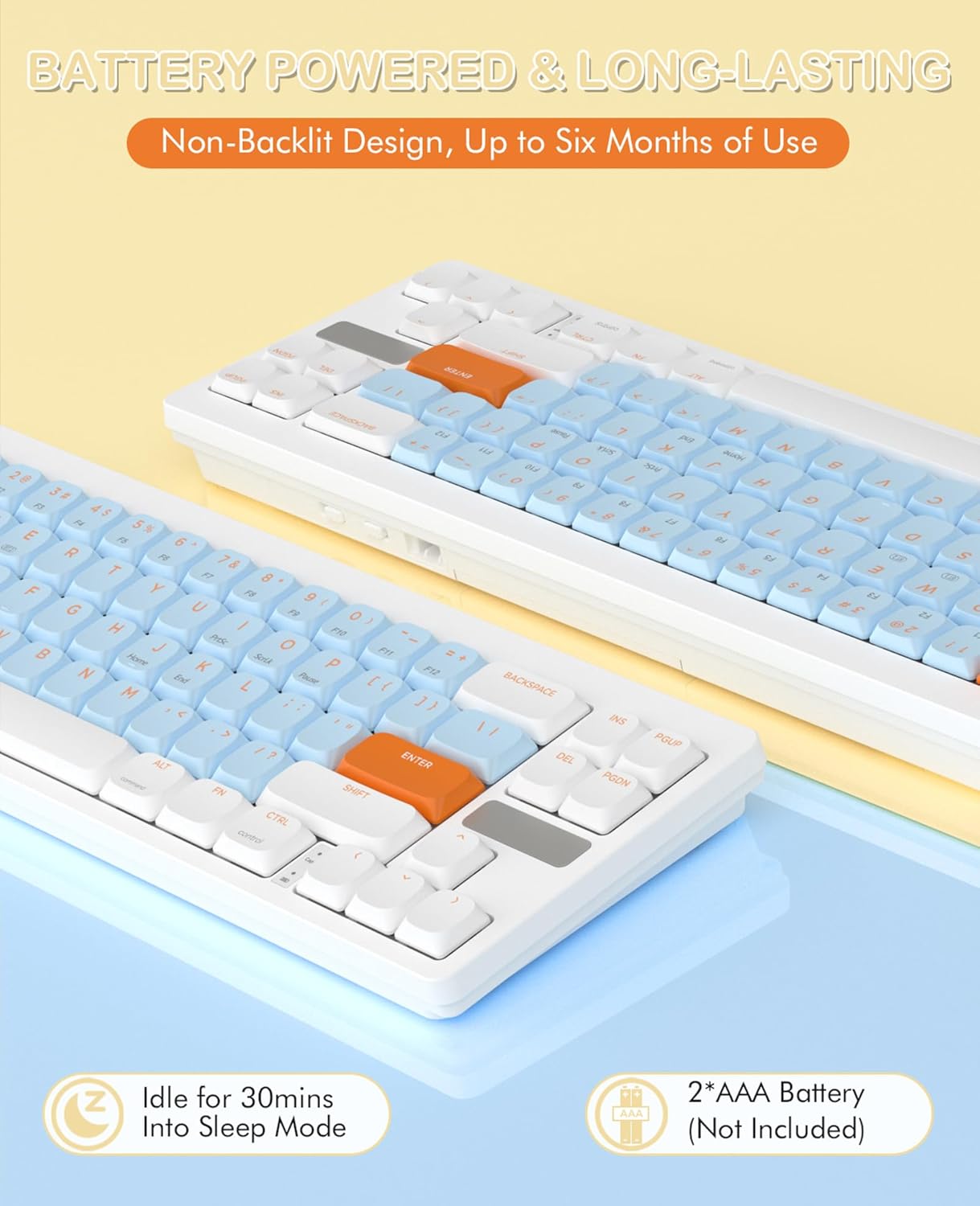
Image 4.1: The keyboard requires two AAA batteries, which are not included in the package. Locate the battery compartment on the underside of the keyboard.
- د کیبورډ په لاندې برخه کې د بیټرۍ د برخې پوښ ومومئ.
- Gently slide or open the cover.
- دوه AAA بیټرۍ دننه کړئ، د سم قطبیت ډاډ ترلاسه کړئ (+/-).
- د بیټرۍ کمپارټ پوښ په خوندي ډول وتړئ.
4.2 نښلول

Image 4.2: The keyboard supports simultaneous connections to up to three devices using 2.4GHz wireless and Bluetooth 5.0.
۲.۴ GHz بېسیم حالت:
- Locate the USB receiver (dongle) in the package.
- د USB ریسیور په خپل کمپیوټر کې موجود USB-A پورټ کې ولګوئ.
- په کیبورډ کې، فشار ورکړئ Fn + Q to switch to 2.4G wireless mode. The keyboard should automatically connect.
Bluetooth Mode (up to 2 devices):
- په کیبورډ کې، فشار ورکړئ Fn + W or Fn + E د بلوتوث چینل غوره کولو لپاره.
- The keyboard will enter pairing mode.
- On your device (PC, laptop, smartphone, tablet), open Bluetooth settings.
- لټون available devices and select "AKL680" or "AKL6802" (depending on the channel selected) to pair.
- Once paired, the keyboard will be connected. Repeat for a second Bluetooth device using the other channel.
4.3 System Switching (Windows/Mac)

Image 4.3: The keyboard supports both Windows and Mac operating systems, allowing seamless switching.
The keyboard features a toggle switch to adapt its layout for Windows or Mac OS. Locate the switch on the back or side of the keyboard and set it to the appropriate operating system for optimal key functionality.
5. عملیاتي لارښوونې
۴.۲ د FN کلیدي ترکیبونه
The Function (Fn) key allows access to secondary functions printed on certain keys. Press and hold the Fn کیلي، بیا د مطلوب فعالیت کیلي فشار ورکړئ.
- Fn + Q: د 2.4G بېسیم حالت ته لاړ شئ.
- Fn + W: بلوتوث وسیلې ۱ ته واړوئ.
- Fn + E: بلوتوث وسیلې ۱ ته واړوئ.
- Other Fn combinations may be indicated on the keycaps for multimedia control or system functions (e.g., F1-F12, volume control).
۴.۳ ارګونومیک سمون
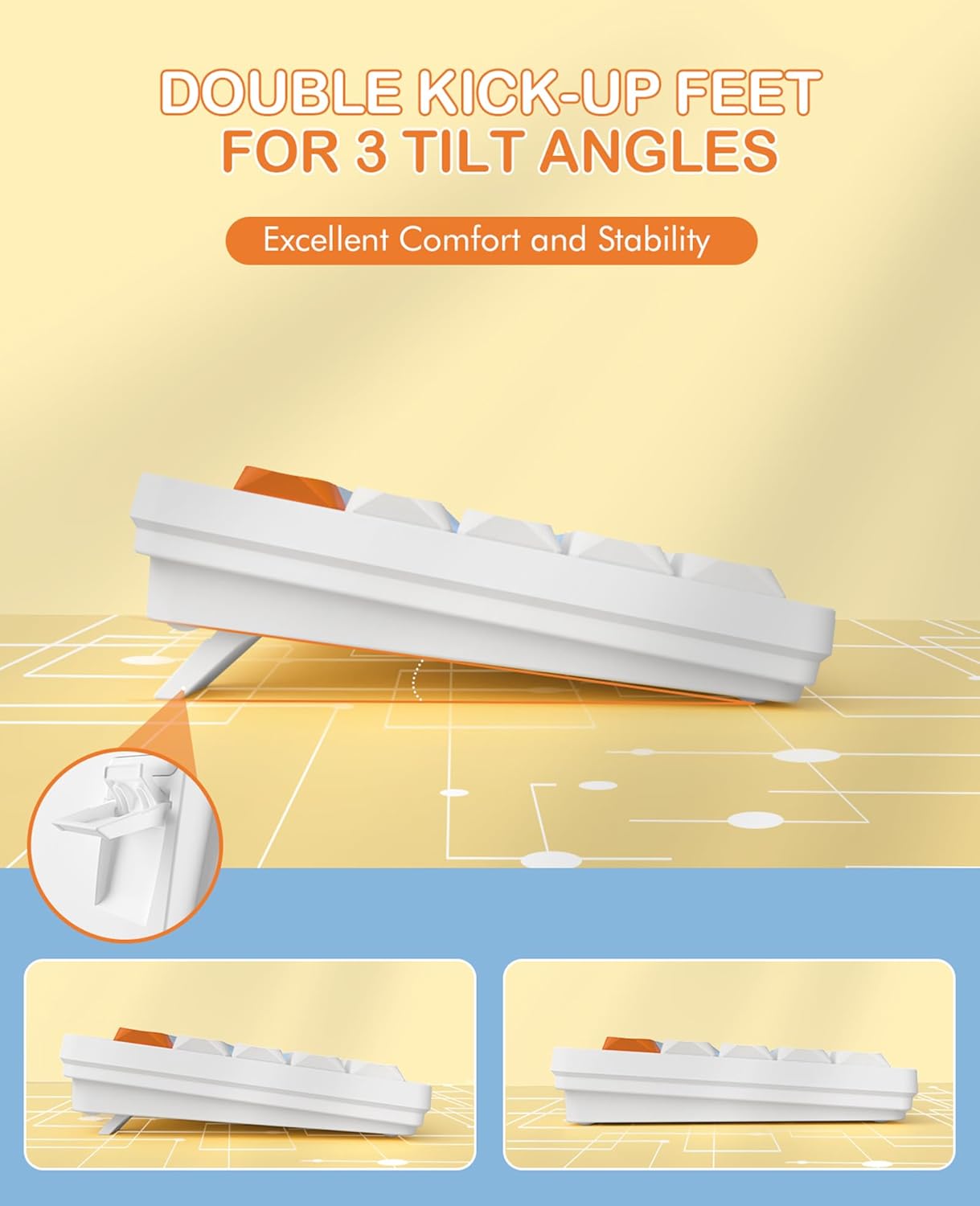
Image 5.1: The keyboard features dual-stage kickstands for three adjustable tilt angles, enhancing typing comfort.
The keyboard is equipped with dual-stage kickstands on its underside. Extend these feet to adjust the typing angle to one of three available positions, optimizing comfort and reducing wrist strain during prolonged use.
6. ساتنه
۷.۲ د کیبورډ پاکول
- Turn off the keyboard and disconnect it from any devices.
- د نرم، لینټ پاک ټوکر څخه لږ څه کار واخلئampened with water or a mild cleaning solution to wipe the keycaps and surface. Avoid excessive moisture.
- For deeper cleaning, use the provided keycap puller to carefully remove keycaps. Clean the switches and keyboard plate with compressed air or a small brush.
- Ensure all parts are completely dry before reattaching keycaps and using the keyboard.
6.2 د بیټرۍ بدلول
When the keyboard's performance degrades or it stops responding, it may be time to replace the batteries. Follow the steps in Section 4.1 to replace the two AAA batteries.
7. ستونزه حل کول
- کیبورډ ځواب نه ورکوي:
- ډاډ ترلاسه کړئ چې بیټرۍ په سمه توګه نصب شوي او کافي چارج لري. که اړتیا وي نو بدل یې کړئ.
- Check that the keyboard is powered on.
- Verify the correct connection mode (2.4G or Bluetooth) is selected using Fn+Q or Fn+W/E.
- For 2.4G mode, ensure the USB receiver is securely plugged into your device. Try a different USB port.
- For Bluetooth mode, ensure Bluetooth is enabled on your device and the keyboard is paired. Try re-pairing the keyboard.
- Ensure the system switch (Windows/Mac) is set correctly for your operating system.
- وقفه ای اړیکه یا ځنډ:
- Move the keyboard closer to your device to reduce interference.
- Avoid using the keyboard near other wireless devices that may cause interference.
- ډاډ ترلاسه کړئ چې ستاسو د وسیلې چلوونکي تازه دي.
- ځانګړي کیلي کار نه کوي:
- Carefully remove the keycap using the keycap puller and check for any debris obstructing the switch. Clean if necessary.
- ډاډ ترلاسه کړئ چې کیلي په سویچ کې په سمه توګه ځای پر ځای شوې ده.
8. مشخصات

انځور ۵.۱: د ټیټ مسلکي تفصیلfile design and mechanical switches, highlighting the slim profile.
| برانډ | MAGIC-REFINER |
| د ماډل شمیره | AKL680 |
| رنګ | Blue (silent brown switches) |
| د کلیدونو شمیر | 68 |
| د ارتباط ټیکنالوژي | 2.4 GHz Wireless / Bluetooth 5.0 |
| مطابقت لرونکې وسیلې | لپ ټاپ، کمپیوټر، سمارټ فون، ټابلیټ |
| د عملیاتي سیسټم ملاتړ | Windows XP/7/8/10/11, Mac OS, Android, iOS |
| د کی بورډ ابعاد | ۱۴ لیتره x ۳ واټ x ۷ ح سانتي متره (تقریبا ۵.۵ x ۱.۲ x ۲.۸ انچه) |
| مواد | پلاستیک یا المونیم |
| ځانګړي ځانګړتیاوې | Lightweight, Ultra-thin, Low-profile switches, Adjustable tilt angles |
| د بریښنا سرچینه | 2 x AAA بیټرۍ (شامل ندي) |
| د رڼا اغیزې | غیر شالید |
9. تضمین او ملاتړ
For warranty information and technical support, please refer to the documentation provided with your purchase or contact MAGIC-REFINER customer service through their official webسایټ یا پرچون پلورونکی چیرې چې محصول اخیستل شوی و.