
پیژندنه
The Vieta Pro Way 3 headphones are designed to provide a versatile audio experience with multiple connectivity options and features. This device supports Bluetooth wireless connection, an Aux-in port for wired use, an integrated microphone for hands-free communication, a dedicated gaming mode, and Dual Pairing functionality. With an impressive battery life of up to 50 hours, these headphones are suitable for extended listening sessions.
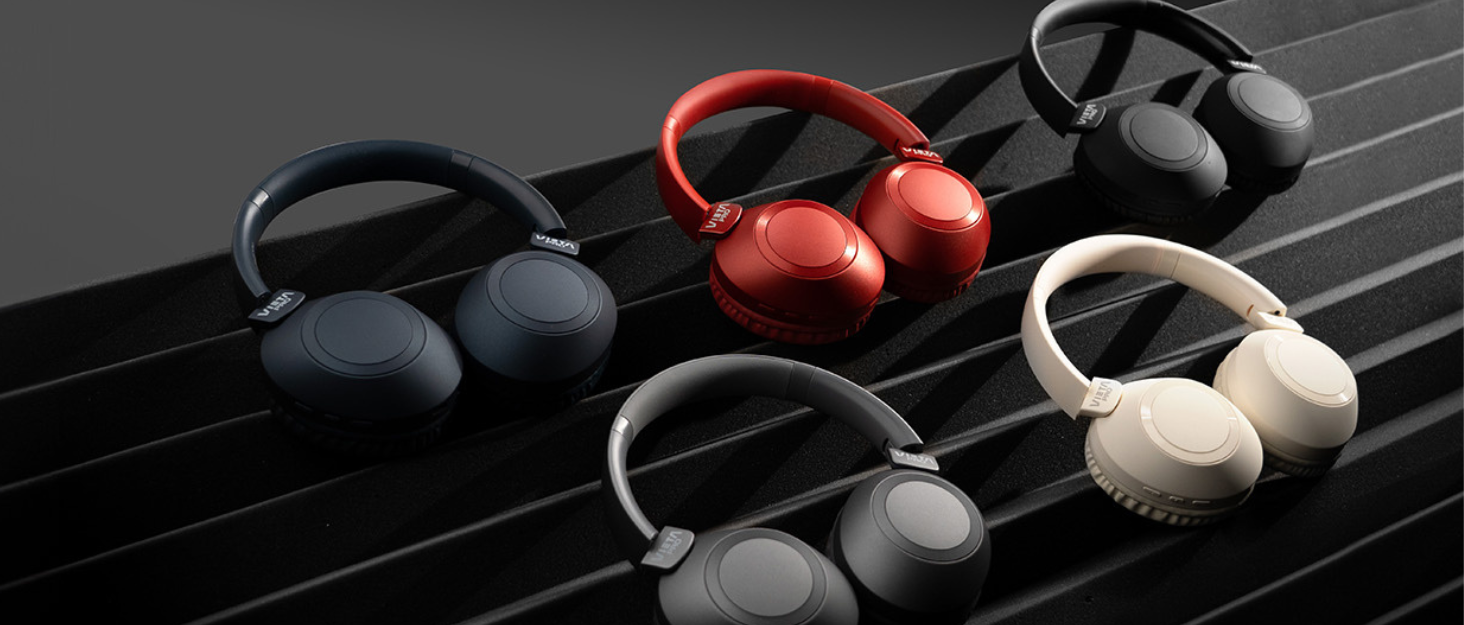
Image: Vieta Pro Way 3 headphones displayed in multiple color options.
چمتو کول
1. د هیډفون چارج کول
Before initial use, ensure the headphones are fully charged. The Vieta Pro Way 3 headphones support wireless charging. A full charge provides up to 50 hours of continuous playback.
- Connect the provided charging cable to the charging port on the headphones and to a compatible USB power source.
- Alternatively, place the headphones on a compatible wireless charging pad.
- The indicator light will show the charging status and turn off or change color once fully charged.
2. بریښنا کول/بندول
- د فعالولو لپاره: د بریښنا تڼۍ د نږدې 3 ثانیو لپاره فشار ورکړئ او ونیسئ تر هغه چې د شاخص رڼا روښانه شي.
- د بریښنا بندولو لپاره: د بریښنا تڼۍ د شاوخوا 3 ثانیو لپاره فشار ورکړئ او ونیسئ تر هغه چې د شاخص څراغ بند نشي.
3. د بلوتوث جوړه کول
د دې لپاره چې خپل هیډفونونه په بېسیم ډول له یوې وسیلې سره وصل کړئ:
- ډاډ ترلاسه کړئ چې هیډفونونه بند دي.
- د بریښنا تڼۍ د نږدې 5-7 ثانیو لپاره فشار ورکړئ او ونیسئ تر هغه چې د شاخص رڼا په چټکۍ سره روښانه شي، د جوړه کولو حالت په ګوته کوي.
- په خپل سمارټ فون، ټابلیټ یا کمپیوټر کې، بلوتوث فعال کړئ او د شته وسایلو لټون وکړئ.
- Select "Vieta Pro Way 3" from the list of found devices.
- Once connected, the indicator light will stop flashing and remain solid or flash slowly.
۶.۴. د اکس-ان اتصال
For a wired connection, use a 3.5mm audio cable:
- د ۳.۵ ملي میتر آډیو کیبل یوه پای د هیډفونونو د آکس ان پورټ سره وصل کړئ.
- Connect the other end to the 3.5mm audio output of your audio source.
- The headphones will automatically switch to Aux-in mode when a cable is detected.
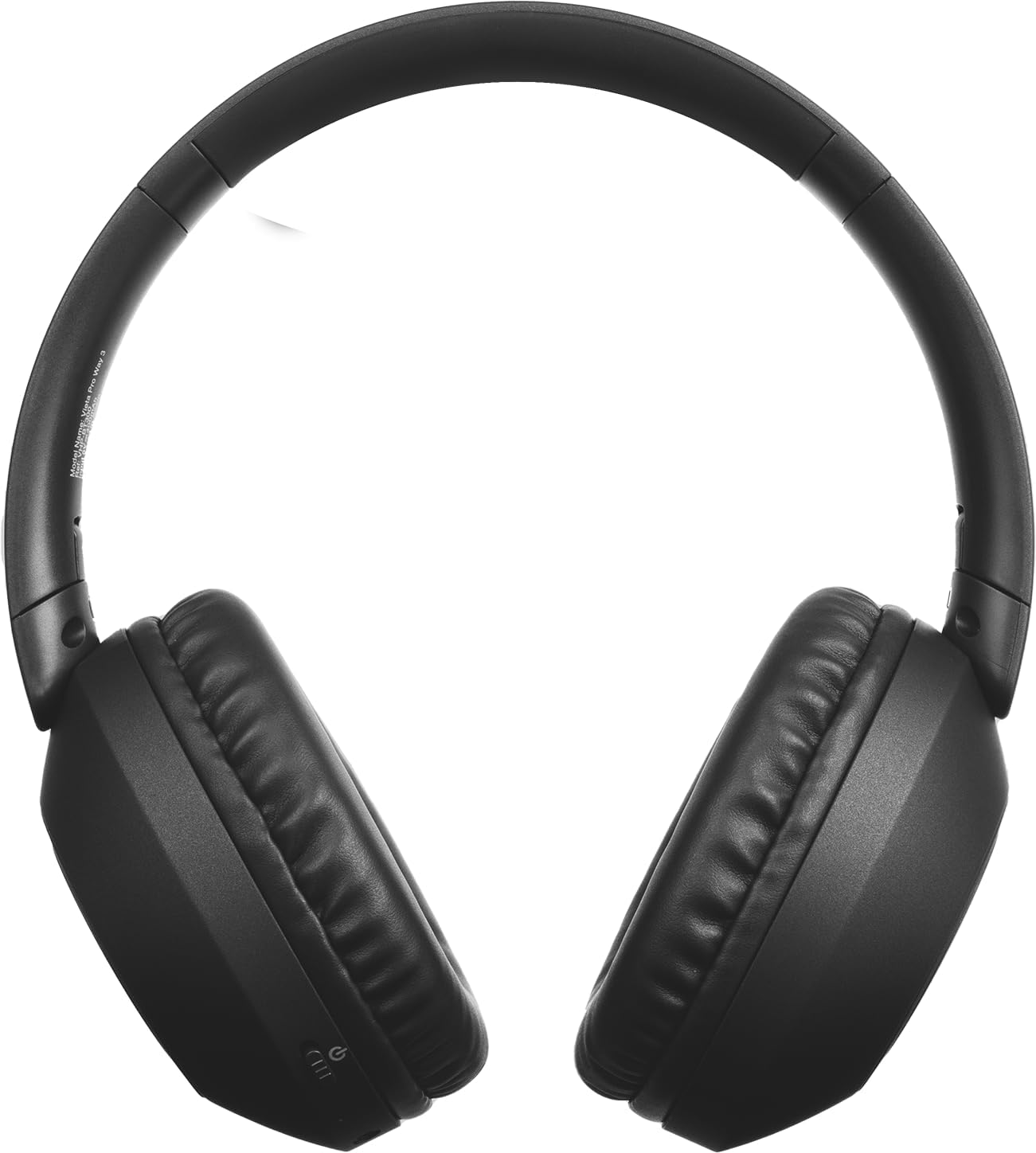
انځور: مخکینۍ برخه view of the Vieta Pro Way 3 headphones, showing the earcups and headband.
عملیاتي لارښوونې
1. د میوزیک غږول
When connected via Bluetooth or Aux-in, you can control your music:
- پلی کول / ودرول: یوځل د ملټي فنکشن ت buttonۍ فشار ورکړئ.
- بله لار: د حجم پورته کولو تڼۍ کېکاږئ او ونیسئ.
- مخکینی لار د حجم ښکته تڼۍ فشار او وساتئ.
- حجم پورته کول: د حجم پورته کولو تڼۍ په لنډ ډول فشار ورکړئ.
- کموالی: د غږ کمولو تڼۍ په لنډ ډول فشار ورکړئ.
2. د کال مدیریت
The integrated microphone allows for hands-free calls when connected via Bluetooth:
- ځواب / پای کال: یوځل د ملټي فنکشن ت buttonۍ فشار ورکړئ.
- زنګ رد کړئ: د 2 ثانیو لپاره د ملټي فنکشن تڼۍ فشار او ونیسئ.
- د غږ همکار: Double-press the Multi-function button to activate your device's voice assistant.
3. د لوبو حالت
Activate the dedicated gaming mode for optimized audio performance during gameplay, reducing latency and enhancing sound effects.
- د لوبو حالت فعال کړئ: Refer to the specific button or gesture indicated in the quick start guide for your model. (Typically a dedicated button or a long press on a volume button).
۶.۵. دوه ګونی جوړه کول
The Dual Pairing feature allows the Vieta Pro Way 3 headphones to connect to two different Bluetooth devices simultaneously. This enables seamless switching between audio sources without the need to disconnect and re-pair.
- Pair the headphones with your first device following the Bluetooth Pairing instructions.
- په لومړي وسیله کې بلوتوث په لنډمهاله توګه منقطع کړئ.
- هیډفونونه د خپل دوهم وسیلې سره یوځای کړئ.
- په لومړي وسیله کې بلوتوث بیا فعال کړئ. هیډفونونه باید اوس دواړو وسیلو سره وصل شي.
- Audio will play from the active source, and you can switch by pausing one and playing the other.

Image: A person wearing the Vieta Pro Way 3 headphones, demonstrating comfortable use.
ساتنه
1. پاکول
- هیډفونونه د نرم، وچ، لینټ پاک ټوکر سره پاک کړئ.
- د کثافاتو پاکوونکي، محلولونه، یا قوي کیمیاوي مواد مه کاروئ، ځکه چې دا ممکن سطحې یا داخلي برخو ته زیان ورسوي.
- په هر ډول خلاصیدو کې د رطوبت له ننوتلو څخه ډډه وکړئ.
2. ذخیره کول
- هیډفونونه په یخ او وچ ځای کې وساتئ، د مستقیم لمر وړانګو او سختې تودوخې څخه لرې.
- When not in use for extended periods, store them in their protective case (if included) to prevent dust and damage.
3. د بیټرۍ پاملرنه
- To prolong the lifespan of the battery, avoid fully discharging the headphones frequently.
- Charge the headphones regularly, even if not in frequent use.
د ستونزو حل کول
1. هیڅ غږ نشته
- ډاډ ترلاسه کړئ چې هیډفونونه فعال او چارج شوي دي.
- په هیډفونونو او وصل شوي وسیلې دواړو کې د حجم کچه وګورئ.
- Verify that the headphones are properly paired via Bluetooth or securely connected via the Aux-in cable.
- Try restarting both the headphones and the audio source device.
۶.۳. د جوړې کولو ستونزې
- Ensure the headphones are in Bluetooth pairing mode (indicator light flashing rapidly).
- په خپل وسیله کې بلوتوث غیر فعال او بیا فعال کړئ.
- Move the headphones closer to your device to ensure a strong signal.
- Clear previous Bluetooth connections from your device's Bluetooth settings and try pairing again.
۷.۳. د چارج کولو مسلې
- Verify that the charging cable is securely connected to both the headphones and the power source, or that the headphones are correctly placed on the wireless charging pad.
- Ensure the power source (USB adapter, computer port, wireless charger) is functional.
- Check the charging port on the headphones for any debris that might obstruct the connection.
مشخصات
| برانډ | ویتا پرو |
| ماډل | لاره 3 |
| د فارم فکتور | Over-ear (Headband) |
| د ارتباط ټیکنالوژي | Wireless (Bluetooth), Wired (Aux-in) |
| بې سیم مخابرات | بلوتوث |
| د بیټرۍ ژوند | تر ۴.۵ ساعتونو پورې (پلې بیک) |
| ځانګړي ځانګړتیاوې | Wireless Charging, Built-in Microphone, Gaming Mode, Dual Pairing |
| جوړونکی | د فریماسن آډیو SA |
| ASIN | B0CRL99NBD |
یادونه: مشخصات پرته له خبرتیا بدلیږي.
تضمین او ملاتړ
For detailed warranty information, product registration, or technical assistance, please refer to the official Vieta Pro website or contact their customer support directly. It is recommended to retain your purchase receipt as proof of purchase for any warranty claims.
- رسمي Webسایټ: لیدنه www.vietapro.com (or relevant regional site) for support resources.
- د پیرودونکو خدمت: Contact information can typically be found on the official webسایټ