
1. پیژندنه
The SMONET Bird Feeder with Camera B300 allows you to observe birds in your garden, courtyard, or balcony with advanced features. This smart bird feeder integrates a high-definition camera, AI recognition, solar charging, and two-way audio to enhance your bird-watching experience. This manual provides detailed instructions for setting up, operating, and maintaining your device.
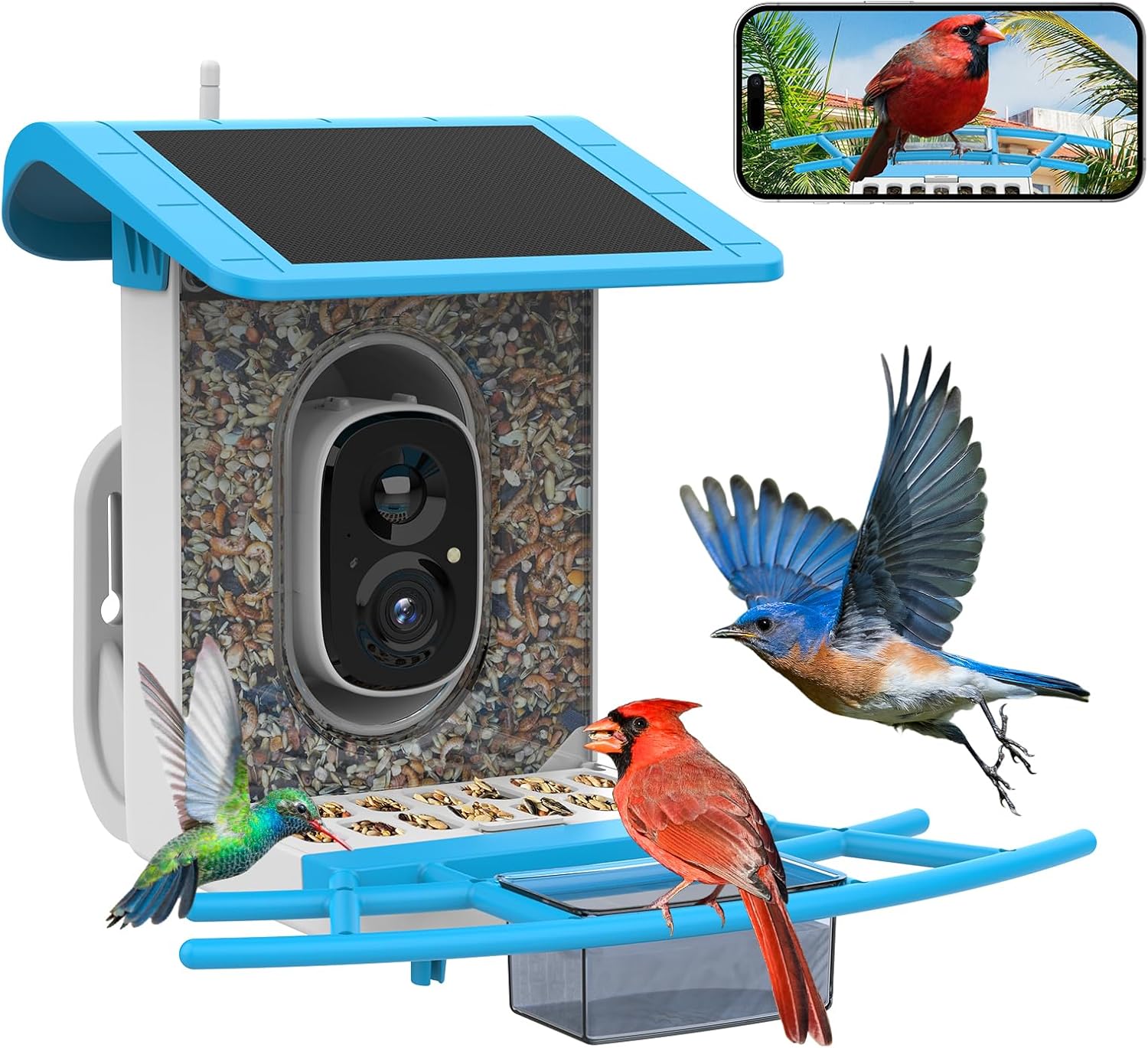
The SMONET Bird Feeder with Camera B300, ready for installation.
۲. په بکس کې څه دي؟
مهرباني وکړئ د بسته بندۍ محتويات وګورئ ترڅو ډاډ ترلاسه کړئ چې ټول توکي شتون لري:
- د مرغیو کور
- Smart Bird Camera
- د سولر پینل (مدغم شوی)
- Two Brackets (for mounting)
- د USB چارج کیبل
- د نصبولو پیچونه او دیوال لنگرونه
- Hummingbird Nectar Feeders (2 units)
- Fruit Forks (2 units)
- Water/Honey Dish
- د لارښود لارښود (دا سند)

All components included in the SMONET Bird Feeder with Camera B300 package.
Official unboxing video for the SMONET Bird Feeder with Camera, demonstrating the contents and initial setup steps.
3. ترتیب کول
۳.۴. د اپلیکیشن نصب او د کیمرې جوړه کول
- ډاونلوډ کړئ VicoHome ستاسو د سمارټ فون د اپلیکیشن پلورنځي څخه اپلیکیشن (د iOS او Android لپاره شتون لري).
- یو حساب جوړ کړئ یا لاګ ان شئ که تاسو دمخه یو حساب لرئ.
- Follow the in-app instructions to add a new device and pair your SMONET Bird Feeder camera. Ensure your Wi-Fi network is 2.4Ghz, as 5Ghz is not supported.
- د ریکارډونو د ځایی ذخیره کولو لپاره کیمرې ته مایکرو ایس ډی کارت (تر 128GB پورې، شامل نه دی) دننه کړئ.
3.2. د نصبولو اختیارونه
The SMONET Bird Feeder offers versatile mounting options:
- وال ماونټ: د دیوال سره د فیډر د خوندي کولو لپاره چمتو شوي پیچونه او لنگرونه وکاروئ.
- د ونې غره: Utilize the included straps or screws to attach the feeder to a tree trunk.
- د قطب غره: Attach the feeder to a pole using the appropriate hardware.
- خپلواکي: The feeder can also be placed on a flat surface.
Ensure the chosen location has good 2.4Ghz Wi-Fi signal coverage and receives adequate sunlight for the solar panel to charge effectively.

The SMONET Bird Feeder can be easily mounted on walls, trees, or poles.

Simplified setup process: Add device, pair camera, and start watching birds.
4. عملیاتي لارښوونې
4.1. Live Video and Notifications
The bird feeder camera uses thermal motion-activated technology. Once a bird is detected, you will receive real-time notifications on your phone and can view 1080P live video without disturbing the birds.

Receive instant notifications on your phone when a bird visits the feeder.
4.2. AI Bird Species Recognition
The SMONET smart bird feeder camera supports AI recognition of over 10,000 bird species. A 30-day bird identification trial is available on the VicoHome app to help you identify bird types and learn about their habits. After the trial, you can subscribe to a plan if desired.

AI technology identifies bird species and provides information via the app.
4.3. Night Vision and Two-Way Audio
The camera features infrared night vision for clear black and white photos. You can also manually activate a white light for colorful video at night. The built-in two-way audio allows you to listen to birds and communicate with anyone in your garden.

Enjoy clear bird watching day and night with full-color and infrared night vision.
4.4. Squirrel Deterrence
The feeder is designed with squirrel-proof features, including a hidden cable, a covered feeding board, and a squirrel repellent siren that can be activated via the app upon detection.

The anti-squirrel design helps protect birdseed from unwanted visitors.
A short video demonstrating the camera's perspective from the bird feeder, showing a bird feeding.
5. ساتنه
5.1. Refilling Birdseed
The feeder has a 2-liter large-capacity birdseed storage box. Regularly check the seed level and refill as needed to ensure a continuous supply for visiting birds.
5.2. پاکول
The upgraded feeding tray is designed for easy cleaning. Periodically clean the feeder and accessories (water dish, nectar feeders) to maintain hygiene and prevent the spread of diseases among birds.
5.3. Solar Panel Care
The integrated 3.3W solar panel and 5000mAh rechargeable battery provide 100% wireless operation. Ensure the solar panel is kept clean and free from obstructions (like leaves or dirt) to maximize charging efficiency. Position the feeder in a location that receives ampمستقیم لمر.

The feeder is weatherproof and designed for easy maintenance.

Utilize accessories like the water tank and fruit forks to attract a wider variety of birds.
6. ستونزه حل کول
- No Power/Camera Offline: Ensure the solar panel is clean and receiving direct sunlight. Check the battery level in the app. Verify Wi-Fi connection (2.4Ghz only).
- د ویډیو خراب کیفیت: Clean the camera lens. Ensure adequate lighting. Check Wi-Fi signal strength at the feeder's location.
- هیڅ خبرتیا نشته: Check app settings for notification permissions. Ensure motion detection is enabled.
- Birds Not Visiting: Ensure the feeder is stocked with fresh, appropriate birdseed. Consider adding water or fruit using the provided accessories. Place the feeder in a quiet, safe location away from predators.
- Squirrels Accessing Feeder: Ensure all squirrel-deterrent features are active. Consider relocating the feeder or adding additional squirrel baffles.
7. مشخصات
- نښه: سمونټ
- ماډل: B300
- مواد: پلاستیک
- رنګ: آبي
- د بریښنا سرچینه: Solar Powered (with built-in 5000mAh rechargeable battery)
- سولر پینل: 3.3W
- د کیمرې ریزولوشن: 1080P
- د شپې لید: Infrared and Full Color
- آډیو: دوه طرفه آډیو
- د مصنوعي ذهانت پیژندنه: Supports 10,000+ bird species (with trial/subscription)
- ذخیره کول: Supports up to 128GB TF card (not included), 3-day cloud storage free for 2 years
- ارتباط: 2.4Ghz WiFi (5G not supported)
- ظرفیت: 2 Liters (seed storage)
- د نصب کولو ډول: Freestanding, Wall Mount, Tree Mount, Pole Mount
- ځانګړي ځانګړتیاوې: Bird feeder camera, Bird house with camera, Smart bird Feeder AI Recognition, Smart bird feeder, Squirrel proof design
یوه ویډیويي نندارهasing the SMONET solar bird feeder in action, highlighting its features and design.
8. تضمین او ملاتړ
For warranty information, technical support, or any inquiries regarding your SMONET Bird Feeder with Camera B300, please refer to the official SMONET webسایټ یا مستقیم د دوی د پیرودونکو خدماتو سره اړیکه ونیسئ. د اړیکو توضیحات معمولا د محصول په بسته بندۍ یا د تولید کونکي په پاڼه کې موندل کیږي webسایټ