
1. پیژندنه
Thank you for choosing the Zeblaze Crystal 3 Smartwatch. This manual provides essential information for setting up, operating, maintaining, and troubleshooting your device. Please read it carefully to ensure proper use and optimal performance.
2. محصول ختم شوview
The Zeblaze Crystal 3 is a versatile smartwatch designed for fitness tracking and daily use. It features a vibrant HD color display and high-precision sensors to monitor various health metrics.
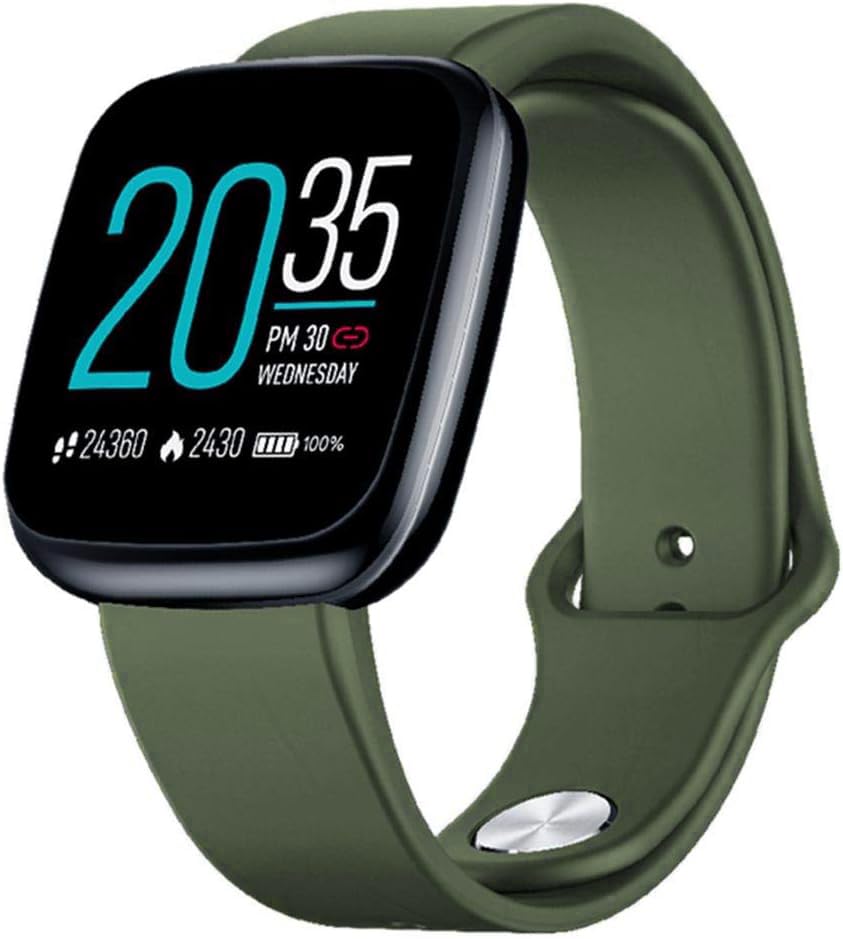
Image: Zeblaze Crystal 3 Smartwatch, showing the main display and green strap.
کلیدي ځانګړتیاوې:
- ۱.۸ انچه HD رنګ سکرین: A vibrant IPS display with 240x240 pixel resolution for clear visuals.
- د لوړ دقیق سینسر: Equipped with a heart rate sensor, proximity sensor, and accelerometer for accurate data collection.
- IP67 د اوبو مقاومت: Designed to withstand daily water exposure, such as splashes and rain.
- د بیټرۍ اوږد ژوند: Up to 7 days of use on a single 2-hour charge, thanks to its 200 mAh battery.
- د فعالیت تعقیب: Monitors steps, distance, calories burned, and supports various sports modes.
- روغتیا څارنه: Includes heart rate and sleep tracking.
- د سمارټ فون مطابقت: Works with Android 4.4 or newer and iOS 8.0 or newer devices.
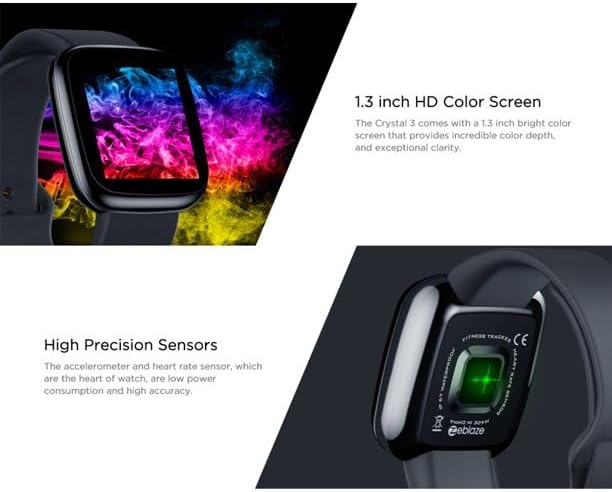
Image: Close-up of the 1.3-inch HD color screen and the high-precision heart rate sensor on the back of the watch.
3. ترتیب کول
۴.۱ د سمارټ واچ چارج کول
Before first use, fully charge your Zeblaze Crystal 3. Connect the charging cable to the watch's charging port and a USB power source (e.g., computer USB port or a 5V/1A USB adapter). A full charge typically takes about 2 hours.
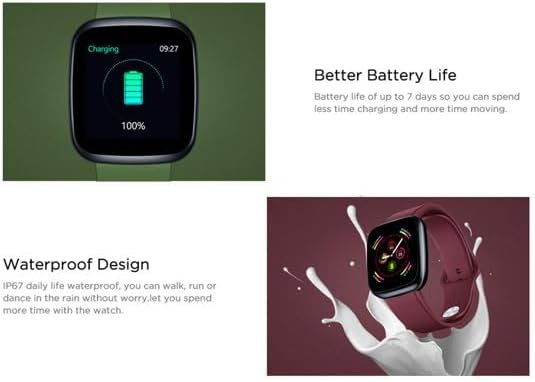
Image: Illustration showing how to connect the smartwatch to a USB port for charging.
۳.۳ د اپلیکیشن نصب او جوړه کول
- اپلیکیشن ډاونلوډ کړئ: لټون the official Zeblaze companion app on your smartphone's app store (Google Play Store for Android or Apple App Store for iOS).
- ګڼون جوړول: اپلیکیشن پرانیزئ او د حساب جوړولو یا ننوتلو لپاره په سکرین کې لارښوونې تعقیب کړئ.
- جوړه وسیله: Ensure Bluetooth is enabled on your smartphone. In the app, navigate to the device pairing section and select "Zeblaze Crystal 3" from the list of available devices. Confirm the pairing request on both your phone and the smartwatch.
- پروfile چمتو کول: Complete your personal profile within the app to ensure accurate tracking of health and fitness data.
4. عملیاتي لارښوونې
4.1 بنسټیز نیویګیشن
- د ویښیدو سکرین: د سکرین د راویښولو لپاره خپل لاس پورته کړئ یا د غاړې تڼۍ فشار ورکړئ.
- پورته / ښکته سوائپ: خبرتیاو یا چټکو ترتیباتو ته لاسرسی ومومئ.
- کیڼ/ښي خوا ته سوپ کړئ: Navigate through different functions and widgets (e.g., heart rate, activity data, weather).
- ټایپ: یو توکي غوره کړئ یا یو عمل تایید کړئ.
- اوږد پریس: On the main watch face, long press to change watch faces.
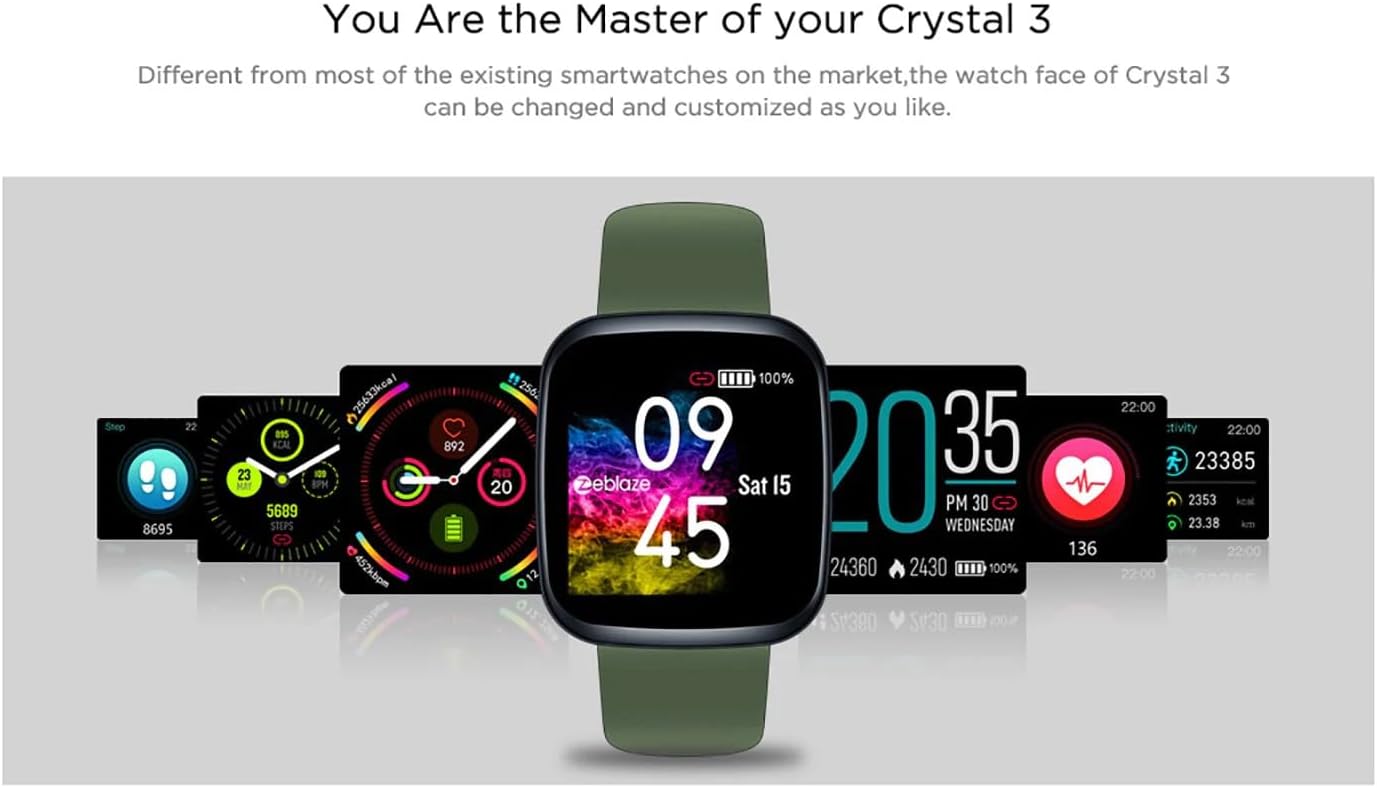
Image: The Zeblaze Crystal 3 displaying different customizable watch faces and data screens.
۳.۲ د فعالیت تعقیب
The smartwatch automatically tracks your daily steps, distance, and calories burned. You can view this data directly on the watch or in more detail within the companion app.
4.3 د زړه د اندازې څارنه
The built-in heart rate sensor continuously monitors your heart rate. Ensure the watch is worn snugly on your wrist for accurate readings. View your current and historical heart rate data in the app.
4.4 د خوب څارنه
Wear the smartwatch to bed to track your sleep patterns. The device records sleep duration and quality, which can be reviewed in the app to help you understand and improve your sleep habits.
5. ساتنه
5.1 د وسیلې پاکول
Regularly clean your smartwatch and strap to prevent skin irritation and maintain functionality. Use a soft, damp د سکرین او تسمې د پاکولو لپاره ټوکر. د سختو کیمیاوي موادو یا کثافاتو موادو کارولو څخه ډډه وکړئ.
۶.۱ د اوبو مقاومت (IP67)
The Zeblaze Crystal 3 is IP67 water-resistant, meaning it is protected against dust and can withstand immersion in water up to 1 meter for up to 30 minutes. It is suitable for daily use, such as washing hands, rain, or light splashes. It is not recommended for swimming, showering with hot water, or diving.

Image: Illustration highlighting the waterproof design of the Zeblaze Crystal 3 Smartwatch.
5.3 د بیټرۍ پاملرنه
- د لوړې تودوخې څخه ډډه وکړئ، کوم چې کولی شي د بیټرۍ ژوند خراب کړي.
- وسیله د اوږدې مودې لپاره په بشپړه توګه خارج مه پریږدئ.
- یوازې چمتو شوی چارجینګ کیبل یا تصدیق شوی معادل وکاروئ.
6. ستونزه حل کول
۷.۱ وسیله نه چالانېږي
- ډاډ ترلاسه کړئ چې وسیله په بشپړه توګه چارج شوې ده. لږترلږه د 30 دقیقو لپاره یې چارجر سره وصل کړئ.
- د بیا پیلولو لپاره د 10-15 ثانیو لپاره د اړخ تڼۍ فشار او ونیسئ.
۶.۲ د سمارټ فون سره د جوړې کولو توان نلري
- Make sure Bluetooth is enabled on your phone and the smartwatch is within range.
- خپل سمارټ فون او سمارټ واچ دواړه بیا پیل کړئ.
- وګورئ چې ایا اپلیکیشن وروستي نسخې ته تازه شوی دی.
- د خپل تلیفون د بلوتوث ترتیباتو څخه وسیله هیر کړئ او د اپلیکیشن له لارې بیا جوړه کولو هڅه وکړئ.
6.3 Inaccurate Heart Rate/Activity Data
- ډاډ ترلاسه کړئ چې ساعت ستاسو په لاس کې په کلکه اغوستل شوی دی، نه ډیر تنګ او نه ډیر خلاص.
- د ساعت په شا سینسر پاک کړئ.
- Update the smartwatch firmware via the companion app if an update is available.
7. مشخصات
| فیچر | تفصیل |
|---|---|
| برانډ | زیبلیز |
| د ماډل نوم | کرسټال ۲ |
| ښودل | 1.3-inch IPS Color Screen |
| قرارداد | ۲۲۰*۱۷۶ پکسله |
| سینسرونه | Heart Rate Sensor, Proximity Sensor, Accelerometer |
| د اوبو مقاومت | IP67 |
| د بیټرۍ ظرفیت | 200 mAh |
| د چارج کولو وخت | نږدې 2 ساعته |
| د بیټرۍ ژوند | تر 7 ورځو پورې |
| مطابقت | انډرایډ ۹.۰+ / iOS ۱۴.۰+ |
| ابعاد | 4.05 x 3.55 x 1.2 سانتي متره (1.59 x 1.39 x 0.47 انچه) |
| وزن | 27 ګرامه (0.95 اونس) |
| ارتباط | Bluetooth (for app pairing), USB (for charging) |
| ځانګړي ځانګړتیاوې | Activity Tracker, Heart Rate Monitor, Sleep Monitor |
8. تضمین او ملاتړ
For warranty information and customer support, please refer to the documentation included with your purchase or visit the official Zeblaze website. If you encounter any issues not covered in this manual, please contact Zeblaze customer service for assistance.