
1. پیژندنه
This manual provides essential information for setting up, operating, maintaining, and troubleshooting your Svikou 15.6'' 165Hz 2.5K FHD Laptop. Please read this manual thoroughly before using your device to ensure optimal performance and longevity.
The Svikou 15.6'' laptop is designed for high-performance computing, featuring an AMD Ryzen 7 5700U processor, a vibrant 165Hz 2.5K FHD display, 16GB of RAM, and a 512GB NVMe SSD. It comes pre-installed with Windows 11 Pro.

Image 1.1: The Svikou 15.6-inch laptop with a high-resolution display, showcasing its visual capabilities.
۳. پیل کول (تنظیم کول)
2.1. د بسته محتويات
مخکې له دې چې پرمخ لاړ شئ، ډاډ ترلاسه کړئ چې ټول توکي په کڅوړه کې شتون لري:
- Svikou 15.6'' Laptop x1
- چارجر x1
- بې سیم ماوس x1
- English Operation Manual x1 (this document)
- د تضمین کارت x1
۳. لومړنی بریښنا فعالول
- Connect the charger to the laptop's DC charging port and a power outlet.
- د لپ ټاپ پوښ خلاص کړئ.
- د کیبورډ په موقعیت کې د بریښنا تڼۍ فشار ورکړئ.
- Follow the on-screen instructions to complete the Windows 11 Pro setup. This includes selecting your region, language, and setting up your user account.
۴. کلیدي ځانګړتیاوې او عملیات
3.1. ښکاره کول
The laptop features a 15.6-inch 2.5K FHD (2560 x 1440) IPS display with a 165Hz refresh rate. This provides a clear, dynamic visual experience with a 90% screen share and 100% sRGB color gamut.
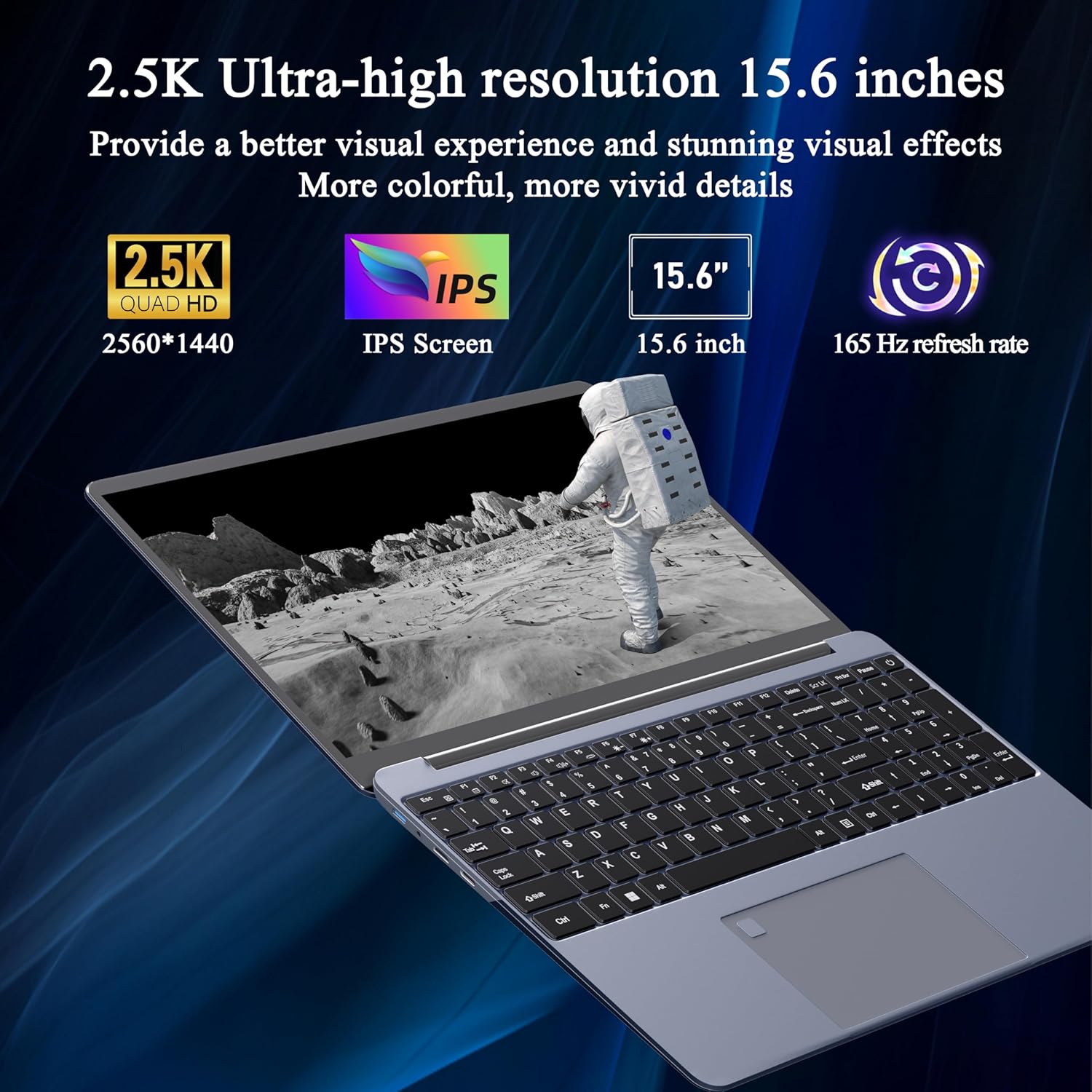
Image 3.1: Visual representation of the laptop's 2.5K Ultra-high resolution 15.6-inch display specifications.
3.2. پروسیسر
Equipped with an AMD Ryzen 7 5700U eight-core processor, the laptop offers a base frequency of 1.8GHz and can accelerate up to 4.3GHz. This processor is designed for high-performance computing and multitasking.

انځور ۲: تفصیلي view of the AMD Ryzen 7 5700U processor, highlighting its core specifications.
3.3. حافظه او ذخیره کول
The laptop features 16GB of DDR4 RAM, enabling smooth multitasking across multiple applications. For storage, it includes a 512GB NVMe SSD, which provides fast startup times and efficient data access with minimal noise.

Image 3.3: The laptop demonstrating its capacity for handling multiple applications with 16GB RAM and 512GB SSD.
۳.۳. اتصال او بندرونه
دا لیپ ټاپ د ارتباط مختلف انتخابونه وړاندې کوي:
- بې سیم: 5G dual-band WiFi, Bluetooth 4.2
- بندرونه: 2x USB 3.0, 1x Micro SD card slot, 1x Type-C, 1x Mini HDMI, 1x Headphone Jack, 1x DC charging port

Image 3.4: An illustration detailing the available ports on the Svikou laptop for external device connections.
۳. کیبورډ او ان پټ
The laptop features a backlit keyboard for improved visibility in various lighting conditions. It also includes a fingerprint unlock sensor for enhanced security and convenient access.
- شاته کیبورډ: To toggle the keyboard backlight, press Fn + F5.
- د ګوتې نښه خلاصه کول: Use the integrated fingerprint sensor for secure login.

Image 3.5: Close-up of the backlit keyboard and the fingerprint unlock feature.
3.6. بیټرۍ
The laptop is equipped with a 5000mAh high-capacity battery, providing up to 5 hours of usage depending on the workload.

Image 3.6: The laptop's design emphasizing its durable battery life.
4. ساتنه
To ensure the longevity and optimal performance of your Svikou laptop, follow these maintenance guidelines:
- پاکول: د سکرین او بهرنۍ برخې پاکولو لپاره له نرم، لینټ څخه پاک ټوکر څخه کار واخلئ. د سختو کیمیاوي موادو څخه ډډه وکړئ.
- د سافټویر تازه معلومات: د امنیت او فعالیت ډاډمن کولو لپاره خپل وینډوز عملیاتي سیسټم او ډرایورونه په منظم ډول تازه کړئ.
- د بیټرۍ پاملرنه: د بیټرۍ په مکرر ډول د بشپړ چارج کولو څخه ډډه وکړئ. د اوږدې مودې ذخیره کولو لپاره، بیټرۍ شاوخوا 50-70٪ پورې چارج کړئ.
- وینټیلیشن: ډاډ ترلاسه کړئ چې د لیپ ټاپ د هوا لارې بندې نه وي ترڅو د ډیر تودوخې مخه ونیول شي. لیپ ټاپ په یوه سخته او فلیټ سطحه وکاروئ.
- ذخیره کول: لیپ ټاپ په یخ او وچ ځای کې وساتئ چې د مستقیم لمر وړانګو او سختې تودوخې څخه لرې وي.
5. ستونزه حل کول
This section addresses common issues you might encounter with your Svikou laptop.
۱. کیبورډ ځواب نه ورکوي
- لپ ټاپ بیا پیل کړئ: یو ساده بیا پیل کول ډیری وختونه د سافټویر لنډمهاله ستونزې حل کولی شي.
- Check Drivers: Ensure your keyboard drivers are up to date. Go to Device Manager, locate 'Keyboards', right-click your keyboard device, and select 'Update driver'.
- سیسټم File چک: If issues persist after a Windows update, open Command Prompt as administrator and run
DISM /Online /Cleanup-Image /RestoreHealth. Allow it to complete, then restart your computer.
5.2. ډیر ګرمول
- وینټیلیشن چیک کړئ: Ensure the laptop's vents are clear of dust and obstructions. Use compressed air to clean them if necessary.
- سطحه: Use the laptop on a hard, flat surface to allow for proper airflow. Avoid using it on soft surfaces like beds or couches.
- نه کارول شوي غوښتنلیکونه بند کړئ: Reduce the workload on the CPU and GPU by closing unnecessary programs.
- د بریښنا ترتیبات: Adjust power settings to a 'Balanced' or 'Power saver' mode to reduce performance and heat generation.
۶.۴. بیټرۍ په چټکۍ سره وچېږي
- د سکرین روښانتیا تنظیم کړئ: Lowering screen brightness significantly reduces battery consumption.
- د شاليد اپليکيشنونه بند کړئ: Many applications consume power even when not actively in use. Close them from Task Manager.
- د بریښنا حالت: Switch to 'Battery Saver' mode in Windows settings.
- نه کارول شوي ځانګړتیاوې غیر فعال کړئ: Turn off Wi-Fi, Bluetooth, or other peripherals when not needed.
6. مشخصات
| فیچر | مشخصات |
|---|---|
| برانډ | Svikou |
| د ماډل نوم | 15XXUMX |
| د سکرین اندازه | 15.6 انچه |
| د ښودلو ریزولوشن | 2560 x 1440 (2.5K FHD) |
| د تازه کولو نرخ | 165Hz |
| پروسیسر | AMD Ryzen 7 5700U (8-core, 1.8 GHz base, up to 4.3 GHz) |
| RAM | 16 GB LPDDR4X |
| ذخیره کول | 512 GB NVMe SSD |
| عملیاتي سیسټم | وینډوز 11 پرو |
| ګرافیک کارت | مدغم شوی AMD Radeon ګرافیک |
| بې سیم ډول | 802.11ax (5G Dual-Band WiFi) |
| بلوتوث | بلوتوث 4.2 |
| د USB 3.0 بندرونه | 2 |
| نور بندرونه | Type-C, Mini HDMI, Micro SD Card Slot, Headphone Jack, DC Charging Port |
| بیټرۍ | 5000mAh لیتیم آیون |
| د توکي وزن | ۲.۴۵ پونډه |
| د محصول ابعاد | 14 x 9 x 0.7 انچه |
| رنګ | خړ |
7. تضمین او ملاتړ
Your Svikou laptop comes with a 12-month product quality assurance. If you encounter any discrepancies or issues, particularly regarding Windows 11 Pro certification, please contact our customer service team.
We offer 24-hour email support to assist you with any questions or concerns. Please refer to the warranty card included in your package for specific terms and conditions.
د ملاتړ سره اړیکه: For assistance, please refer to the contact information provided on your warranty card or the official Svikou webسایټ