
1. محصول ختم شوview
The Docooler IPX7 Waterproof Bluetooth Portable Shower Speaker is designed for audio playback in various environments, including wet conditions. It features Bluetooth 5.0 connectivity, an LED display, FM radio, and a light show function. The speaker is equipped with a removable suction cup for versatile placement.

Image: Docooler IPX7 Waterproof Bluetooth Portable Shower Speaker, showcasinد هغې ډیزاین او ځانګړتیاوې.
2. د بسته محتويات
ډاډ ترلاسه کړئ چې ټول توکي په کڅوړه کې شتون لري:
- Docooler IPX7 Waterproof Bluetooth Portable Shower Speaker
- د USB-C چارج کیبل
- د لرې کولو وړ سکشن کپ
- د کارن لارښود
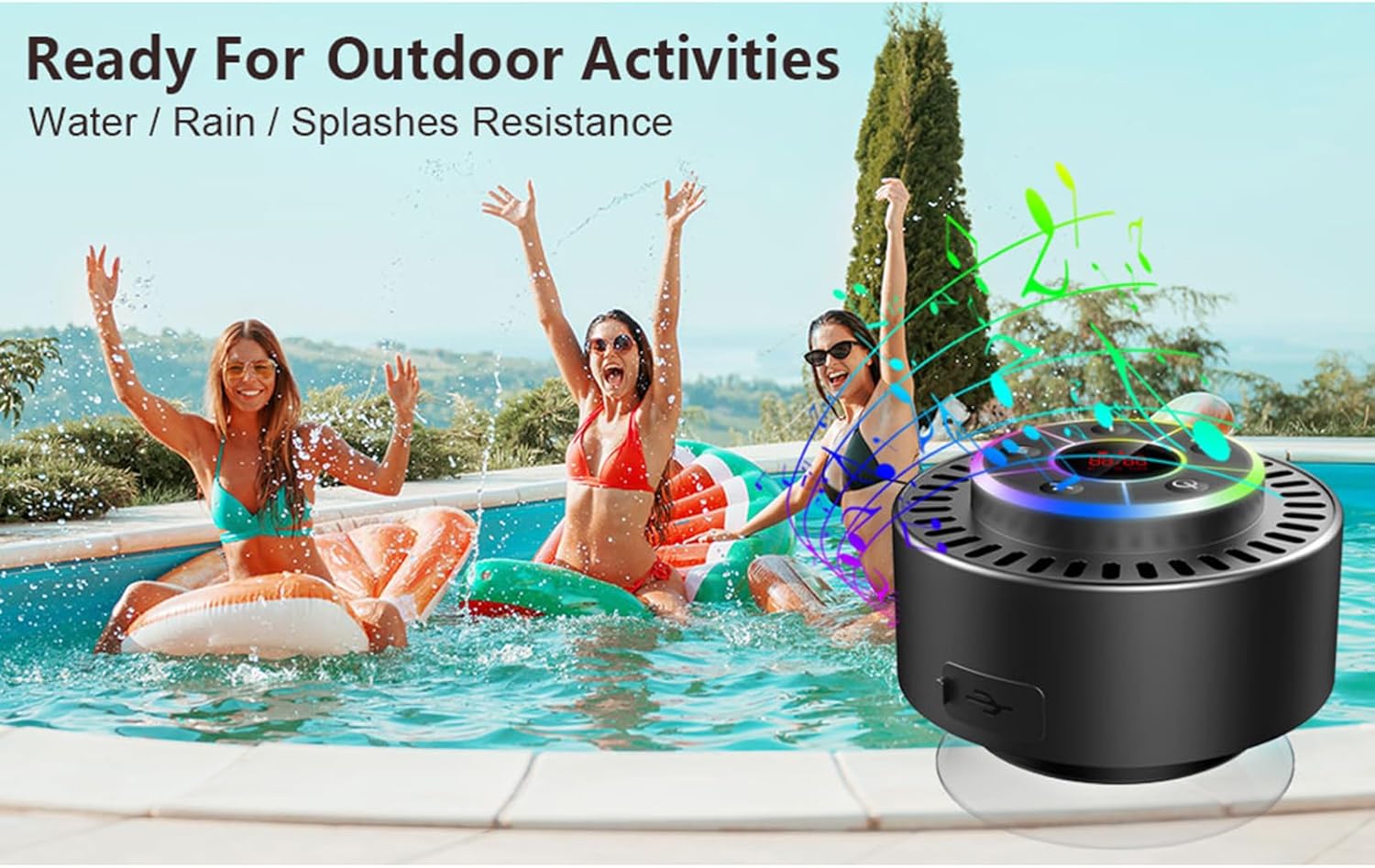
Image: The speaker, USB-C charging cable, and user manual as included in the package.
3. ترتیب کول
۳.۱ د سپیکر چارج کول
Before initial use, fully charge the speaker. Connect the provided USB-C charging cable to the speaker's charging port and the other end to a USB power adapter (not included) or a computer's USB port. The LED display will indicate charging status.
۴.۱ د سکشن کپ نښلول
To attach the suction cup, ensure both the speaker's back surface and the desired mounting surface are clean and dry. Press the suction cup firmly against the surface until it adheres securely. For best results, slightly moisten the suction cup before application.
3.3 بریښنا کول / بندول
- د فعالولو لپاره: فشار ورکړئ او ونیسئ د بریښنا تڼۍ (
 ) for approximately 3 seconds until the LED display illuminates.
 - د بریښنا بندولو لپاره: فشار ورکړئ او ونیسئ د بریښنا تڼۍ for approximately 3 seconds until the LED display turns off.
4. عملیاتي لارښوونې
4.1 د تڼۍ دندې
انځور: تفصیلي view د سپیکر د کنټرول پینل، د هرې تڼۍ فعالیت په ګوته کوي.
| تڼۍ | فعالیت (لنډ پریس) | فعالیت (اوږده پریس) |
|---|---|---|
| د بریښنا تڼۍ () | Toggle LED light show modes | پاور آن/بند |
| M تڼۍ | Switch between Bluetooth and FM Radio modes | N/A |
| د پلی/پاز تڼۍ () | Play/Pause music; Answer/End calls; Auto-scan in FM mode | راتلونکی کال رد کړئ |
| Previous Song / Volume Down (-) | Previous song (Bluetooth); Previous station (FM) | حجم کم کړئ |
| Next Song / Volume Up (+) | Next song (Bluetooth); Next station (FM) | حجم زیات کړئ |
4.2 د بلوتوټ جوړه کول
When powered on, the speaker automatically enters Bluetooth pairing mode. The LED display will show 'BT'.
- ډاډ ترلاسه کړئ چې ستاسو په وسیله (سمارټ فون، ټابلیټ، لیپ ټاپ) کې بلوتوث فعال دی.
- لټون available Bluetooth devices and select "Docooler Speaker" from the list.
- Once connected, the speaker will emit an audible confirmation, and the 'BT' indicator on the LED display will stabilize.

Image: The speaker demonstrating connectivity with a phone, tablet, and computer via Bluetooth.
۶.۸ ریښتینی بې سیم سټیریو (TWS) جوړه کول
To achieve 3D stereo sound, two Docooler speakers can be paired together.
- ډاډ ترلاسه کړئ چې دواړه سپیکرې فعالې دي او د بل بلوتوث وسیلې سره وصل نه دي.
- په یوه سپیکر کې (دا به لومړنی سپیکر وي)، فشار ورکړئ او ونیسئ د لوبې / بندولو تڼۍ د 2-3 ثانیو لپاره تر هغه چې تاسو د جوړه کولو غږ واورئ.
- دواړه سپیکرې به په اتوماتيک ډول یو بل سره وصل شي.
- Once paired, connect your device to the primary speaker via Bluetooth as described in section 4.2. Audio will now play through both speakers in stereo.

Image: Two Docooler speakers wirelessly connected to a computer, illustrating the True Wireless Stereo (TWS) feature.
4.4 FM راډیو حالت
To switch to FM Radio mode:
- فشار ورکړئ د M ت buttonۍ to cycle through modes until 'FM' appears on the LED display.
- اتوماتیک سکین: په FM حالت کې، لنډ فشار ورکړئ د لوبې / بندولو تڼۍ to automatically scan and save available radio stations.
- د بدلولو سټیشن: د کارولو Previous Song / Volume Down (-) او Next Song / Volume Up (+) ت savedۍ د خوندي شوي سټیشنونو له لارې تګ راتګ لپاره.
- حجم تنظیم کړئ: اوږد فشار ورکړئ Previous Song / Volume Down (-) or Next Song / Volume Up (+) د حجم تنظیم کولو لپاره تڼۍ.
4.5 LED Light Show
The speaker features a beat-driven LED light show with seven colors.
- د رڼا حالت بدل کړئ: لنډ فشار ورکړئ د بریښنا تڼۍ to cycle through different light show patterns or to lock a single color.
- څراغونه بند کړئ: فشار ته دوام ورکړئ د بریښنا تڼۍ until the lights turn off.
4.6 له لاسونو خالي تلیفون
کله چې د بلوتوث له لارې وصل شي، جوړ شوی مایکروفون د لاسونو څخه پاک زنګونو ته اجازه ورکوي.
- زنګ ووهئ: لنډ فشار ورکړئ د لوبې / بندولو تڼۍ.
- ټلیفون پای: لنډ فشار ورکړئ د لوبې / بندولو تڼۍ د زنګ وهلو پرمهال.
- زنګ رد کړئ: اوږد فشار ورکړئ د لوبې / بندولو تڼۍ.
۴.۳ د LED ښودنې معلومات
The LED display shows the current time and battery level in Bluetooth mode. In FM radio mode, it displays the frequency.
5. ساتنه
۵.۲ د اوبو مقاومت (IPX7)
The speaker is IPX7 waterproof, meaning it can be submerged in up to 1 meter (3 feet) of water for up to 30 minutes. Ensure the charging port cover is securely closed before exposing the speaker to water. After exposure to water, wipe the speaker dry with a soft cloth.
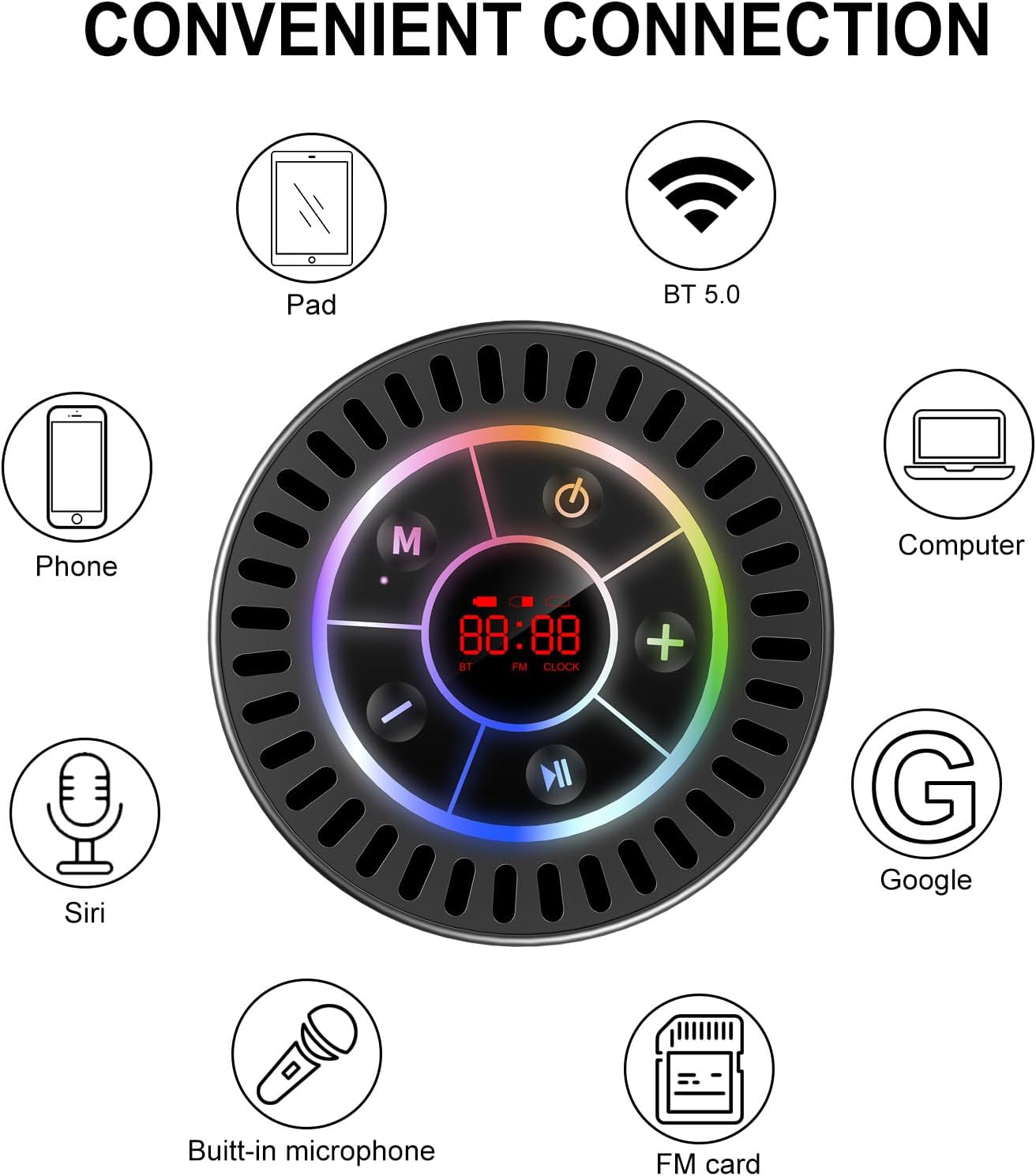
Image: The Docooler speaker attached to a shower wall, demonstrating its waterproof capability.
5.2 پاکول
سپیکر په نرم، دamp ټوکر. د کثافاتو پاکوونکي، الکول، یا کیمیاوي محلولونه مه کاروئ، ځکه چې دا ممکن سطحې یا داخلي برخو ته زیان ورسوي.
5.3 ذخیره کول
سپیکر په یخ او وچ ځای کې د مستقیم لمر وړانګو او سختو تودوخې څخه لرې وساتئ. که چیرې د اوږدې مودې لپاره ذخیره کوئ، نو بیټرۍ په دوره یي ډول چارج کړئ ترڅو د هغې عمر وساتي.
6. ستونزه حل کول
- سپیکر نه چالانېږي: Ensure the battery is charged. Connect the speaker to a power source using the USB-C cable and try again.
- د بلوتوث له لارې جوړه نشي کیدی:
- Ensure the speaker is in Bluetooth pairing mode ('BT' flashing on display).
- ډاډ ترلاسه کړئ چې ستاسو په وسیله کې بلوتوټ فعال دی او د سپیکر څخه 15 متره دننه دی.
- که مخکې جوړه شوې وي، هڅه وکړئ چې وسیله په خپل تلیفون کې هیر کړئ او بیا جوړه کړئ.
- سپیکر او خپل بلوتوث وسیله دواړه بیا پیل کړئ.
- د ایف ایم راډیو کمزوری استقبال: FM radio reception can be affected by location and environmental factors. Try repositioning the speaker or using it in an open area. The charging cable can sometimes act as an antenna to enhance signal.
- بې غږه یا ټیټ غږ:
- په سپیکر او ستاسو وصل شوي وسیله دواړو کې د غږ کچه وګورئ.
- Ensure the speaker is properly paired and not connected to another device.
- که تاسو TWS کاروئ، ډاډ ترلاسه کړئ چې دواړه سپیکرې په سمه توګه یو بل سره او بیا ستاسو وسیله سره جوړه شوي دي.
- Speaker starts at full volume: Some units may default to a high volume upon power-on. Immediately adjust the volume using the '-' button to a comfortable level after turning the speaker on.
- Suction cup does not hold: Ensure the mounting surface is clean, smooth, and dry. Slightly moisten the suction cup before pressing it firmly onto the surface. Avoid porous or textured surfaces.
7. مشخصات

انځور: یوه چاودنه شوې view showing the internal components of the Docooler speaker, highlighting its sound technology.
| فیچر | تفصیل |
|---|---|
| برانډ | ډاکولر |
| د ماډل شمیره | SMT4782513347516YX |
| د ارتباط ټیکنالوژي | بلوتوث 5.0 |
| د بلوتوټ رینج | تر 15 مترو پورې |
| د اوبو د مقاومت کچه | IPX7 (واټر پروف) |
| د سپیکر اعظمي تولید ځواک | 5 واټ |
| د تعدد ځواب | 100 Hz |
| د آډیو وتلې حالت | Stereo, Surround (with TWS) |
| د سیګنال څخه تر شور پورې نسبت | 95 dB |
| د مایکروفونونو شمیر | 1 (جوړ شوی) |
| د بریښنا سرچینه | د بیټرۍ چلول |
| د کنټرول طریقه | تڼۍ |
| د توکي وزن | 300 ګرامه |
| مطابقت لرونکې وسیلې | لیپ ټاپ، MP3 پلیر، سمارټ فون، ټابلیټ، تلویزیون |
8. تضمین او ملاتړ
8.1 د تضمین معلومات
This Docooler speaker comes with a limited warranty. For specific terms and conditions, please refer to the warranty card included in your package or contact Docooler customer support.
8.2 د پیرودونکي ملاتړ
For further assistance, technical support, or warranty claims, please visit the official Docooler website or contact their customer service department. Contact information can typically be found on the product packaging or the brand's online store.