
1. د خوندیتوب لارښوونې
Please read and understand all safety instructions before operating the Ingco 60W Adjustable Temperature Soldering Iron. Failure to follow these instructions may result in electric shock, fire, or serious injury.
- بریښنایی خوندیتوب: Ensure the power supply matches the specifications (220-240V ~ 50/60Hz). Do not use the soldering iron in wet conditions or near flammable liquids or gases. Always unplug the tool when not in use or before changing tips.
- د تودوخې خطر: The soldering iron tip reaches very high temperatures. Do not touch the tip or heating element. Allow the iron to cool completely before storing. Use the provided stand to prevent accidental contact and damage.
- وینټیلیشن: Soldering fumes can be harmful. Always work in a well-ventilated area or use a fume extractor.
- شخصي محافظتي تجهیزات: Wear safety glasses to protect your eyes from solder splashes. Avoid wearing loose clothing or jewelry that could get caught or come into contact with the hot tip.
- ماشومان او نندارچیان: Keep children and unauthorized persons away from the work area. Store the tool out of reach of children.
- سمه استفاده: Use the soldering iron only for its intended purpose. Do not modify the tool. If the power cord is damaged, it must be replaced by a qualified service technician to avoid hazards.
2. محصول ختم شوview
The Ingco 60W Adjustable Temperature Soldering Iron, Model SI016923 HT2, is a reliable tool for various soldering applications. It features precise temperature control and a quick heating ceramic element.
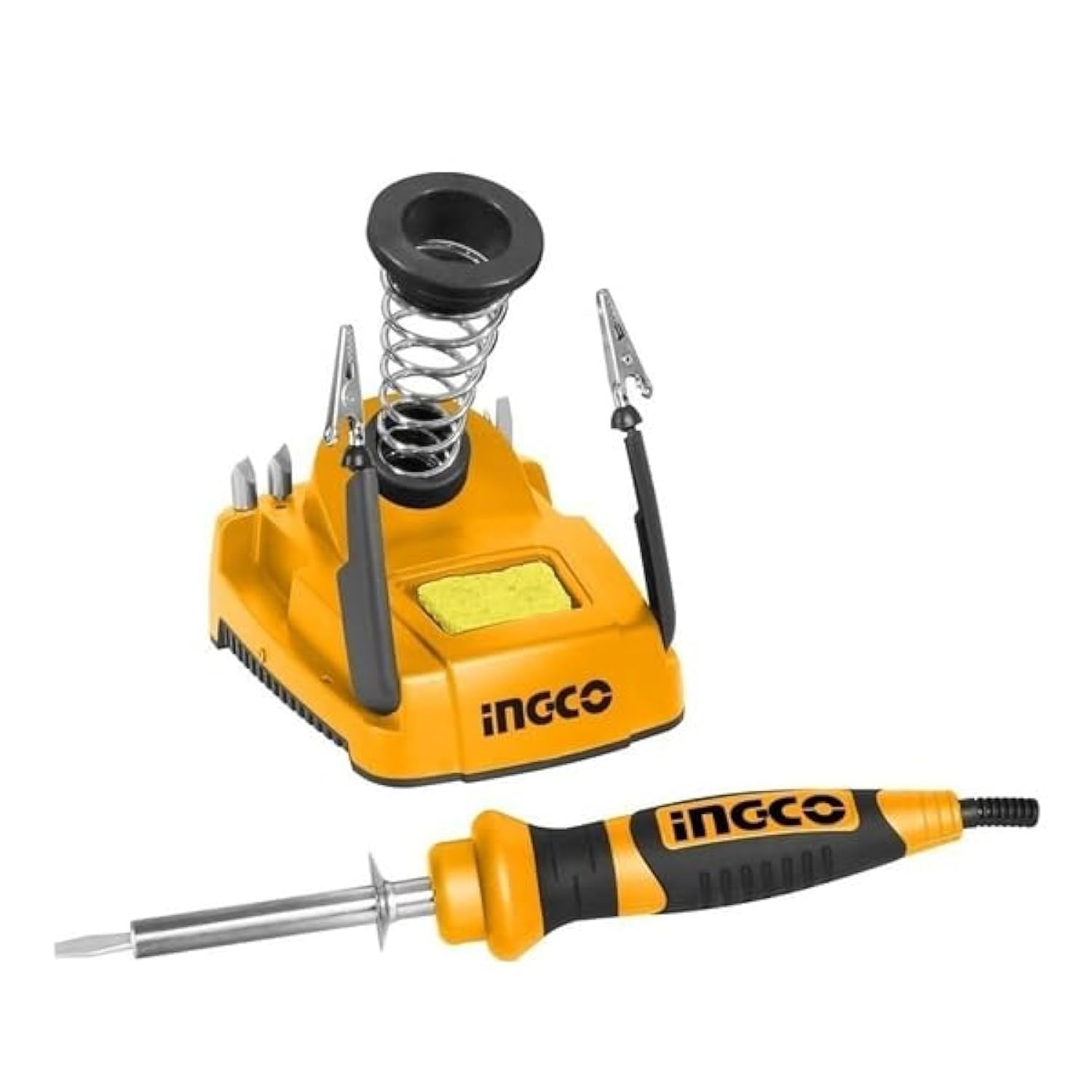
Figure 1: Ingco 60W Adjustable Temperature Soldering Iron with Stand. This image shows the main soldering iron unit, its integrated stand, and the power cord. The iron features a comfortable handle and a fine tip suitable for precision work.
کلیدي ځانګړتیاوې:
- د ترمیم وړ تودوخه: The tip temperature can be precisely adjusted via a rotary thermostat.
- چټک تودوخه: Equipped with an integrated ceramic heating element for rapid and stable heat-up.
- ډیجیټل ډیزاین: Provides a clear digital readout for temperature monitoring.
- دوامداره لارښوونه: Features a straight-head tip with a replaceable, long-lasting protection cover.
- Convenient Stand: Includes a holder piece for safe placement during and after use.
3. مشخصات
| فیچر | مشخصات |
|---|---|
| ماډل | SI016923 HT2 |
| والیtage | 220-240V ~ 50/60Hz |
| د ننوتلو ځواک | 60W |
| د ګرمولو وخت | 1-2 دقیقې |
| د ښودلو ډول | LED ډیجیټل |
| د تودوخې عنصر | Integrated Ceramic |
| د ټیپ ډول | Straight-head, Adjustable Temperature |
| د محصول ابعاد | 10 x 20 x 37 سانتي متره |
| د توکي وزن | 2.38 کیلو ګرامه |
| د توکو شمیر | 1 |
| د چینلونو شمیر | 1 |
4. ترتیب کول
Follow these steps to set up your Ingco Soldering Iron for first use:
- خلاص کړئ: Carefully remove all components from the packaging. Ensure the soldering iron, stand, and any included accessories are present and undamaged.
- ځای په ځای کول: Place the soldering iron stand on a stable, heat-resistant, and non-flammable surface. Ensure there is adequate space around your work area for safety and ventilation.
- د بریښنا پیوستون: Plug the soldering iron's power cord into a grounded electrical outlet that matches the specified voltage (220-240V).
- لومړنۍ تودوخه: Place the soldering iron securely in its stand. Turn on the power. The digital display will show the current temperature. Allow 1-2 minutes for the iron to reach the desired operating temperature.
- ټینګ کول: Before first use, or after changing a tip, it is crucial to "tin" the tip. Apply a small amount of solder to the hot tip until it is fully coated. This protects the tip from oxidation and ensures efficient heat transfer.
5. عملیاتي لارښوونې
Operating the Ingco Soldering Iron effectively requires proper technique and safety awareness.
د حرارت درجه تنظیمول:
- The soldering iron features a rotary thermostat for temperature control. Rotate the dial on the handle to increase or decrease the desired temperature.
- Monitor the digital LED display for the current temperature reading. Allow a few moments for the iron to stabilize at the new setting.
Soldering Technique:
- اجزا چمتو کړئ: Ensure the components and PCB pads to be soldered are clean and free of dirt or oxidation.
- Heat Joint: Touch the hot soldering iron tip to both the component lead and the PCB pad simultaneously. Ensure good contact for efficient heat transfer.
- سولډر تطبیق کړئ: After a few seconds, when the joint is hot enough, apply solder to the opposite side of the joint from the iron tip. The solder should flow smoothly and quickly around the joint, forming a shiny, conical connection. Do not apply solder directly to the iron tip.
- Remove Solder and Iron: Once the solder has flowed correctly, first remove the solder wire, then remove the soldering iron from the joint.
- د یخولو اجازه ورکړئ: Let the joint cool naturally without disturbing it. A good solder joint will appear shiny and smooth.
During Breaks:
Always place the soldering iron securely in its stand during short breaks to prevent accidental burns or damage to your workspace.
6. ساتنه
Regular maintenance ensures the longevity and optimal performance of your soldering iron.
- د پاکولو لارښوونه: د سولډرینګ ټیپ په منظم ډول د اعلان په کارولو سره پاک کړئamp sponge or brass wool. This removes excess solder and oxidation, maintaining efficient heat transfer. Always re-tin the tip after cleaning.
- د لارښوونې بدلول: If the tip becomes pitted, corroded, or no longer accepts solder, it should be replaced. Ensure the iron is unplugged and cool before attempting to replace the tip. Refer to the product specifications for compatible replacement tips.
- عمومي پاکول: Keep the body of the soldering iron and the stand clean. Wipe with a dry cloth. Do not use abrasive cleaners or solvents.
- ذخیره کول: When not in use, ensure the soldering iron is unplugged and completely cool. Store it in a dry, safe place, away from moisture and out of reach of children.
7. ستونزه حل کول
If you encounter issues with your Ingco Soldering Iron, refer to the following common problems and solutions:
| ستونزه | احتمالي لامل | د حل لاره |
|---|---|---|
| اوسپنه نه ګرمیږي | Not plugged in; Power outlet fault; Damaged heating element; Loose connection. | Check power connection; Test outlet with another device; Contact customer support if heating element is suspected to be faulty. |
| Solder not melting or flowing poorly | Tip is dirty/oxidized; Incorrect temperature setting; Insufficient contact with joint; Old/poor quality solder. | Clean and re-tin the tip; Increase temperature setting; Ensure good contact with both components; Use fresh, good quality solder. |
| Tip discolors quickly or corrodes | Lack of tinning; Too high temperature; Aggressive flux. | Always tin the tip after cleaning; Reduce temperature if possible; Use appropriate flux for your solder. |
| ډیجیټل ډیزاین کار نه کوي | د بریښنا داخلي نیمګړتیا. | Unplug and re-plug the iron. If the issue persists, contact customer support. |
If you experience a problem not listed here, or if the suggested solutions do not resolve the issue, please contact Ingco customer support for further assistance.
8. تضمین او ملاتړ
Ingco products are manufactured to high-quality standards. For information regarding warranty coverage, please refer to the warranty card included with your purchase or visit the official Ingco webسایټ. د هر ډول تضمین ادعا لپاره د پیرود ثبوت په توګه د پیرود رسید وساتئ.
For technical support, replacement parts, or service inquiries, please contact your local Ingco dealer or authorized service center. You can find contact information on the official Ingco webسایټ یا ستاسو د محصول پرچون پلورونکي له لارې.
جوړونکی: انګو
د شتون لومړۍ نیټه: د فبروري ۴، ۲۰۲۳