
1. پیژندنه
Thank you for choosing the MONODEAL DV68 Bone Conduction Headphones. These headphones are designed to provide a comfortable and safe listening experience, especially during sports and outdoor activities. Utilizing advanced bone conduction technology and Bluetooth 5.3, they deliver clear audio while keeping your ears open to ambient sounds. The integrated smart light enhances visibility and safety during nighttime use.
2. د بسته محتويات
مهرباني وکړئ د لاندې توکو لپاره په بسته کې وګورئ:
- MONODEAL DV68 Bone Conduction Headphones
- د مقناطیسي چارج کیبل
- د کارن لارښود
- Earplugs (optional, for enhanced sound isolation)
3. محصول ختم شوview
Familiarize yourself with the components of your MONODEAL DV68 headphones.
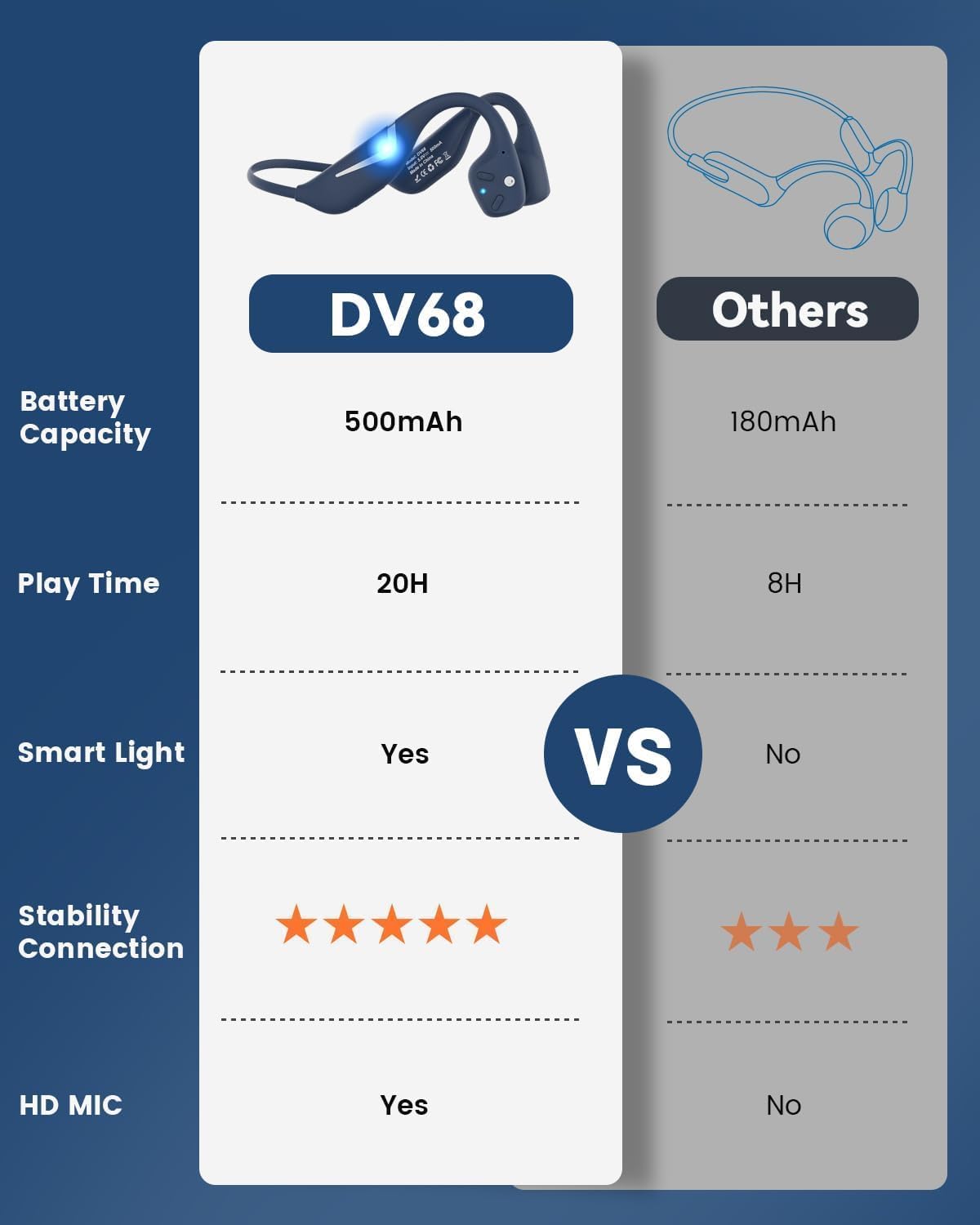
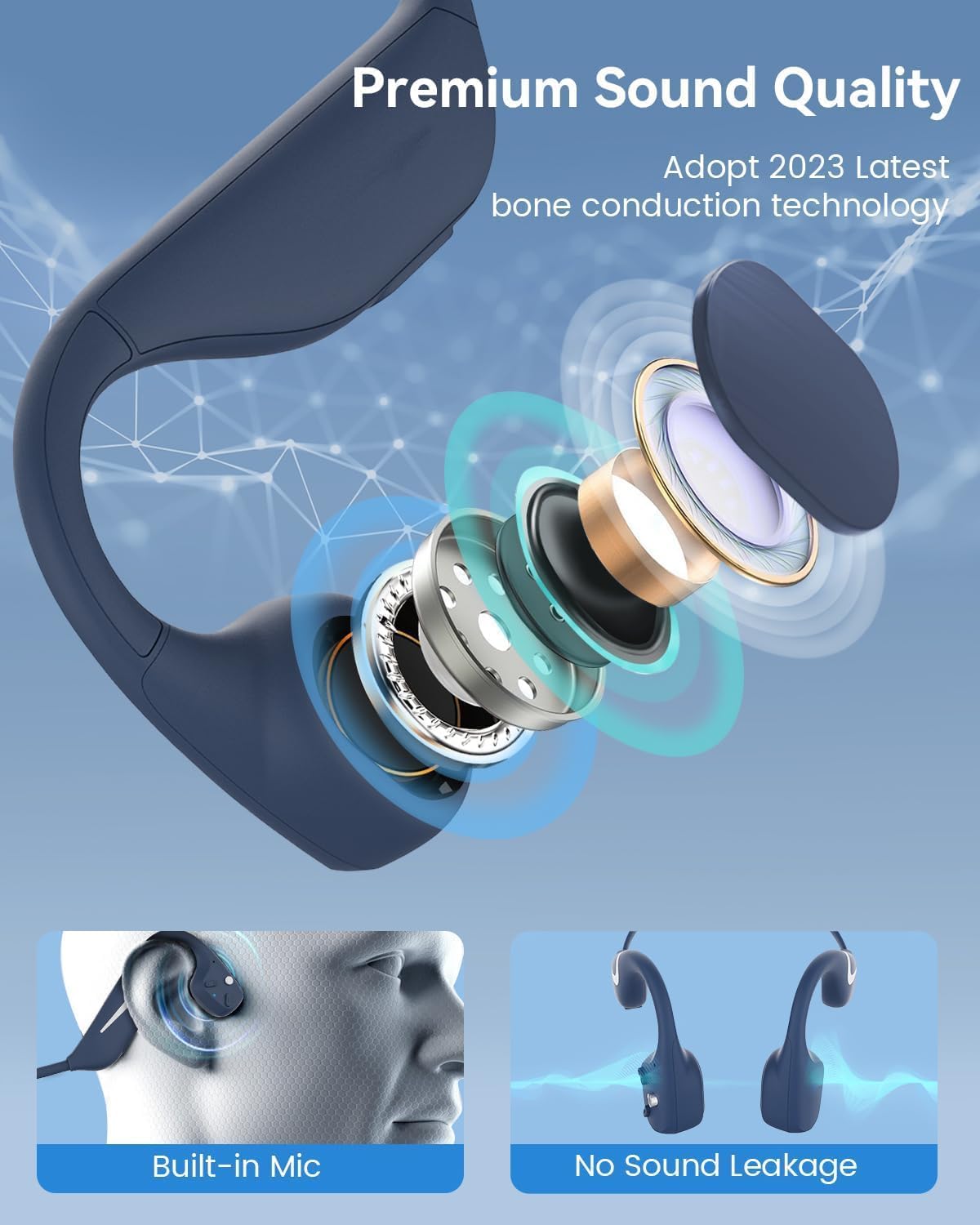
Figure 3.1: MONODEAL DV68 Bone Conduction Headphones, showing the overall design.

3.2 شکل: چاودلی view illustrating the bone conduction transducer and built-in microphone.
۳.۲ کنټرولونه او بندرونه
شکل 3.3: اړخ view of the headphones highlighting the control buttons.

3.4 شکل: تړل view of the magnetic charging port.
The headphones feature physical buttons for power, volume, and playback control. The magnetic charging port is located on one of the ear pieces for convenient charging.
4. مشخصات
| فیچر | مشخصات |
|---|---|
| د ماډل شمیره | DV68 |
| بلوتوث نسخه | 5.3 |
| د بیټرۍ ظرفیت | 500 mAh |
| د لوبې وخت | تر 20 ساعتونو پورې |
| د اوبو د مقاومت درجه | IP67 (Sweat, rain, and splash resistant) |
| وزن | 34 ګرامه |
| د فریکونسی رینج | ۲۰ هرټز - ۲۰،۰۰۰ هرټز |
| د ارتباط ټیکنالوژي | بې سیم (بلوتوث) |
| د آډیو ډرایور ډول | د هډوکو کنډکشن |
| ځانګړي ځانګړتیاوې | Smart LED Light, Built-in Microphone, Multipoint Pairing |

شکل 4.1: پایview of key features including Open-Ear design, IP67 Waterproofing, 500mAh Battery, Bluetooth V5.3, Lightweight, HD Microphone, Multipoint Pairing, and RGB Light.
5. ترتیب کول
۳.۱ د هیډفونونو چارج کول
د لومړي ځل کارولو دمخه، خپل هیډفونونه په بشپړه توګه چارج کړئ.
- د مقناطیسي چارج کولو کیبل د هیډفونونو د چارج کولو پورټ سره وصل کړئ.
- د کیبل بل پای د USB بریښنا اډاپټر (شامل نه دی) یا د کمپیوټر USB پورټ سره وصل کړئ.
- The LED indicator will show the charging status. A full charge typically takes approximately 2 hours.

Figure 5.1: Illustration of 20-hour battery life and quick charge feature (10 minutes charging for 2 hours playtime).
5.2 د بلوتوټ جوړه کول
د خپل هیډفونونو د وسیلې سره وصل کولو لپاره:
- ډاډ ترلاسه کړئ چې هیډفونونه بند شوي دي.
- Press and hold the Power button until the LED indicator flashes red and blue, indicating pairing mode.
- په خپل وسیله (سمارټ فون، ټابلیټ، کمپیوټر) کې، بلوتوټ فعال کړئ او د شته وسایلو لټون وکړئ.
- Select "MONODEAL DV68" from the list of found devices.
- یوځل چې وصل شي، د LED شاخص به ورو ورو جامد نیلي یا فلش نیلي شي.
The headphones support multipoint pairing, allowing connection to two devices simultaneously. Refer to your device's Bluetooth settings for managing multiple connections.
6. عملیاتي لارښوونې
۸ پاور آن/بند
- پاور آن: د 3 ثانیو لپاره د بریښنا تڼۍ فشار او ونیسئ.
- بندول: د 5 ثانیو لپاره د بریښنا تڼۍ فشار او ونیسئ.
6.2 د میوزیک غږ
- پلی کول / ودرول: یوځل د ملټي فنکشن ت buttonۍ فشار ورکړئ.
- بله لار: د حجم + تڼۍ د ۲ ثانیو لپاره فشار ورکړئ او ونیسئ.
- مخکینی لار د حجم تڼۍ د ۲ ثانیو لپاره فشار ورکړئ او ونیسئ.
- حجم پورته کول: د حجم + ت buttonۍ فشار ورکړئ.
- کموالی: د حجم - تڼۍ فشار ورکړئ.
۶.۳ د زنګ وهلو مدیریت
- ځواب / پای کال: یوځل د ملټي فنکشن ت buttonۍ فشار ورکړئ.
- زنګ رد کړئ: د 2 ثانیو لپاره د ملټي فنکشن تڼۍ فشار او ونیسئ.
- د غږ همکار: د ملټي فنکشن ت .ۍ دوه ځله فشار ورکړئ.
6.4 Smart LED Light
The headphones feature a smart LED light for enhanced visibility during nighttime activities.
- رڼا فعاله/بنده کړئ: Refer to the specific button combination in your quick start guide (usually a dedicated light button or a long press of a volume button).
- The light can cycle through different colors (e.g., blue, green, red) to increase your safety and visibility.

Figure 6.1: A runner demonstrating the smart LED light feature for night safety.
7. ساتنه
7.1 پاکول
To maintain hygiene and product longevity:
- After sweating or intense workouts, gently wipe the headphones with a damp ټوکر یا لوند مسح.
- د سختو کیمیاوي موادو یا خړوبولو پاکونکو کارولو څخه ډډه وکړئ.
7.2 ذخیره کول
- هیډفونونه په یخ او وچ ځای کې وساتئ، د مستقیم لمر وړانګو او سختې تودوخې څخه لرې.
- When not in use, it is recommended to store them in their original packaging or a protective case.
۲.۷ د اوبو مقاومت
The MONODEAL DV68 headphones are IP67 rated, meaning they are resistant to sweat, rain, and splashes. However, they are not suitable for swimming or submersion in water.

Figure 7.1: A person exercising with the headphones, demonstrating their IP67 water resistance against sweat and rain. Note: Not for swimming.
8. ستونزه حل کول
که تاسو د خپلو هیډفونونو سره ستونزې سره مخ شئ، مهرباني وکړئ لاندې عام حلونو ته مراجعه وکړئ:
- ځواک نشته:
ډاډ ترلاسه کړئ چې هیډفونونه په بشپړه توګه چارج شوي دي. دوی د چارج کولو کیبل او د بریښنا سرچینې سره وصل کړئ. - جوړه نشي کیدی:
Make sure the headphones are in pairing mode (LED flashing red and blue). Turn off Bluetooth on other nearby devices that may have previously connected. Try restarting both the headphones and your device. - بې غږه/ټيټ غږ:
Check the volume levels on both the headphones and your connected device. Ensure the headphones are properly positioned on your cheekbones. If using earplugs, ensure they are correctly inserted. - موقتي اړیکه:
Ensure your device is within the Bluetooth range (up to 15 meters) and there are no significant obstacles between the headphones and your device. Avoid strong electromagnetic interference. - د زنګ وهلو کیفیت:
Ensure the microphone is not obstructed. Move to an area with better network reception for your phone.
9. تضمین او ملاتړ
9.1 د تضمین معلومات
MONODEAL provides a 2 کلن تضمین for the DV68 Bone Conduction Headphones from the date of purchase. This warranty covers manufacturing defects and ensures the product meets its specified performance. Please retain your proof of purchase for warranty claims.
9.2 د پیرودونکي ملاتړ
For further assistance, technical support, or warranty inquiries, please contact MONODEAL customer service through the retailer where you purchased the product or visit the official MONODEAL webد اړیکو معلوماتو لپاره سایټ.