
Reflex Active Series 30
Reflex Active Amoled Series 30 Smart Watch User Manual
ماډل: لړۍ 30
پیژندنه
Welcome to the user manual for your new Reflex Active Amoled Series 30 Smart Watch. This guide provides essential information on setting up, operating, maintaining, and troubleshooting your device to ensure you get the most out of its advanced features. The Series 30 Smart Watch combines cutting-edge technology with a sleek design, offering an exceptional user experience with its vibrant AMOLED display and comprehensive health and connectivity features.

Figure 1: Reflex Active Amoled Series 30 Smart Watch
This image displays the front of the Reflex Active Amoled Series 30 Smart Watch, highlighting its always-on display and the "CALLING BUILT IN" feature, set against a vibrant, colorful background.
په بکس کې څه دي
Upon unboxing your Reflex Active Amoled Series 30 Smart Watch, please verify that all the following items are included:
- Reflex Active Amoled Series 30 Smart Watch
- د لارښوونې لارښود
- د USB چارج کیبل
- د ډالۍ بکس

شکل ۲: د بکس منځپانګې
This image shows the Reflex Active Smart Watch packaging, including the watch box, the instruction manual, and the USB charging cable, laid out next to the watch itself.
چمتو کول
۲. خپل سمارټ واچ چارج کول
Before initial use, fully charge your Reflex Active Series 30 Smart Watch. Connect the provided USB charging cable to the charging port on the back of the watch and plug the other end into a USB power adapter (not included) or a computer's USB port. A full charge typically takes approximately 2 hours.

Figure 3: Watch Back and Sensors
دا انځور نږدې انځور وړاندې کوي view of the back of the Reflex Active Smart Watch, clearly showing the charging contacts and the optical heart rate sensor.
2. Downloading the Reflex Active Red App
To unlock the full functionality of your smart watch, download the free Reflex Active Red App from your smartphone's app store. The app is compatible with Android 9.0+ and iOS 12.0+ devices.
- لټون "Reflex Active Red" in the Google Play Store (for Android) or Apple App Store (for iOS).
- اپلیکیشن ډاونلوډ او نصب کړئ.
- د اکاونټ جوړولو یا لاګ ان کولو لپاره پر سکرین لارښوونې تعقیب کړئ.
3. Pairing Your Smart Watch
Once the app is installed and your watch is charged, proceed with pairing:
- ډاډ ترلاسه کړئ چې ستاسو په سمارټ فون کې بلوتوټ فعال دی.
- Open the Reflex Active Red App.
- په اپلیکیشن کې د وسیلې جوړه کولو برخې ته لاړ شئ.
- Select your "Reflex Active Series 30" from the list of available devices.
- په خپل ساعت او سمارټ فون دواړو کې د جوړه کولو غوښتنه تایید کړئ.
عملیاتي لارښوونې
ښودنه او نیویګیشن
The Reflex Active Series 30 features a 1.78'' AMOLED display, offering exceptional clarity and vibrant colors. You can interact with the watch using its full touch screen or the rotating crown for smooth navigation.
- ټچ سکرین: Swipe left, right, up, or down to navigate through menus and notifications. Tap to select items.
- څرخیدونکی تاج: Rotate the crown to scroll through lists and options. Press the crown to return to the home screen or confirm selections.
- تل پر ښودنه: This feature allows the time and essential information to remain visible on the screen without needing to activate the display by touch or wrist lift.

شکل ۲: مهمې ځانګړتیاوېview
This infographic highlights the main functionalities of the Reflex Active Smart Watch, including communication, display interaction, time management, durability, display modes, navigation, and battery life.
د مخابراتو ځانګړتیاوې
- Make & Receive Calls: Connect your watch to your smartphone to make and receive calls directly from your wrist.
- Messages & Social Notifications: Receive alerts for incoming messages, emails, and social media notifications directly on your watch display.
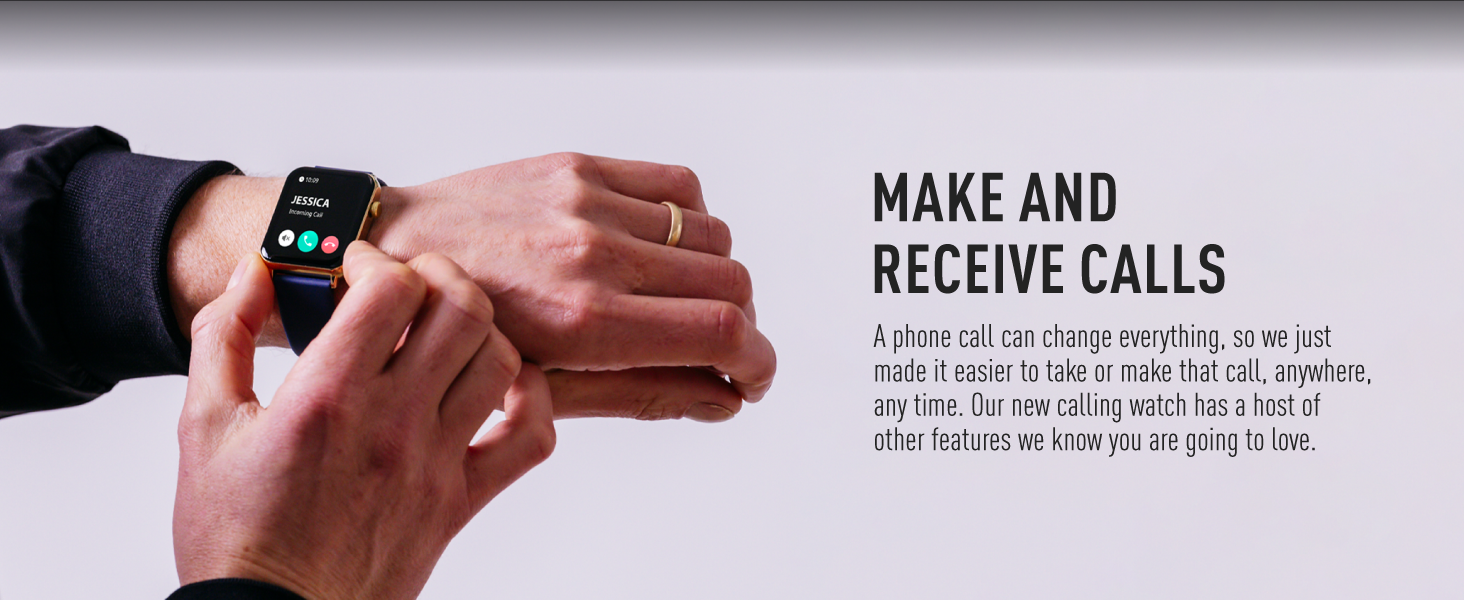
Figure 5: Make and Receive Calls
This image shows the Reflex Active Smart Watch on a person's wrist, displaying an incoming call, illustrating the watch's capability to handle phone calls directly.
Health & Wellness Tracking
The Series 30 Smart Watch offers comprehensive tracking for your health and fitness goals:
- د ګام شمېرونکی: ستاسو ورځني ګامونه او پوښل شوي واټن تعقیبوي.
- د زړه ضربان څارنه: په دوامداره توګه د ورځې په اوږدو کې ستاسو د زړه ضربان څاري.
- د وینې اکسیجن (SpO2): ستاسو د وینې د اکسیجن د اشباع کچه اندازه کوي.
- د خوب تحلیل: Monitors your sleep patterns, including deep, light, and REM sleep.
- د کالوري تعقیب: Estimates calories burned based on your activity levels.
- د سپورت طریقې: Multiple activity modes (e.g., walking, running, swimming) to track specific workouts.
- د تنفسي تمرینونه: Guided breathing sessions to help you relax and de-stress.
- د هایدریشن یادونې: د ورځې په اوږدو کې د اوبو څښلو لپاره یادونې تنظیم کړئ.
- بې ځایه یادونه: کله چې تاسو د ډیر وخت لپاره غیر فعال یاست نو تاسو ته خبرداری ورکوي.
- د ښځو روغتیا: Provides tracking and insights for menstrual cycles.
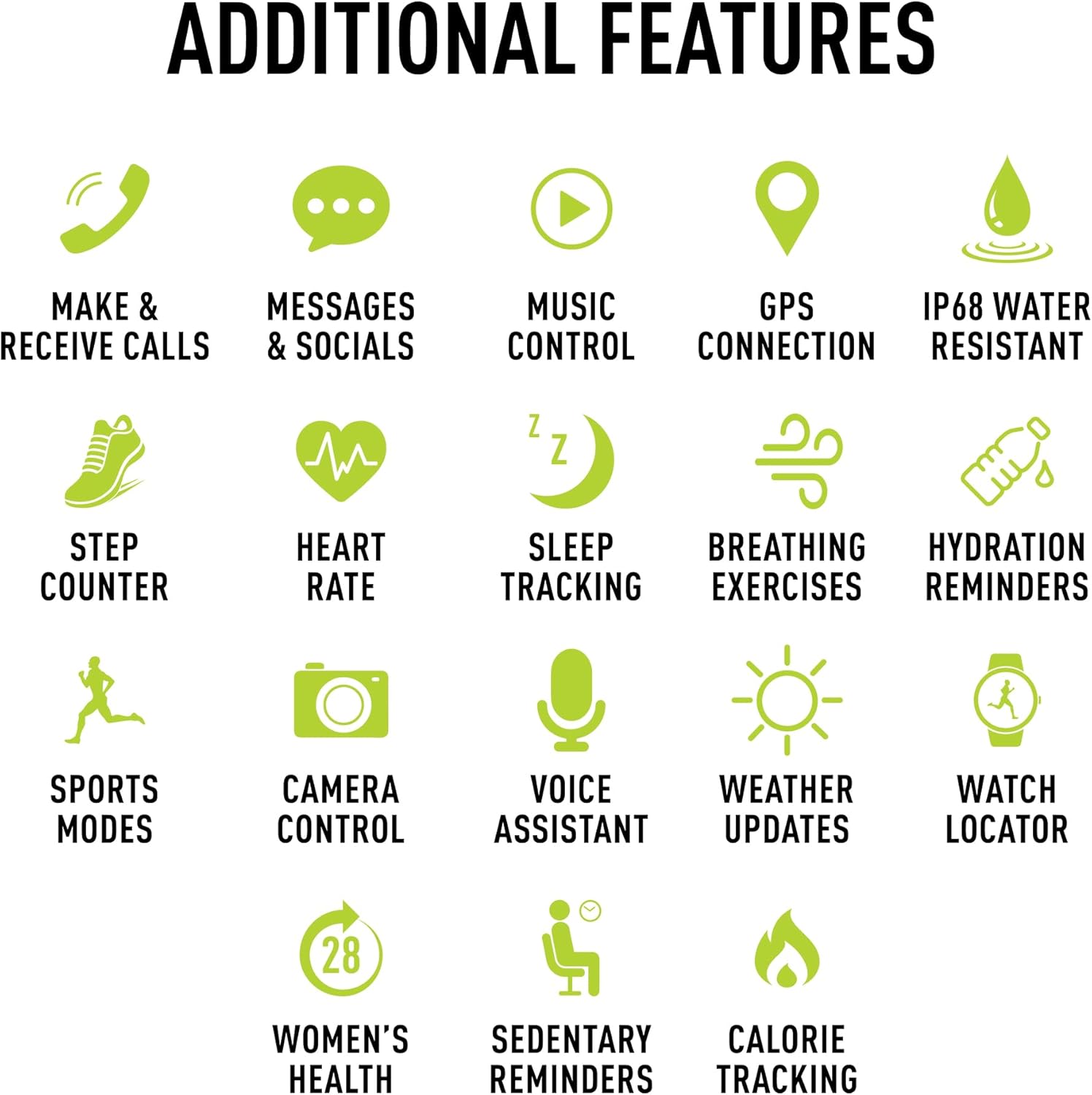
Figure 6: Additional Features
This image presents a comprehensive list of additional features available on the Reflex Active Smart Watch, categorized by function with corresponding icons for easy understanding.
نور ځانګړتیاوې
- د موسیقۍ کنټرول: په خپل سمارټ فون کې د موسیقۍ غږول په مستقیم ډول له خپل ساعت څخه کنټرول کړئ.
- د جي پي ایس اتصال: Connects to your phone's GPS for accurate activity tracking and route mapping.
- د کیمرې کنټرول: خپل ساعت د خپل سمارټ فون کیمرې لپاره د ریموټ شټر په توګه وکاروئ.
- د غږ همکار: Access your smartphone's voice assistant through the watch.
- د هوا تازه معلومات: په خپل لاس کې د هوا په اړه ریښتیني وخت معلومات ترلاسه کړئ.
- د لیدو ځای: Helps you find your watch if it's misplaced nearby.
- Dual-Time Feature: Displays time for two different time zones, useful for travel.
اصلاح کول
Personalize your watch to match your style and preferences:
- Exclusive Dials: Choose from an incredible selection of exclusive Reflex Active dials, including animated displays.
- Personalized Photo Dials: Use a photo from your phone gallery to create a unique watch face.

شکل ۴.۱۳: د لید مخ تنظیمول
This image showcases the wide array of high-definition AMOLED watch faces available for the Reflex Active Smart Watch, with the watch itself displaying a colorful dial and a smartphone screen showing numerous other design options.
ساتنه
د ساعت پاکول
To maintain the appearance and functionality of your smart watch, clean it regularly:
- سکرین او تسمه د نرم، لینټ نه پاک ټوکر سره پاک کړئ.
- د سختو نښو لپاره، لږ څه dampټوکر د اوبو سره ومینځئ. د سختو کیمیاوي موادو یا خړوبونکو موادو کارولو څخه ډډه وکړئ.
- د چارج کولو دمخه ډاډ ترلاسه کړئ چې د ساعت په شا کې د چارج کولو تماسونه پاک او وچ دي.
د اوبو مقاومت (IP68)
Your Reflex Active Series 30 Smart Watch has an IP68 water resistance rating, making it suitable for surface swimming and various activities. However, it is not recommended for diving or high-pressure water activities. Always dry the watch thoroughly after exposure to water.
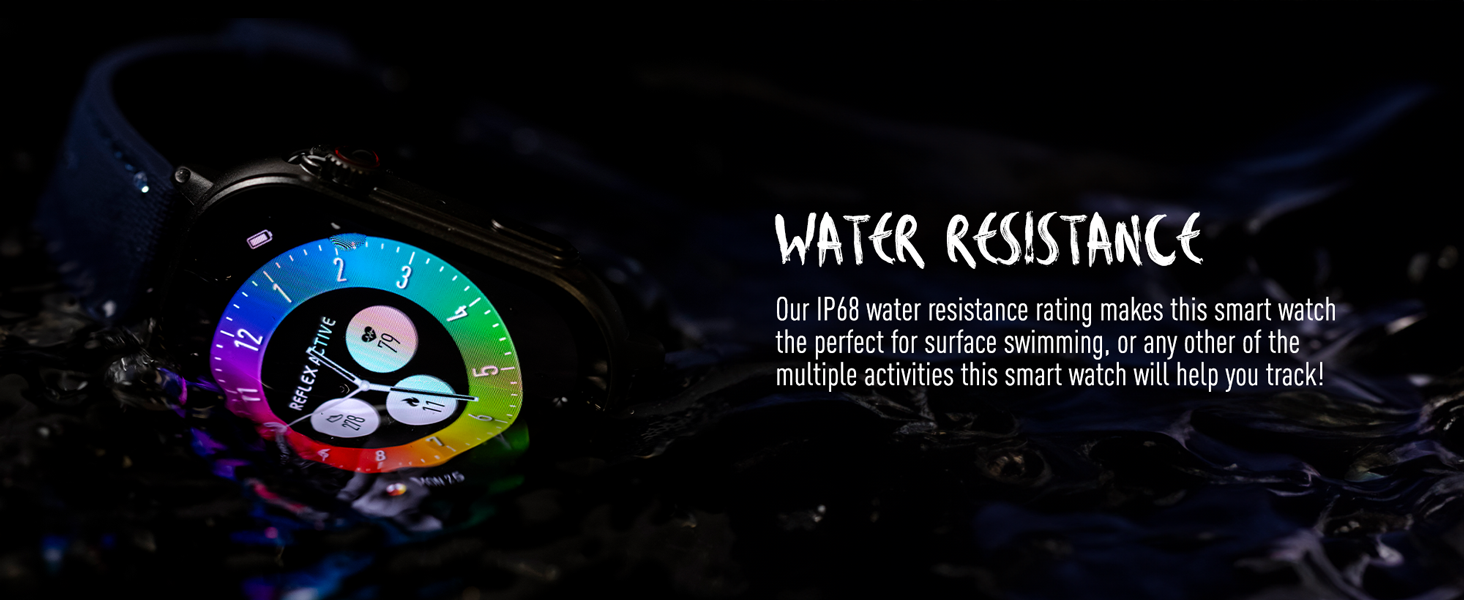
شکل ۳.۳: د اوبو مقاومت
This image depicts the Reflex Active Smart Watch partially submerged in water, visually representing its IP68 water resistance capability.
د بیټرۍ ژوند
The watch offers up to 14 days of battery life, depending on usage. Features like Always-On Display, frequent notifications, and continuous health monitoring will consume more power. Charge your watch regularly to ensure uninterrupted use.
د ستونزو حل کول
If you encounter issues with your Reflex Active Series 30 Smart Watch, try the following solutions:
| ستونزه | د حل لاره |
|---|---|
| وګورئ چې نه چالانیږي | ډاډ ترلاسه کړئ چې ساعت په بشپړه توګه چارج شوی دی. لږترلږه د 30 دقیقو لپاره یې چارجر سره وصل کړئ. |
| د سمارټ فون سره جوړه نشي کیدی |
|
| خبرتیاوې نه ښکاري |
|
| د روغتیا ناسم معلومات |
|
| د بیټرۍ لنډ ژوند |
|
مشخصات
| فیچر | تفصیل |
|---|---|
| د ماډل شمیره | لړۍ 30 |
| د ښودلو ډول | AMOLED |
| د سکرین اندازه | ۷۸۷ انچه |
| د اوبو د مقاومت درجه | IP68 |
| ارتباط | بلوتوث، USB (د چارج کولو لپاره) |
| د بیټرۍ ډول | Lithium Metal (1 included) |
| د بیټرۍ ژوند | تر ۳ ورځو پورې (د کارولو پورې اړه لري) |
| د عملیاتي سیسټم مطابقت | Android 9.0+، iOS 12.0+ |
| د محصول ابعاد | 16.1 x 8.5 x 19.5 سانتي متره؛ 60 جی |
| جوړونکی | پیئرز هارډي |
| د اصلي هیواد | چین |
تضمین او ملاتړ
Your Reflex Active Amoled Series 30 Smart Watch comes with a د 2 کلن تضمین, ensuring peace of mind regarding its quality and performance. For any support inquiries, technical assistance, or warranty claims, please refer to the official Reflex Active support channels.
For additional support, FAQs, and detailed guides, please visit the official Reflex Active webسایټ:
Ask a question about this manual
Ask about setup, troubleshooting, compatibility, parts, safety, or missing instructions. Manuals+ will review the question and use this page’s manual context to help answer it.