
1. محصول ختم شوview
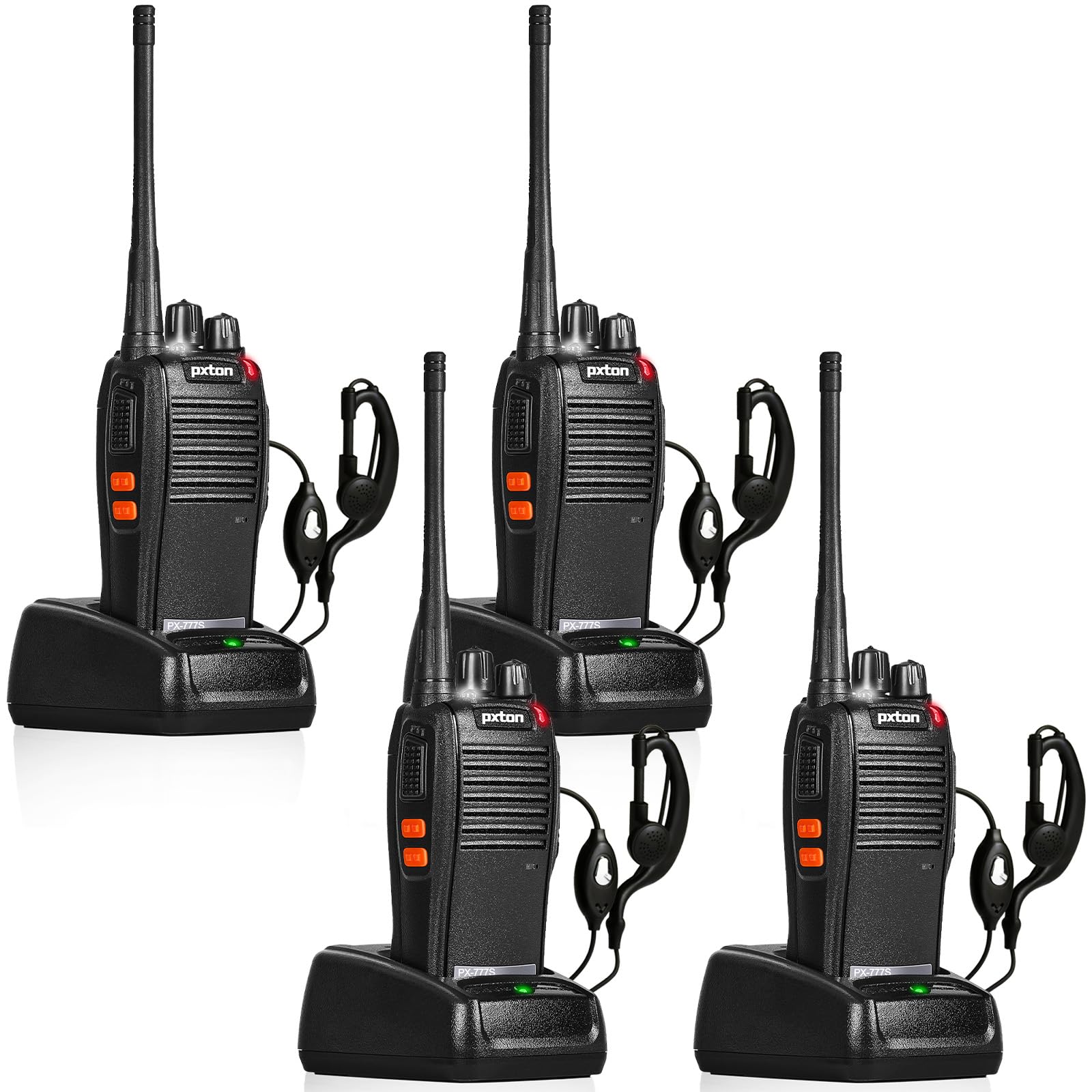
The pxton 777S is a versatile two-way radio designed for reliable communication. It features 16 memory channels, 165 privacy codes, VOX functionality, an emergency alarm, noise reduction, automatic squelch, a low battery alert, power-saving mode, scanning, monitoring, and an LED flashlight.
2. د بسته محتويات
Before setup, please verify that all items are present in your package:
- 4 x pxton 777S Walkie Talkies
- ۳ x چارج کولو ډاکونه
- 4 x 1500mAh Lithium Batteries
- 4 x بیلټ کلپونه
- 4 x د غوږ ټوټې
- 2 x د کارن لارښود

۴. د تنظیم لارښوونې
3.1 د اجزاو پیژندنه
Familiarize yourself with the various parts and controls of your pxton 777S walkie talkie:

3.2 د بیټرۍ نصب کول
- ډاډ ترلاسه کړئ چې واکي ټاکي بند دی.
- د واحد په شا کې د بیټرۍ کڅوړه ومومئ.
- Align the 1500mAh lithium battery with the contacts and gently push it into place until it clicks securely.
- د بیټرۍ کمپارټ پوښ وتړئ.
3.3 د بیټرۍ چارج کول
د لومړي ځل کارولو دمخه، بیټرۍ په بشپړه توګه چارج کړئ. بشپړ چارج معمولا 3-4 ساعته وخت نیسي.
- Connect the charging dock to a power outlet using the provided adapter.
- Place the walkie talkie (with battery installed) into the charging dock.
- The LED indicator on the walkie talkie or charging dock will show the charging status (e.g., red for charging, green for fully charged).

3.4 د لوازمو ضمیمه کول
- د بیلټ کلیپ: Attach the belt clip to the designated slot on the back of the walkie talkie.
- ایرپیس: Insert the earpiece plug into the SP/MIC jacks on the side of the walkie talkie.
4. عملیاتي لارښوونې
۴.۱ د بریښنا فعالول/بندول او د حجم کنټرول
وګرځوئ د بریښنا سویچ / حجم کنټرول knob clockwise to power on the walkie talkie. Continue rotating to increase the volume. Rotate counter-clockwise to decrease volume and power off the unit.
4.2 د چینل انتخاب
وګرځوئ د چینل سویچ knob to select one of the 16 available channels. Ensure all radios in your group are set to the same channel for communication.
4.3 لیږدول او ترلاسه کول
- د لیږدولو لپاره، فشار ورکړئ او ونیسئ PTT (د خبرو کولو لپاره) تڼۍ د واکي ټاکي په اړخ کې. په مایکروفون کې په واضح ډول خبرې وکړئ.
- Release the PTT button to receive messages.
۴.۴ د VOX فعالیت (د غږ سره چلول شوی تبادله)
د VOX فعالیت د لاسونو څخه پاک فعالیت ته اجازه ورکوي. کله چې فعال شي، راډیو به په اتوماتيک ډول لیږدول کیږي کله چې ستاسو غږ کشف کړي.
- The pxton 777S offers 5 levels of VOX sensitivity adjustment. Refer to the full user manual for detailed programming instructions to adjust VOX sensitivity.
۵.۲ د څارنې دنده
فشار ورکړئ او ونیسئ MONI Button to temporarily disable the squelch and listen for weak signals on the current channel.
4.6 د LED فلش لائټ
فشار ورکړئ د فلش لائټ تڼۍ to turn the LED flashlight on or off.
4.7 اضطراري الارم
The walkie talkie includes an emergency alarm function. Consult the full user manual for specific activation and deactivation procedures.
۵.۲ د سکین کولو فعالیت
The scanning function allows the radio to automatically scan through active channels. Refer to the full user manual for details on activating and managing channel scanning.
۵.۶ د اړیکو لړۍ
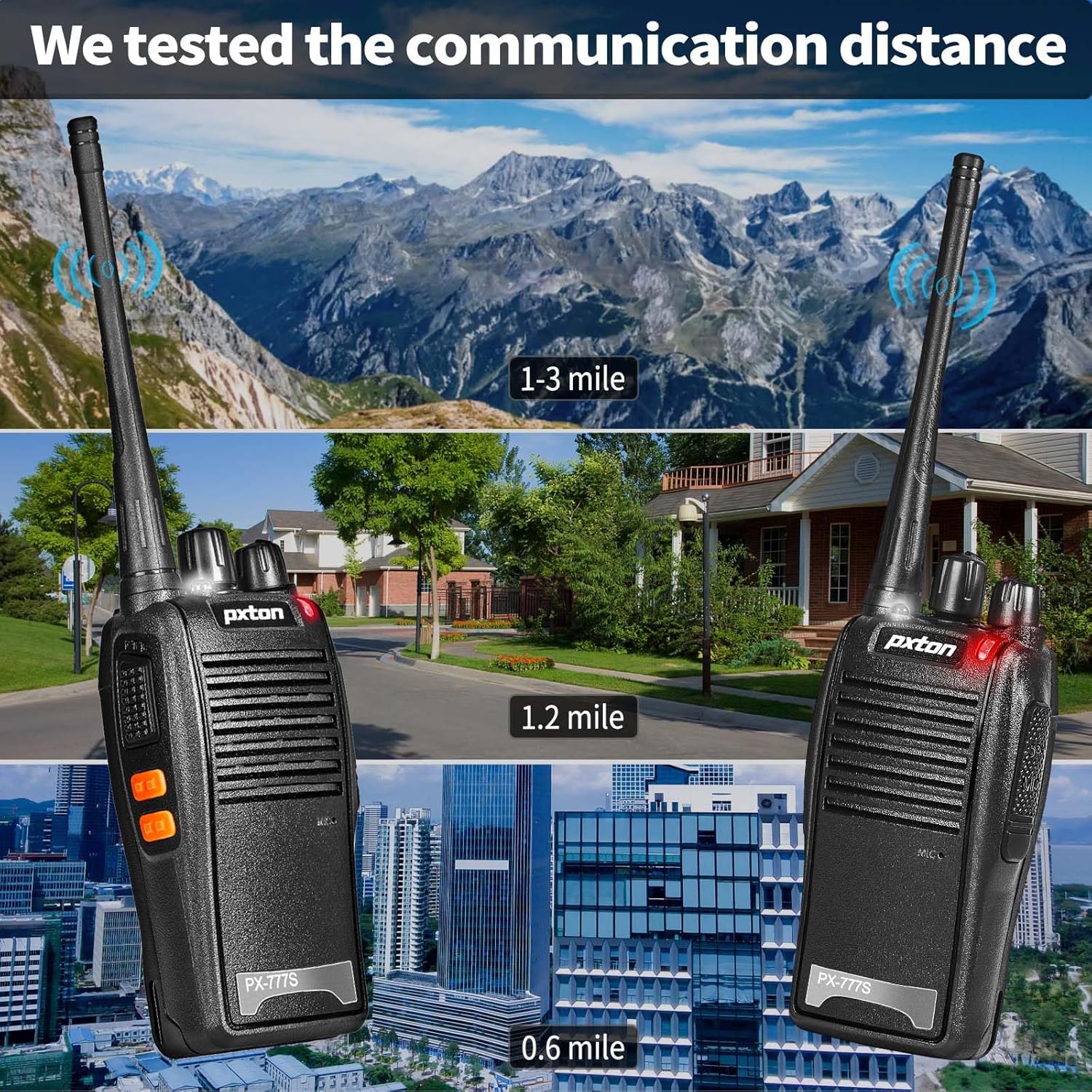
The effective communication range varies based on terrain and obstacles:
- Unobstructed Areas (e.g., flat terrains, mountain peaks): تر ۲۰ میله پورې.
- Suburban or Rural Areas: Approximately 1.2 miles.
- Within Cities: Approximately 0.6 miles.
Actual range may vary significantly depending on environmental conditions and obstructions.
5. ساتنه
5.1 د بیټرۍ پاملرنه
- To maximize battery life, fully charge the 1500mAh lithium battery before initial use.
- د بیټرۍ د ډیر چارج کولو یا په بشپړ ډول وچولو څخه ډډه وکړئ.
- If the walkie talkie will not be used for an extended period, remove the battery and store it in a cool, dry place.
- A full charge typically takes 3-4 hours. Under normal usage, the battery can last up to 120 hours on standby or up to 12 hours of continuous usage.
5.2 پاکول
- Clean the exterior of the walkie talkie with a soft, damp ټوکر
- سخت کیمیاوي توکي او کثافات پاکونکي مه کاروئ.
- Ensure the unit is dry before use or storage.
5.3 ذخیره کول
Store the walkie talkie in a cool, dry environment away from direct sunlight and extreme temperatures.
6. ستونزه حل کول
If you encounter issues with your pxton 777S walkie talkie, refer to the following common problems and solutions:
| ستونزه | احتمالي لامل | د حل لاره |
|---|---|---|
| هیڅ ځواک نشته | بیټرۍ ټیټه ده یا په سمه توګه نه ده نصب شوې | بیټرۍ چارج کړئ یا یې په سمه توګه بیا نصب کړئ. |
| نشي لیږدول کیدی یا ترلاسه کیدی نشي | Incorrect channel, out of range, or squelch too high | Ensure all radios are on the same channel. Move closer to other radios. Adjust squelch level or use MONI button. |
| ضعیف غږ کیفیت | Weak signal, interference, or low volume | Move to an area with fewer obstructions. Adjust volume. Check earpiece connection if applicable. |
| بیټرۍ په چټکۍ سره وچیږي | Frequent transmission, old battery, or high power setting | Reduce transmission time. Consider replacing the battery if it's old. Ensure power-saving mode is active. |
If the problem persists after attempting these solutions, please contact pxton customer support.
7. مشخصات
| فیچر | تفصیل |
|---|---|
| د ماډل شمیره | PX-777S-0002 |
| د FCC ID | 2AX68GTR8 |
| د چینلونو شمیر | 16 |
| د محرمیت کوډونه | ۱۲۱ (سي ټي سي ايس ايس/ډي سي ايس) |
| د فریکونسی رینج | UHF |
| د خبرو کولو حد اعظمي | 3 Miles (unobstructed) |
| د بیټرۍ ډول | ۶۰۰۰mAh لیتیم آیون (شامل دی) |
| والیtage | 3.7 ولټه (DC) |
| د محصول ابعاد | 9.9 x 4.4 x 6.9 انچه (25.1 x 11.2 x 17.5 سانتي متره) |
| د توکي وزن | ۶ پونډه (۳ کیلو ګرامه) |
| د اوبو د مقاومت کچه | د اوبو مقاومت |
| ځانګړي ځانګړتیاوې | Battery Saver Mode, Emergency Alarm, Long Range, Noise Reduction, Rechargeable, VOX, TOT, Flashlight, Scan Function |

8. تضمین او ملاتړ
8.1 د تضمین معلومات
pxton offers a د ۳۰ ورځو غیر مشروط بیرته ستنیدو پالیسي او د ژوند تر پایه د خرڅلاو وروسته خدمت for the PX-777S walkie talkies.
8.2 د پیرودونکي ملاتړ
If you have any questions, concerns, or require assistance with your pxton 777S walkie talkies, please contact pxton customer service. Refer to the product packaging or the official pxton webد ځانګړو اړیکو توضیحاتو لپاره سایټ.
۵.۵ د مطابقت یادښت
The PX-777S walkie talkie is compatible with the PX-888S, PX-666S, and PX-888S Pro models. These models can operate together and utilize the same programming tools and cables. Please note that programming cables must be purchased separately and are not included with this product.