
پیژندنه
This manual provides detailed instructions for the setup, operation, maintenance, and troubleshooting of your ZTE MC888 Ultra 5G Router. The MC888 Ultra is a high-performance 5G router designed to deliver fast and reliable internet connectivity. It supports download speeds up to 3.8 Gbps and upload speeds up to 280 Mbps, features dual Gigabit LAN/WAN ports, and includes an RJ11 port for voice calls via VoIP, VoLTE, or VoNR.
د خوندیتوب معلومات
- د وسیلې کارولو دمخه ټولې لارښوونې په دقت سره ولولئ.
- Do not open or modify the device. Unauthorized modifications can void your warranty and create safety hazards.
- Use only the power adapter and accessories supplied with the router.
- وسیله له اوبو، رطوبت او سخت حرارت څخه لرې وساتئ.
- د روټر شاوخوا مناسب هوا ورکول ډاډمن کړئ ترڅو د ډیر تودوخې مخه ونیول شي.
- د روټر د قوي الکترومقناطیسي ساحو ته نږدې د ځای پر ځای کولو څخه ډډه وکړئ.
د بسته محتويات
ډاډ ترلاسه کړئ چې ټول توکي ستاسو په کڅوړه کې شتون لري:
- ZTE MC888 الټرا 5G روټر
- د بریښنا اډاپټر
- ایترنیټ کیبل
- د چټک پیل لارښود (په دې لارښود کې شامل نه دی)
وسیله ختمه شوهview
Familiarize yourself with the ports and indicators on your ZTE MC888 Ultra 5G Router.
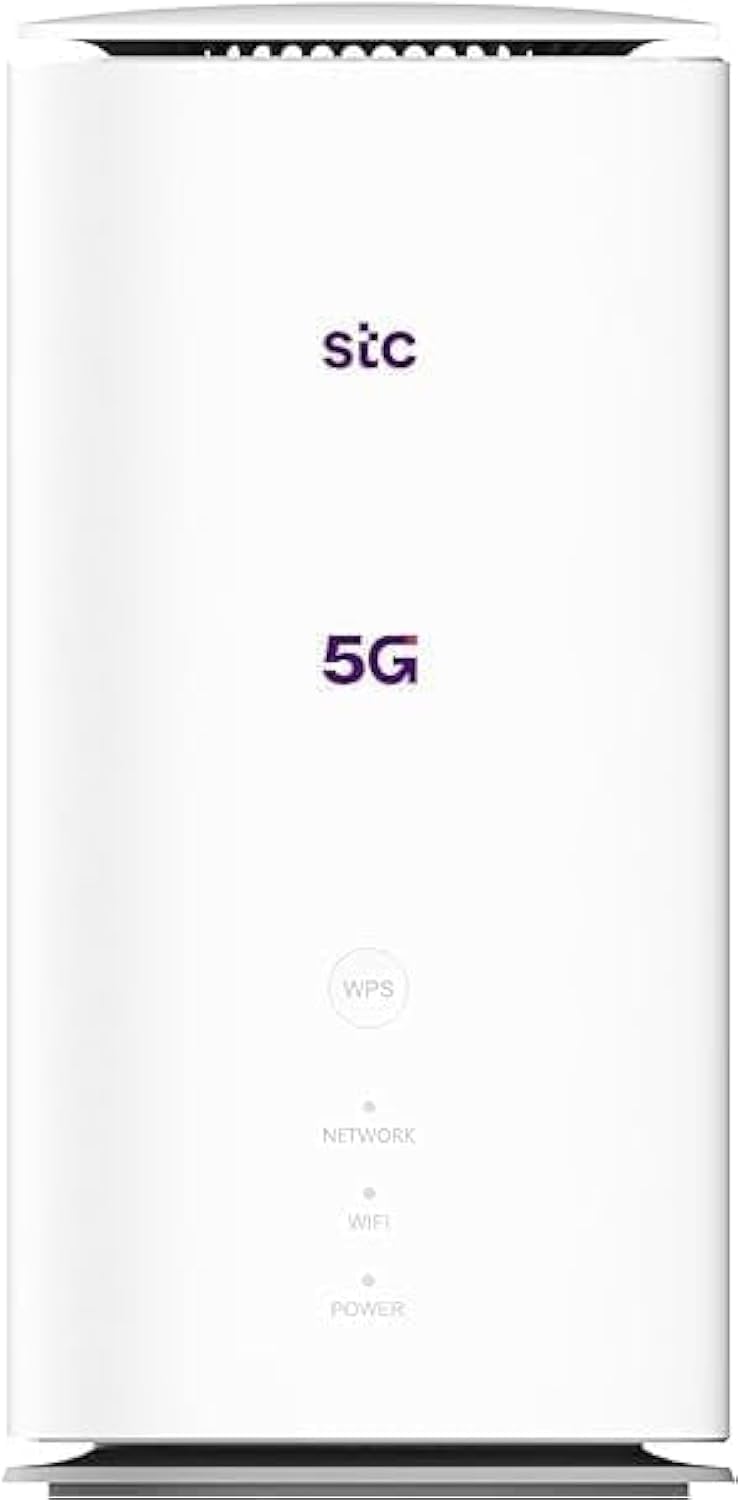
انځور: مخ او شا view of the ZTE MC888 Ultra 5G Router, showing LED indicators, SIM card slot, power port, LAN/WAN ports, and RJ11 port.
د فرنټ پینل شاخصونه:
- د بریښنا LED: د ځواک حالت په ګوته کوي.
- د شبکې LED: د 5G/4G شبکې د اتصال حالت په ګوته کوي.
- وای فای LED: د وای فای فعالیت په ګوته کوي.
د شا پینل بندرونه:
- د بریښنا بندر: د بریښنا اډاپټر سره نښلوي.
- LAN/WAN Ports (x2): Gigabit Ethernet ports for wired connections or WAN input.
- RJ11 بندر: For connecting a telephone for VoIP, VoLTE, or VoNR calls.
- د سیم کارت سلاټ: For inserting your 5G/4G SIM card.
- د بیا تنظیم تڼۍ: د فابریکې ډیفالټ ترتیباتو بیرته راګرځولو لپاره کارول کیږي.
چمتو کول
1. سیم کارت داخل کړئ
- ډاډ ترلاسه کړئ چې روټر بند دی.
- د سیم کارت سلاټ په شا پینل کې ومومئ.
- په سلاټ کې یو معیاري نانو سیم کارت دننه کړئ چې د سرو زرو اړیکې ښکته وي او د نخښې کونج په سمه توګه موقعیت ولري. فشار ورکړئ تر هغه چې دا ځای ته ورسیږي.
2. نښلول بریښنا
- Connect the supplied power adapter to the router's power port.
- د بریښنا اډاپټر بله پای په دیوال کې ولګوئ.
3. بریښنا فعاله کړئ
- The router will automatically power on. Wait for the Power LED to turn solid, and the Network LED to indicate a stable 5G/4G connection. This may take a few minutes.
4. وسایل وصل کړئ
- د وای فای اتصال: Find the Wi-Fi network name (SSID) and password printed on the label at the bottom of the router. Select this network on your device (smartphone, laptop, etc.) and enter the password.
- ایترنیټ پیوستون: Use the provided Ethernet cable to connect your computer or other network device to one of the LAN/WAN ports on the router.
عملیات
ته لاسرسی Web انٹرفیس
- خلاص a web په هغه وسیله کې چې روټر سره وصل وي، براوزر.
- د روټر ډیفالټ IP پته دننه کړئ (د مثال په توګه، 192.168.0.1 or 192.168.1.1) into the address bar and press Enter. The exact IP address is usually found on the router's label.
- Enter the default username and password (also found on the router's label) to log in.
Changing Wi-Fi Settings
څخه web interface, navigate to the Wi-Fi settings section to change your SSID, password, security type, or enable/disable guest networks.
RJ11 Voice Call Functionality
The RJ11 port allows you to connect a standard analog telephone. You can manage sending and receiving calls via a configured VoIP account, or through VoLTE or VoNR, depending on your mobile operator's compatibility and SIM card support. Refer to your service provider for specific setup details.
د رسي ټکی اکر
The router supports Access Point (AP) mode, allowing it to extend an existing wired network wirelessly. This feature can be configured through the web interface under network settings.
ساتنه
د فرم ویئر تازه معلومات
په دوره یي ډول د روټر چک کول web interface for available firmware updates. Keeping your firmware up-to-date ensures optimal performance, security, and access to new features. Follow the on-screen instructions for safe updating.
پاکول
Clean the router with a soft, dry cloth. Do not use liquid cleaners or aerosols. Ensure the device is powered off before cleaning.
د فابریکې ری سیٹ
If you experience persistent issues or forget your login credentials, you can perform a factory reset. With the router powered on, use a pin to press and hold the Reset button on the rear panel for approximately 5-10 seconds until the indicators flash. The router will restart with default settings.
د ستونزو حل کول
- د انټرنیټ اتصال نشته: Check the Network LED. If it's off or red, ensure the SIM card is correctly inserted and has an active data plan. Try restarting the router.
- د وای فای ورو سرعت: Ensure your devices are within range. Reduce interference from other electronic devices. Try changing the Wi-Fi channel in the web انٹرفیس
- لاسرسی نشم کولی Web انٹرفیس: Verify your device is connected to the router via Wi-Fi or Ethernet. Double-check the IP address and login credentials. Try clearing your browser's cache.
- د وای فای بندیدل: Update router firmware. Ensure the router is placed in a central location. Check for conflicting Wi-Fi networks.
مشخصات
| برانډ | ZTE |
| د ماډل نوم | MC888 Ultra |
| د ماډل شمیره | MC888 ULTRA |
| د ارتباط ټیکنالوژي | Wi-Fi, 5G/4G Cellular |
| بيسيم ستندرد | 802.11ac |
| د فریکونسی بانډ ټولګی | دوه ګونی بند |
| اعظمي ډاونلوډ سرعت | 3.8 Gbps |
| د پورته کولو اعظمي سرعت | 280 Mbps |
| د LAN پورټ بینډ ویت | ۱۰۰۰ ایم بی پی ایس (ګیګابایټ) |
| د بندرونو شمیر | 2 x Gigabit LAN/WAN, 1 x RJ11 |
| د انتن ډول | داخلي |
| امنیت پروټوکول | WPS |
| ځانګړي ځانګړتیاوې | Access Point Mode, RJ11 for VoIP/VoLTE/VoNR |
| RAM | 4 جي بي |
| مطابقت لرونکې وسیلې | PC, Laptop, Smartphone, Tablet, Gaming Console, Smart TV, Surveillance Camera, Printer, Ethernet-enabled devices |
| شاملې برخې | Router, Ethernet Cable, Charger |
تضمین او ملاتړ
د تضمین معلومات
The ZTE MC888 Ultra 5G Router comes with a 2-year agent warranty. Please retain your proof of purchase for warranty claims. The warranty covers manufacturing defects and malfunctions under normal use. It does not cover damage caused by misuse, accidents, unauthorized repairs, or acts of nature.
د پیرودونکي ملاتړ
For technical assistance, warranty service, or further inquiries, please contact your local ZTE authorized service center or the retailer from whom you purchased the product. You may also visit the official ZTE webد ملاتړ سرچینو او FAQs لپاره سایټ.