
پیژندنه
Thank you for choosing the TECURS Wireless Backlit Keyboard. This manual provides detailed instructions for setting up, operating, and maintaining your keyboard. Designed for versatility, this 2.4G wireless keyboard features a comfortable QWERTY UK layout, quiet keys, adjustable white backlighting, and dedicated multimedia controls. It is compatible with a wide range of devices, including Mac, PC, PS4, and PS5.
د بسته محتويات
مهرباني وکړئ تصدیق کړئ چې لاندې ټول توکي ستاسو په کڅوړه کې شامل دي:
- TECURS Wireless Backlit Keyboard
- USB 2.4G Wireless Receiver (Dongle)
- د USB چارج کیبل
- د کارن لارښود
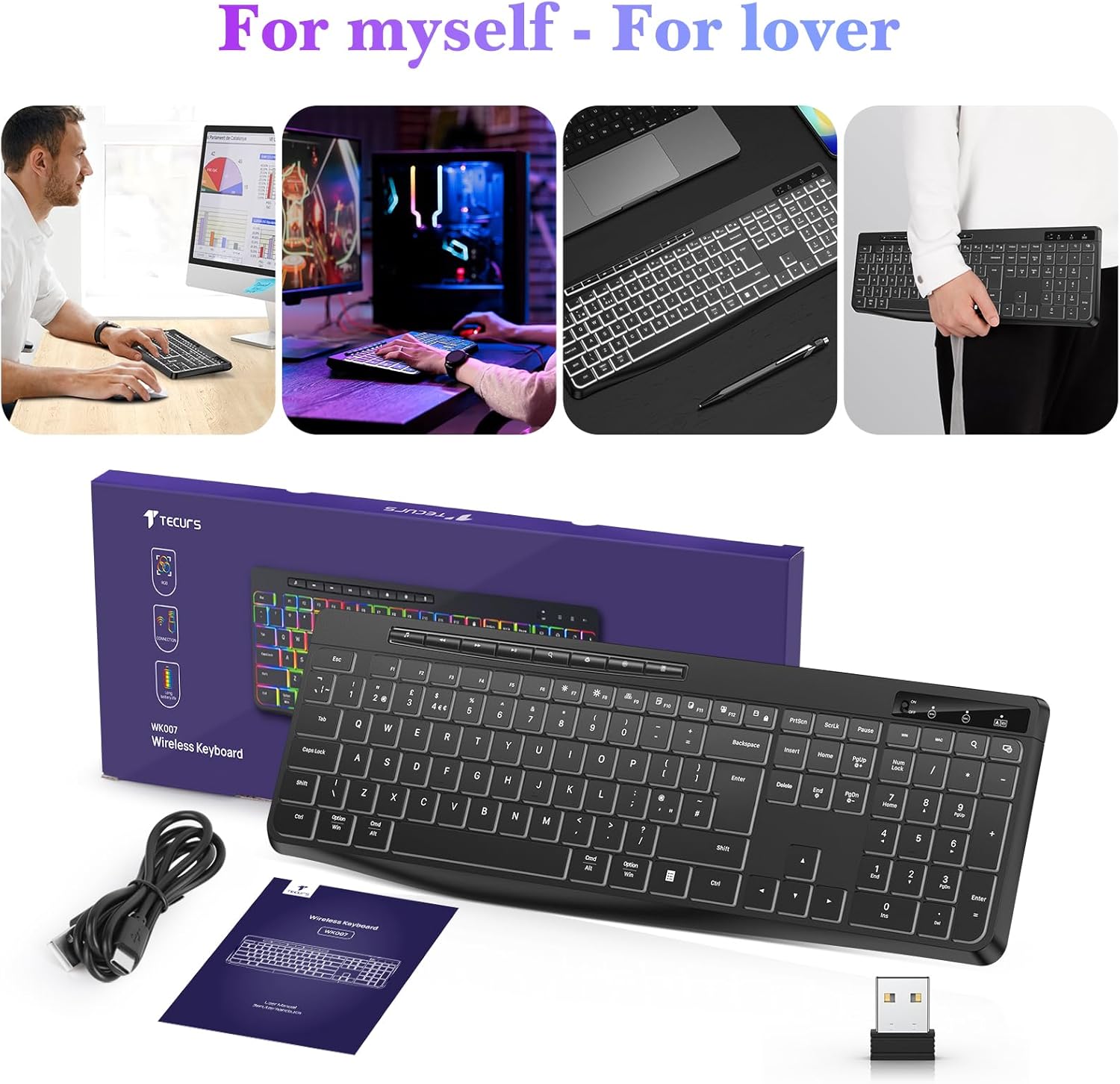
Image: Contents of the TECURS Wireless Backlit Keyboard package.
د تنظیم کولو لارښوونې
1. د کیبورډ چارج کول
Before initial use, fully charge the keyboard. Connect the provided USB charging cable to the keyboard's charging port and to a USB power source (e.g., computer USB port, USB wall adapter). The charging indicator light will illuminate during charging and turn off when fully charged.
۳.۲. د بېسیم رسیور سره نښلول
- Locate the USB 2.4G wireless receiver (dongle) in the package.
- Insert the USB receiver into an available USB port on your computer or compatible device.
- Turn on the keyboard using the power switch, usually located on the top edge or underside of the keyboard.
- The keyboard should automatically connect to the receiver. No additional drivers are typically required for most operating systems.

Image: The TECURS Wireless Keyboard and its USB receiver, demonstrating a stable wireless connection range of 8-10 meters.
عملیاتي لارښوونې
پاور آن/بند
Use the power switch on the keyboard to turn it on or off. Turning off the keyboard when not in use helps conserve battery life.
بې سیم پیوستون
The keyboard utilizes a 2.4G wireless connection, providing a stable and reliable link to your device within an 8-10 meter range. Ensure the USB receiver is securely plugged into your device for optimal performance.
د شاتنۍ رڼا کنټرول
The keyboard features a soft white backlight with adjustable brightness levels. Use the dedicated backlight control keys (often Fn + specific keys) to cycle through brightness settings or turn the backlight off. The backlight is designed to automatically turn off after approximately 5 seconds of inactivity to conserve battery power.
ملټي ميډياويکي کیلي
Dedicated multimedia keys are located on the keyboard for quick access to functions such as play/pause, volume control, and track skipping. These keys allow for convenient management of your media without interrupting your workflow.
Quiet Typing Experience
The keyboard is engineered with membrane technology and low-profile keys to provide a quiet and responsive typing experience, minimizing disturbance in shared environments.
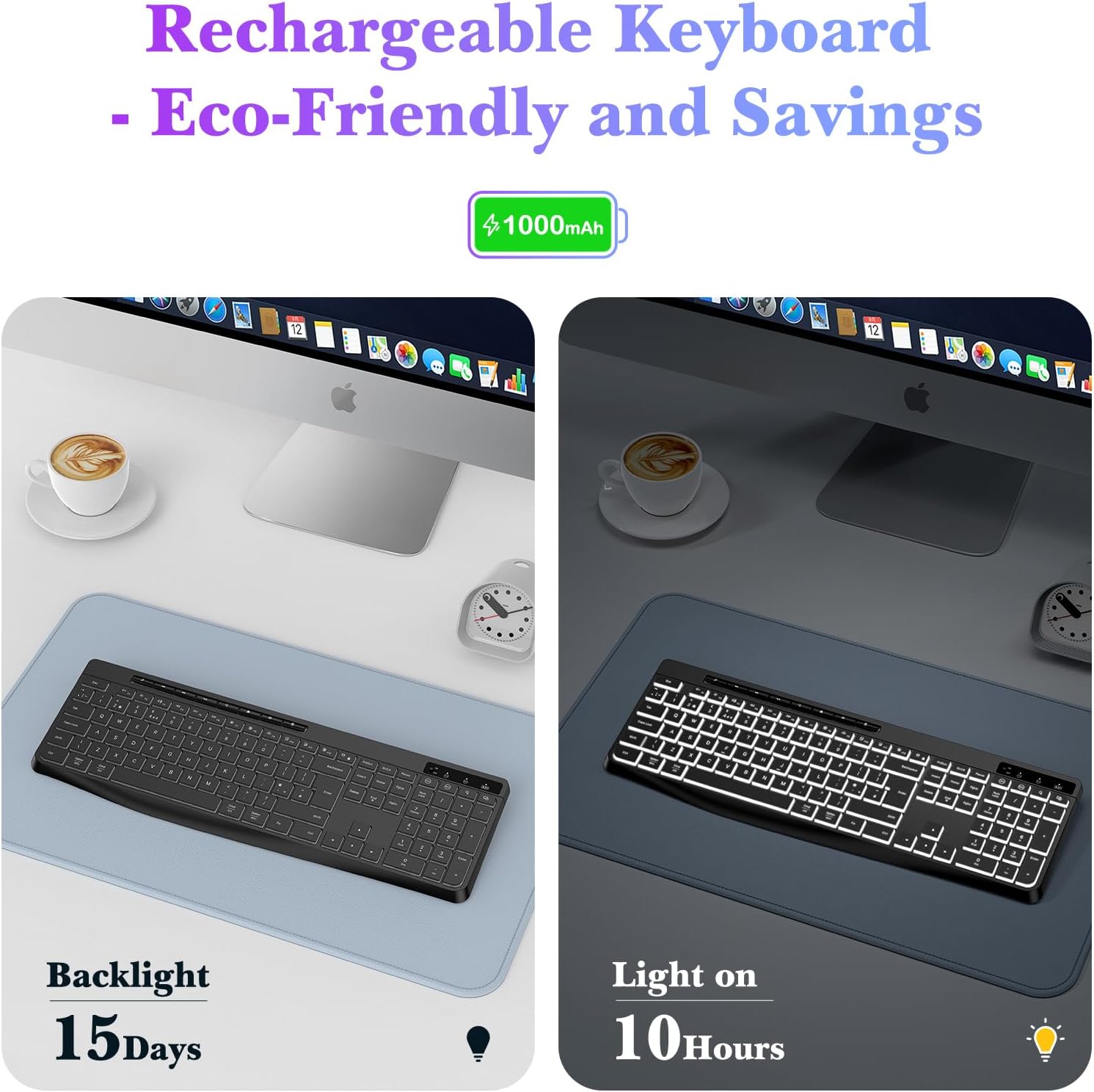
Image: Close-up of the TECURS keyboard showing individual multimedia buttons and the adjustable stand for ergonomic comfort.

Image: The TECURS keyboard being used in a quiet environment, emphasizing its low noise operation.
چارج کول او د بیټرۍ ژوند
The TECURS keyboard is equipped with a 1000mAh rechargeable lithium battery. To charge, connect the keyboard to a USB power source using the provided charging cable.
- د بیټرۍ ظرفیت: 1000mAh
- Usage with Backlight Off: په بشپړ چارج کې تر ۹۰ ورځو پورې.
- Usage with Backlight On: په بشپړ چارج کې نږدې ۳۶ ساعته.
- د چارج کولو شاخص: د شاخص څراغ به د چارج کولو حالت وښيي.

Image: Illustration of the keyboard's rechargeable nature and its battery performance with the backlight on for 10 hours and off for 15 days.
مطابقت
This keyboard is designed for broad compatibility with various operating systems and devices:
- عملیاتي سیسټمونه: Windows (including Vista), Linux, macOS
- مطابقت لرونکي وسایل: PC, Laptop, Mac, PS4, PS5, Gaming Consoles
ساتنه
To ensure the longevity and optimal performance of your TECURS Wireless Backlit Keyboard, follow these maintenance guidelines:
- پاکول: د کیبورډ سطحې د پاکولو لپاره نرم، وچ ټوکر وکاروئ. د سختې خاورې لپاره، یو څه dampټوکر د اوبو یا نرم پاکولو محلول سره ومینځئ. د ډیر رطوبت څخه ډډه وکړئ.
- د دوړو لرې کول: د کیلي ګانو ترمنځ د دوړو او کثافاتو د لرې کولو لپاره د فشار شوي هوا څخه کار واخلئ.
- ذخیره کول: کیبورډ په یخ او وچ ځای کې د مستقیم لمر وړانګو او سختې تودوخې څخه لرې وساتئ.
- د مایعاتو څخه ډډه وکړئ: Do not expose the keyboard to liquids. In case of accidental spills, immediately power off the keyboard and allow it to dry completely before reuse.
د ستونزو حل کول
If you encounter issues with your TECURS Wireless Backlit Keyboard, please refer to the following common problems and solutions:
| ستونزه | د حل لاره |
|---|---|
| کیبورډ نه نښلول کیږي |
|
| Backlight کار نه کوي |
|
| کلیدونه بې ځوابه دي |
|
| د بیټرۍ لنډ ژوند |
|
مشخصات
| فیچر | تفصیل |
|---|---|
| برانډ | TECURS |
| ماډل | B0CY2KWLMF |
| ارتباط | 2.4G بې سیم |
| ترتیب | QWERTY UK |
| شاته څراغ | White, Adjustable Brightness |
| بیټرۍ | ۶۰۰mAh د چارج وړ لیتیم |
| کلیدي ډول | جھلی |
| مواد | پلاستیک |
| مطابقت لرونکی OS | Linux, Windows Vista, macOS |
| مطابقت لرونکې وسیلې | Gaming Console, Laptop, PC, Mac, PS4, PS5 |
| ځانګړي ځانګړتیاوې | White Backlight, Wireless, Multimedia Keys, Quiet Operation |
تضمین او ملاتړ
TECURS products are designed for reliability and performance. For any questions, technical support, or warranty inquiries, please contact your retailer or the TECURS customer service team through the contact information provided with your purchase or on the official TECURS webسایټ. مهرباني وکړئ د تضمین ادعاوو لپاره د پیرود ثبوت وساتئ.