
1. محصول ختم شوview
The ZTE U50 is a portable 5G WiFi hotspot designed to provide high-speed internet connectivity for multiple devices. It features an unlocked SIM slot, supporting 5G and 4G+ networks, and utilizes AX1800 WiFi 6 technology. This device is suitable for home, business, and travel use, allowing up to 32 devices to connect simultaneously.

Image: ZTE U50 5G WiFi Hotspot shown from various perspectives, highlighting its compact design and ports.
2. کلیدي ځانګړتیاوې
- د لوړ سرعت 5G اتصال: Equipped with Qualcomm Snapdragon X55, supporting all 5G networks for fast internet access. LTE downlink speed reaches 5G+ EN-DC 2.63 Gbit/s.
- Extensive Device Support: Connects up to 32 WiFi-enabled devices, including laptops, tablets, phones, and gaming consoles.
- د بیټرۍ اوږد ژوند: Features a 4500 mAh battery, providing approximately 8 hours of stable 5G network service with high speed and low latency.
- Enhanced Signal & Security: Integrated 4x4 MIMO high-gain antennas improve speed by 15% compared to standard 5G hotspots. A security firewall with PP2P/L2TP protection ensures network safety.
- اسانه ترتیب: No complex configuration required. Simply insert a 5G nano-SIM card. Manage the device using the ZTE Link app on iOS and Android.

Image: Visual summary of ZTE U50 features, including 5G speed, Qualcomm Snapdragon X55 processor, support for 32 devices, and secure network encryption.
3. د بسته محتويات
ډاډ ترلاسه کړئ چې ټول توکي په کڅوړه کې شتون لري:
- ZTE U50 5G WiFi Hotspot Device
- د USB-C چارج کیبل
- د چټک پیل لارښود (دا لارښود)
- د تضمین کارت
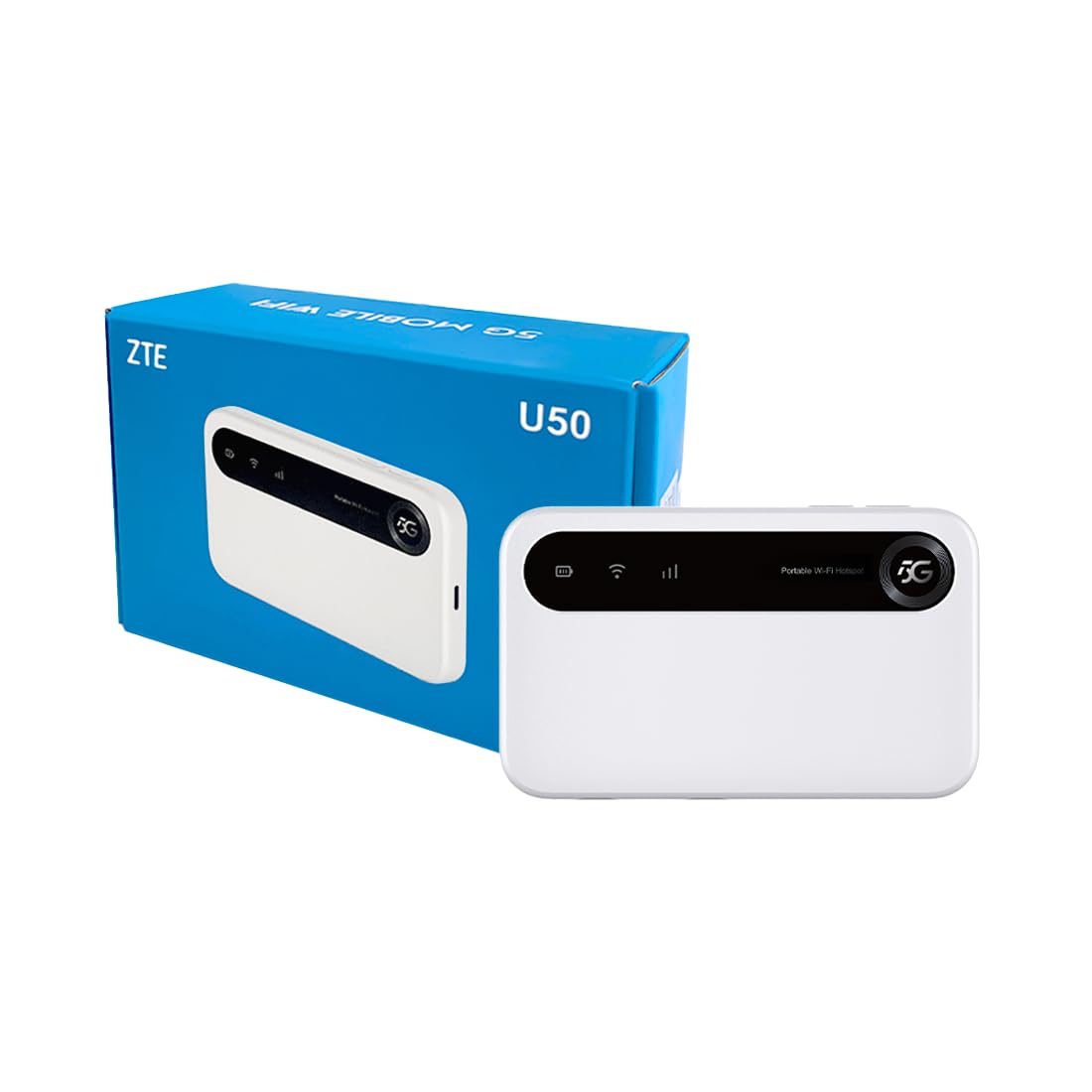
Image: The ZTE U50 device and its accompanying USB-C cable, representing the typical package contents.
4. د تنظیم کولو لارښود
4.1. د سیم کارت داخلول
- Locate the SIM card slot on the device. Refer to the device diagram in the Product Overview برخه
- د سیم کارت سلاټ پوښ په احتیاط سره خلاص کړئ.
- Insert a 5G nano-SIM card into the slot with the gold contacts facing down and the notched corner aligned correctly.
- د سیم کارت سلاټ پوښ په خوندي ډول وتړئ.
4.2. په آلې کې بریښنا کول
Press and hold the Power button for a few seconds until the screen illuminates. The device will begin to search for a network connection.
۱. د وای فای له لارې د وسایلو نښلول
- Once the device is powered on and connected to a mobile network, the Wi-Fi network name (SSID) and password will be displayed on the device screen.
- ستاسو په وای فای فعال شوي وسیله (لیپ ټاپ، سمارټ فون، ټابلیټ) کې، د شته وای فای شبکو لټون وکړئ.
- Select the SSID corresponding to your ZTE U50 hotspot.
- د وائی فای پټنوم دننه کړئ کله چې غوښتنه وشي.
- Your device should now be connected to the internet through the ZTE U50 hotspot.

Image: Illustration showing the ZTE U50 hotspot wirelessly connecting to various devices like laptops, phones, and gaming consoles.
5. عملیاتي لارښوونې
5.1. Device Management via ZTE Link App
The ZTE Link app (available on iOS and Android) allows you to manage your U50 hotspot settings, monitor data usage, change Wi-Fi passwords, and more. Download the app from your device's app store and follow the on-screen instructions to connect to your U50.
5.2. Checking Device Status
The device's screen displays important information such as signal strength, battery level, connected devices, and data usage. Periodically check the screen for updates on your hotspot's status.
5.3. د بیټرۍ مدیریت
The ZTE U50 is equipped with a 4500 mAh battery. To maximize battery life:
- Charge the device using the provided USB-C cable and a compatible power adapter.
- Reduce the number of connected devices if extended battery life is needed.
- وسیله بند کړئ کله چې کارول نه وي.
6. ساتنه
6.1. د سافټویر تازه معلومات
Regularly check for and install software updates for your ZTE U50. Updates can improve performance, enhance security, and add new features. You can typically check for updates via the ZTE Link app or the device's web مدیریت انٹرفیس.
6.2. د آلې پاکول
Use a soft, dry cloth to clean the exterior of the device. Avoid using liquid cleaners or abrasive materials, as these can damage the device.
6.3. ذخیره کول
When storing the device for extended periods, ensure it is fully charged and then powered off. Store it in a cool, dry place away from direct sunlight and extreme temperatures.
7. ستونزه حل کول
| ستونزه | احتمالي لامل | د حل لاره |
|---|---|---|
| د انټرنیټ پیوستون نشته | No SIM card, incorrect SIM, no network signal, data plan expired. | Ensure SIM is correctly inserted and active. Check for network signal. Verify data plan status with your provider. Restart the device. |
| د انټرنېټ سرعت ورو دی | کمزوری سیګنال، ډېر وصل شوي وسایل، د شبکې ګڼه ګوڼه. | Move to an area with better signal. Disconnect unnecessary devices. Contact your service provider if congestion is suspected. |
| د وائی فای سره وصل نشو | Incorrect Wi-Fi password, device out of range, Wi-Fi disabled. | Verify Wi-Fi password. Move closer to the hotspot. Ensure Wi-Fi is enabled on both the hotspot and your connecting device. |
| وسیله فعاله نه ده | Low battery, faulty power button. | وسیله لږ تر لږه د 30 دقیقو لپاره چارج کړئ. که بیا هم فعاله نه شي، د ملاتړ سره اړیکه ونیسئ. |
8. مشخصات
| فیچر | تفصیل |
|---|---|
| برانډ | ZTE |
| د ماډل نوم | U50 |
| د ارتباط ټیکنالوژي | 5G, WiFi 6 |
| د بې سیمه مواصلاتو معیار | ایکس این ایم ایکس ایکس |
| د فریکونسی بانډ ټولګی | Dual-band (2.4 GHz) |
| د ډیټا لیږد سرعت | 150 Megabits per second (Upstream) |
| د LAN پورټ بینډ ویت | 1000 Mbps |
| د انتن شمیره | ۱ (داخلي) |
| ځانګړي ځانګړتیاوې | د رسي ټکی اکر |
| مطابقت لرونکې وسیلې | Laptop, Smartphone, Game Console, Tablet |
| وړاندیز شوي استعمالونه | Gaming, Business, Home |
| شاملې برخې | روټر |
| امنیت پروټوکول | WPA2-PSK |
| د کنټرول طریقه | App (iOS & Android) |
| رنګ | سپین |
| د توکي وزن | 163.7 ګرامه |
| د بیټرۍ ظرفیت | 4500 mAh (Built-in rechargeable) |
9. تضمین او ملاتړ
9.1. د تضمین معلومات
The ZTE U50 5G WiFi Hotspot comes with a د جوړونکي دوه کلن تضمین. Please retain your proof of purchase for warranty claims. The warranty covers defects in materials and workmanship under normal use. It does not cover damage caused by misuse, accidents, unauthorized modifications, or external causes.
9.2. د پیرودونکي ملاتړ
For technical assistance, troubleshooting, or warranty inquiries, please contact ZTE customer support through their official website or the contact information provided in your product packaging. You can also refer to the ZTE Link app for additional support resources.