
STRONG SRT32HG6733C
STRONG SRT32HG6733C 32-inch HD Android Smart TV User Manual
Model: SRT32HG6733C
پیژندنه
This manual provides essential information for the setup, operation, and maintenance of your STRONG SRT32HG6733C 32-inch HD Android Smart TV. Please read these instructions carefully before using the product to ensure proper functionality and safety.
په بکس کې څه دي
د خلاصولو پر مهال، ډاډ ترلاسه کړئ چې لاندې لیست شوي ټول توکي شتون لري او په ښه حالت کې دي:
- STRONG SRT32HG6733C TV Unit
- Remote control with voice recognition
- 2 x AAA بیټرۍ
- د کارونکي لارښود (دا لاسوند)

Image: The STRONG SRT32HG6733C TV unit with its central stand, remote control, and included accessories.
چمتو کول
۱. د سټینډ نښلول
Carefully place the TV screen-down on a soft, clean surface to prevent scratches. Align the central stand with the mounting holes on the bottom of the TV. Secure the stand using the provided screws. Ensure the stand is firmly attached before proceeding.

انځور: شاته view of the TV showing the central stand attachment points and various input ports.
2. د نښلولو بریښنا
د برېښنا تار د تلویزیون د برېښنا ان پټ سره ولګوئ، بیا د دیوال په یوه ساکټ کې. تلویزیون به د سټینډ بای حالت ته ننوځي.
۳. لومړنی ترتیب او د شبکې اتصال
Upon first power-on, the TV will guide you through the initial setup process. This includes language selection, country, and network connection. For optimal Smart TV functionality, connect to your Wi-Fi network. You can also connect via an Ethernet cable for a stable wired connection.

Image: The TV screen displaying connectivity options, highlighting Wi-Fi and Bluetooth symbols.
عملیاتي لارښوونې
بنسټیز کارونه
- پاور آن/بند: په ریموټ کنټرول یا تلویزیون کې د بریښنا تڼۍ فشار ورکړئ.
- د چینل انتخاب: Use the CH+/- buttons or the number pad on the remote.
- د حجم کنټرول: د VOL+/- تڼۍ وکاروئ.
- د ننوتلو سرچینه: Press the SOURCE button to select between HDMI, AV, DVB-T/T2, DVB-C, DVB-S/S2 inputs.
د سمارټ تلویزیون ځانګړتیاوې (ګوګل تلویزیون)
Your TV runs on Google TV, providing access to a wide range of applications and services.
- کور سکرین: Access your favorite apps, movies, and shows directly from the customizable home screen.
- د سټریمینګ غوښتنلیکونه: Pre-installed apps include Netflix, Prime Video, YouTube, and Disney+. Additional apps can be downloaded from the Google Play Store.
- د ګوګل معاون: Use the voice recognition remote to control your TV, search for content, and get information by pressing the Google Assistant button and speaking your command.
- ګوګل کاسټ: Stream content from your compatible smartphone or tablet directly to the TV.

Image: The TV screen showing the Google TV interface with icons for Netflix, YouTube, Prime Video, Disney+, and other streaming services.

Image: A user holding the voice-controlled remote, with a visual representation of Google Assistant responding to a voice command on the TV screen.
ارتباط
تلویزیون د بهرنیو وسیلو سره د نښلولو لپاره مختلف پورټونه وړاندې کوي:
- د HDMI پورټونه (x2): د بلو رې پلیرونه، د لوبې کنسولونه، یا نور HDMI فعال شوي وسایل وصل کړئ.
- د USB پورټ (x1): میډیا پلی کړئ fileد USB ذخیره کولو وسیلې څخه عکسونه، ویډیوګانې، میوزیک.
- ایترنیټ (RJ45) پورټ: د تار لرونکي انټرنیټ اتصال لپاره.
- Antenna (ANT in) / Satellite (SAT in) Inputs: د ژوندۍ تلویزیون لپاره خپل ځمکني یا سپوږمکۍ انتن وصل کړئ.
- د CI سلاټ: د مشروط لاسرسي ماډلونو (CAM) لپاره چې کوډ شوي چینلونه ډیکریپټ کړي.
- د SPDIF محصول: د غږ بار یا کور تیاتر سیسټم ته د ډیجیټل آډیو آوټ پټ لپاره.
- په AV کې: د زړو وسیلو سره د نښلولو لپاره د جامع ویډیو او سټیریو آډیو په کارولو سره.
- د هیډفون محصول: د هیډفونونو سره وصل کولو لپاره.

انځور: تفصیلي شاته view of the TV highlighting all available input and output ports, including AV in, HDMI, USB, Ethernet, S/PDIF, ANT in, SAT in, CI slot, and Headphone output.
ویډیو: یوه لنډه کتنهview demonstrating the TV's use in a mobile setting, such as a camper van, showing its compact size and clear display for entertainment on the go.
ساتنه
د تلویزیون پاکول
د سکرین پاکولو لپاره، په نرمۍ سره یې د نرم، لینټ نه پاک ټوکر سره پاک کړئ. د سختو نښو لپاره، یو څه لږampen the cloth with water or a screen-cleaning solution. Avoid using harsh chemicals or abrasive materials. Clean the TV casinد وچ، نرم ټوکر سره.
د سافټویر تازه معلومات
Your Android TV may receive software updates periodically. Ensure your TV is connected to the internet to receive these updates. Updates can improve performance, add new features, and enhance security. You can check for updates manually in the TV's settings menu.
د ستونزو حل کول
| ستونزه | احتمالي حل |
|---|---|
| هیڅ ځواک نشته | وګورئ چې د برېښنا تار په خوندي ډول د تلویزیون او دیوال ساکټ سره نښلول شوی دی. ډاډ ترلاسه کړئ چې ساکټ فعال دی. |
| انځور نشته، خو غږ شته | تایید کړئ چې سمه د ننوتلو سرچینه غوره شوې ده. د بهرنیو وسیلو سره د کیبل اتصالونه وګورئ. |
| غږ نشته، خو انځور شته | Check the volume level and mute status. Ensure audio cables are correctly connected if using external speakers. |
| ریموټ کنټرول کار نه کوي | بیټرۍ بدل کړئ. ډاډ ترلاسه کړئ چې د ریموټ او د تلویزیون د IR سینسر ترمنځ هیڅ خنډ شتون نلري. |
| د وائی فای سره وصل نشو | ډاډ ترلاسه کړئ چې ستاسو روټر فعال دی او کار کوي. د وای فای پټنوم بیا دننه کړئ. د تلویزیون او روټر دواړه بیا پیلولو هڅه وکړئ. |
| Smart TV apps are slow or unresponsive | Check your internet connection speed. Close unused applications. Restart the TV. |
مشخصات
| فیچر | تفصیل |
|---|---|
| د ماډل شمیره | SRT32HG6733C |
| د سکرین اندازه | 32 انچه (81 سانتي متره) |
| ټیکنالوژي ښکاره کول | LED |
| قرارداد | HD چمتو (۱۳۶۶ x ۷۶۸p) |
| عملیاتي سیسټم | ګوګل تلویزیون |
| ارتباط | Wi-Fi, Bluetooth, 2x HDMI, 1x USB, Ethernet (RJ45), AV In, SPDIF, ANT in, SAT in, CI Slot |
| تونرونه | DVB-T/T2, DVB-C, DVB-S/S2 (HEVC 265 codec) |
| ځانګړي ځانګړتیاوې | Google Assistant, Google Cast, Dolby Audio |
| ابعاد (W x D x H) | ۲۵.۳ x ۶۱.۳ x ۵۳.۹ سانتي متره (د سټینډ سره) |
| شاملې برخې | TV, Voice Remote, 2x AAA Batteries, Manual |
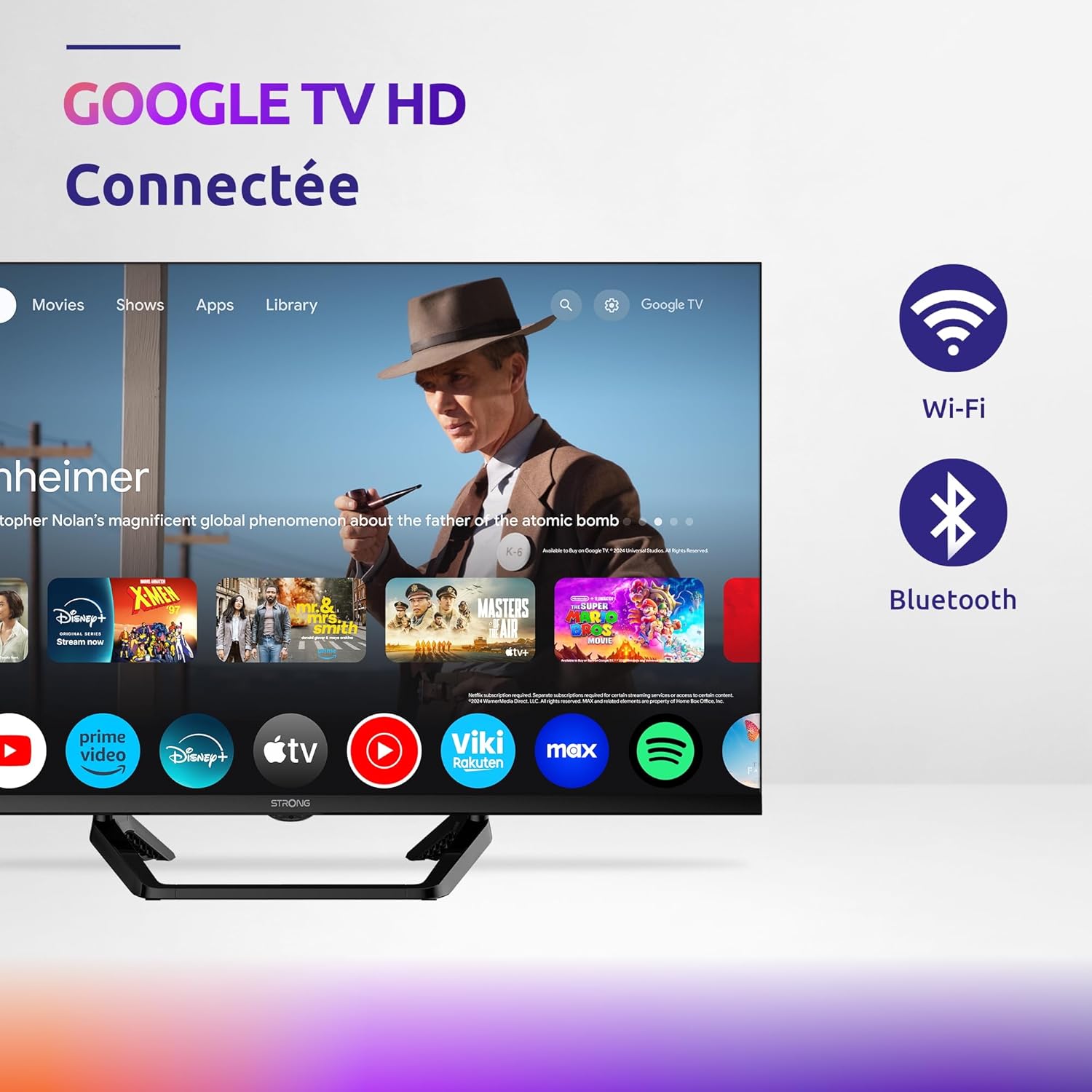
Image: Diagram showing the dimensions of the STRONG SRT32HG6733C TV, including width, height, and depth with the central stand.
تضمین او ملاتړ
This product comes with a manufacturer's warranty of 24 months. For warranty claims or technical support, please refer to the contact information provided on the official STRONG webسایټ یا ستاسو د پیرود اسناد.
For frequently asked questions and additional resources, visit the STRONG Brand Store.


Images: Icons representing warranty information and frequently asked questions.
Ask a question about this manual
Ask about setup, troubleshooting, compatibility, parts, safety, or missing instructions. Manuals+ will review the question and use this page’s manual context to help answer it.