
1. پیژندنه
This manual provides essential information for the setup, operation, and maintenance of your ARBITER Polar 65 CNC Magnetic Gaming Keyboard. Please read this manual thoroughly to ensure proper use and to maximize your keyboard's performance.
2. د بسته محتويات
ډاډ ترلاسه کړئ چې لاندې ټول لیست شوي توکي ستاسو په کڅوړه کې شتون لري:
- ARBITER Polar 65 Gaming Keyboard
- 1.8m Braided USB-A to USB-C Cable
- کیکیپ پلر
- سویچ پلر
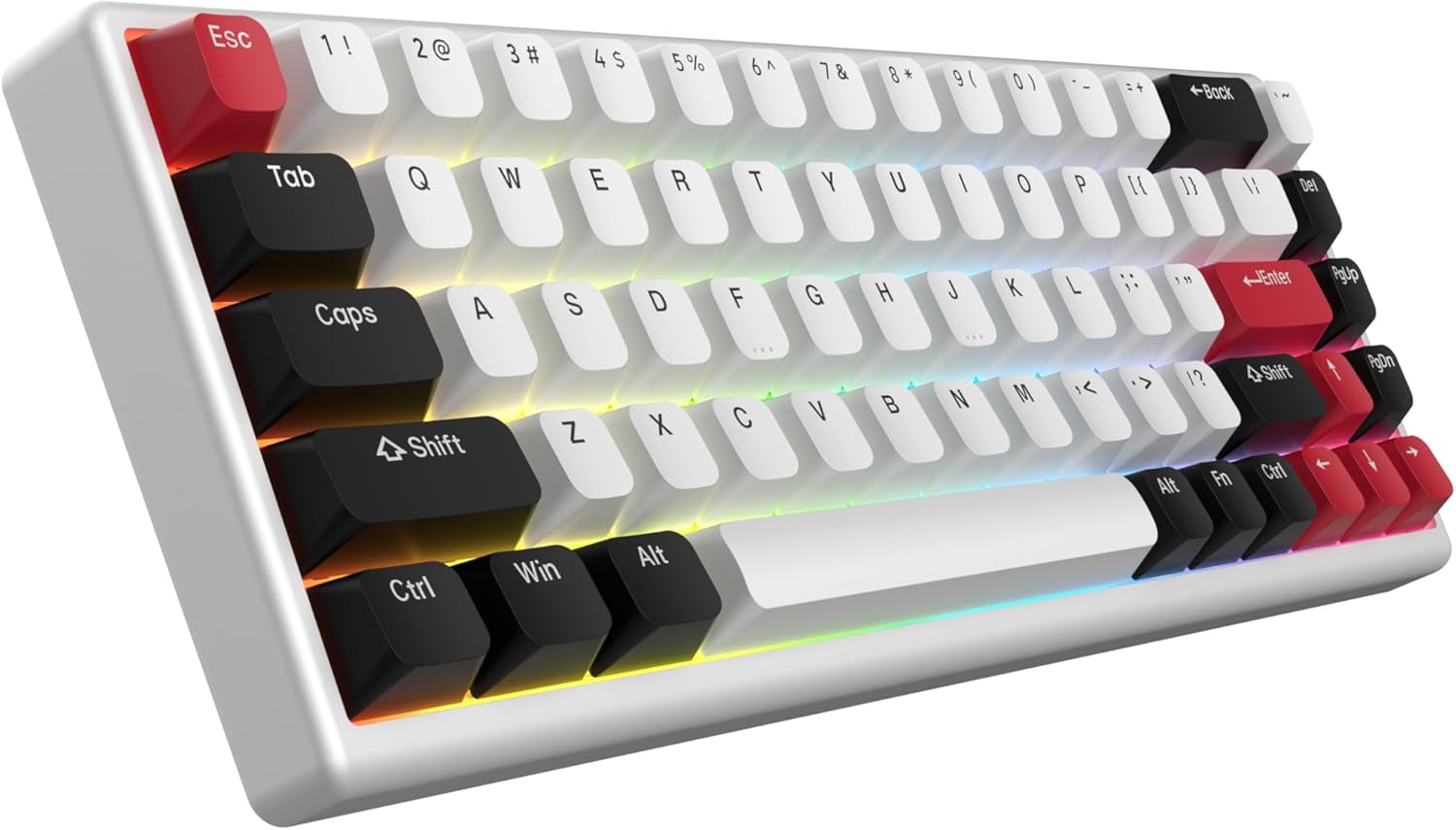
Image: The ARBITER Polar 65 keyboard, typically accompanied by its USB-C cable, keycap puller, and switch puller.
۴. د تنظیم لارښوونې
- کیبورډ وصل کړئ: Locate the USB-C port on the ARBITER Polar 65 keyboard. Connect one end of the provided 1.8m braided USB-A to USB-C cable to the keyboard and the other end to an available USB-A port on your computer.
- د ډرایور نصب کول: The keyboard is plug-and-play. Your operating system should automatically detect and install the necessary drivers. No additional software installation is required for basic functionality.
- Web اپلیکیشن ته لاسرسی: For advanced customization, including RGB lighting modes and key sensitivity adjustments, access the ARBITER web application via your web browser. Refer to the official ARBITER webد ځانګړي لپاره سایټ URL.
4. عملیاتي لارښوونې
4.1 Fuji Hall Effect Switches
The ARBITER Polar 65 features Fuji Hall Effect Switches, offering precise and customizable actuation. These are 36g linear switches with an actuation range from 0.1mm to 3.8mm, providing 20 sensitivity levels.

انځور: یوه چاودنه شوې view of a Fuji Hall Effect Switch, illustrating its components and the adjustable actuation range from 0.1mm to 3.8mm across 20 sensitivity levels.
د حساسیت تنظیمولو لپاره:
- Access the ARBITER web غوښتنلیک
- Navigate to the key sensitivity settings.
- Select individual keys or groups of keys to modify their actuation point between 0.1mm and 3.8mm.
4.2 Rapid Trigger Capabilities
The keyboard supports continuous rapid trigger functionality with less than 1ms latency. This feature allows keys to react instantly upon release, enabling faster repeated inputs compared to traditional keyboards with fixed actuation and release points.

Image: A visual comparison demonstrating the adjustable release and actuation points of the Polar 65's rapid trigger functionality versus the fixed points of a regular keyboard.
To configure Rapid Trigger:
- Open the ARBITER web غوښتنلیک
- Locate the Rapid Trigger settings.
- Adjust the sensitivity and behavior of the rapid trigger feature according to your preference.
۳.۲ د RGB رڼا تنظیمول
The ARBITER Polar 65 features vibrant RGB lighting with 16 preset lighting modes. Further personalization is available through the web غوښتنلیک

Image: The ARBITER Polar 65 keyboard displaying various RGB lighting effects, highlighting the 16 vibrant modes and web app customization options.
To change RGB lighting modes or customize effects:
- Use the designated function key combinations on the keyboard (refer to the keyboard's keycap legends for specific shortcuts).
- For advanced customization, including per-key lighting and custom effects, use the ARBITER web غوښتنلیک
4.4 Dual Silicone Dampening and Stable Keypresses
The keyboard incorporates dual silicone dampening layers to reduce acoustic resonance and provide a quieter, more comfortable typing experience. The spacebar features a screw-in stabilizer, and additional plate-mounted stabilizers are used for other larger keys to minimize rattling and ensure stable keypresses.

Image: An illustration of the ARBITER Polar 65 keyboard's internal structure, highlighting the dual silicone dampening layers and the screw-in stabilizer on the spacebar for enhanced typing comfort and stability.
5. ساتنه
Proper maintenance ensures the longevity and performance of your ARBITER Polar 65 keyboard.
- د کیلي کیپس پاکول: د کیلي کیپونو د لرې کولو لپاره چمتو شوي کیلي کیپ پلر وکاروئ. د نرم، ډ سره یې پاک کړئamp که اړتیا وي، ټوکر او نرم صابون ومینځئ. ډاډ ترلاسه کړئ چې د کیلي کیپسونه د بیا نښلولو دمخه په بشپړه توګه وچ دي.
- د چوکاټ پاکول: Wipe the CNC aluminum frame with a soft, dry, lint-free cloth. Avoid abrasive cleaners or solvents.
- د سویچ ساتنه: The Fuji Hall Effect switches are hot-swappable. If a switch needs replacement, use the provided switch puller to carefully remove it and insert a new compatible switch.
- د کیبل پاملرنه: د زیان څخه د مخنیوي لپاره د USB-C کیبل کې د تیزو کږو یا ډیر کشولو څخه ډډه وکړئ.
6. ستونزه حل کول
| ستونزه | احتمالي لامل | د حل لاره |
|---|---|---|
| کیبورډ ځواب نه ورکوي | د کیبل اتصال خلاص دی، د USB پورټ نیمګړتیا ده، د موټر چلوونکي ستونزه. |
|
| د RGB څراغ کار نه کوي | Lighting mode off, software setting. |
|
| هغه کیلي چې راجستر نه کیږي یا دوه ځله ټایپ کیږي | Switch issue, sensitivity setting. |
|
7. مشخصات
| فیچر | تفصیل |
|---|---|
| ماډل | پولر 65 |
| سویچونه | Fuji Hall Effect Switches (36g linear) |
| د عمل کولو حد | 0.1mm to 3.8mm (20 sensitivity levels) |
| Rapid Trigger Latency | له 1ms څخه کم |
| د چوکاټ مواد | CNC المونیم |
| کیکیپس | Dual-Shot PBT Keycaps |
| د RGB رڼا | 16 vibrant modes, customizable via web اپلیکیشن |
| ارتباط | USB-C (1.8m braided cable included) |
| Dampدننه کېدل | Dual Silicone Dampدننه کېدل |
| ثبات لرونکي | Screw-in (spacebar), plate-mounted (other large keys) |
| ابعاد | 14.06 x 7.01 x 2.13 انچه |
| د توکي وزن | ۲.۴۵ پونډه |
8. تضمین او ملاتړ
ARBITER products are designed for reliability and performance. For warranty information and technical support, please refer to the official ARBITER webسایټ ته مراجعه وکړئ یا مستقیم د دوی د پیرودونکو خدماتو سره اړیکه ونیسئ. د تضمین ادعاوو لپاره د پیرود ثبوت په توګه د پیرود رسید وساتئ.
Manufacturer: ARBITER
د نورو مرستو لپاره، لیدنه وکړئ: ARBITER Studio Store on Amazon