
EarFun HP200B
EarFun Wave Pro Active Noise Canceling Headphones
Model: HP200B
د کارونکي لارښوونې لارښود
1. محصول ختم شوview
The EarFun Wave Pro are advanced active noise-canceling over-ear Bluetooth headphones designed to deliver a premium audio experience with exceptional comfort and extended battery life. Featuring LDAC Hi-Res Audio support, AI-powered clear calls, and multipoint connection, these headphones are engineered for immersive listening and seamless connectivity.

Image: EarFun Wave Pro Active Noise Canceling Headphones in Silver Black.
۲. په بکس کې څه دي؟
مهرباني وکړئ د خپل کڅوړې محتويات وګورئ ترڅو ډاډ ترلاسه کړئ چې ټول توکي شتون لري:
- EarFun Wave Pro Bluetooth Headphones
- د سفر قضیه
- د AUX آډیو کیبل
- USB-C کیبل
- د کارن لارښود

Image: The EarFun Wave Pro headphones neatly stored within their protective travel case.
3. کنټرولونه او شاخصونه
The EarFun Wave Pro headphones feature intuitive controls for easy operation. Familiarize yourself with the button layout and LED indicators for optimal use.
فزیکي کنټرولونه
- د بریښنا تڼۍ: Used for powering on/off and initiating Bluetooth pairing.
- حجم پورته / ښکته تtۍ: د غږ حجم تنظیموي.
- ملټي فنکشن بټن: پلې بیک کنټرولوي (پلې کول/بندول، ټریکونه پریښودل)، د زنګ مدیریت (زنګونو ته ځواب ورکول/پای ورکول)، او د غږ معاون فعالول.
- د ANC تڼۍ: Toggles between Active Noise Cancellation (ANC), Ambient Sound, and Normal modes.
د LED شاخصونه
The LED indicator provides information on power status, battery level, and Bluetooth connection status.
4. ترتیب کول
۳.۱ د هیډفونونو چارج کول
Before first use, fully charge your EarFun Wave Pro headphones. Connect the supplied USB-C cable to the charging port on the headphones and the other end to a USB power adapter (not included) or a computer's USB port.
- A full charge provides up to 80 hours of playtime with ANC off, or 55 hours with ANC on (at 60% volume).
- د ۱۵ دقیقو چټک چارج کولی شي تر ۲ ساعتونو پورې پلې بیک چمتو کړي.
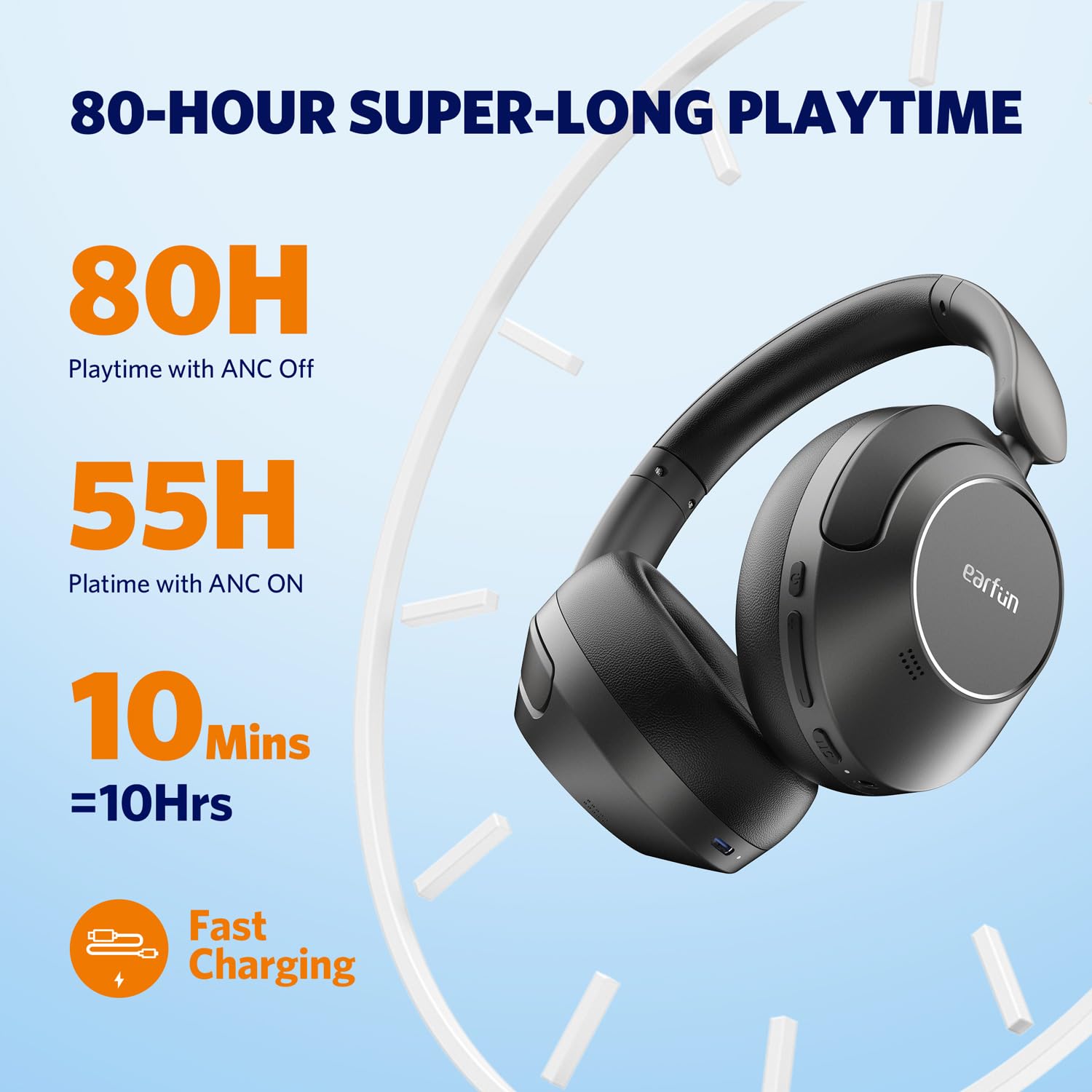
Image: Visual representation of the EarFun Wave Pro's impressive battery life, highlighting 80 hours with ANC off, 55 hours with ANC on, and 10 hours from a 10-minute quick charge.
4.2 بریښنا کول / بندول
- د فعالولو لپاره: د بریښنا تڼۍ د نږدې 2 ثانیو لپاره فشار ورکړئ او ونیسئ تر هغه چې د LED شاخص روښانه شي.
- د بریښنا بندولو لپاره: د بریښنا تڼۍ د نږدې 5 ثانیو لپاره فشار ورکړئ او ونیسئ تر هغه چې د LED شاخص بند نشي.
4.3 د بلوتوټ جوړه کول
For first-time use, the headphones will automatically enter pairing mode when powered on. For subsequent pairing or connecting to a new device:
- ډاډ ترلاسه کړئ چې هیډفونونه بند دي.
- د بریښنا تڼۍ د 5 ثانیو لپاره فشار ورکړئ او ونیسئ تر هغه چې د LED شاخص نیلي او سور روښانه شي، د جوړه کولو حالت په ګوته کوي.
- On your device (smartphone, tablet, computer), enable Bluetooth and search for "EarFun Wave Pro" in the list of available devices.
- Select "EarFun Wave Pro" to connect. The LED indicator will turn solid blue once connected.

Image: EarFun Wave Pro headphones connected via Bluetooth to a smartphone, showing the 'Connected' status.
4.4 EarFun App Installation
Enhance your listening experience by downloading the custom EarFun App. The app allows you to personalize settings, customize touch controls, and manage multipoint connections.
- لټون "EarFun Audio" on the Google Play Store (for Android) or Apple App Store (for iOS).
- Install the app and follow the on-screen instructions to connect your headphones.

Image: Screenshots of the EarFun App interface, demonstrating options for customizing controls, selecting noise canceling modes, and adjusting equalizer settings.
5. عملیاتي لارښوونې
5.1 د فعال شور لغوه کول (ANC)
The EarFun Wave Pro features QuietSmart 2.0 Active Noise Canceling Technology, reducing external noise by up to 45dB. Use the ANC button to cycle through modes:
- ANC په اړه: د عمیق اوریدلو لپاره د محیطي شور مخه نیسي.
- محیطي غږ: تاسو ته اجازه درکوي چې د آډیو اوریدو پرمهال خپل شاوخوا چاپیریال واورئ.
- نورمال حالت: ANC is off.
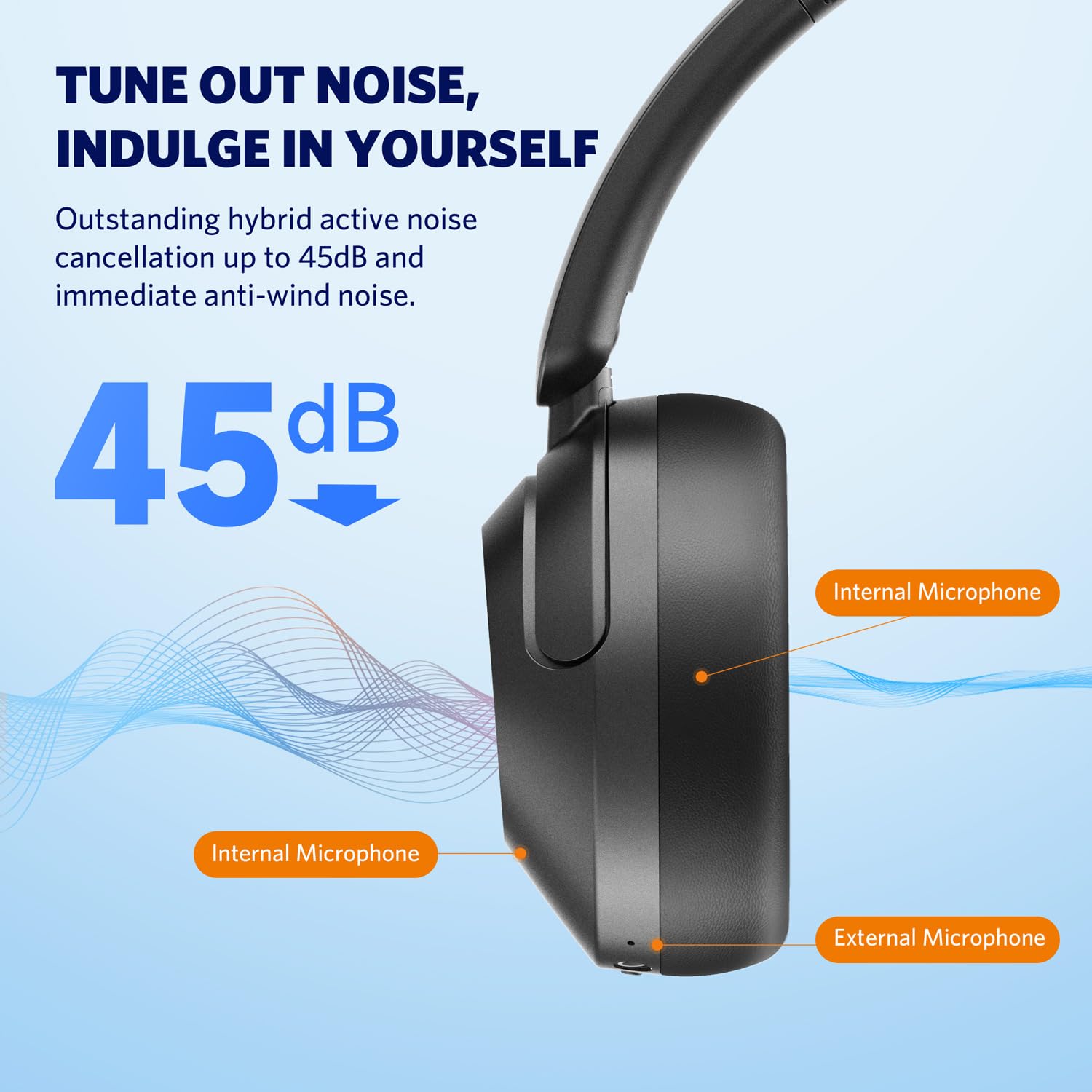
Image: Diagram illustrating the placement of internal and external microphones on the EarFun Wave Pro headphones, which contribute to the 45dB active noise cancellation.
5.2 LDAC Hi-Res Audio
Experience high-fidelity sound with LDAC support, transferring three times more detail than standard Bluetooth headphones. To activate LDAC, enable it within the EarFun App settings. Note that LDAC is primarily compatible with Android devices.

Image: A person enjoying music with EarFun Wave Pro headphones, highlighting the Hi-Res Audio and LDAC capabilities for rich sound details.
۴.۳ څو نقطې اتصال
The EarFun Wave Pro supports multipoint connection, allowing you to seamlessly switch between two connected devices (e.g., a smartphone and a laptop). Manage connections via the EarFun App or manually.
یادونه: Due to chip limitations, multipoint connection and LDAC cannot be simultaneously enabled. When LDAC is activated, multipoint connection will automatically turn off, and vice versa.

Image: EarFun Wave Pro headphones connected to both a smartphone and a laptop, illustrating the multipoint connection feature.
5.4 تلیفونونه کول او ترلاسه کول
The headphones feature AI-powered 5 microphones for crystal-clear calls, reducing background noise and ampستاسو غږ پورته کول.
- ځواب / پای کال: یوځل د ملټي فنکشن ت buttonۍ فشار ورکړئ.
- زنګ رد کړئ: د 2 ثانیو لپاره د ملټي فنکشن تڼۍ فشار او ونیسئ.

Image: A person using EarFun Wave Pro headphones for a call, with a graphic illustrating how AI algorithms separate voice from background noise for clear communication.
۳.۴ تار لرونکی اتصال (AUX)
You can use the EarFun Wave Pro headphones with the included 3.5mm AUX audio cable for a wired connection. This is useful when battery is low or for devices without Bluetooth.
یادونه: When connected via AUX, the headphones will automatically turn off, disabling ANC, touch controls, and microphones.

Image: EarFun Wave Pro headphones connected to a smartphone via the 3.5mm AUX audio cable, demonstrating wired listening capability.
6. ساتنه
6.1 پاکول
- هیډفونونه د نرم، وچ، لینټ پاک ټوکر سره پاک کړئ.
- سخت کیمیاوي مواد، د پاکولو محلول، یا قوي صابون مه کاروئ.
- په هر خلاصیدو کې د رطوبت ترلاسه کولو څخه مخنیوی وکړئ.
6.2 ذخیره کول
- Store the headphones in their travel case when not in use to protect them from dust and damage.
- په خورا تودوخې یا لوړ رطوبت کې د ذخیره کولو څخه ډډه وکړئ.
7. ستونزه حل کول
If you encounter issues with your EarFun Wave Pro headphones, refer to the following common solutions:
| ستونزه | احتمالي حل |
|---|---|
| هیډفونونه نه چالانیږي | ډاډ ترلاسه کړئ چې هیډفونونه چارج شوي دي. د USB-C کیبل په کارولو سره د بریښنا سرچینې سره وصل شئ. |
| د وسیلې سره جوړه نشي کیدی | Ensure headphones are in pairing mode (flashing blue/red LED). Turn off and on Bluetooth on your device. Forget previous pairings and try again. |
| نه غږ یا ټیټ حجم | Check volume levels on both headphones and connected device. Ensure headphones are properly connected. If using AUX cable, note that headphones are off and ANC/controls are disabled. |
| د تلیفون کیفیت خراب دی | Ensure microphones are not obstructed. Move closer to your device. Check network signal strength. |
| LDAC or Multipoint not working simultaneously | These features are mutually exclusive due to chip limitations. Disable one to enable the other. |
| Intermittent audio playback with LDAC | Keep the using distance within 2 meters, or disable LDAC if interruptions persist. |
8. مشخصات
| فیچر | تفصیل |
|---|---|
| د ماډل نوم | EarFun Wave Pro |
| د ماډل شمیره | HP200B |
| د شور کنټرول | د فعال شور لغوه کول (تر 45dB پورې) |
| د ارتباط ټیکنالوژي | بې سیم (بلوتوث) |
| هیډفون جیک | 3.5 ملی جیک |
| د آډیو ډرایور ډول | متحرک چلوونکی |
| د آډیو ډرایور اندازه | 40 ملي متره |
| د بیټرۍ ژوند | تر ۱۲ ساعتونو پورې (ANC بند)، ۱۰ ساعته (ANC فعال) |
| د کنټرول طریقه | Touch / Media Control |
| مایکروفون | AI-Powered 5 Mics for Clear Calls |
| وزن | 267 ګرامه |
| رنګ | د سرو زرو تور |
| مواد | پلاستیک |
| د اصلي هیواد | چین |
9. تضمین او ملاتړ
EarFun provides an 18-month warranty for every product. For 18 months after the date of purchase, if the product fails during normal use and cannot be resolved through corresponding measures, EarFun will provide solutions such as exchanges, returns, or refunds.
د اړیکو معلومات:
For support or warranty inquiries, please contact EarFun directly:
- بریښنالیک: service@myearfun.com
Ask a question about this manual
Ask about setup, troubleshooting, compatibility, parts, safety, or missing instructions. Manuals+ will review the question and use this page’s manual context to help answer it.