
1. پیژندنه
This manual provides essential information for setting up, operating, maintaining, and troubleshooting your Lenovo ThinkStation P8 workstation. Please read this manual thoroughly before using your new system to ensure optimal performance and longevity.
2. محصول ختم شوview
The Lenovo ThinkStation P8 is a high-performance workstation designed for demanding professional tasks. It features an AMD Threadripper PRO 7975WX processor, 128GB of RAM, a 4TB PCIe Gen4 SSD, and an NVIDIA RTX 5000 Ada 32GB graphics card, running on Windows 11 Pro 64-bit.
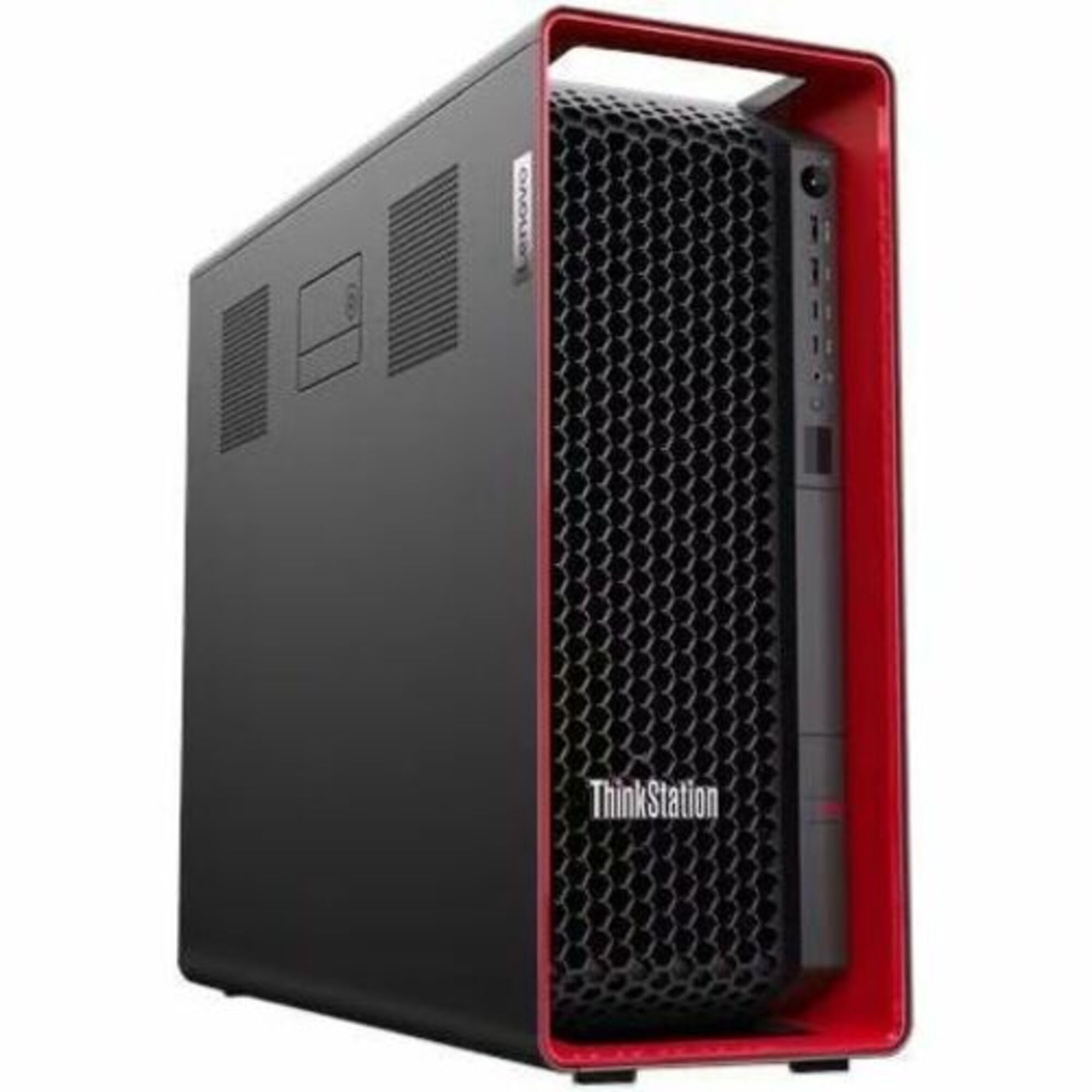
شکل 2.1: مخکی view of the Lenovo ThinkStation P8 workstation, showcasing its robust chassis and ventilation design.
3. ترتیب کول
۲.۱ د بسته بندۍ او اجزاو پیژندنه
- د کارځای او ټول لوازم په احتیاط سره له بسته بندۍ څخه لرې کړئ.
- Verify that all components listed in the packing slip are present. This typically includes the workstation unit, power cable, keyboard, mouse, and documentation.
3.2 د پردیو سره نښلول
- مانیټر وصل کړئ: Use a display cable (e.g., DisplayPort, HDMI) to connect your monitor(s) to the graphics card ports on the rear of the workstation.
- کیبورډ او موږک سره وصل کړئ: Plug the USB keyboard and mouse into any available USB ports.
- له شبکې سره وصل شئ (اختیاري): For wired network access, connect an Ethernet cable to the RJ-45 port. For wireless, ensure the Wi-Fi antennas are connected (if applicable) or configure Wi-Fi after initial setup.
- بریښنا وصل کړئ: Plug the power cable into the workstation's power supply unit (PSU) and then into a grounded electrical outlet.
3.3 ابتدايي پاور آن
- د کار سټیشن مخې ته د بریښنا تڼۍ فشار کړئ.
- Follow the on-screen instructions to complete the Windows 11 Pro setup process, including language selection, user account creation, and network configuration.
4. عملیاتي لارښوونې
4.1 پاور آن/بند او بیا پیل کړئ
- پاور آن: د بریښنا تڼۍ فشار ورکړئ.
- بندول: In Windows, click Start > Power > Shut down.
- بیا پیل کول: In Windows, click Start > Power > Restart.
- په زور سره بندول: If the system is unresponsive, press and hold the power button for approximately 10 seconds until the system powers off. Use this only as a last resort.
۴.۲ د BIOS/UEFI لاسرسی
To access the BIOS/UEFI setup utility, power on the workstation and repeatedly press the designated key (usually F1 or ړنګول) during the initial boot sequence. Refer to the on-screen prompts for the exact key.
4.3 Operating System Usage (Windows 11 Pro)
Your ThinkStation P8 comes pre-installed with Windows 11 Pro. For detailed instructions on using Windows 11, refer to the official Microsoft documentation or help resources available within the operating system.
4.4 Expansion Capabilities
The ThinkStation P8 supports various expansion options, including additional PCIe Gen4 devices and M.2 SSDs. Consult the detailed hardware maintenance manual for specific instructions on installing or upgrading components.
5. ساتنه
5.1 پاکول
- بهر: د نرم، لینټ پاک ټوکر څخه لږ څه کار واخلئampد اوبو یا نرم پاکولو محلول سره مینځل ترڅو بهرنۍ سطحې پاکې کړي. د سختو کیمیاوي موادو څخه ډډه وکړئ.
- وینټیلیشن: Regularly check and clean the ventilation grilles to prevent dust buildup, which can impede airflow and lead to overheating. Use compressed air to gently clear dust.
5.2 د سافټویر تازه معلومات
Keep your operating system and drivers updated. Windows Update will handle OS updates, and Lenovo Vantage software (pre-installed) can assist with driver and firmware updates.
5.3 د معلوماتو بیک اپ
د سیسټم د ناکامۍ په صورت کې د معلوماتو د ضایع کیدو مخنیوي لپاره په منظم ډول خپل مهم معلومات په بهرني ډرایو یا کلاوډ ذخیره کې بیک اپ کړئ.
6. ستونزه حل کول
6.1 عام مسایل او حلونه
- ځواک نشته: Ensure the power cable is securely connected to both the workstation and the electrical outlet. Test the outlet with another device.
- نه ښودنه: Verify that the monitor is powered on and correctly connected to the graphics card. Try a different display cable or monitor if available.
- سیسټم کنګل کیږي/بې ځوابه پاتې کیږي: Perform a force shut down (Section 4.1). If the issue persists, check for recent software installations or hardware changes.
- ورو فعالیت: Check for background applications, ensure sufficient free storage space, and verify that drivers are up to date.
6.2 When to Contact Support
If you encounter persistent issues that cannot be resolved using the troubleshooting steps provided, or if you suspect a hardware malfunction, contact Lenovo technical support.
7. مشخصات
| فیچر | مشخصات |
|---|---|
| برانډ | Lenovo |
| د ماډل نوم | ThinkStation P8 |
| د ماډل شمیره | 30HH004BUS |
| عملیاتي سیسټم | وینډوز 11 پرو 64-bit |
| د CPU ماډل | AMD Threadripper PRO 7975WX |
| د CPU سرعت | 4.00GHz |
| د ګرافیک کاپروسیسر | NVIDIA RTX 5000 Ada 32GB |
| د RAM حافظې نصب شوې اندازه | 128 GB DDR5 |
| د حافظې د ذخیره کولو ظرفیت | 4TB SSD M.2 2280 PCIe Gen4 Performance TLC Opal |
| د توکي ابعاد (L x W x H) | 20 x 7 x 17 انچه |
| UPC | 197531578266 |
8. تضمین او ملاتړ
Your Lenovo ThinkStation P8 comes with a 3-year Premier NBD (Next Business Day) warranty. For technical assistance, warranty claims, or to find authorized service providers, please visit the official Lenovo support webسایټ ته مراجعه وکړئ یا د دوی د پیرودونکو خدماتو سره اړیکه ونیسئ. د ملاتړ سره د اړیکې نیولو پر مهال د خپل محصول سریال نمبر چمتو وساتئ.
د لینوو ملاتړ Webسایټ: ملاتړ.lenovo.com
۸. د محصول رسمي ویډیوګانې
No official product videos from the seller were found to be relevant and useful for this instruction manual.