
1. پیژندنه
Thank you for choosing the Dierya DK98se Mechanical Gaming Keyboard. This manual provides detailed instructions on how to set up, operate, and maintain your new keyboard. Please read this manual carefully before use to ensure optimal performance and longevity of your device.
2. محصول ختم شوview
The Dierya DK98se is a compact yet functional 98-key mechanical keyboard designed for both gaming and professional use. It features durable mechanical switches, customizable backlighting, and an ergonomic design for comfortable extended use.

Figure 2.1: Dierya DK98se Mechanical Gaming Keyboard in white.

شکل 2.2: پایview of the DK98se 98-key layout and dimensions (378 x 120 x 45 mm).
د بسته محتويات:

Figure 2.3: Contents of the Dierya DK98se package.
- Dierya DK98se Mechanical Keyboard x 1
- Type-C Data Cable x 1
- کیکیپ پلر x 1
- د کارن لارښود x 1
3. ترتیب کول
د کیبورډ سره نښلول:
- د کیبورډ په شا کې د USB ډول-سي پورټ ومومئ.
- Connect the provided Type-C data cable to the keyboard's Type-C port.
- د USB کیبل بل پای په خپل کمپیوټر کې موجود USB پورټ کې ولګوئ.
- کیبورډ پلګ او پلی دی او باید ستاسو د عملیاتي سیسټم لخوا په اتوماتيک ډول وپیژندل شي.

Figure 3.1: Connecting the keyboard via its Type-C port.
مطابقت:
- بشپړ مطابقت: Windows 11 / 10 / 8 / 7 / XP.
- محدود مطابقت: Mac OS, Vista, and Linux are compatible for basic typing and desktop use only. Advanced features may not be supported.
4. عملیاتي لارښوونې
میخانیکي سویچونه:
The Dierya DK98se keyboard is equipped with durable mechanical switches, offering a lifespan of 60 million keystrokes. This model features نیلي سویچونه, known for their clicky, medium resistance, and audible click sound, providing crisp, precise tactile feedback suitable for typists.
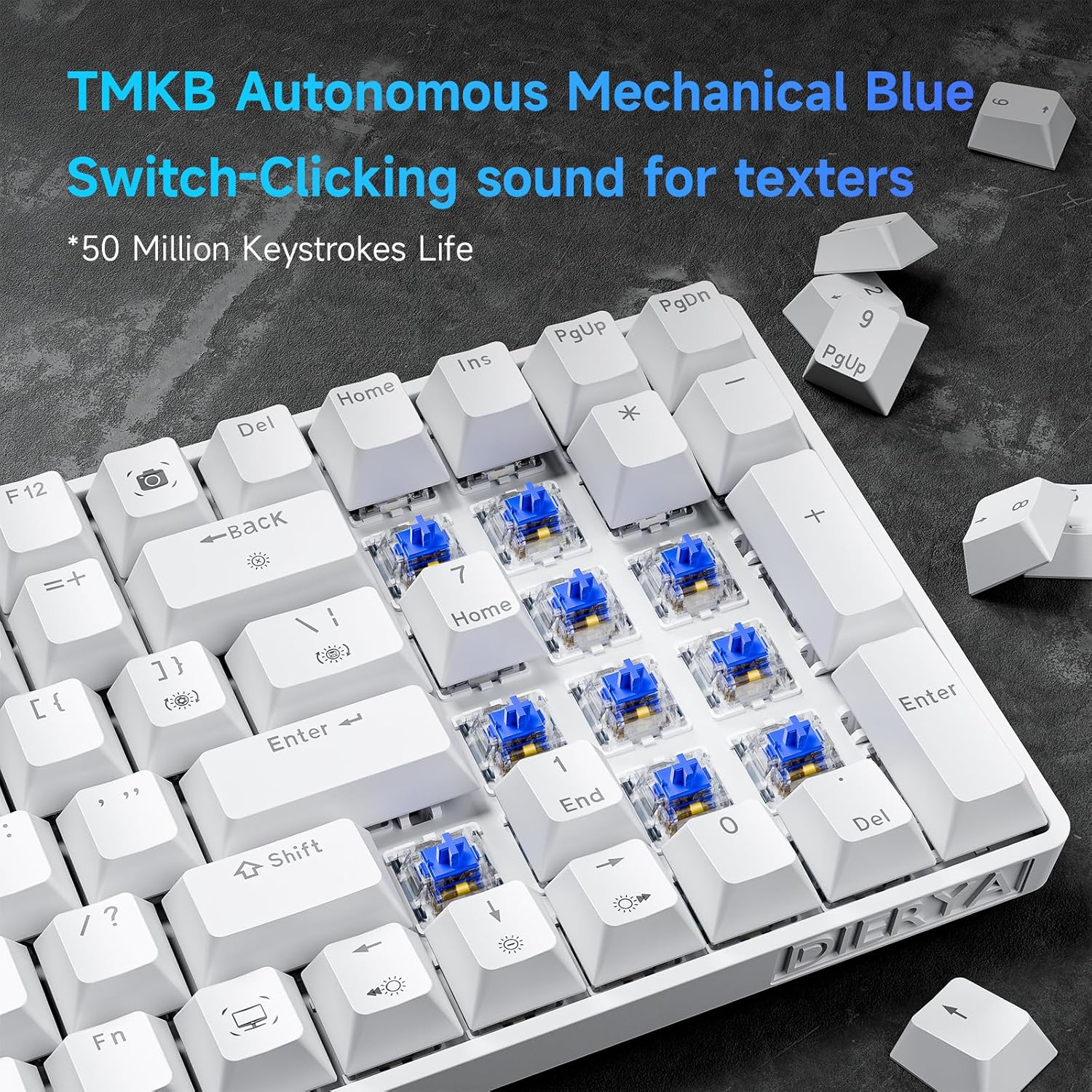
4.1 شکل: تړل view of the TMKB Autonomous Mechanical Blue Switches.

Figure 4.2: Detailed specifications of the Mechanical Blue Switches, including actuation force and key travel.
د غوسټینګ ضد بشپړ کیلي:
The keyboard supports full key anti-ghosting, ensuring that all key presses are registered accurately, even when multiple keys are pressed simultaneously. This feature is crucial for fast-paced gaming and efficient typing.

Figure 4.3: Demonstration of full key anti-ghosting, allowing multiple simultaneous key presses.
ارګونومیک ډیزاین:
The DK98se features an ergonomic design with two-level adjustable tilt stands and anti-slip rubber pads to provide maximum comfort and reduce hand fatigue during prolonged use. The scientifically designed keycap shape further enhances typing comfort.
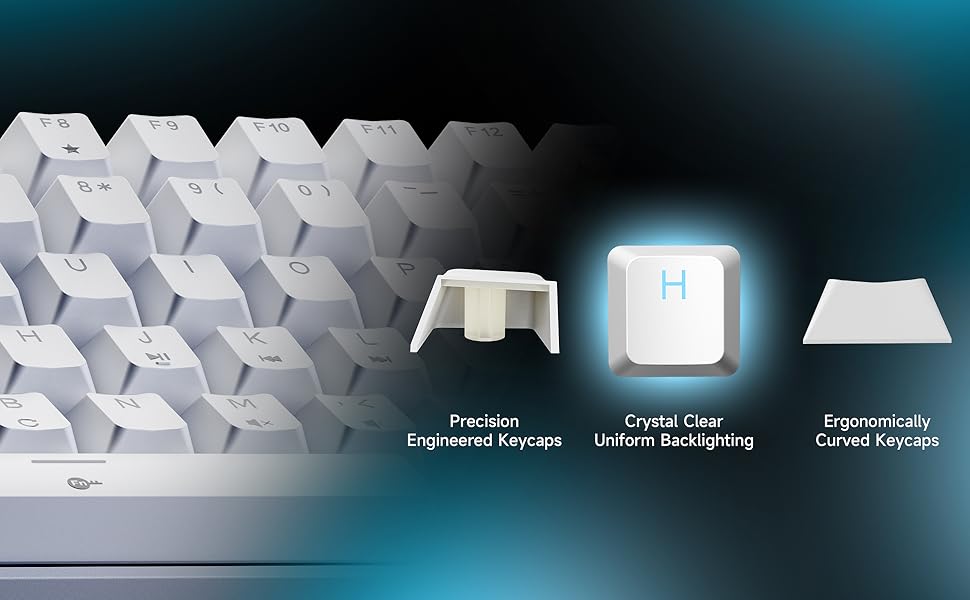
Figure 4.4: Illustration of the ergonomic design with adjustable rear feet and anti-skid pads.
۵.۱. د شاليد حالتونه
The keyboard features a monochrome ice blue backlight with 15 different lighting modes. You can control the backlight effects using the following FN key combinations:

Figure 5.1: Visual guide for backlight controls.
- FN + | (Backslash key): Switch between 15 different backlight modes.
- FN + بیک سپیس: بیک لائټ فعال/بند کړئ.
- FN + ↑ (پورته غشی): د شاته رڼا روښانتیا زیاته کړئ.
- FN + ↓ (ښکته غشی): د شاته رڼا روښانتیا کمه کړئ.
- FN + ← (کیڼ غشی): د بیک لائټ سرعت کم کړئ.
- FN + → (ښي غشی): د بیک لایټ سرعت زیات کړئ.
The keycaps are made with double-shot injection molding, allowing the backlight to shine through clearly and uniformly.
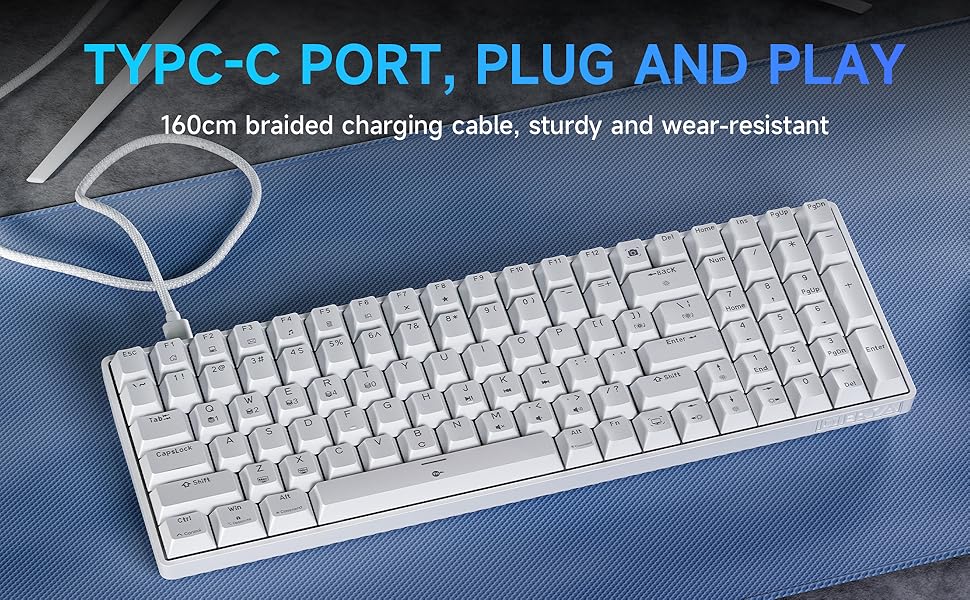
Figure 5.2: Illustration of crystal clear uniform backlighting and different keycap designs.
6. ساتنه
د کیبورډ پاکول:
- د پاکولو دمخه کیبورډ له خپل کمپیوټر څخه جلا کړئ.
- د نرم، لینټ پاک ټوکر څخه لږ څه کار واخلئampد کیلي کیپونو او کیبورډ سطحې د پاکولو لپاره د اوبو یا یو نرم پاکولو محلول سره مینځل کیږي.
- For deeper cleaning, use the provided keycap puller to carefully remove keycaps. Clean the area underneath with compressed air or a small brush.
- ډاډ ترلاسه کړئ چې کیبورډ په بشپړه توګه وچ دی مخکې له دې چې بیا وصل شي.
ذخیره کول:
When not in use for extended periods, store the keyboard in a dry, dust-free environment away from direct sunlight and extreme temperatures.
7. ستونزه حل کول
If you encounter any issues with your Dierya DK98se keyboard, please refer to the following common solutions:
- کیبورډ ځواب نه ورکوي:
- ډاډ ترلاسه کړئ چې د USB-C کیبل په خوندي ډول د کیبورډ او کمپیوټر دواړو سره وصل دی.
- هڅه وکړئ چې کیبورډ په خپل کمپیوټر کې بل USB پورټ سره وصل کړئ.
- خپل کمپیوټر بیا پیل کړئ.
- د سیسټم پورې اړوند ستونزو د له منځه وړلو لپاره په بل کمپیوټر کې کیبورډ ازموینه وکړئ.
- د شا څراغ کار نه کوي:
- مطبوعاتي FN+Backspace د بیک لایټ فعال/بندولو لپاره.
- Ensure backlight brightness is not set to minimum (use FN +).
- Keys not registering correctly (ghosting):
- The keyboard features full anti-ghosting. If you experience issues, ensure no software conflicts are present.
- Clean under the keycaps as per the maintenance section.
If the problem persists after trying these steps, please contact Dierya customer support for further assistance.
8. مشخصات
| فیچر | تفصیل |
|---|---|
| برانډ | Dierya |
| د ماډل شمیره | DK98SE |
| رنګ | سپین |
| د کلیدونو شمیر | 98 |
| د سویچ ډول | Mechanical Blue Switch |
| د ارتباط ټیکنالوژي | USB-C (وایر شوی) |
| ځانګړي ځانګړتیاوې | Ergonomic Design, Anti-Ghosting, Adjustable Tilt Stands |
| شاته څراغ | Single Color Ice Blue (15 modes) |
| مطابقت لرونکې وسیلې | لپ ټاپ، کمپیوټر |
| وړاندیز شوي استعمالونه | Gaming, Professional |
9. تضمین او ملاتړ
Dierya is committed to providing high-quality products and excellent customer service. Your Dierya DK98se keyboard comes with the following:

Figure 9.1: Summary of Dierya's customer support and warranty.
- 24 ساعته د پیرودونکي ملاتړ: Our dedicated support team is available to assist you with any questions or issues.
- د ۴۵ ورځو بدلول: Enjoy a 30-day replacement policy for any manufacturing defects.
- پنځه کلن کیفیت تضمین: Your keyboard is covered by a 1-year quality warranty from the date of purchase.
For support, please refer to the contact information provided on the product packaging or visit the official Dierya webسایټ