
1. پیژندنه
Thank you for choosing the FLEXISPOT OC17 Ergonomic Office Chair. This manual provides detailed instructions for the assembly, operation, and maintenance of your new chair. Please read this manual thoroughly before assembly and use to ensure proper function and longevity of the product. Keep this manual for future reference.

مخکی view of the FLEXISPOT OC17 ergonomic office chair, featuring a black mesh back and a blue seat.
2. محصول ختم شوview
The FLEXISPOT OC17 is designed to provide optimal comfort and support during extended periods of sitting. Key features include:
- د تنظیم وړ سر پټۍ: Height and angle adjustable with an integrated hook for clothing.
- ارګونومیک شاته: S-shaped bionic design with 90°-125° recline and 3 lockable positions.
- د تنظیم وړ لمبر ملاتړ: Dynamic 5cm vertical adjustment.
- د تعدیل وړ لاسونه: 10cm vertical adjustment.
- راحته څوکۍ: 8cm thick, high-density sponge cushion.
- Breathable Materials: Mesh backrest for enhanced airflow.
- خوځښت: 360° smooth rotation and durable wheels.
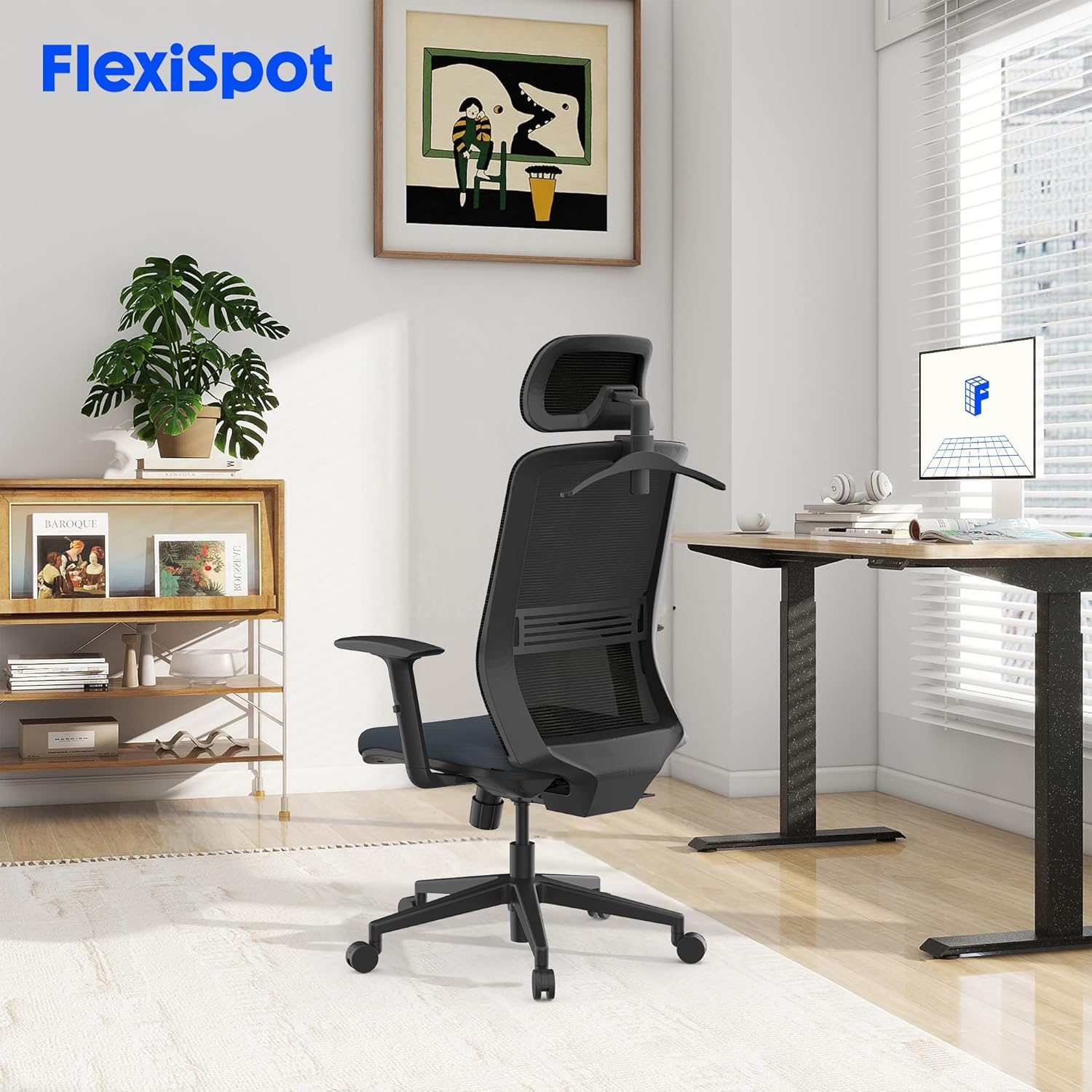
The FLEXISPOT OC17 ergonomic office chair integrated into a modern workspace environment.
3. تنظیم او مجلس
Assembly of the FLEXISPOT OC17 chair is designed to be straightforward. Please follow the included assembly guide for detailed, step-by-step instructions. Ensure all components are present before beginning assembly.
د عمومي غونډې مرحلې:
- ټولې برخې خلاصې کړئ او د برخو لیست سره سم یې تایید کړئ.
- کاسټرونه د څوکۍ اساس سره وصل کړئ.
- Insert the gas lift into the center of the chair base.
- د میکانیزم پلیټ د څوکۍ کشن لاندې برخې ته خوندي کړئ.
- Attach the backrest to the seat cushion assembly.
- Mount the armrests to the seat cushion.
- راټول شوی څوکۍ او شاته برخه د ګازو په لفټ کې ځای په ځای کړئ.
- د سر پټۍ د شا په سر کې نصب کړئ.
Ensure all screws are tightened securely, but do not overtighten. If you encounter difficulty attaching the base to the seat, refer to the specific diagrams in your assembly guide for clarification.
4. عملیاتي لارښوونې
The FLEXISPOT OC17 chair offers multiple adjustment options to customize your seating experience.
۳. د سر د غاړې تنظیم کول
- د لوړوالی سمون: Gently pull the headrest up or push it down to adjust its height within a 6cm range.
- زاویه تعدیل: Tilt the headrest forward or backward to find your preferred angle (0-35 degrees rotation).
- مدغم شوی هک: Utilize the hook on the back of the headrest to hang light garments, preventing wrinkles.

Illustration of the headrest's 6cm height adjustment and 0-35 degree rotation capabilities.
۲. د شا شاته تکیه او قلف
The backrest can recline between 90° and 125° and be locked in 3 different positions.
- تکیه: Pull the lever located on the side of the chair upwards, lean back to your desired angle, and release the lever to lock the position.
- خلاصول: To unlock and return to an upright position, pull the lever upwards again while leaning slightly forward.
4.3. د لمبر ملاتړ تنظیم کول
The lumbar support can be adjusted vertically by 5cm to provide targeted support to your lower back.
- Locate the lumbar support mechanism on the backrest.
- Gently push the lumbar support up or down to align it with the natural curve of your spine.

تفصيلي view of the chair's ergonomic design, highlighting the S-shaped backrest, 10cm adjustable armrests, and 5cm adjustable lumbar support.
۵. د بازو تنظیمول
The armrests can be adjusted vertically by 10cm to suit your height and desk setup.
- Press the button located on the side of each armrest.
- While holding the button, move the armrest up or down to your desired height.
- Release the button to lock the armrest in place.
4.5. د څوکۍ لوړوالی تنظیمول
Adjust the seat height to ensure your feet are flat on the floor and your knees are at a 90-degree angle.
- پورته کول: While standing, pull the lever located under the seat upwards.
- ښکته کول: While seated, pull the lever upwards.
- لیور خوشې کړئ ترڅو څوکۍ په مطلوب لوړوالي کې بنده کړئ.
۵.۲. د څرخيدو دنده
The chair features a 360-degree swivel function for easy movement and access to your workspace.
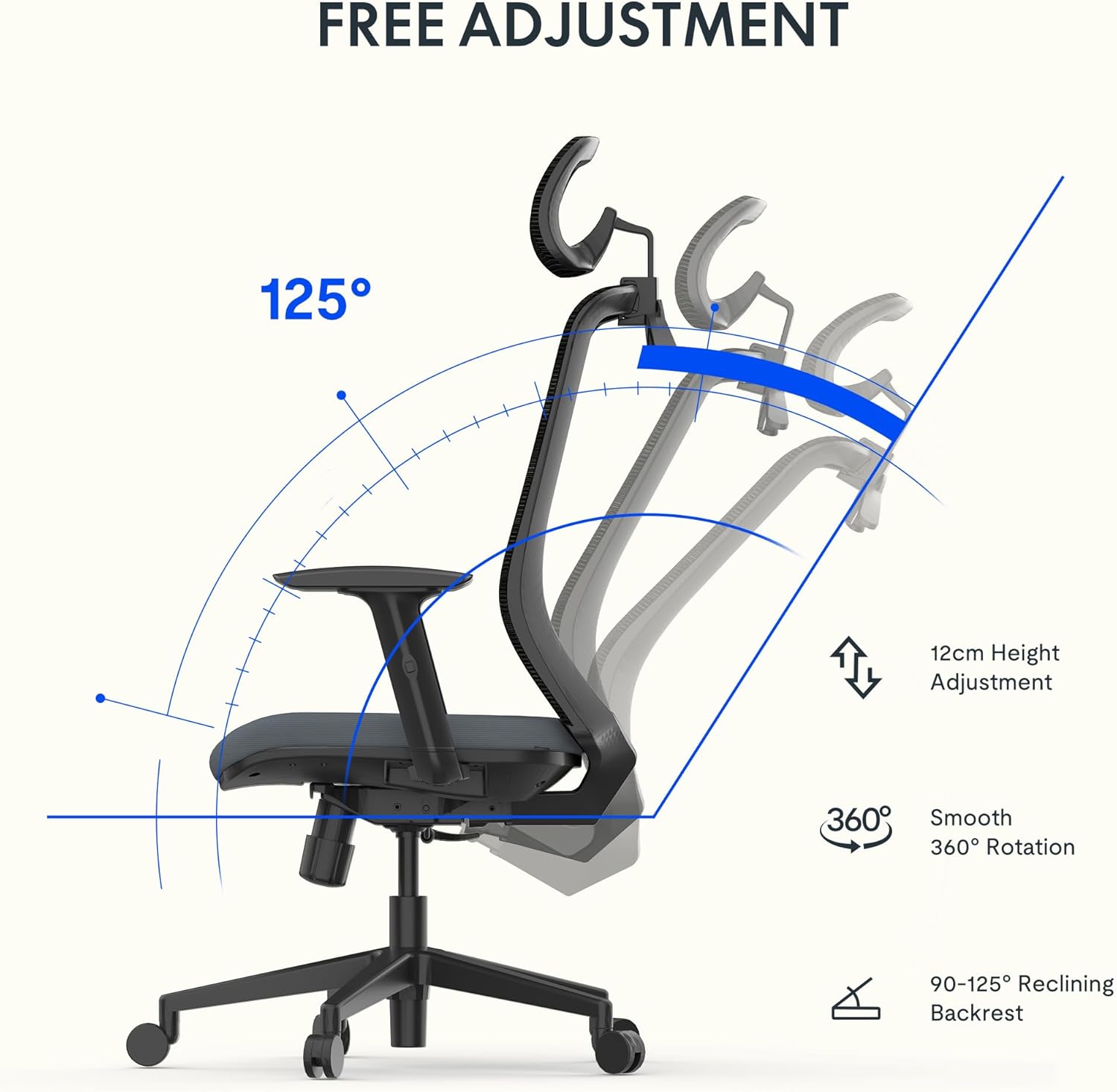
Visual representation of the chair's 12cm height adjustment, 360-degree rotation, and 90-125 degree backrest recline.
5. ساتنه
Regular maintenance will help preserve the appearance and functionality of your FLEXISPOT OC17 chair.
- پاکول: د میش شاته او ټوکر څوکۍ لپاره، نرم ټوکر وکاروئampپه نرمو صابون او اوبو سره مینځل. د سختو کیمیاوي موادو یا د کثافاتو پاکوونکو څخه ډډه وکړئ.
- معاینه: ټول پیچونه او فاسټینرونه په دوره یي ډول وګورئ ترڅو ډاډ ترلاسه شي چې دوی کلک دي. که اړتیا وي نو بیا کلک کړئ، مګر ډیر مه کلک کوئ.
- کاسټرې: کاسټرونه د ویښتو او کثافاتو څخه پاک وساتئ ترڅو ډاډ ترلاسه شي چې اسانه رولینګ کیږي.

تړل views highlighting the breathable mesh backrest and the 8cm thick, comfortable seat cushion.
6. ستونزه حل کول
If you encounter any issues with your FLEXISPOT OC17 chair, refer to the following common solutions:
- د څوکۍ چیغې: ټول بولټ شوي اړیکې وګورئ او که خلاصې وي نو ټینګ کړئ. که چیری چیچک دوام وکړي نو د حرکت کونکو برخو لپاره لږ مقدار سیلیکون غوړ کارول کیدی شي.
- د لوړوالي تنظیمولو کې مشکل: Ensure the gas lift lever is fully engaged. If the issue persists, the gas lift may need replacement.
- څوکۍ بې ثباته احساسوي: Verify that all casters are securely inserted into the base and that the base is properly attached to the gas lift.
- Backrest Not Locking: Check the recline lock mechanism for any obstructions or damage. Ensure the lever is fully engaged.
د هغو ستونزو لپاره چې د دې ګامونو په واسطه حل نه شوې، مهرباني وکړئ د پیرودونکو ملاتړ سره اړیکه ونیسئ.
7. مشخصات
| فیچر | تفصیل |
|---|---|
| برانډ | FLEXISPOT |
| د ماډل شمیره | OC17 |
| رنګ | تور او نیلي |
| د محصول ابعاد (L x W x H) | 50.5 x 60 x 115.5 cm (minimum height) to 127.5 cm (maximum height) |
| د توکي وزن | 14.6 کیلوګرامه |
| مواد | Metal (frame), Textile (seat) |
| د وزن ظرفیت | تر 136 کیلو ګرامه پورې |
| ځانګړي ځانګړتیاوې | Adjustable Armrest, Adjustable Headrest, Ergonomic Design, Adjustable Height, Lumbar Support |
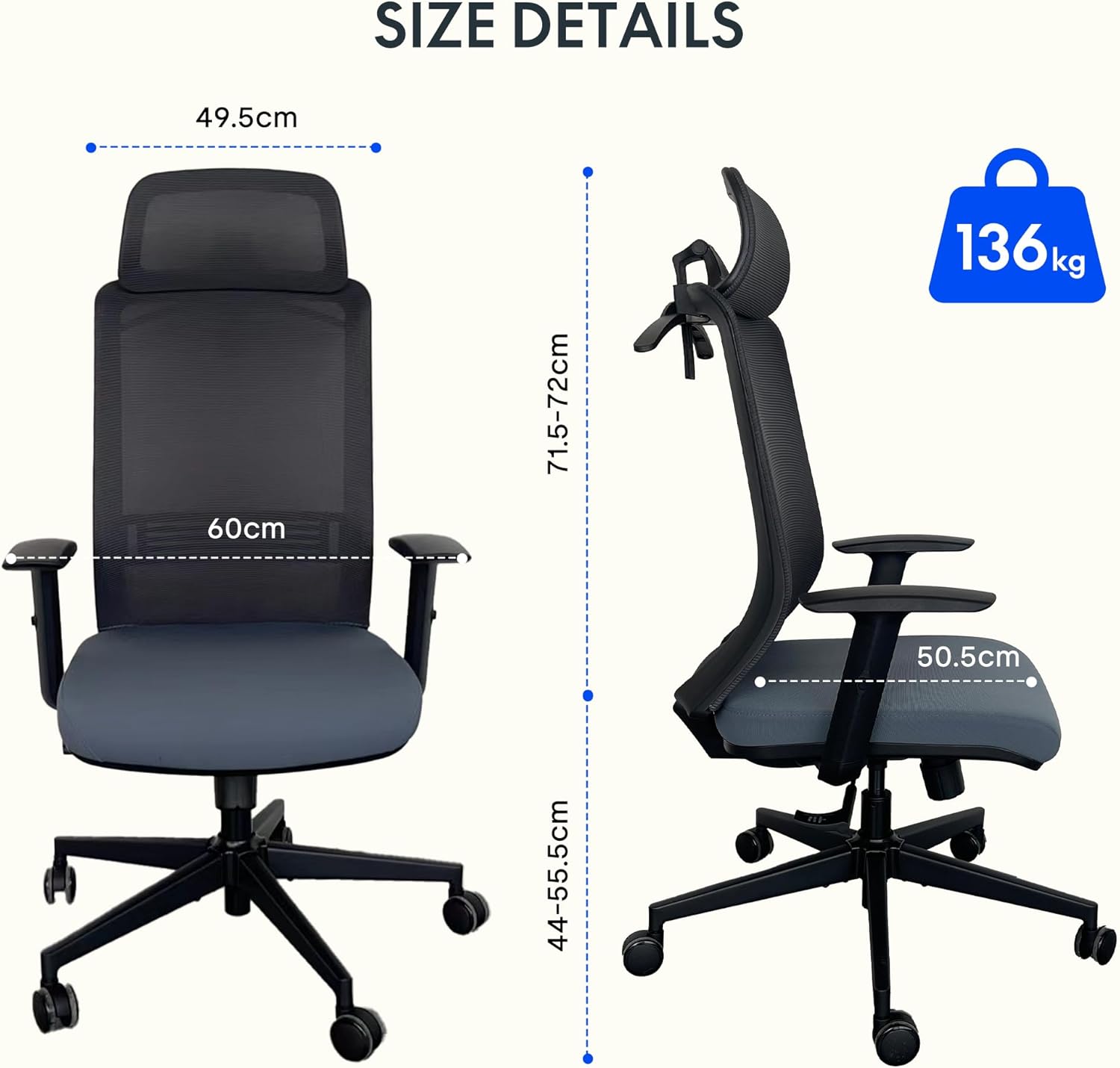
Detailed dimensions of the FLEXISPOT OC17 chair and its maximum load capacity of 136 kg.
8. تضمین او ملاتړ
FLEXISPOT provides a 3-year availability for spare parts for the OC17 ergonomic office chair. For warranty claims, technical support, or inquiries regarding spare parts, please contact FLEXISPOT customer service through their official webسایټ یا پرچون پلورونکی چیرې چې محصول اخیستل شوی و.
Please have your purchase receipt and product model number (OC17) ready when contacting support.