
پیژندنه
د پیرودلو لپاره مننهasing the KTC H27S17 27-inch WQHD 180Hz Curved Gaming Monitor. This manual provides essential information for the safe and efficient use of your new monitor. Please read it thoroughly before use and retain it for future reference.
محصول پای ته ورسیدview ویډیو
ویډیو: د محصول رسمي ویډیو نندارهasing the key features and design of the KTC H27S17 27-inch Curved Gaming Monitor.
د بسته محتويات
ډاډ ترلاسه کړئ چې لاندې ټول توکي ستاسو په بسته کې شامل دي:
- د بریښنا کیبل
- دسپورتپورټ کیبل
- د بریښنا اډاپټر
- څارنه
- ودريده بيس
- د ډرایور سي ډي (یا د ډاونلوډ لینک)
- د سکرو نصب کول
- Instruction Manual (Japanese version)
- د چټک پیل لارښود
- د تضمین کارت
د تنظیم کولو لارښوونې
1. د سټینډ راټولول
Attach the stand base to the monitor stand using the provided screws. Then, securely attach the assembled stand to the back of the monitor.
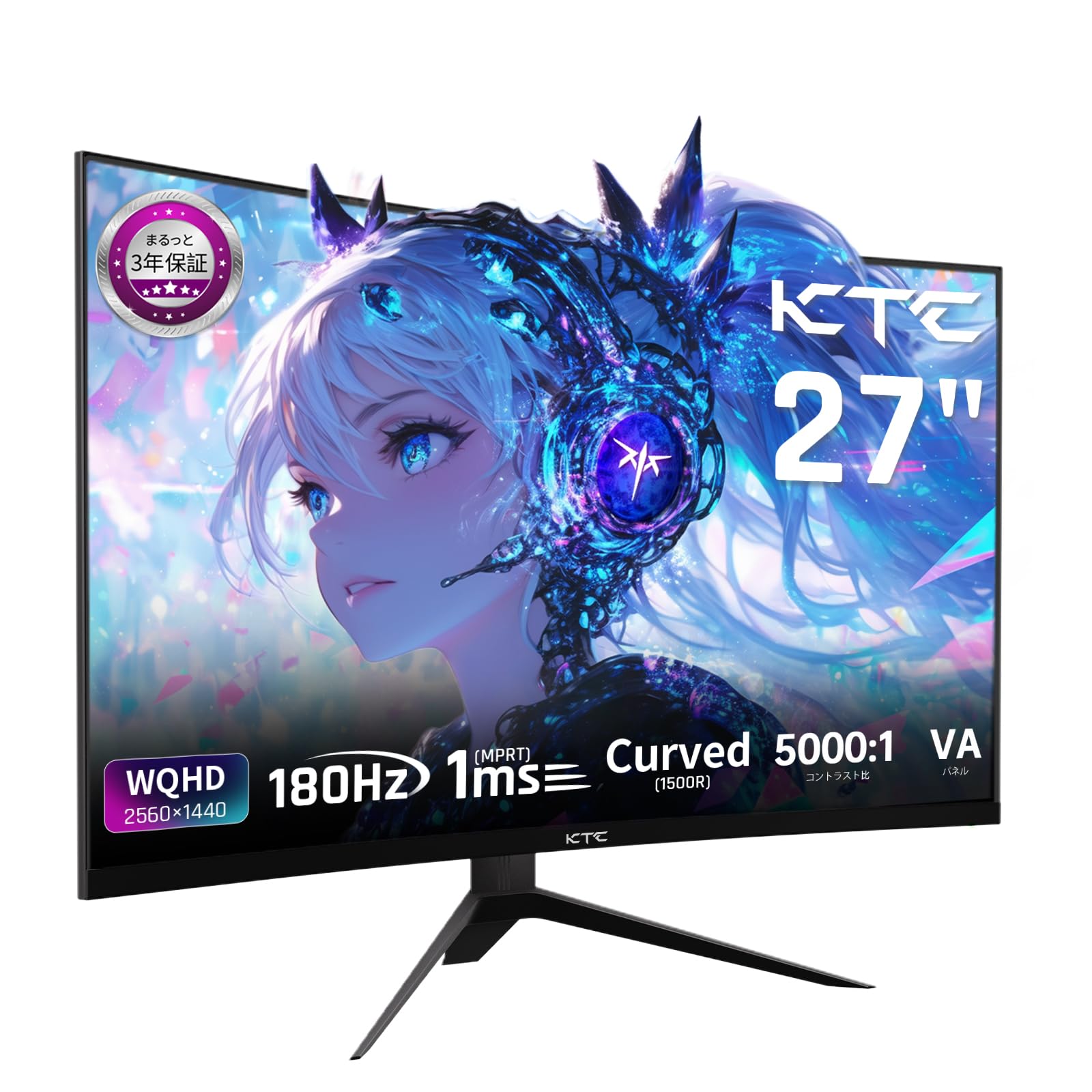
Image: The KTC H27S17 monitor fully assembled with its stand, viewد مخ څخه ed.
۲. د بریښنا سرچینې سره نښلول
Connect the power adapter to the monitor's DC input port, then plug the power cable into a wall outlet.
۳. د یوې وسیلې سره نښلول
Use the appropriate cable (DisplayPort or HDMI) to connect your computer or gaming console to the monitor. Ensure the cable is securely connected to both the monitor and your device.

انځور: شاته view of the monitor showing the various input ports including DC, USB, HDMI, DisplayPort, and headphone jack.
۵.۲. د VESA نصب کول (اختیاري)
The monitor supports VESA 100mm x 100mm mounting. If using a VESA mount, remove the stand and attach the monitor to your VESA-compatible arm or wall mount using appropriate screws.
Image: Diagram illustrating the VESA 100x100mm mounting pattern and tilt adjustment range on the back of the monitor.
عملیاتي لارښوونې
پاور آن/بند
د بریښنا تڼۍ فشار ورکړئ، چې معمولا د مانیټر په شا یا ښکته برخه کې موقعیت لري، ترڅو دا چالان یا بند کړئ. د بریښنا شاخص رڼا به هغه وخت روښانه شي کله چې مانیټر چالان وي.
په پرده ښودنه (OSD) مینو
Use the joystick or buttons on the monitor to navigate the OSD menu. This menu allows you to adjust various display settings such as brightness, contrast, color temperature, input source, and gaming features.
د سرچینې انتخاب داخل کړئ
If multiple devices are connected, use the OSD menu to select the desired input source (HDMI 1, HDMI 2, DisplayPort 1, DisplayPort 2).
د ښودلو ځانګړتیاوې
Curved Display (1500R)
د ۱۵۰۰R منحنی یو عمیق viewing experience, reducing eye strain during extended use by matching the natural curve of the human eye.

Image: A curved monitor displaying a vibrant image, highlighting the 1500R curvature for an immersive experience.
WQHD Resolution (2560x1440)
Experience detailed visuals with WQHD (2560x1440) resolution, offering approximately 1.7 times the pixel density of Full HD displays.

Image: A monitor displaying a high-resolution image, emphasizing the clarity of WQHD (2560x1440) compared to lower resolutions.
High Refresh Rate (180Hz) and Fast Response Time (1ms MPRT)
The 180Hz refresh rate and 1ms (MPRT) response time ensure smooth, blur-free visuals, crucial for fast-paced gaming and action scenes.

Image: A split screen comparison on the monitor, demonstrating the difference between 180Hz/1ms and 60Hz/5ms, highlighting reduced motion blur.
Vibrant Color Reproduction and HDR10
With sRGB 132%, DCI-P3 104%, Adobe RGB 112% color volume, and HDR10 support, the monitor delivers accurate and vivid colors with enhanced contrast between bright and dark areas.

Image: A monitor displaying a colorful scene, illustrating the wide color gamut and high contrast ratio (5000:1).
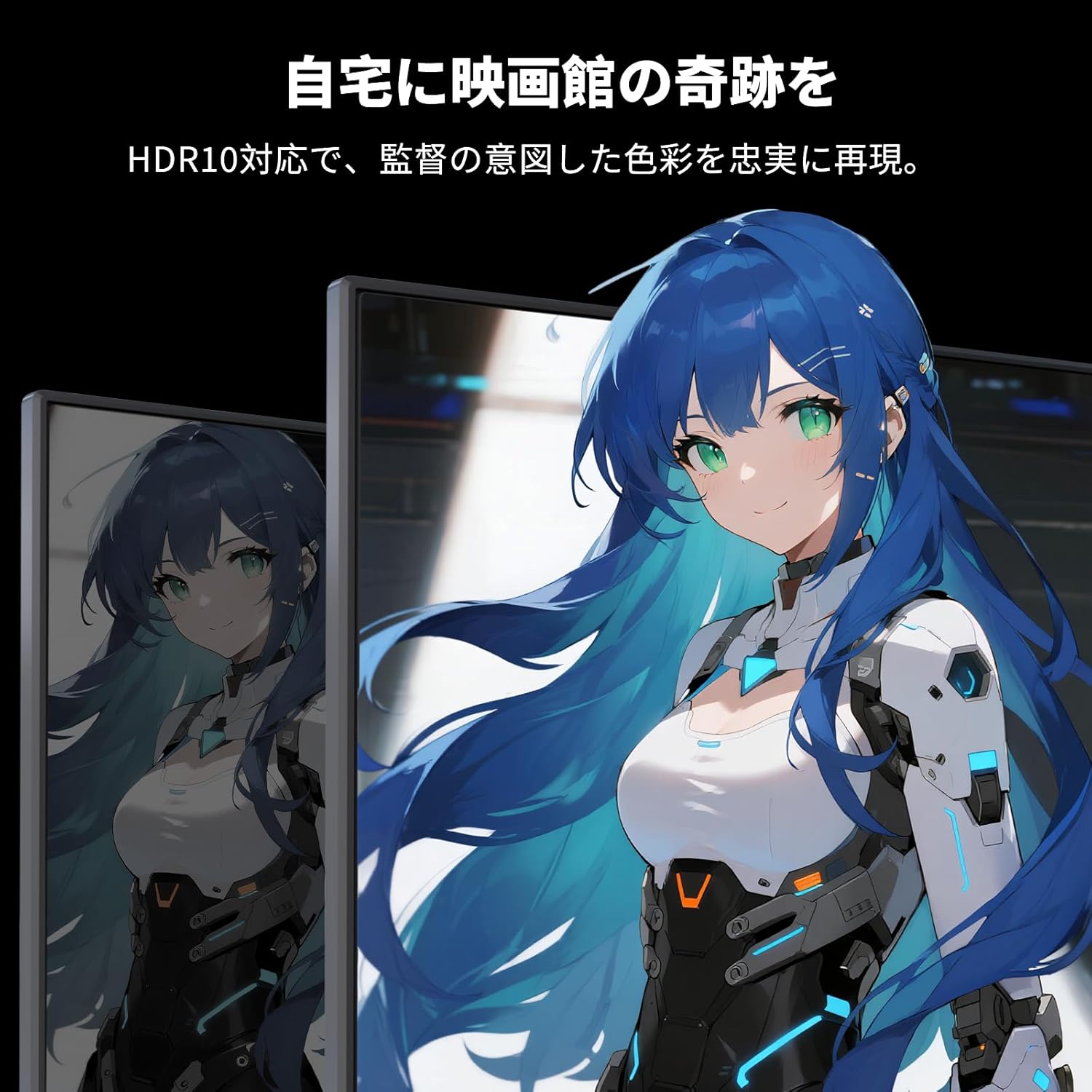
Image: A monitor showing a scene with HDR10 enabled, demonstrating improved dynamic range and detail in both bright and dark areas.
د تطبیق وړ همغږي ټیکنالوژي
Adaptive Sync (FreeSync and G-Sync compatible) eliminates screen tearing and stuttering, providing a fluid gaming experience.

Image: A split screen comparison on the monitor, showing the difference between Adaptive Sync OFF (screen tearing) and ON (smooth image).
د سترګو پاملرنې ځانګړتیاوې
The monitor includes Flicker-Free technology and a Low Blue Light mode to reduce eye strain during prolonged use.

Image: Illustrations demonstrating Flicker-Free technology and Low Blue Light mode, designed to reduce eye fatigue.
ارتباط
The KTC H27S17 monitor offers multiple connectivity options:
- ۱ x HDMI ۲.۱: Supports WQHD (2560x1440) at 144Hz.
- ۱ x ډیسپلی پورټ ۱.۴: Supports WQHD (2560x1440) at 180Hz.
- 1 x USB 2.0: For firmware upgrades only.
- 1 x 3.5mm Headphone Jack: د آډیو تولید لپاره.
- 1 x DC Input: د بریښنا اتصال لپاره.
انځور: تفصیلي view of the monitor's rear panel, highlighting the DC input, USB port, HDMI ports, DisplayPort inputs, and headphone jack.
Physical Adjustments
د خښتو سمون
The monitor stand allows for tilt adjustment from -5 to 15 degrees, enabling you to find an optimal viewد آرامۍ لپاره زاویه.
Image: Diagram illustrating the tilt adjustment range of the monitor stand.
د VESA مطابقت
The monitor is compatible with VESA 100mm x 100mm mounting standards, allowing for flexible installation with monitor arms or wall mounts.
ساتنه
د سکرین پاکول
په نرمۍ سره سکرین د نرم، لینټ نه پاک ټوکر سره پاک کړئ. د سختو نښو لپاره، په نرمۍ سرهampټوکر د اوبو یا د سکرین پاکولو محلول سره ومینځئ. د سختو کیمیاوي موادو یا خړوبونکي موادو کارولو څخه ډډه وکړئ.
Cleaning the Monitor Body
Wipe the monitor body with a soft, dry cloth. Do not use liquid cleaners directly on the monitor.
ذخیره کول
کله چې د اوږدې مودې لپاره نه کارول کیږي، مانیټر په یخ او وچ ځای کې وساتئ، د مستقیم لمر وړانګو او سختې تودوخې څخه لرې.
د ستونزو حل کول
که تاسو د خپل مانیټر سره ستونزې سره مخ شئ، لاندې عام حلونو ته مراجعه وکړئ:
- ځواک نشته: Ensure the power cable and adapter are securely connected and the power outlet is functional.
- هیڅ سیګنال نشته: Verify that the input cable (HDMI/DisplayPort) is correctly connected to both the monitor and the source device. Select the correct input source via the OSD menu.
- ځلیدونکی/تحریف شوی انځور: Check cable connections. Ensure your graphics card drivers are up to date. Try adjusting the refresh rate in your device's display settings.
- مړه پکسلز: While rare, a small number of dead pixels may be within manufacturing tolerances. Refer to the warranty policy for details.
- Audio Issues (Headphone Jack): Ensure headphones are fully plugged in. Check audio settings on your connected device.
For further assistance, please contact KTC customer support.
مشخصات
| فیچر | مشخصات |
|---|---|
| برانډ | KTC |
| ماډل | H27S17 |
| د سکرین اندازه | 27 انچه |
| قرارداد | WQHD (۲۵۶۰ x ۱۴۴۰ پېکسل) |
| د اړخ نسبت | 16:9 |
| منحل | 1500R |
| د پینل ډول | VA |
| د تازه کولو نرخ | 180 Hz |
| د غبرګون وخت | 1 ms (MPRT) |
| د تناسب تناسب | 5000:1 |
| روښانتیا | 300 cd/m² |
| رنګ Gamut | sRGB 132% / DCI-P3 104% / Adobe RGB 112% |
| د HDR ملاتړ | HDR10 |
| د تطبیق وړ همغږي | FreeSync, G-Sync Compatible |
| ارتباط | 2x HDMI 2.0, 2x DisplayPort 1.4, 1x USB 2.0 (Upgrade only), 1x Headphone Jack |
| VESA ماونټ | 100mm x 100mm |
| د خښتو سمون | -5 څخه تر 15 درجو پورې |
| د سترګو پاملرنې ځانګړتیاوې | بې څراغه، ټیټ نیلي رڼا |
تضمین او ملاتړ
KTC provides a 3-year warranty and a 12-month exchange service for this product. For any questions or issues, please contact customer support.
- تلیفون: 050-3606-8990
- بریښنالیک: support@ktcplay.com

Image: Information regarding KTC's 3-year warranty and contact details for customer support.
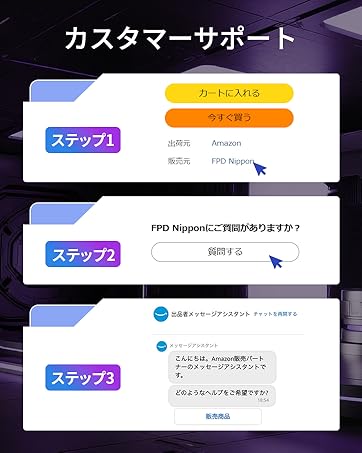
Image: Step-by-step guide on how to contact customer support via Amazon.