
پیژندنه
This manual provides detailed instructions for the setup, operation, maintenance, and troubleshooting of your Docooler Wireless Mechanical Keyboard, Fun Cake House edition. Please read this manual thoroughly before using the product to ensure optimal performance and longevity.
The Docooler Wireless Mechanical Keyboard features red switches, PBT keycaps, a high-clear display, and a volume control knob. It supports multiple connectivity options including 2.4G wireless, Bluetooth, and wired connections, and is compatible with Windows, Mac, iOS, and Android systems.
د بسته محتويات
ډاډ ترلاسه کړئ چې ټول توکي په کڅوړه کې شتون لري:
- 1x Docooler Wireless Mechanical Keyboard (Fun Cake House)
- 1x USB Cable (for wired connection and charging)
- 1x 2.4G USB رسیدونکی
- ۱x د کارونکي لارښود (دا سند)
چمتو کول
1. د کیبورډ چارج کول
Before initial use, fully charge the keyboard. Connect the provided USB cable to the keyboard's USB-C port and the other end to a USB power source (e.g., computer USB port, wall adapter). The display will indicate charging status. A full charge typically takes 2-3 hours.
The keyboard is equipped with an 1850mAh rechargeable lithium battery.
2. د ارتباط اختیارونه
Your keyboard supports three connection modes: 2.4G Wireless, Bluetooth (BT), and Wired USB.
2.1. 2.4G بې سیم اتصال
- Locate the 2.4G USB receiver, usually stored in a compartment on the keyboard.
- د 2.4G USB ریسیور په خپل کمپیوټر کې موجود USB پورټ کې ولګوئ.
- Switch the keyboard's connection mode to 2.4G (refer to the عملیاتي طریقې section for details on switching modes).
- The keyboard should automatically connect. The display will show the 2.4G connection icon.
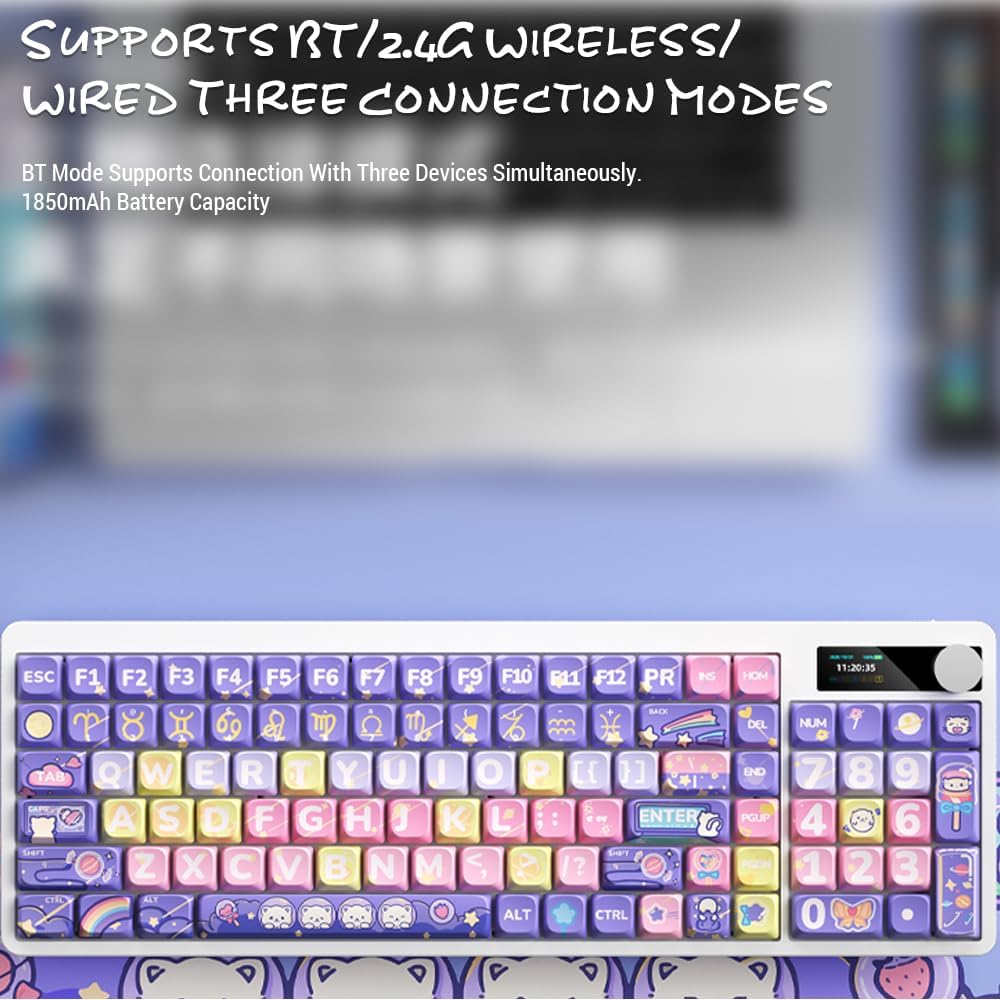
Image: Keyboard display showing 2.4G wireless connection status.
2.2. Bluetooth (BT) Connection
The keyboard can connect to up to three Bluetooth devices simultaneously.
- Switch the keyboard's connection mode to Bluetooth (BT1, BT2, or BT3).
- په خپل وسیله (کمپیوټر، ټابلیټ، سمارټ فون) کې، بلوتوټ فعال کړئ او د نویو وسایلو لټون وکړئ.
- Select "Docooler Keyboard" (or similar name) from the list of available devices.
- که غوښتنه وشي، ستاسو په سکرین کې ښودل شوی د جوړې کوډ دننه کړئ.
- Once paired, the display will show the Bluetooth connection icon for the selected channel.
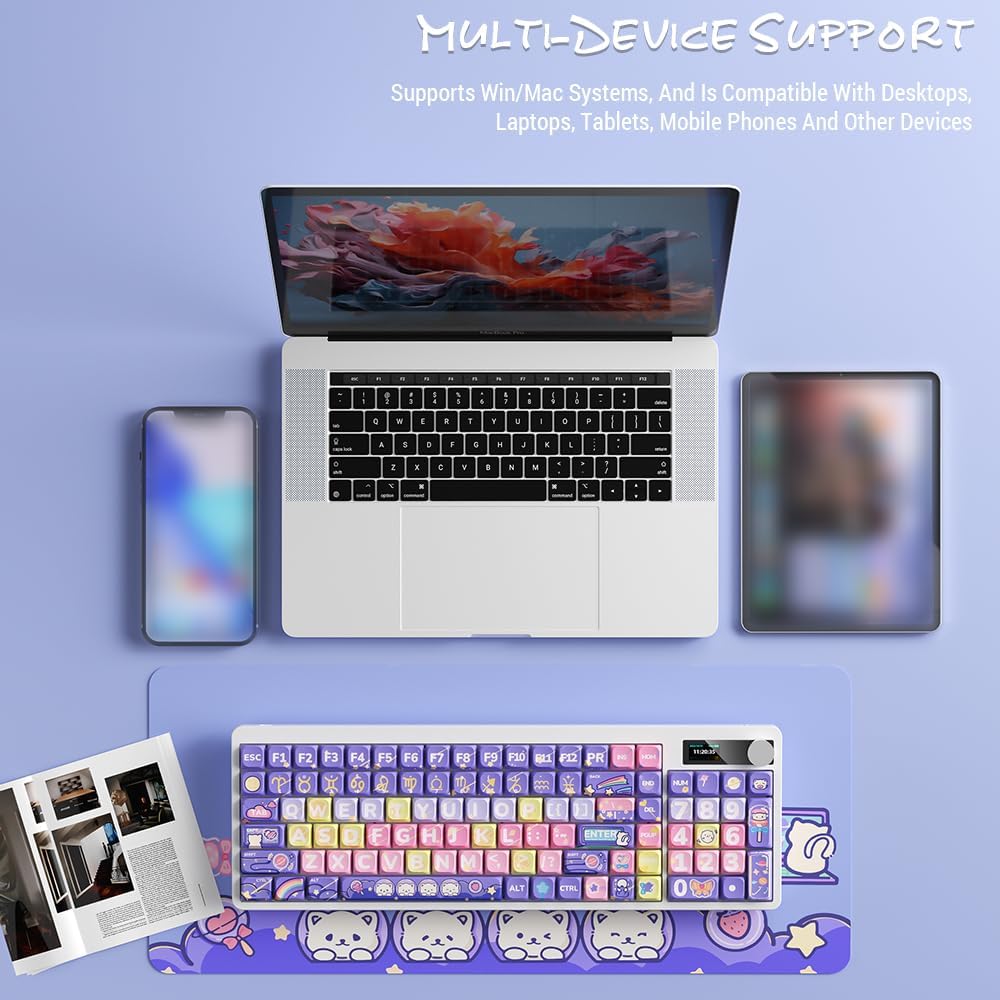
Image: Docooler keyboard demonstrating multi-device support, connected to a laptop, tablet, and smartphone via Bluetooth.
2.3. Wired USB Connection
- Connect the provided USB cable directly from the keyboard to your computer's USB port.
- Switch the keyboard's connection mode to Wired (refer to the عملیاتي طریقې برخه).
- The keyboard will be recognized as a standard USB keyboard.
عملیاتي لارښوونې
1. د پیوستون حالت بدلول
Use the dedicated mode switch or key combination (refer to the keyboard's specific function keys, often marked with icons for 2.4G, BT, and USB) to cycle through the connection modes. The display screen will clearly indicate the active mode.

Image: Close-up of the keyboard display showing indicators for Bluetooth, 2.4G, and wired connection modes, along with battery status and time.
2. High Clear Display Functions
The integrated display provides real-time information and customization options. It can show:
- نېټه او وخت
- د بیټرۍ کچه
- Connection Mode (2.4G, BT1/2/3, Wired)
- د شاتنۍ رڼا تنظیمات
- د حجم کچه
- Custom Images or Dynamic GIFs (customization via software, if available)

انځور: تفصیلي view of the keyboard's high-clear display, illustrating various functions such as date, time, power, connection mode, and backlight settings.
3. د حجم کنټرول نوب
The metal knob located on the top right of the keyboard allows for quick adjustment of system volume. Rotate clockwise to increase volume, counter-clockwise to decrease. Pressing the knob typically mutes/unmutes audio.

Image: Close-up of the unique metal round knob, highlighting its function for adjusting brightness and volume.
4. د شاتنۍ رڼا تنظیم کول
The keyboard features a colorful backlight. Use the dedicated function keys (often Fn + specific keys) or the display menu to cycle through different lighting effects, adjust brightness, and change colors. Refer to the display for visual feedback on backlight settings.
5. Function Keys (Fn Combinations)
ډیری کیلي ثانوي دندې لري چې د لاندې نیولو سره لاسرسی کیدی شي Fn key and pressing the desired key. Common Fn combinations include:
- Fn+F1-F12: Multimedia controls (play/pause, volume, track skip), application shortcuts.
- Fn + د غشي کیلي: Backlight brightness/speed adjustment.
- Fn+وین: Lock/unlock Windows key.
- Fn + Mode Key: Switch between 2.4G, BT, and Wired modes.
Consult the keycap legends for specific Fn functions on your "Fun Cake House" keyboard.
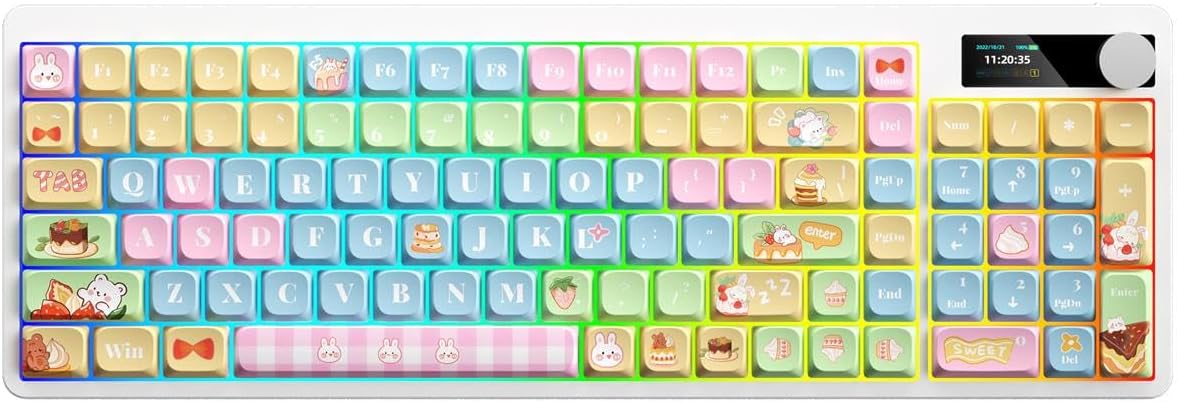
Image: Full layout of the Docooler Wireless Mechanical Keyboard in the Fun Cake House design, showing all 101 keys, the display, and the volume knob.
ساتنه
1. پاکول
- د پاکولو دمخه کیبورډ د ټولو بریښنا سرچینو او وسیلو څخه جلا کړئ.
- د نرم، لینټ پاک ټوکر څخه لږ څه کار واخلئampد کیلي کیپونو او کیبورډ سطحې د پاکولو لپاره د اوبو یا یو نرم پاکولو محلول سره مینځل کیږي.
- د کیلي کیپسونو ترمنځ د دوړو او کثافاتو لپاره، د فشار شوي هوا یا کوچني برش څخه کار واخلئ.
- د سختو کیمیاوي موادو، کثافاتو یا محلولونو کارولو څخه ډډه وکړئ، ځکه چې دا کولی شي د کیبورډ پای او کی کیپ لیجنډونه زیانمن کړي.
2. Keycap Removal (Optional)
The PBT keycaps can be removed for deeper cleaning or replacement. Use a keycap puller to gently lift keycaps straight up. Avoid excessive force to prevent damage to the switch stems.
3. ذخیره کول
When not in use for extended periods, store the keyboard in a cool, dry place away from direct sunlight and extreme temperatures. Ensure the battery is partially charged (around 50%) before long-term storage to preserve battery health.
د ستونزو حل کول
کیبورډ ځواب نه ورکوي
- بیټرۍ چیک کړئ: Ensure the keyboard is charged. Connect it via USB cable to charge.
- د اتصال حالت وګورئ: Verify the keyboard is in the correct mode (2.4G, BT, or Wired) for your device.
- 2.4G Issues: Ensure the USB receiver is securely plugged in. Try a different USB port.
- د بلوتوټ مسلې: Re-pair the keyboard with your device. Ensure Bluetooth is enabled on your device. Try forgetting the device and re-pairing.
- Wired Issues: Ensure the USB cable is securely connected to both the keyboard and the computer. Try a different USB cable or port.
- بیا پیل کول: Restart your computer/device and the keyboard.
کیلي نه راجستر کیږي / دوه ځله ټایپ کول
- پاکې کیلي کیپسونه: Remove keycaps and clean any debris around the switch.
- د فرم ویئر تازه کول: Check the Docooler official webستاسو د ماډل لپاره د هر ډول شته فرم ویئر تازه معلوماتو لپاره سایټ.
Backlight کار نه کوي
- د روښانتیا ترتیبات: Ensure the backlight brightness is not set to minimum or off. Adjust using Fn combinations or the display menu.
- د بریښنا سپما: The backlight may turn off after a period of inactivity to save battery. Press any key to reactivate.
Display Screen Issues
- د بریښنا دوره: کیبورډ بند او بیا چالان کړئ.
- روښانتیا: Ensure the display brightness is not set too low.
مشخصات
| ماډل | Docooler Wireless Mechanical Keyboard (Fun Cake House) |
| د سویچ ډول | سره سویچونه |
| کیکیپس | PBT |
| ارتباط | 2.4G Wireless, Bluetooth (BT), Wired USB |
| شاته څراغ | رنګارنګ شاته رڼا |
| کلیدي رول اوور | بشپړ کلیدي رول اوور |
| ښودل | High Clear Display |
| غوټۍ | Metal Volume Control Knob |
| بیټرۍ | 1850mAh 3.7V Rechargeable Lithium Battery |
| کلیدي ترتیب | 101 Keys (with display screen + knob) |
| ملاتړ شوي سیسټمونه | وینډوز، ماک، iOS، Android |
| ابعاد | 39.7 x 13.4 x 1.7 سانتي متره (15.6 x 5.3 x 0.7 ان) |
| وزن | 621 ګرامه (1.37 پونډه) |

Image: Diagram illustrating the dimensions of the Docooler Wireless Mechanical Keyboard: 39.7cm (15.6in) length and 13.4cm (5.3in) width.
د تضمین معلومات
Docooler products are covered by a limited warranty from the date of purchase. This warranty covers manufacturing defects in materials and workmanship. It does not cover damage caused by accident, misuse, abuse, modification, improper installation, or normal wear and tear.
For specific warranty terms and conditions, please refer to the warranty card included with your product or visit the official Docooler webسایټ
د پیرودونکي ملاتړ
If you encounter any issues or have questions regarding your Docooler Wireless Mechanical Keyboard that are not addressed in this manual, please contact our customer support team.
- بریښنالیک: support@docooler.com
- Webسایټ: Visit the official Docooler website for FAQs, drivers, and additional support resources: www.docooler.com
When contacting support, please have your product model (B0DB7YPHFK) and purchase information ready.