
پیژندنه
This manual provides detailed instructions for the installation, operation, and maintenance of your darkFlash DB330M Micro-ATX PC Case. Please read this manual thoroughly before beginning assembly to ensure proper setup and safe usage. The DB330M case features a 270° panoramic tempered glass panel, pre-installed PWM ARGB fans, and a high-speed I/O panel.
د خوندیتوب معلومات
- Always disconnect the power supply from the wall outlet before installing or servicing any components inside the PC case.
- Handle tempered glass panels with care to prevent breakage. Avoid impacts or sharp objects.
- Wear anti-static gloves or use an anti-static wrist strap to prevent electrostatic discharge (ESD) damage to sensitive components.
- کوچنۍ برخې او پیچونه له ماشومانو لرې وساتئ.
- د کمپیوټر د قضیې شاوخوا مناسب هوا ورکول ډاډمن کړئ ترڅو د ډیر تودوخې مخه ونیول شي.
د بسته محتويات
ډاډ ترلاسه کړئ چې ټول توکي په کڅوړه کې شتون لري:
- darkFlash DB330M Micro-ATX PC Case
- 3 x Pre-installed PWM ARGB Fans
- Accessory Box (screws, cable ties, etc.)
- د کارونکي لارښود (دا لاسوند)
ځانګړتیاوې ختمې شوېview
- 270° Panoramic Tempered Glass: پراخوالی وړاندې کوي view د داخلي برخو او RGB رڼا.
- High-Speed I/O Panel: Includes USB 3.0 and Type-C ports for fast data transfer.
- Vertical Airflow Cooling: Optimized design with pre-installed fans for efficient heat dissipation.
- مقناطیسي دوړو فلټرونه: Located on top and bottom to keep components clean.
- اسانه نصب کول: User-friendly design for hassle-free assembly and maintenance.
مشخصات
| فیچر | مشخصات |
|---|---|
| د ماډل نوم | DB330M PC CASE |
| ابعاد (LxWxH) | ۱۸.۱۱" دره x ۱۶.۱۴" دره x ۱۴.۵۷" دره (۴۶۰ ملي متره x ۴۱۰ ملي متره x ۳۷۰ ملي متره) |
| د مور بورډ مطابقت | Micro ATX, ITX |
| د قضیې ډول | میډی ټاور |
| مواد | پلاستیک، توده شیشه |
| مخکې نصب شوي فین | 3 x 120mm PWM ARGB Fans |
| د اعظمي CPU کولر لوړوالی | 180mm |
| د GPU اعظمي تصفیه | 305mm |
| د ریډیټر ملاتړ (پورته) | تر 240mm پورې |
| د بریښنا رسولو د نصبولو ډول | Bottom Mount (Max 140mm PSU length) |
| I/O بندرونه | 1 x USB 3.0, 1 x Type-C, Audio In/Out |
تنظیم او نصب کول
1. Accessing the Interior (Quick Release Design)
The darkFlash DB330M features a quick-release design for easy access to internal components. The tempered glass panels can be removed by gently pulling them away from the chassis. The top panel also detaches for fan/radiator installation.

2. د مور بورډ نصب کول
Install your Micro-ATX or ITX motherboard into the designated area. Ensure standoffs are correctly aligned and secured. The case supports CPU coolers up to 180mm in height and GPUs up to 305mm in length.

۵.۶. د فین او یخولو سیسټم نصبول
The case comes with three pre-installed 120mm PWM ARGB fans. Two fans are located at the top, and one at the rear. Additional fan mounts are available at the bottom (up to 2 x 120mm) for enhanced airflow. The case supports a 240mm AIO radiator on the top panel.
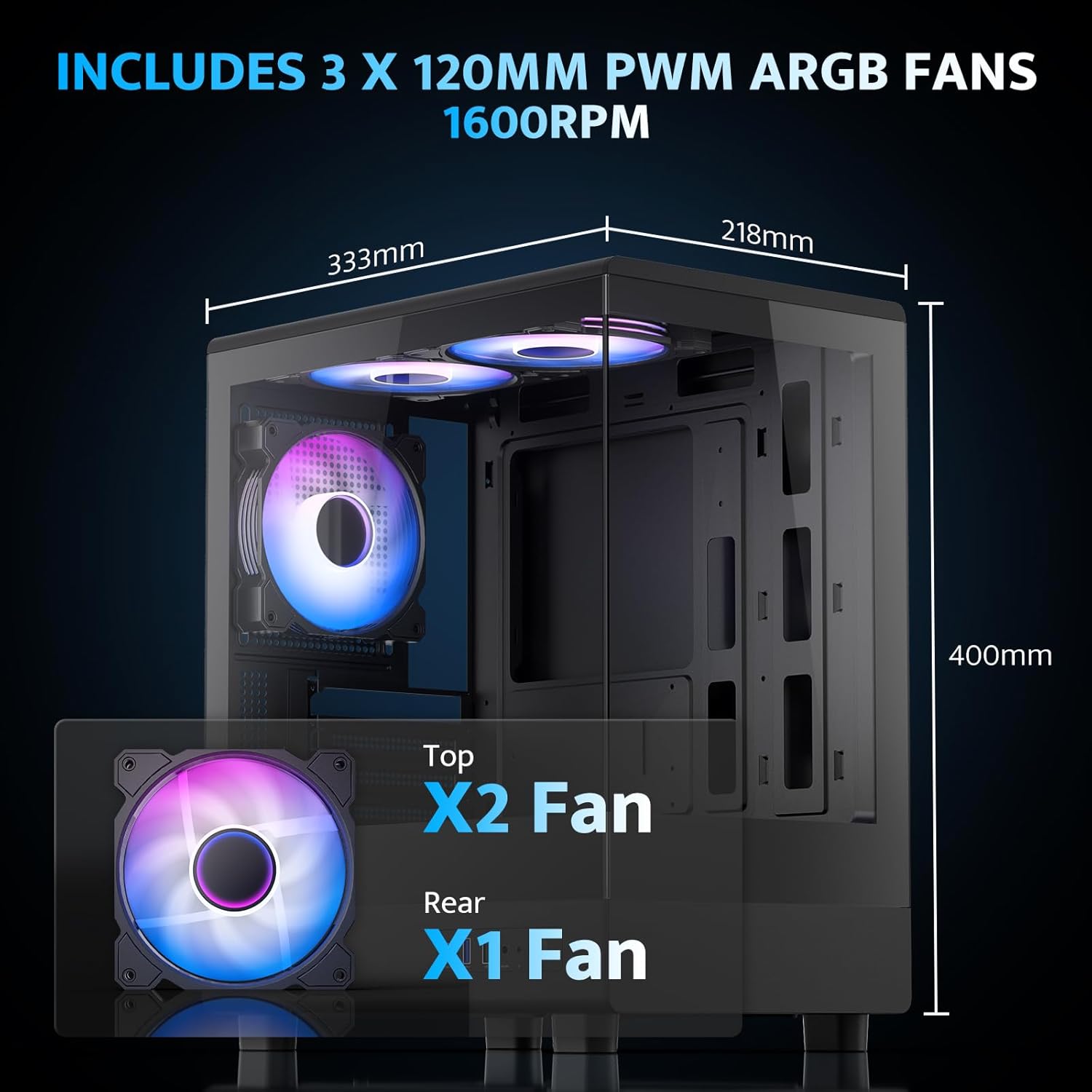
The pre-installed fans are PWM ARGB type, offering speed adjustment and rich lighting modes with motherboard synchronization. Note: An RGB hub controller is not included.

4. Power Supply and Storage Installation
Install your power supply unit (PSU) in the bottom mount. The case supports PSUs up to 140mm in length. Utilize the standard hard drive cage for storage devices.
۵.۸. د مخکینۍ I/O پینل سره نښلول
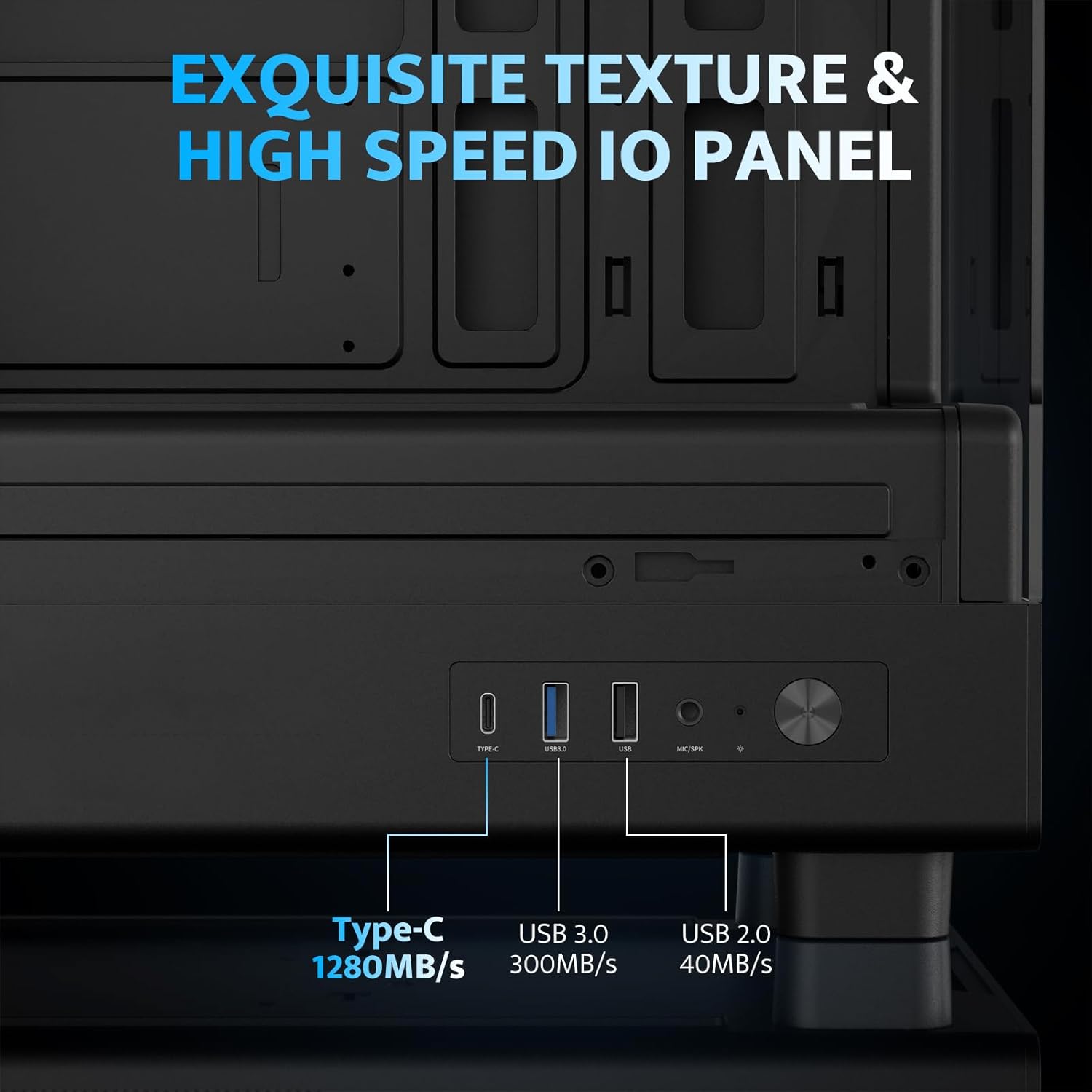
Connect the front I/O panel cables to your motherboard. The panel includes a Type-C port, USB 3.0 port, and USB 2.0 port for various connectivity needs.
6. د کیبل مدیریت
Utilize the cable routing options and tie-downs behind the motherboard tray to ensure clean cable management. This improves airflow and aesthetics.
عملیاتي لارښوونې
1. په بریښنا چالانول
After all components are securely installed and connected, plug in the power cable to your PSU and press the power button on the front I/O panel to start your system.
۴.۲. د ARGB فین کنټرول
The pre-installed ARGB fans can be controlled via compatible motherboard software (if connected to an ARGB header) to customize lighting effects and fan speeds. Refer to your motherboard manual for specific software instructions.
۳. د هوا جریان ترتیب
The DB330M is designed with optimized airflow channels. The pre-installed fans facilitate vertical airflow, with the fan above the PSU directing air towards the graphics card. Ensure no obstructions block the airflow paths.


ساتنه
۵.۱. د دوړو فلټر پاکول
Regularly clean the magnetic dust filters located on the top and bottom of the case. Gently remove the filters and clean them with compressed air or a soft brush. Reattach them securely after cleaning.
2. عمومي پاکول
Use a soft, dry cloth to wipe down the exterior of the case. For tempered glass panels, use a glass cleaner and a microfiber cloth. Avoid abrasive cleaners or solvents.
د ستونزو حل کول
- کمپیوټر نه چالانیږي:
- Ensure the power supply is properly connected to the wall and the PSU switch is in the 'ON' position.
- Verify all power cables from the PSU are securely connected to the motherboard and components.
- د مخکینۍ پینل د بریښنا سویچ اړیکه د مور بورډ سره وګورئ.
- پنکه نه ګرځېږي/RGB کار نه کوي:
- ډاډ ترلاسه کړئ چې د فین بریښنا کیبلونه د مور بورډ یا فین کنټرولر سره وصل دي.
- Ensure ARGB cables are connected to a compatible ARGB header on the motherboard or an ARGB controller.
- د فین سرعت او RGB کنټرول لپاره د مور بورډ سافټویر ترتیبات وګورئ.
- د USB پورټونه کار نه کوي:
- Verify the front panel USB 3.0 and Type-C cables are correctly plugged into the corresponding headers on your motherboard.
- ډاډ ترلاسه کړئ چې د مور بورډ چلوونکي تازه دي.
تضمین او ملاتړ
darkFlash provides a درې کلن تضمین for this computer case. For technical support, warranty claims, or further assistance, please contact darkFlash customer service through their official webسایټ یا پرچون پلورونکي ته چې محصول پکې اخیستل شوی و. مهرباني وکړئ د تضمین تصدیق لپاره د پیرود ثبوت وساتئ.
رسمي ډارک فلش Webسایټ: www.darkflash.com