
1. پیژندنه
This instruction manual provides essential information for the proper use, maintenance, and care of your AK Interactive Special Box 34 Real Colors Markers. Please read this manual thoroughly before first use to ensure optimal performance and longevity of your product.
2. محصول ختم شوview
The AK Interactive Special Box 34 Real Colors Markers set (Model RCM150) contains 34 acrylic markers specifically formulated for modeling. These markers are designed for precise application on various surfaces, offering high coverage and durability.

Image 2.1: The AK Interactive Special Box containing 34 Real Colors Markers. The box is white with "REAL COLORS MARKERS" printed on top, along with a sample marker and color swatches.
کلیدي ځانګړتیاوې:
- جامع ټولګه: Includes 34 distinct colors, presented in two foam trays within a rigid, screen-printed box with a magnetic closure system.
- Specialized Formulation: Acrylic paint markers specifically developed for modeling applications.
- څو اړخیزه چپکونکی: Provides excellent grip on plastic, resin, metal, and wooden surfaces.
- پایښت: Resistant to water and heat once dry.
- High Coverage: Allows for application in layers, similar to traditional modeling paints, without blurring.
- Weathering Compatibility: Compatible with subsequent weathering products without affecting the underlying paint layer.
- دقیق غوښتنلیک: Ideal for applying base coats on small scales or for detailed camouflage accessories.
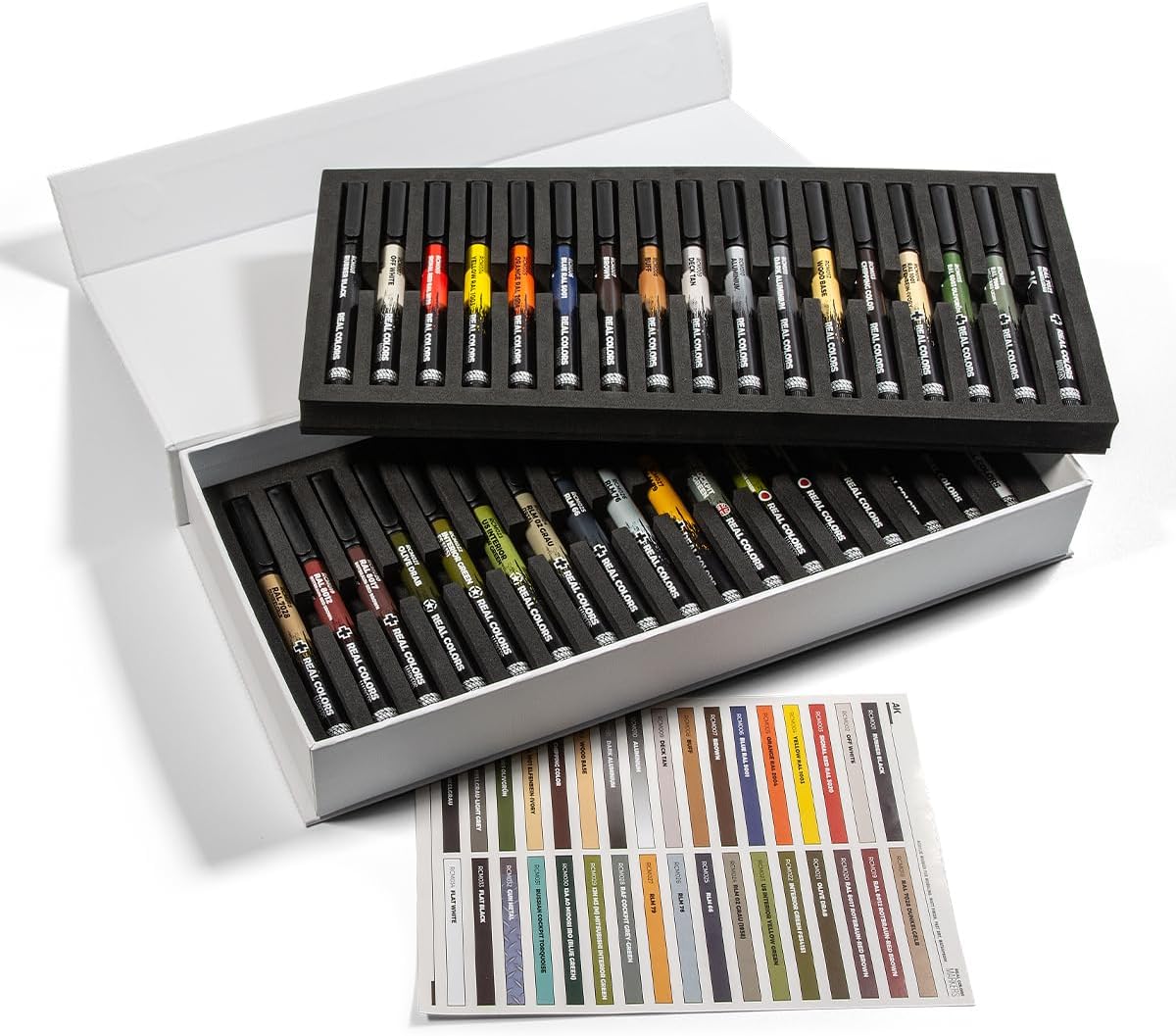
Image 2.2: The AK Interactive Special Box opened, revealing the 34 markers neatly organized in two foam trays. A color chart is visible below the trays.
3. ترتیب کول
- خلاص کړئ: Carefully remove the marker set from its packaging. Inspect all 34 markers for any visible damage.
- ښه وخوځوئ: Before initial use and prior to each subsequent use, shake each marker vigorously for approximately 30 seconds. This ensures the paint pigment is thoroughly mixed.
- Prime the Tip: Press the marker tip down onto a scrap piece of paper or cardboard several times until the paint begins to flow into the tip. Do not press excessively hard to avoid damaging the tip.
- Test Color: Always test the color on a scrap surface before applying it to your model to confirm the desired shade and flow.

انځور ۲: یوه نږدې انځور view of the AK Interactive Real Colors Markers organized within their foam trays, showcasing the individual markers and their labels.
4. عملیاتي لارښوونې
- د سطحې چمتو کول: Ensure the surface to be painted is clean, dry, and free of dust, grease, or other contaminants.
- غوښتنلیک: Apply the marker directly to the desired area. The chisel tip allows for both broad strokes and fine details, depending on the angle of application.
- طبقه بندي: For opaque coverage or to build up color intensity, allow the first layer to dry completely before applying subsequent layers. The paint dries quickly.
- د کار تفصیل: Utilize the fine edge of the chisel tip for intricate details, panel lines, or small components.
- اساسي پوښونه: These markers are suitable for applying base coats on smaller models or specific sections of larger models.
- Camouflage: The precision of the markers makes them ideal for painting camouflage patterns.

Image 4.1: A detailed color chart displaying all 34 colors included in the AK Interactive Real Colors Markers set, each with its corresponding code and name.
5. ساتنه
- Cap After Use: Always replace the cap firmly after each use to prevent the marker tip from drying out and to preserve the paint.
- ذخیره کول: Store markers horizontally in a cool, dry place, away from direct sunlight and extreme temperatures. The original foam trays and box are ideal for storage.
- د پاکولو لارښوونه: If the tip becomes clogged or discolored, gently wipe it with a damp ټوکر سخت محلول مه کاروئ.
- د ډیر فشار څخه ډډه وکړئ: While priming, avoid pressing the tip too hard, as this can damage the felt and affect paint flow.
6. ستونزه حل کول
| ستونزه | احتمالي لامل | د حل لاره |
|---|---|---|
| رنګ نه جریان لري | Marker not shaken, tip dry, or clogged. | Shake marker vigorously. Prime tip by pressing on scrap paper. Gently wipe tip with a damp cloth if clogged. |
| متناسب رنګ | Pigment not fully mixed. | Shake the marker thoroughly before and during use. |
| Tip damage/fraying | Excessive pressure during use or priming. | Apply gentle pressure. Tips are not replaceable; avoid damage to prolong marker life. |
| Paint smudges after drying | Not fully dry, or surface contamination. | Ensure adequate drying time. Clean surface thoroughly before application. |
7. مشخصات
- د ماډل شمیره: RCM150
- نښه: اې کې انټرایکټیو
- جوړونکی: Ak Interactive
- د موادو ډول: اکریلیک
- د توکو شمیر: ۰ نښه کوونکي
- د ټکي ډول: چیزل
- د توکي وزن: نږدې 2.12 پونډه (0.96 کیلو ګرامه)
- د بسته ابعاد: نږدې 14.61 x 6.89 x 2.24 انچه (37.1 x 17.5 x 5.7 سانتي متره)
8. تضمین او ملاتړ
For information regarding warranty, returns, or product support, please refer to the retailer's policy where the product was purchased or contact AK Interactive directly through their official webسایټ. مهرباني وکړئ د هر ډول تضمین ادعا لپاره د پیرود ثبوت وساتئ.