
پیژندنه
This manual provides instructions for the Disney Spiderman 3D Digital Alarm Clock with Nightlight, Model SPD3621. This device features an LED display for time and date, an alarm function, and a comforting nightlight. Please read these instructions carefully before use to ensure proper operation and to maximize the product's lifespan.
د بسته محتويات
- 1 x Spiderman 3D Digital Alarm Clock with Nightlight (Model SPD3621)
- ۱ x لارښود لارښود (دا سند)
یادونه: بیټرۍ پکې شاملې نه دي او باید په جلا توګه وپیرل شي.
د خوندیتوب معلومات
- وسیله د اوبو او رطوبت څخه لرې وساتئ.
- د خورا تودوخې یا مستقیم لمر وړانګو سره مخ مه کوئ.
- Use only the recommended battery type and ensure correct polarity during installation.
- بیټرۍ لرې کړئ که چیرې وسیله د اوږدې مودې لپاره ونه کارول شي.
- زاړه او نوي بیټرۍ، یا د بیټرۍ مختلف ډولونه مه ګډوئ.
- دا محصول لوبو نه دی. د کوچني ماشومانو لپاره د لویانو څارنه سپارښتنه کیږي.
چمتو کول
- د بیټرۍ نصب کول: Locate the battery compartment on the underside of the alarm clock. Open the compartment cover. Insert the required batteries (e.g., 3 x AAA, specific type not provided in data) ensuring correct polarity (+/-). Close the battery compartment cover securely.
- لومړنی بریښنا فعالول: Once batteries are installed, the LED display should illuminate, showing a default time.
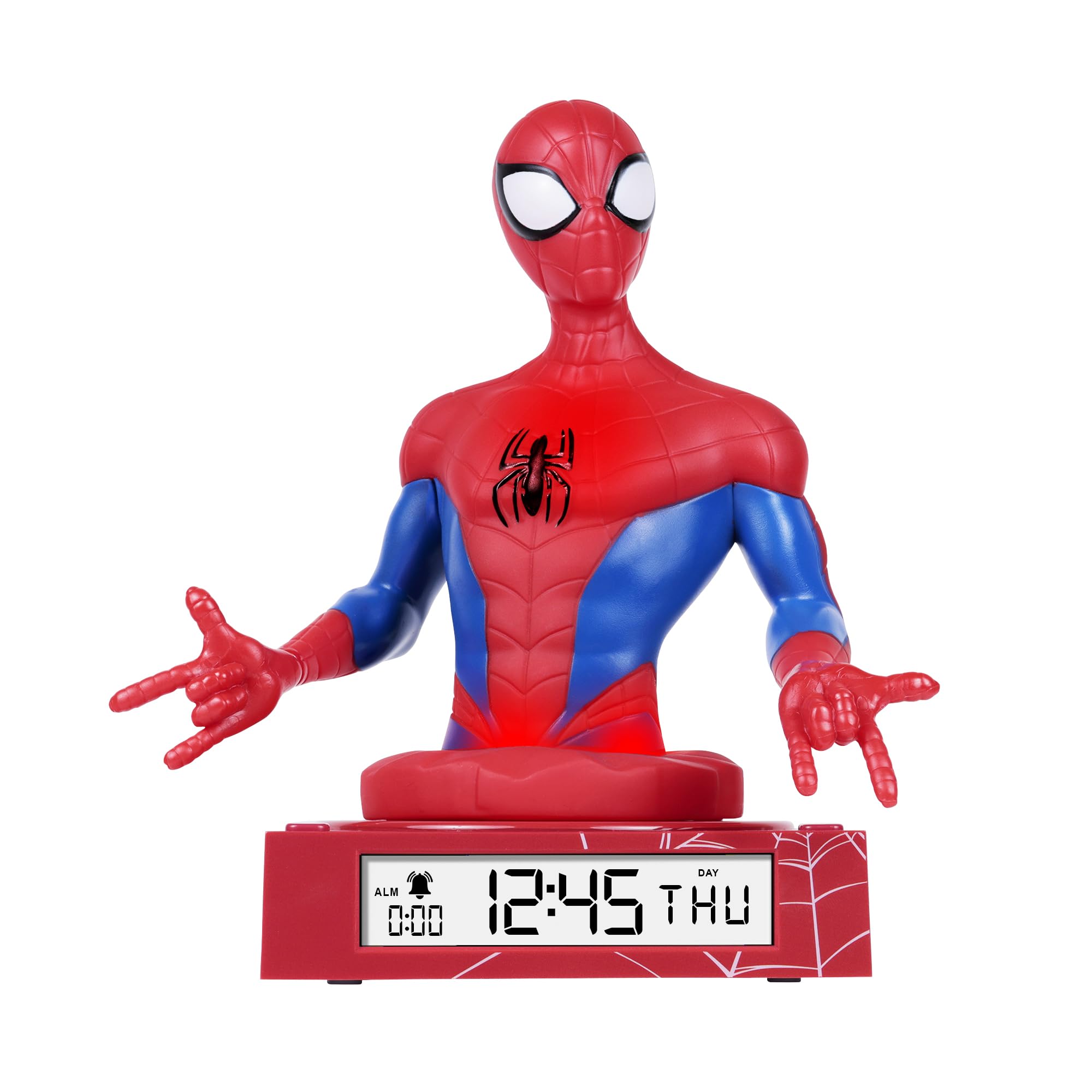
Figure 1: Spiderman 3D Digital Alarm Clock. The image displays the red and blue Spiderman figure on a red base, with the digital time '12:45 THU' visible on the LED display. The base also shows a spiderweb نمونه
عملیاتي لارښوونې
The alarm clock features several buttons, typically located on the back or bottom of the unit, for setting time, date, and alarm functions. Refer to the labels on your specific unit for exact button identification.
د وخت او نیټې ترتیب کول
- Enter Time/Date Setting Mode: فشار ورکړئ او ونیسئ SET button (or similar, e.g., MODE) for a few seconds until the time display starts flashing.
- ساعتونه تنظیم کړئ: د کارولو UP او ښکته buttons (or similar, e.g., HOUR/MINUTE) to adjust the hour. Press SET بیا د تایید لپاره او دقیقو ته لاړ شئ.
- دقیقې تنظیم کړئ: د کارولو UP او ښکته د دقیقو تنظیم کولو لپاره تڼۍ. فشار ورکړئ SET again to confirm and move to date settings (Year, Month, Day).
- نیټه تنظیم کړئ: Follow the same procedure using UP/ښکته او SET buttons to set the Year, Month, and Day.
- د ترتیب حالت څخه وتل: د ورځې له ټاکلو وروسته، فشار ورکړئ SET one last time, or wait a few seconds for the display to stop flashing automatically.
د الارم تنظیم کول
- د الارم تنظیم کولو حالت ته ننوځئ: فشار ورکړئ د الارم سیټ button (or similar, e.g., ALM) once. The alarm time will be displayed, and the hour digits may flash.
- Adjust Alarm Hours: د کارولو UP او ښکته د مطلوب الارم ساعت تنظیم کولو لپاره تڼۍ. فشار ورکړئ د الارم سیټ د تایید لپاره او دقیقو ته لاړ شئ.
- Adjust Alarm Minutes: د کارولو UP او ښکته buttons to set the desired alarm minutes. Press د الارم سیټ تصدیق کول.
- الارم فعال/غیر فعال کړئ: After setting the alarm time, there may be a separate switch or button (e.g., ALARM ON/OFF) to enable or disable the alarm. A bell icon on the display usually indicates the alarm is active.
- د سنوش دنده: کله چې د الارم غږ کیږي ، فشار ورکړئ لنډول button (if available, often a large button on top) will temporarily silence the alarm for a few minutes.
- الارم ودروئ: د الارم په بشپړه توګه بندولو لپاره، کوم بل تڼۍ فشار ورکړئ (د مثال په توګه، الارم بند or SET). الارم به د بلې ورځې لپاره بیا تنظیم شي.
د شپې رlightا کارول
The Spiderman figure on the alarm clock functions as a nightlight. There is typically a dedicated button or switch to control this feature.
- Turn On/Off Nightlight: فشار ورکړئ سهیل button (or similar, e.g., LIGHT) to turn the nightlight on or off.
- The nightlight provides a soft glow, helping children feel secure in the dark.
ساتنه
- پاکول: Wipe the surface of the alarm clock with a soft, dry cloth. Do not use abrasive cleaners or solvents, as these may damage the finish.
- د بیټرۍ بدلول: When the display dims or the functions become erratic, it is time to replace the batteries. Follow the battery installation steps in the "Setup" section.
د ستونزو حل کول
| ستونزه | احتمالي لامل | د حل لاره |
|---|---|---|
| ښودنه خالي یا تیاره ده. | بیټرۍ ټیټې دي یا په غلط ډول نصب شوي دي. | بیټرۍ د نویو سره بدل کړئ، د سم قطبیت ډاډمن کول. |
| الارم نه غږېږي. | الارم فعال شوی نه دی یا په غلط ډول تنظیم شوی دی. | Ensure the alarm is set and activated (check for bell icon on display). Verify alarm time. |
| د شپې رڼا کار نه کوي. | Nightlight function is off or batteries are low. | Press the NIGHTLIGHT button to turn it on. Replace batteries if necessary. |
| وخت غلط دی. | وخت په سمه توګه نه و ټاکل شوی یا بیټرۍ لرې شوې وې. | Reset the time and date following the operating instructions. |
مشخصات
- نښه: ډیزني
- د ماډل شمیره: SPD3621
- د ښودلو ډول: ډیجیټل LED
- ځانګړي ځانګړتیاوې: Alarm, 3D Spiderman Design, Nightlight Mode
- د بریښنا سرچینه: Battery Operated (Batteries not included)
- ابعاد: تقریبا ۱۸ سانتي متره (L) x ۳۹ سانتي متره (H)
- مواد: پلاستیک
- رنګ: سور
تضمین او ملاتړ
This product comes with a one-year warranty from the date of purchase. This warranty covers manufacturing defects under normal use. It does not cover damage caused by misuse, accidents, unauthorized modifications, or normal wear and tear.
For warranty claims or technical support, please contact the retailer where the product was purchased. Please retain your proof of purchase for warranty validation.