
پیژندنه
Thank you for choosing the Attoe Wireless Gaming Mouse. This device offers a versatile gaming and work experience with its transparent RGB mechanical design, tri-mode connectivity (2.4GHz wireless, Bluetooth, and wired USB-C), and convenient charging base. This manual provides detailed instructions for setup, operation, maintenance, and troubleshooting to ensure optimal performance.
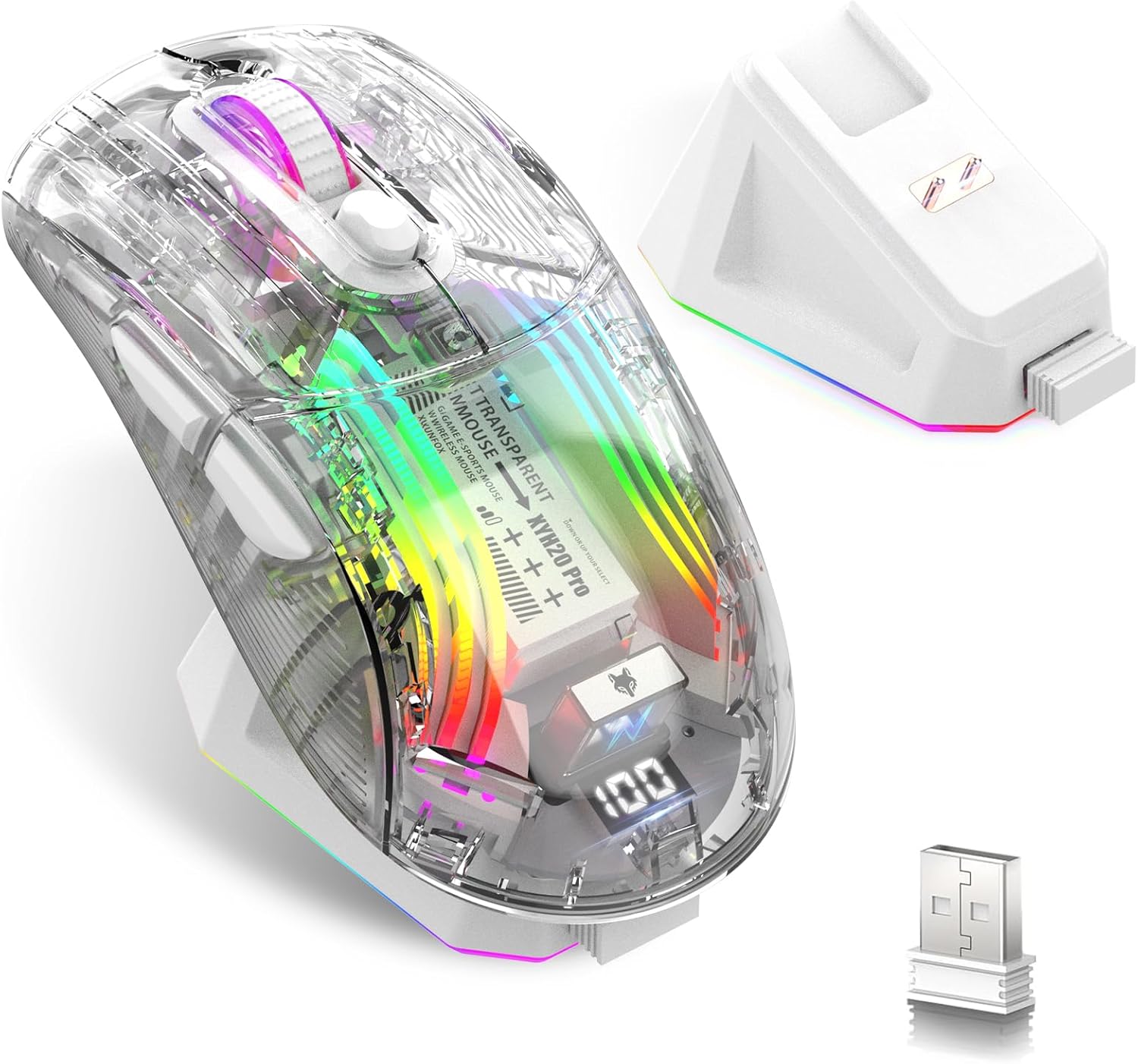
Image: Attoe Wireless Gaming Mouse, charging base, and USB receiver.
په بکس کې څه دي
- د بې سیم لوبې کولو ماؤس
- د چارج کولو اساس
- د کارن لارښود
- TYPE-C کیبل
- د USB رسیدونکی
محصول پای ته ورسیدview
Familiarize yourself with the components and controls of your Attoe Wireless Gaming Mouse.

Image: Detailed diagram showing mouse components including buttons, switches, and ports.
- کیڼ تڼۍ
- ښي تڼۍ
- رغښت تtonۍ
- د DPI تڼۍ
- د فارورډ تڼۍ
- د شا تڼۍ
- د USB رسیدونکی
- Light Switch (bottom)
- Receive Bin (for USB receiver)
- Modes Switch (bottom)
- د چارج کولو بندر (Type-C)
چمتو کول
1. د موږک چارج کول
Before first use, fully charge the mouse. The mouse features a 500mAh rechargeable battery.
- د چارج کولو اساس کارول: Place the mouse onto the magnetic charging base. The base will illuminate, indicating charging. The light will turn off after approximately 10 minutes if the mouse is fully charged or if left idle.
- Using the Type-C Cable: Connect the provided Type-C cable to the mouse's charging port (11) and to a USB power source.

Image: Mouse on charging base, connected via Type-C cable.
The mouse features a digital display at the rear, showing the current power level. This allows you to monitor the battery status at any time.

Image: Close-up of the mouse's digital power display.
۲. د موږک سره نښلول (ټرای موډ)
The mouse supports three connection modes: 2.4GHz Wireless, Bluetooth, and Wired USB-C. Use the Modes Switch (10) on the bottom of the mouse to select your desired connection type.
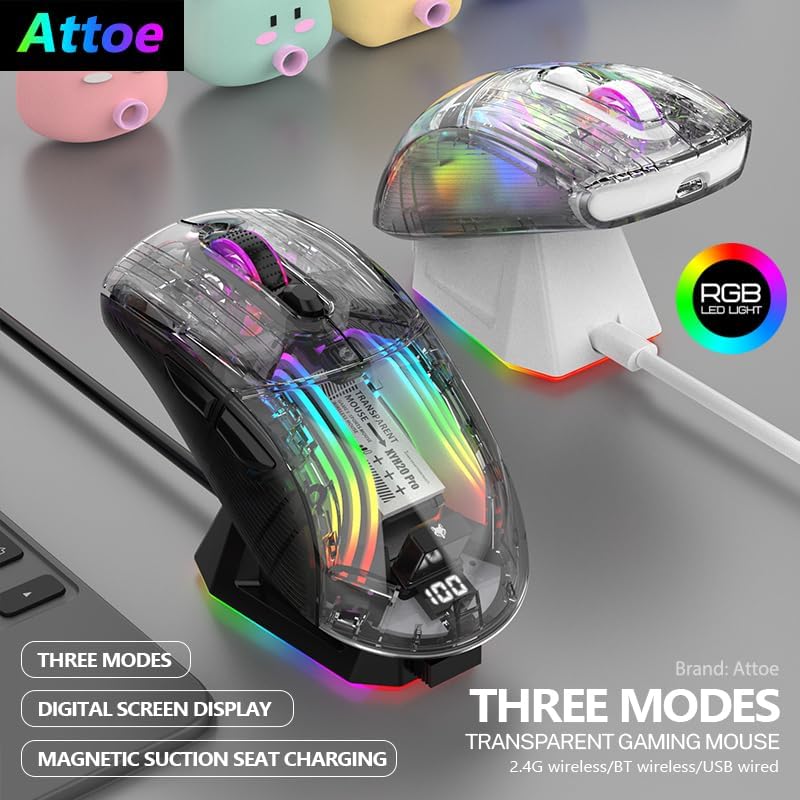
Image: Two Attoe mice (black and white) illustrating the three connection modes.
۲.۲. ۲.۴GHz بېسیم حالت
- Locate the USB receiver (7) stored in the receive bin (9) on the bottom of the mouse.
- د USB ریسیور په خپل کمپیوټر کې موجود USB پورټ کې ولګوئ.
- Set the Modes Switch (10) on the bottom of the mouse to the 2.4GHz wireless icon.
- موږک باید په اتوماتيک ډول وصل شي.
2.2. د بلوتوث حالت
- Set the Modes Switch (10) on the bottom of the mouse to the Bluetooth icon.
- په خپل کمپیوټر یا وسیله کې، د بلوتوټ ترتیبات خلاص کړئ او د نویو وسایلو لټون وکړئ.
- Select "Attoe Gaming Mouse" (or similar name) from the list of available devices to pair.
2.3. Wired USB-C Mode
- Connect the provided Type-C cable to the mouse's charging port (11) and to a USB port on your computer.
- موږک به په اتوماتيک ډول د تار حالت ته لاړ شي او چارج به پیل کړي.
عملیاتي لارښوونې
1. بریښنا فعال/بند
The mouse powers on automatically when connected via wired mode or when a wireless mode is selected. To turn off the mouse, switch the Modes Switch (10) to the 'OFF' position (usually the middle position).
۴.۴. د DPI سمون
Press the DPI Button (4) to cycle through different DPI sensitivity levels. The mouse supports 5 steps of DPI, ranging from 800 to 2400 DPI, allowing you to adjust cursor speed to your preference.
۱. د RGB رڼا کنټرول
The mouse features various RGB lighting effects. To adjust or turn off the lighting:
- د روښنايي حالت بدل کړئ: Short press the Light Switch (8) on the bottom of the mouse to cycle through different RGB lighting effects.
- Turn Off Lighting: Long press the Light Switch (8) for 3 seconds to turn off the RGB lighting. Repeat the long press to turn it back on.

Image: Transparent shell of the mouse showcasing the internal RGB lighting.
4. Silent Click Buttons
The mouse is designed with silent click buttons, providing a quiet user experience suitable for various environments without disturbing others.

Image: Visual representation of the mouse's quiet click functionality.
ساتنه
- پاکول: د موږک د پاکولو لپاره نرم، وچ ټوکر وکاروئ. د سختو کیمیاوي موادو یا کثافاتو موادو کارولو څخه ډډه وکړئ.
- د بیټرۍ پاملرنه: To prolong battery life, avoid fully discharging the mouse frequently. Charge the mouse when the digital display indicates a low power level.
- ذخیره کول: کله چې د اوږدې مودې لپاره نه کارول کیږي، موږک په یخ او وچ ځای کې وساتئ.
د ستونزو حل کول
| ستونزه | احتمالي لامل | د حل لاره |
|---|---|---|
| موږک ځواب نه ورکوي | Low battery; Incorrect connection mode; USB receiver not plugged in (2.4GHz); Bluetooth not paired. | Charge the mouse; Ensure correct mode is selected (2.4GHz, BT, or Wired); Plug in USB receiver; Pair via Bluetooth. |
| د چارج کولو مسلې | Cable or charging base not properly connected; Faulty cable/base. | Ensure secure connection; Try a different USB port or power adapter; Contact support if issue persists. |
| RGB lighting not working or flickering | Lighting turned off; Software conflict (rare). | Short press the Light Switch (8) to cycle modes, long press to turn on/off; Restart computer. |
| د کرسر حرکت بې نظمه یا ورو دی | Low battery; DPI setting too low; Dirty sensor; Uneven surface. | Charge the mouse; Adjust DPI using the DPI Button (4); Clean the optical sensor; Use on a smooth, opaque surface. |
مشخصات
- د محصول ابعاد: 5 x 2.5 x 0.04 انچه
- د توکي وزن: 9.2 اونس
- د ارتباط ټیکنالوژي: بلوتوث، ۲.۴GHz بېسیم، USB-C وایرډ
- د حرکت کشف ټیکنالوژي: نظري
- ځانګړي ځانګړتیاوې: 4-Way Scrolling, Ergonomic Design, LED Lights, Rechargeable, Wireless
- بیټرۍ: 500mAh د چارج وړ
- د DPI ترتیبات: 5 steps (800-2400 DPI)
تضمین او ملاتړ
Attoe products are designed for reliability and performance. For warranty information or technical support, please refer to the contact details provided with your purchase or visit the official Attoe webسایټ. د تضمین ادعاوو لپاره د پیرود ثبوت وساتئ.
د نورو مرستو لپاره، تاسو کولی شئ لیدنه وکړئ Attoe Store on Amazon.