
1. پیژندنه او وروستهview
The EPOS IMPACT 460T is a Microsoft Teams Certified stereo USB headset designed for hybrid workers. Featuring dual-mic noise filtering, it ensures premium voice pickup in open office environments. Enjoy rich, clear sound through professional-grade speakers and stay comfortable all day with soft dual ear pads and a padded headband. The headset includes a dedicated Teams button, lift-to-mute functionality, and an LED mic mute indicator. It is compatible with EPOS Connect & Manager software for easy management and updates.
۲. په بکس کې څه دي؟
- EPOS Impact 460T Headset
- USB-C ته USB-A اډاپټر
- Protective Carry Pouch
- د کارونکي لارښود (دا لاسوند)
- د خوندیتوب لارښود
- د موافقت پاڼه
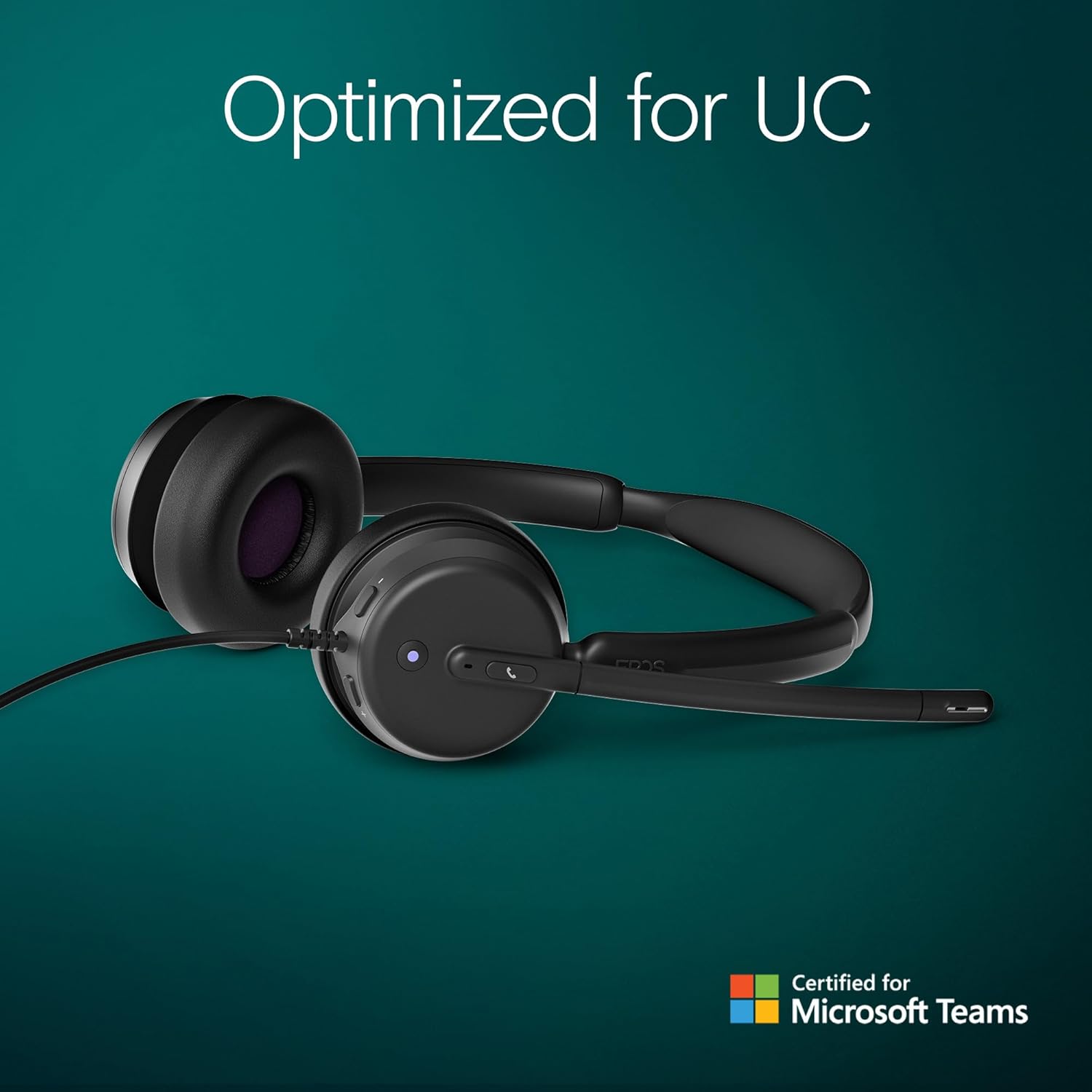
Figure 2.1: Included components with the EPOS Impact 460T headset.
3. ترتیب کول
- هیډسیټ وصل کړئ: Plug the USB-C connector of the headset directly into a compatible USB-C port on your computer, laptop, tablet, or smartphone.
- Use USB-A Adapter (if needed): If your device only has USB-A ports, attach the provided USB-C to USB-A adapter to the headset's USB-C connector, then plug the adapter into your device's USB-A port.
- پلګ او پلی: The headset is designed for plug-and-play functionality. Your operating system should automatically detect and install the necessary drivers.
- فټ تنظیم کړئ: Adjust the headband and microphone boom for a comfortable and secure fit. The ear cups are on-ear design with soft padding.
ویډیو ۳.۱: یو اوورview of the EPOS Impact 460T Headset, demonstrating its features and connectivity options.
4. عملیاتي لارښوونې
4.1. د کال مدیریت
- د وقف شویو ټیمونو تڼۍ: For Microsoft Teams users, a dedicated button allows for quick joining of calls and managing Teams functions.
- ځواب / پای زنګونه: Use the inline control unit or the dedicated call button on the headset to answer or end calls.
- د حجم کنټرول: Adjust the listening volume using the inline control unit.
- د مایکروفون خاموش کول:
- Lift-to-Mute: Simply lift the microphone boom arm upwards to mute your microphone.
- د LED شاخص: An LED light on the microphone indicates its mute status, providing a visual cue.
4.2. د غږ کیفیت
The headset features dual-mic noise filtering technology to ensure clear voice pickup, minimizing background noise in open office environments. Professional-grade speakers deliver rich, clear sound for both calls and multimedia.

Figure 4.1: Close-up of the headset's earcup showing control buttons and microphone.
5. ځانګړتیاوې
- د مایکروسافټ ټیمونو تصدیق شوی: Optimized for Microsoft Teams Open Office, ensuring seamless integration and enhanced call quality.
- Dual Noise-Canceling Mics: Advanced noise-filtering technology transmits your voice clearly, suppressing unwanted background noise.
- د ټولې ورځې آرامۍ: Designed with dual noise-dampening ear pads, memory foam, and an ergonomic padded headband for extended wear.
- Hybrid-Ready Mobility: Fold-flat portability and durable materials make it suitable for both remote and in-office use. Includes a carry pouch for easy storage.
- ActiveGard Protection: Protects users from acoustic shock and sudden sound surges.
- اعظمي مطابقت: Works with all major Unified Communications (UC) platforms, including Zoom.
- EPOS Software Support: Compatible with EPOS Connect & Manager for easy device management and firmware updates.
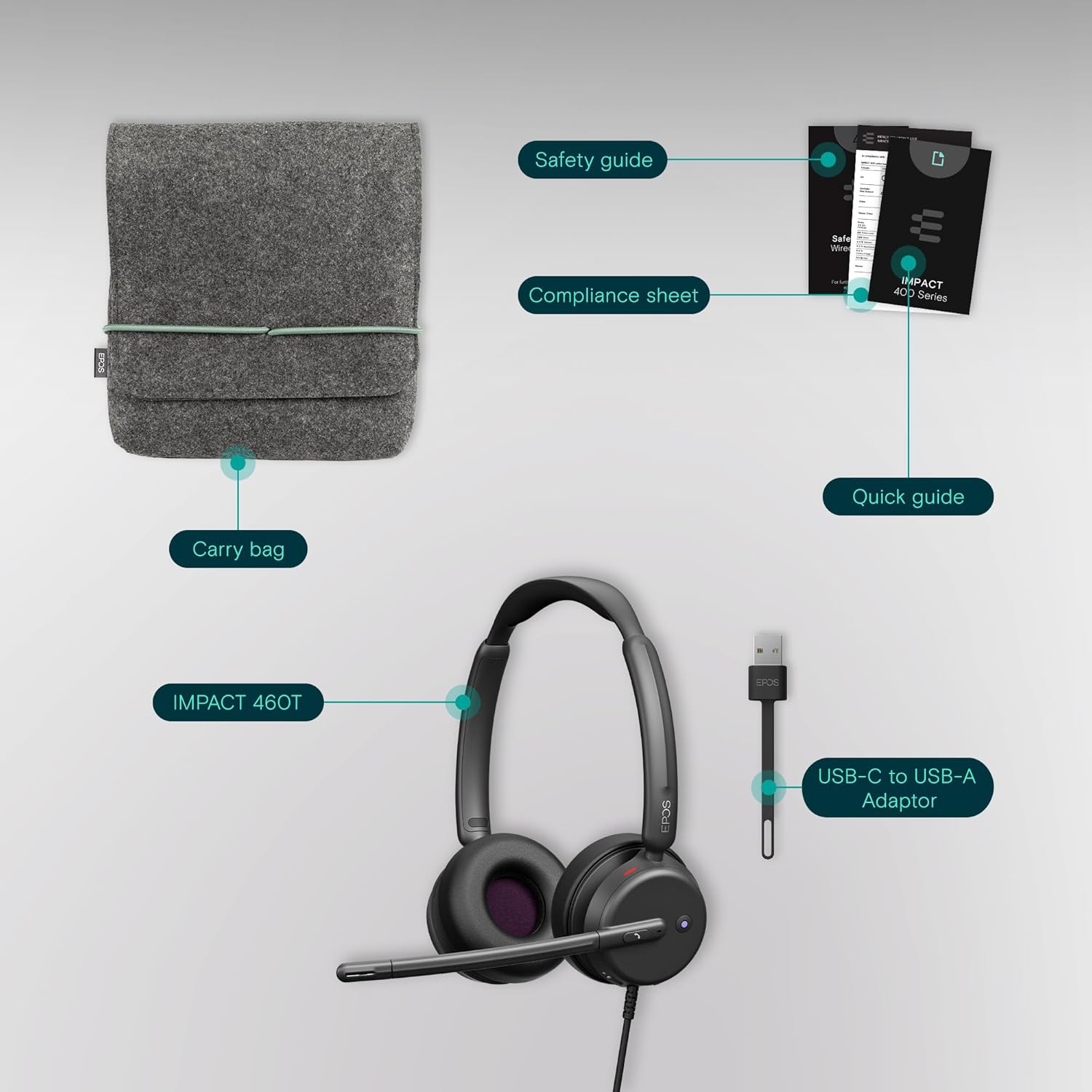
Figure 5.1: Advanced noise-filtering technology in action during a call.
6. ساتنه
- پاکول: د هیډسیټ پاکولو لپاره نرم، وچ ټوکر وکاروئ. د سختو کیمیاوي موادو یا کثافاتو موادو کارولو څخه ډډه وکړئ.
- د غوږ پیډونه: Periodically check ear pads for wear and tear. Replacement ear pads may be available from EPOS support.
- ذخیره کول: When not in use, store the headset in the provided protective carry pouch to prevent damage and keep it clean.
- د کیبل پاملرنه: Avoid sharp bends or excessive pulling on the cable to prevent internal damage.
7. ستونزه حل کول
۶.۳. هیڅ غږ نشته یا د غږ خراب کیفیت
- پیوستون چیک کړئ: Ensure the USB-C (or USB-A with adapter) connector is fully inserted into your device.
- د حجم کچه: Verify that the volume on the headset's inline control unit and your device's system volume are turned up.
- ډیفالټ وسیله: Confirm that the EPOS Impact 460T is selected as the default audio input and output device in your operating system's sound settings and your communication application (e.g., Microsoft Teams, Zoom).
- Restart Application/Device: Close and reopen your communication application, or restart your computer/device.
۷.۲. مایکروفون کار نه کوي
- Check Mute Status: Ensure the microphone boom is lowered and the LED mute indicator is off (not red). Check the mute button on the inline control unit.
- Default Microphone: Verify that the EPOS Impact 460T is selected as the default microphone in your operating system's sound settings and your communication application.
- Application Permissions: Ensure your communication application has permission to access the microphone.
8. مشخصات
| فیچر | تفصیل |
|---|---|
| د ماډل نوم | 460T |
| د ارتباط ټیکنالوژي | Wired (USB-C, includes USB-A adapter) |
| د غوږ ځای پرځای کول | په غوږ کې |
| د شور کنټرول | Dual Noise-Canceling Mics, Passive Noise Control |
| مایکروفون | Lift-to-mute boom arm, LED mute indicator |
| د کنټرول ډول | Volume Control, Call Button (inline remote) |
| مطابقت لرونکې وسیلې | ډیسټاپونه، لیپټاپونه، ټابلیټونه، سمارټ فونونه |
| وړاندیز شوي استعمالونه | Calls, Home Office, Business, Remote Work |
| وزن | 13 اونس |
| ابعاد | 7.87 x 8.07 x 2.56 انچه |
| مواد | Plastic (with memory foam ear pads) |
9. تضمین او ملاتړ
The EPOS Impact 460T headset typically comes with a manufacturer's warranty. Please refer to the included warranty information in your product packaging for specific terms and duration. For technical support, driver updates, and device management, visit the official EPOS website or utilize the EPOS Connect & Manager software.
Additional protection plans may be available for purchase, offering extended coverage beyond the standard manufacturer's warranty. Check with your retailer for details.