
1. پیژندنه
This manual provides comprehensive instructions for the setup, operation, maintenance, and troubleshooting of your Lamzu Maya X Wireless Gaming Mouse. Please read this manual carefully to ensure proper use and to maximize the performance of your device.
2. محصول ختم شوview
2.1 کلیدي ځانګړتیاوې
- ډېر سپک ډیزاین: Weighs approximately 47g for extended comfort during use.
- سمیټریک شکل: Accommodates various grip styles including palm, claw, and fingertip.
- Optical Switches: Durable and responsive, rated for over 70 million clicks.
- Dust-Proof Encoder: 30-grid roller for precise and responsive scroll wheel actions.
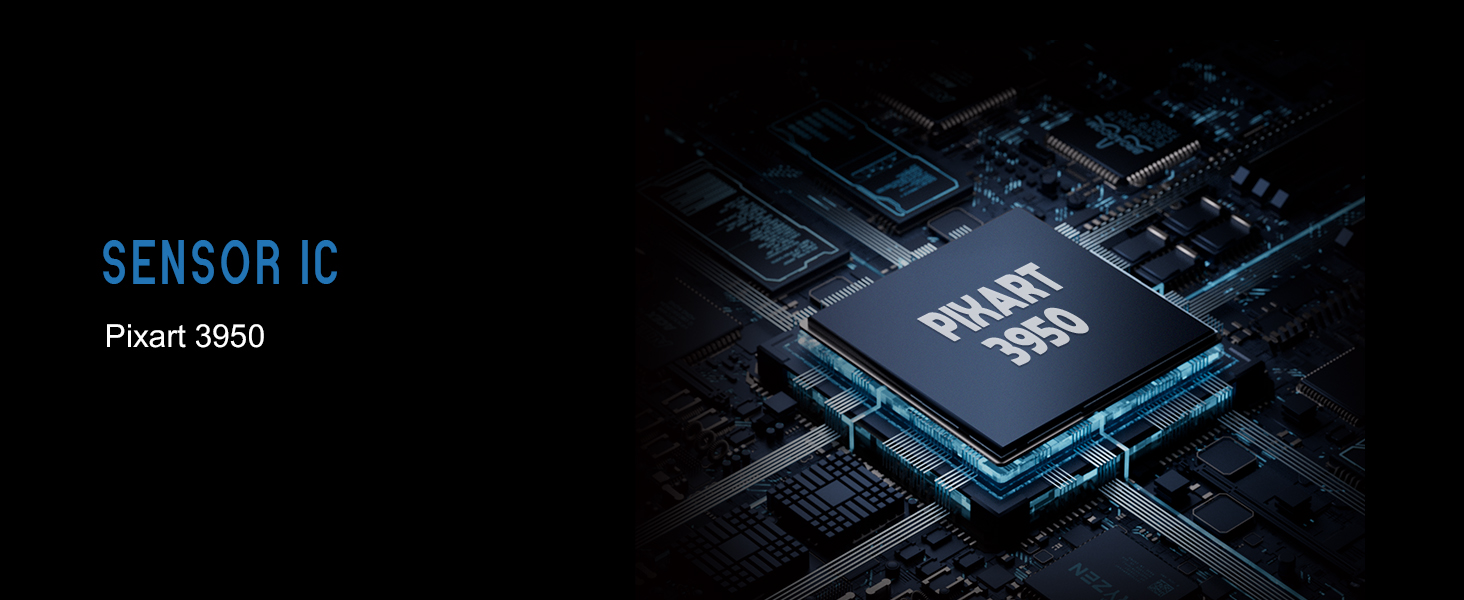
- Pixart PAW 3950 Sensor: Supports up to 30,000 DPI and 750 IPS.
- Nordic 52840 MCU: Ensures power efficiency, fast response times, and accurate motion tracking.
- د رای ورکولو لوړه کچه: Up to 8,000 Hz with the optional 8K dongle.
2.2 د بسته محتويات
- Lamzu Maya X Wireless Gaming Mouse
- PTFE Skates (x1 set)
- 8K Dongle (x1)
- MAYA X Dustproof Seal
- 1.8m Type-C Paracord Cable
- مخمل کڅوړه
- MAYA X Mouse Grip
۲.۲ د موږک اجزا
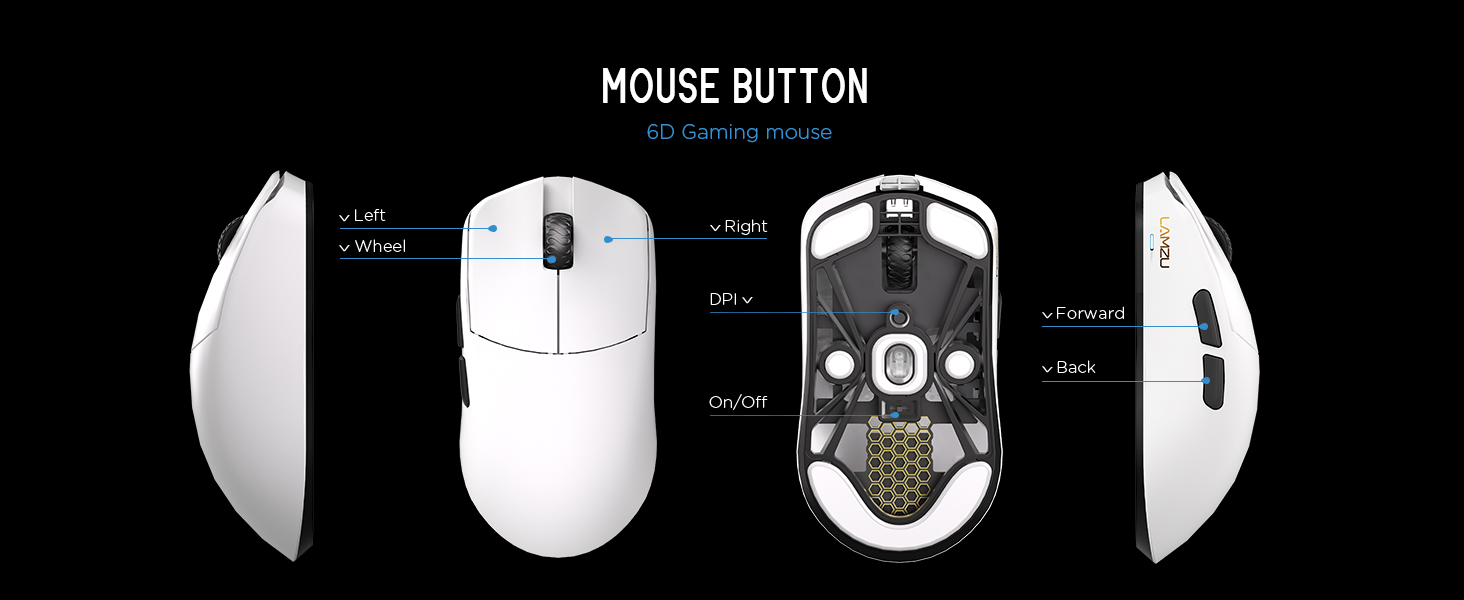
انځور 2.3.1: Diagram illustrating the various buttons and internal structure of the Lamzu Maya X mouse, including left click, right click, scroll wheel, DPI button, forward, back buttons, and the on/off switch.
- کیڼ تڼۍ: د لومړني کلیک فعالیت.
- ښي تڼۍ: د ثانوي کلیک فعالیت.
- سکرول ویل: د سکرول کولو او منځني کلیک فعالیت لپاره.
- د DPI تڼۍ: Adjusts Dots Per Inch sensitivity.
- د وړاندې کولو تڼۍ: Navigational function (e.g., browser forward).
- د شا تڼۍ: Navigational function (e.g., browser back).
- آن/بند سویچ: موږک چالان یا بندوي.
3. ترتیب کول
3.1 Initial Connection and Charging
- موږک چارج کړئ: Connect the provided Type-C paracord cable to the mouse and a USB port on your computer. The mouse will charge while connected.
- پاور آن: Locate the On/Off switch on the underside of the mouse and slide it to the "On" position.
- Connect Wireless Dongle: Insert the 8K wireless dongle into an available USB port on your computer. The mouse should automatically pair.
- Wired Mode (Optional): To use the mouse in wired mode, connect the Type-C paracord cable directly to the mouse and your computer. The mouse will function as a wired device and charge simultaneously.
انځور 3.1.1: The Lamzu Maya X mouse connected via its Type-C paracord cable, illustrating both wired operation and charging capabilities.
۳.۵ د موټر چلوونکي او سافټویر نصبول
The Lamzu Maya X mouse utilizes a web-based driver for customization. To access the software and update firmware:
- Visit the official Lamzu webسایټ
- Navigate to the support or downloads section for the Maya X model.
- ډاونلوډ کړئ web driver application. This application allows for DPI adjustment, polling rate settings, macro programming, and firmware updates.
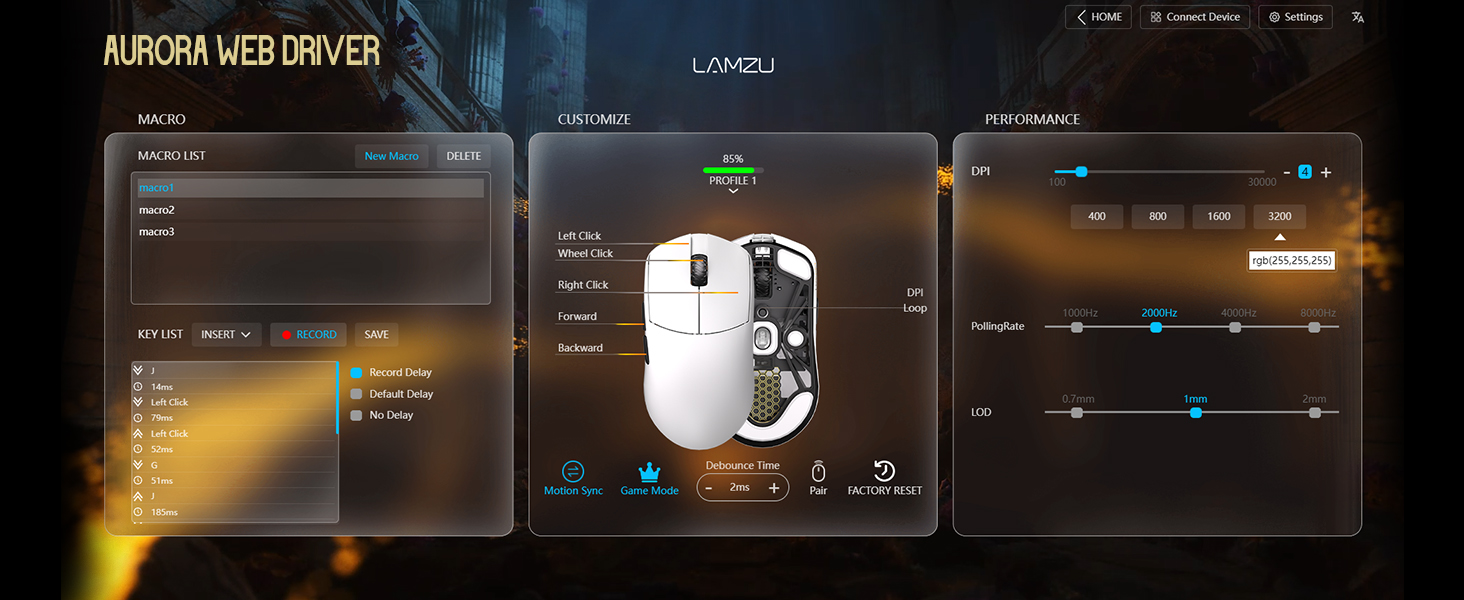
انځور 3.2.1: Screenshot of the Aurora Web Driver interface, displaying options for macro creation, button customization, DPI settings (up to 30000), polling rate selection (up to 8000Hz), and Lift-Off Distance (LOD).
4. عملیاتي لارښوونې
4.1 د DPI تعدیل
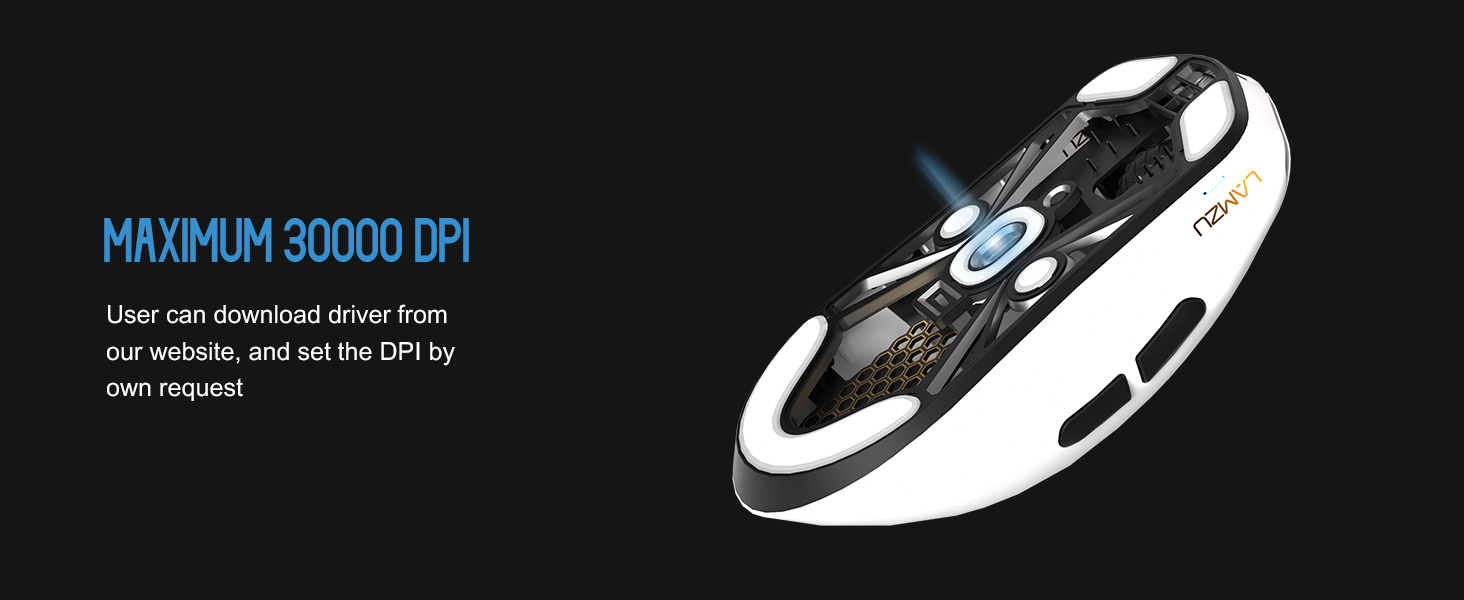
The DPI (Dots Per Inch) setting controls the mouse cursor's sensitivity. You can adjust the DPI using the dedicated DPI button on the mouse or through the Aurora Web Driver software. The Pixart PAW 3950 sensor supports up to 30,000 DPI.
انځور 4.1.1: یو لاندې view of the Lamzu Maya X mouse, emphasizing its optical sensor and the capability to reach a maximum of 30,000 DPI, configurable via software.
۵.۲ د رای ورکولو کچه
The polling rate determines how often the mouse reports its position to the computer. The Maya X supports up to 8,000 Hz polling rate when using the included 8K dongle. Higher polling rates result in smoother cursor movement and reduced input lag.
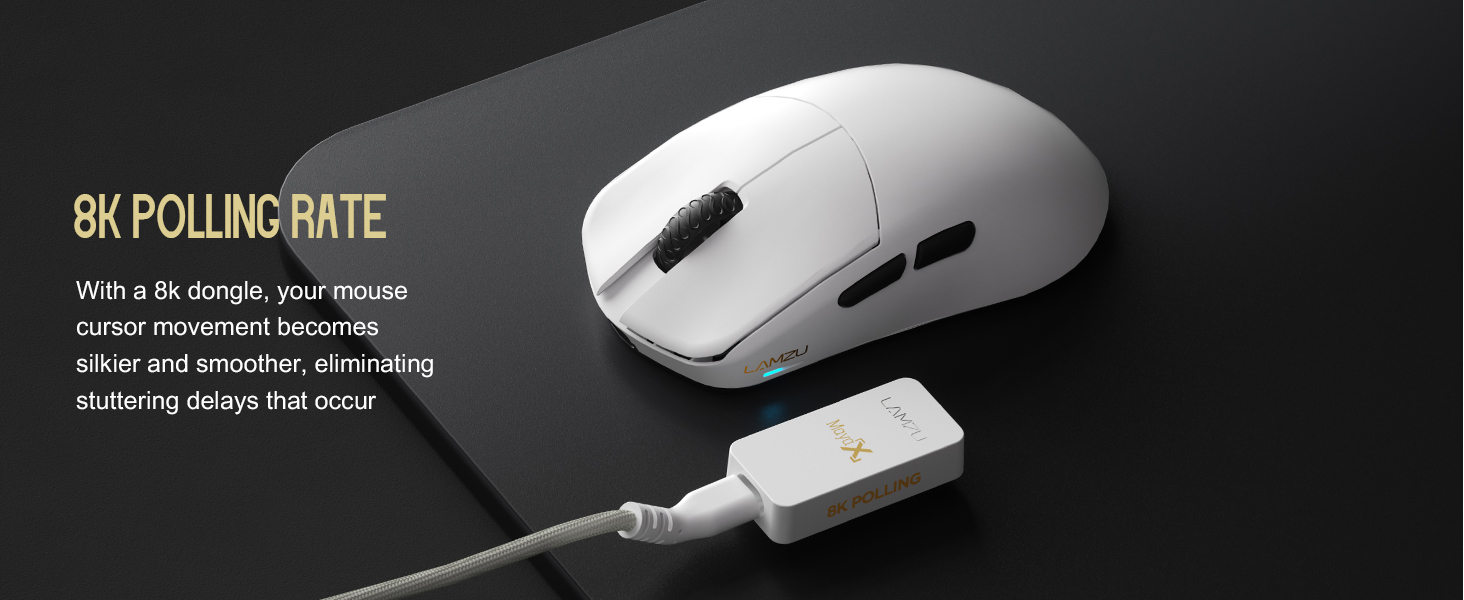
انځور 4.2.1: The Lamzu Maya X mouse positioned next to its 8K polling rate dongle, highlighting the benefit of smoother and more responsive cursor movement provided by high polling rates.
4.3 Grip Styles
The symmetrical design of the Maya X mouse is engineered to accommodate various common grip styles:
- د لاس لاس نیول: The entire palm rests on the mouse.
- د پنجې گرفت: Fingers are arched, and the palm rests on the back of the mouse.
- Fingertip Grip: Only the fingertips make contact with the mouse.
انځور 4.3.1: A visual guide demonstrating the three primary mouse grip styles—Palm Grip, Claw Grip, and Fingertip Grip—and how the Maya X mouse is designed to be compatible with each.
4.4 Wired and Wireless Modes
The Maya X mouse supports both 2.4G wireless and wired (USB Type-C) connectivity. You can switch between modes by connecting or disconnecting the Type-C cable. In wired mode, the mouse operates at a 1K polling rate, while wireless mode with the 8K dongle supports up to 8K polling.
5. ساتنه
5.1 پاکول
- ډاډ ترلاسه کړئ چې موږک د پاکولو دمخه بند دی.
- د نرم، لینټ پاک ټوکر څخه په روښانه توګه کار واخلئampد موږک سطحه د اوبو یا نرم پاکولو محلول سره پاک کړئ.
- د سختو کیمیاوي موادو، کثافاتو یا محلولونو کارولو څخه ډډه وکړئ.
- د درزونو او د تڼیو شاوخوا څخه دوړو پاکولو لپاره د فشار شوي هوا څخه کار واخلئ.
- د آپټیکل سینسر لپاره، په نرمۍ سره د پنبې سویب وکاروئampد ایزوپروپیل الکول سره مینځل شوی ترڅو لینز په نرمۍ سره پاک کړي.
5.2 د بیټرۍ پاملرنه
- د بیټرۍ د ژوند اوږدولو لپاره، د موږک په مکرر ډول په بشپړه توګه چارج کولو څخه ډډه وکړئ.
- موږک د خونې په حرارت کې وساتئ کله چې د اوږدې مودې لپاره نه کارول کیږي.
- که چیرې د اوږدې مودې لپاره ذخیره کوئ، نو بیټرۍ یې د ذخیره کولو دمخه شاوخوا 50٪ پورې چارج کړئ.
6. ستونزه حل کول
- موږک ځواب نه ورکوي:
- ډاډ ترلاسه کړئ چې موږک فعال دی.
- د بیټرۍ کچه وګورئ او که اړتیا وي نو چارج یې کړئ.
- Verify the wireless dongle is securely plugged into a USB port.
- د فعالیت تایید لپاره موږک په تار حالت کې وصل کولو هڅه وکړئ.
- خپل کمپیوټر بیا پیل کړئ.
- متقابل ارتباط:
- Ensure the wireless dongle is not obstructed and is close to the mouse.
- د نورو بېسیم وسیلو سره نږدې ډونګل مه ایږدئ چې ممکن د مداخلې لامل شي.
- Update mouse firmware via the Aurora Web چلونکی.
- د کرسر جمپ یا ځنډ:
- Clean the optical sensor (refer to Section 5.1).
- Ensure the mousepad surface is clean and uniform.
- Adjust the polling rate in the software.
- Check for any background applications consuming excessive system resources.
- تڼۍ کار نه کوي:
- Check button assignments in the Aurora Web چلونکی.
- Ensure no physical obstructions are preventing button presses.
7. مشخصات
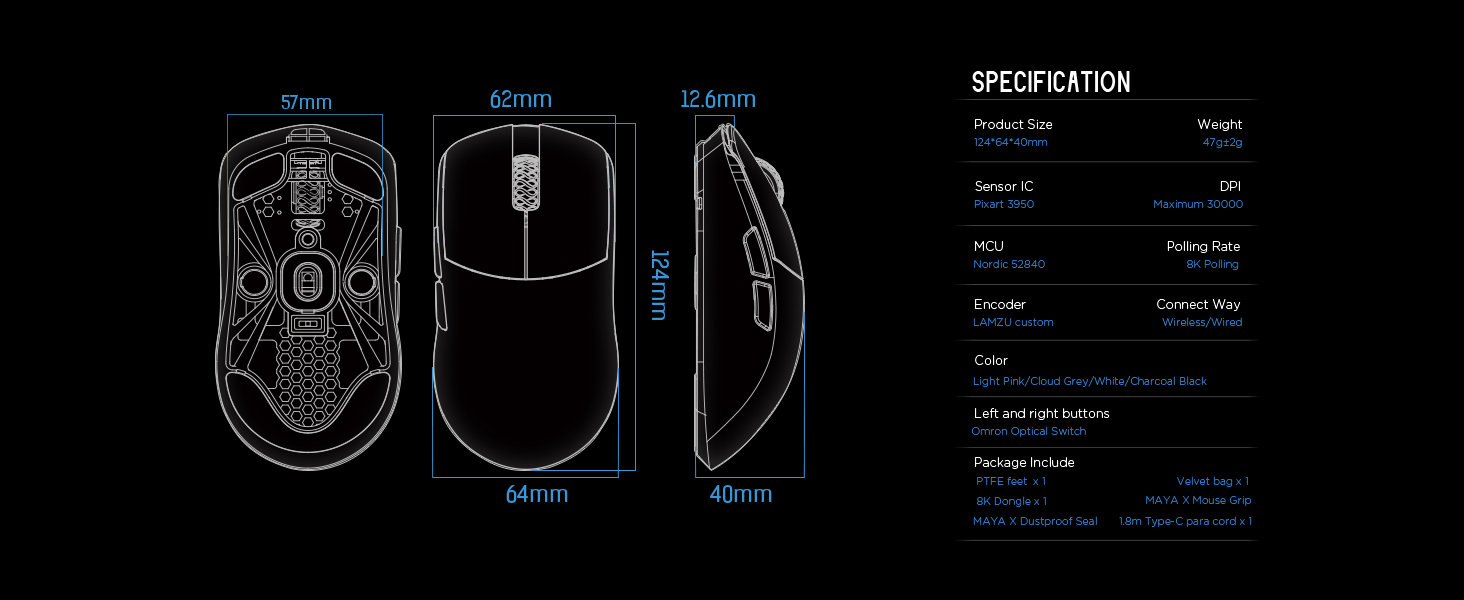
| د محصول ابعاد | 4.88 x 2.52 x 0.04 انچه (124 x 64 x 40 mm) |
| د توکي وزن | 1.66 اونس (47 ګرامه) |
| سینسر IC | Pixart PAW 3950 |
| اعظمي DPI | 30,000 |
| MCU | نورډیک 52840 |
| د رای ورکولو کچه | Up to 8,000 Hz (with 8K dongle) |
| د ارتباط ټیکنالوژي | 2.4G Wireless, USB Type-C Wired |
| سویچونه | Optical Switches (Left/Right buttons) |
| کوډ کوونکی | Dust-Proof Encoder |
| بیټرۍ | 1 لیتیم آئن بیټرۍ (شامل ده) |
| جوړونکی | Lamzu |

انځور 7.1.1: A technical diagram detailing the dimensions (length, width, height) of the Lamzu Maya X mouse and a summary of its key specifications, including weight, sensor, MCU, DPI, and polling rate.
8. تضمین او ملاتړ
For warranty information and technical support, please refer to the official Lamzu website or contact their customer service directly. Details regarding product registration, warranty claims, and frequently asked questions can typically be found in the support section of the webسایټ
رسمي Webسایټ: www.lamzu.com


