
Lamzu Maya X
د لامزو مایا ایکس بې سیم گیمینګ ماوس کارونکي لارښود
Model: Maya X
پیژندنه
The Lamzu Maya X is an ultra-lightweight wireless gaming mouse designed for high-performance gaming. Featuring a symmetrical shape, optical switches, and a high-precision PAW3950 sensor, it offers exceptional responsiveness and comfort for various grip styles. This manual provides detailed instructions for setting up, operating, maintaining, and troubleshooting your Lamzu Maya X mouse.

Figure 1: Lamzu Maya X Wireless Gaming Mouse and 8K Polling Dongle.
د بسته محتويات
مخکې له دې چې تاسو پیل کړئ، مهرباني وکړئ ډاډ ترلاسه کړئ چې ټول توکي په کڅوړه کې شتون لري:
- Lamzu Maya X Wireless Gaming Mouse
- 8K Polling Dongle
- 1.8m Type-C Paracord Cable (for wired connection and charging)
- PTFE Feet (extra set)
- مخمل کڅوړه
- MAYA X Mouse Grip Tape
چمتو کول
1. د موږک چارج کول
The Lamzu Maya X mouse comes with a built-in Lithium Ion battery. For optimal performance, it is recommended to fully charge the mouse before first use.
- Connect the supplied 1.8m Type-C paracord cable to the USB-C port on the front of the mouse.
- Connect the other end of the cable to an available USB port on your computer or a USB wall adapter.
- The mouse's indicator light will show charging status. Once fully charged, the light will change or turn off.
موږک د چارج کولو پرمهال په تار لرونکي حالت کې کارول کیدی شي.
2. موږک سره نښلول
The Lamzu Maya X supports both 2.4G wireless and wired connectivity.
Wireless Connection (2.4G with 8K Polling Dongle)
- Locate the 8K Polling Dongle.
- Plug the 8K Polling Dongle into an available USB port on your computer. For best performance, use a USB port on the front of your computer or a USB hub placed close to the mouse to minimize interference.
- د موږک په ښکته برخه کې د آن/آف سویچ په کارولو سره موږک چالان کړئ.
- The mouse should automatically connect to the dongle. If connection is not established, refer to the troubleshooting section.

Figure 2: Wireless Connection with 8K Polling Dongle.
د بریښنا پيوستون
- Connect the supplied 1.8m Type-C paracord cable to the USB-C port on the front of the mouse.
- د کیبل بل پای ستاسو په کمپیوټر کې موجود USB پورټ سره وصل کړئ.
- The mouse will automatically switch to wired mode. In wired mode, the polling rate is 1000 Hz.

Figure 3: Dual Mode Connectivity (2.4G Wireless and Wired).
۳. د موټر چلوونکي او سافټویر نصبول
The Lamzu Maya X mouse is plug-and-play for basic functionality. For advanced customization, including DPI settings, button remapping, macros, and polling rate adjustments, you can download the official Lamzu Aurora Web Driver from the Lamzu webسایټ دا web-based software eliminates the need for local installation.
- Visit the official Lamzu webسایټ (www.lamzu.com) to access the Aurora Web چلونکی.
- Follow the on-screen instructions to connect your device and customize settings.
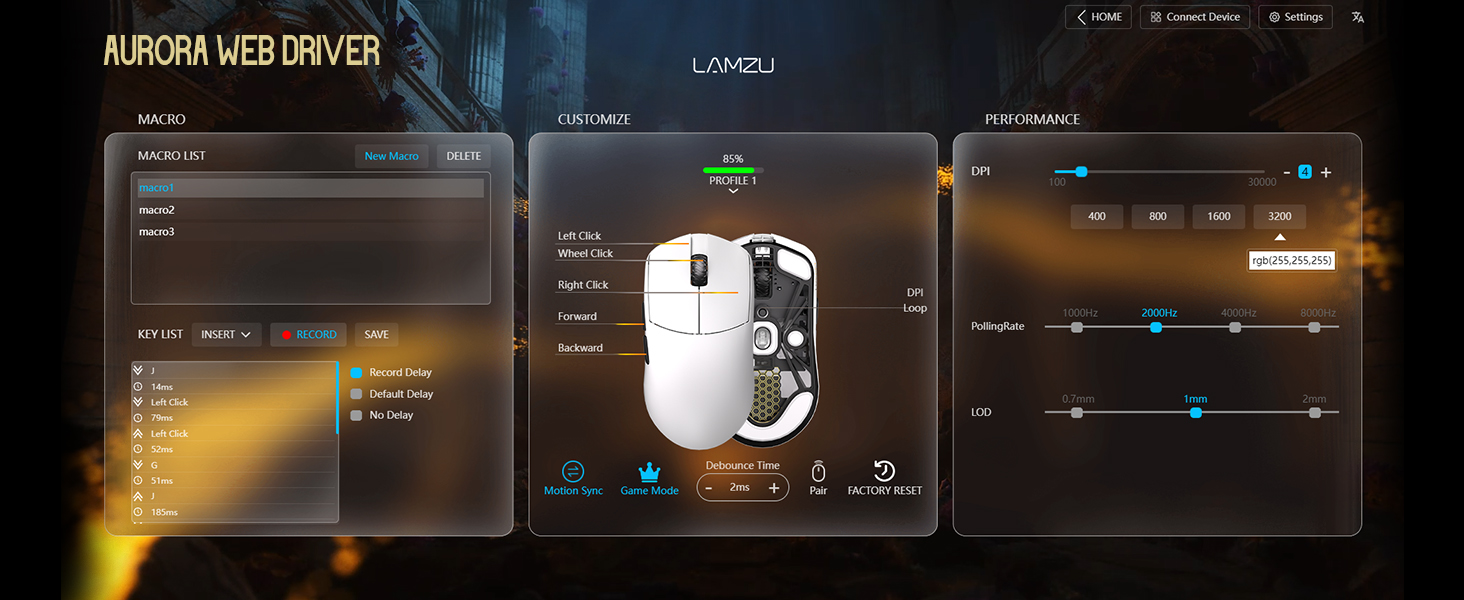
Figure 4: Lamzu Aurora Web Driver Interface.
د موږک چلول
د تڼۍ دندې
The Lamzu Maya X is a 6-button gaming mouse. The default functions are as follows:
| تڼۍ | ډیفالټ فعالیت |
|---|---|
| کیڼ کلیک وکړئ | د لومړني کلیک فعالیت |
| ښي کلیک وکړئ | د ثانوي کلیک فعالیت |
| د سکرول ویل (کلیک وکړئ) | Middle click / Universal scroll |
| د سکرول څرخ (پورته/ښکته) | Scroll content up/down |
| DPI Button (Bottom) | Cycle through preset DPI levels |
| د مخکینۍ خوا تڼۍ | Navigate forward in web browsers/applications |
| د شا تڼۍ | Navigate backward in web browsers/applications |
| On/Off Switch (Bottom) | Power on/off the mouse |
All buttons, except the On/Off switch, can be remapped using the Aurora Web Driver software.

Figure 5: Lamzu Maya X Button Layout.
Adjusting DPI (Dots Per Inch)
The Lamzu Maya X features a Pixart PAW 3950 sensor, supporting up to 30,000 DPI. You can adjust the DPI sensitivity to match your preference and gaming style.
- په الوتنه کې سمون: Press the DPI button located on the bottom of the mouse to cycle through pre-configured DPI stages. The LED indicator on the mouse may change color to indicate the current DPI stage.
- د سافټویر سمون: For precise control and custom DPI stages, use the Lamzu Aurora Web Driver. You can set specific DPI values and assign them to different profiles.
د رای ورکولو کچه
The polling rate determines how often the mouse reports its position to the computer. A higher polling rate results in smoother and more responsive cursor movement.
- Wireless (2.4G): The Maya X supports up to 8,000 Hz polling rate when using the included 8K Polling Dongle. This can be configured via the Aurora Web چلونکی.
- تار لرونکی (USB-C): In wired mode, the mouse operates at a 1,000 Hz polling rate.
Grip Styles
The symmetrical shape of the Lamzu Maya X is designed to accommodate various grip styles, providing comfort and control for different hand sizes and preferences.
- د لاس لاس نیول: The entire palm rests on the mouse, offering maximum stability.
- د پنجې گرفت: Fingers are arched, and the palm makes minimal contact with the rear of the mouse, allowing for quick, precise movements.
- Fingertip Grip: Only the fingertips touch the mouse, providing the highest degree of maneuverability.

Figure 6: Supported Grip Styles.
ساتنه
Proper maintenance ensures the longevity and optimal performance of your Lamzu Maya X mouse.
- پاکول: د موږک سطحه د پاکولو لپاره نرم، وچ ټوکر وکاروئ. د سختې خاورې لپاره، یو څه damp ټوکر کارول کیدی شي، مګر ډاډ ترلاسه کړئ چې رطوبت موږک ته ننوځي. د سختو کیمیاوي موادو یا خړوبونکي موادو څخه ډډه وکړئ.
- د سینسر پاملرنه: د موږک په ښکته برخه کې نظري سینسر پاک او له دوړو یا کثافاتو څخه پاک وساتئ. که اړتیا وي نو د پنبې سویب یا فشار شوي هوا وکاروئ.
- Mouse Feet (PTFE Skates): The PTFE feet are designed for smooth gliding. If they become worn or damaged, replace them with the extra set provided in the package.
- ذخیره کول: When not in use for extended periods, store the mouse in a cool, dry place, ideally in the provided velvet bag to protect it from dust and scratches.
- د بیټرۍ پاملرنه: Avoid fully discharging the battery frequently. For long-term storage, charge the mouse to about 50% to preserve battery health.
د ستونزو حل کول
If you encounter issues with your Lamzu Maya X mouse, refer to the following common problems and solutions:
| ستونزه | احتمالي لامل / حل |
|---|---|
| موږک ځواب نه ورکوي (بې سیم) |
|
| موږک ځواب نه ورکوي (وایر شوی) |
|
| د کرسر حرکت بې نظمه یا ناڅاپي دی |
|
| تڼۍ ځواب نه ورکوي یا دوه ځله کلیک کوي |
|
| بیټرۍ په چټکۍ سره وچیږي |
|
مشخصات
| فیچر | تفصیل |
|---|---|
| ماډل | Maya X |
| ابعاد (L x W x H) | 4.88 x 2.52 x 0.04 انچه (124 x 64 x 40 mm) |
| وزن | ۷.۳۷ اونس (تقریبا ۲۰۹ ګرامه) |
| سینسر | د Pixart PAW 3950 آپټیکل سینسر |
| اعظمي DPI | 30,000 DPI |
| MCU | نورډیک 52840 |
| د رای ورکولو کچه | Up to 8,000 Hz (Wireless with 8K dongle), 1,000 Hz (Wired) |
| سویچونه | Omron Optical Switches (Left/Right buttons) |
| کوډ کوونکی | Dust-Proof Encoder with 30-grid roller |
| ارتباط | ۲.۴ جي بېسیم، د USB-C تار |
| د بیټرۍ ډول | 1 لیتیم آئن بیټرۍ (شامل ده) |
| رنګ | تور (د محصول ډول سره سم) |
| د اصلي هیواد | چین |
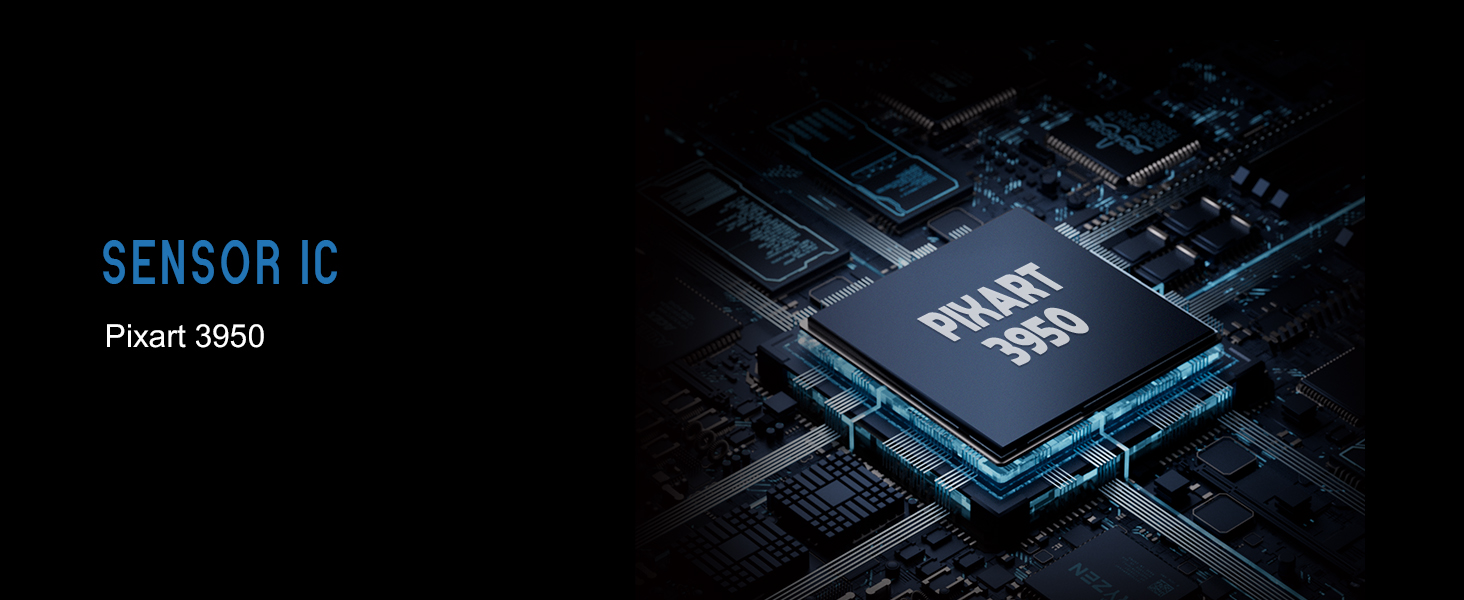
Figure 7: Lamzu Maya X Detailed Specifications.
تضمین او ملاتړ
Lamzu products are manufactured to the highest quality standards. For information regarding warranty coverage, technical support, or service inquiries, please visit the official Lamzu webسایټ یا د دوی د پیرودونکي خدماتو څانګې سره اړیکه ونیسئ.
- رسمي Webسایټ: www.lamzu.com
- د پیرودونکو خدمت: په رسمي پاڼه کې ورکړل شوي د اړیکو معلوماتو ته مراجعه وکړئ webسایټ
مهرباني وکړئ د تضمین ادعاګانو لپاره د پیرود ثبوت وساتئ.
Ask a question about this manual
Ask about setup, troubleshooting, compatibility, parts, safety, or missing instructions. Manuals+ will review the question and use this page’s manual context to help answer it.