
پیژندنه
Thank you for choosing the Claiks Electric Height Adjustable Desk. This manual provides essential information for the safe and efficient assembly, operation, and maintenance of your new desk. Please read these instructions carefully before use and retain them for future reference.
د خوندیتوب معلومات
خبرداری:
Please use the desk with caution, especially during height adjustment and assembly. Ensure the desk is properly anchored before use. Observe weight restrictions and use the desk only for its intended purpose. Keep children and pets away from the desk during operation to prevent injury. Do not place hands or objects near moving parts during height adjustment.
د بسته محتويات
د راټولولو دمخه، ډاډ ترلاسه کړئ چې ټولې برخې شتون لري او زیانمنې شوې نه دي. که کومه برخه ورکه یا زیانمنه شوې وي، مهرباني وکړئ د پیرودونکي ملاتړ سره اړیکه ونیسئ.
- د میز چوکاټ (پښې او کراس بار)
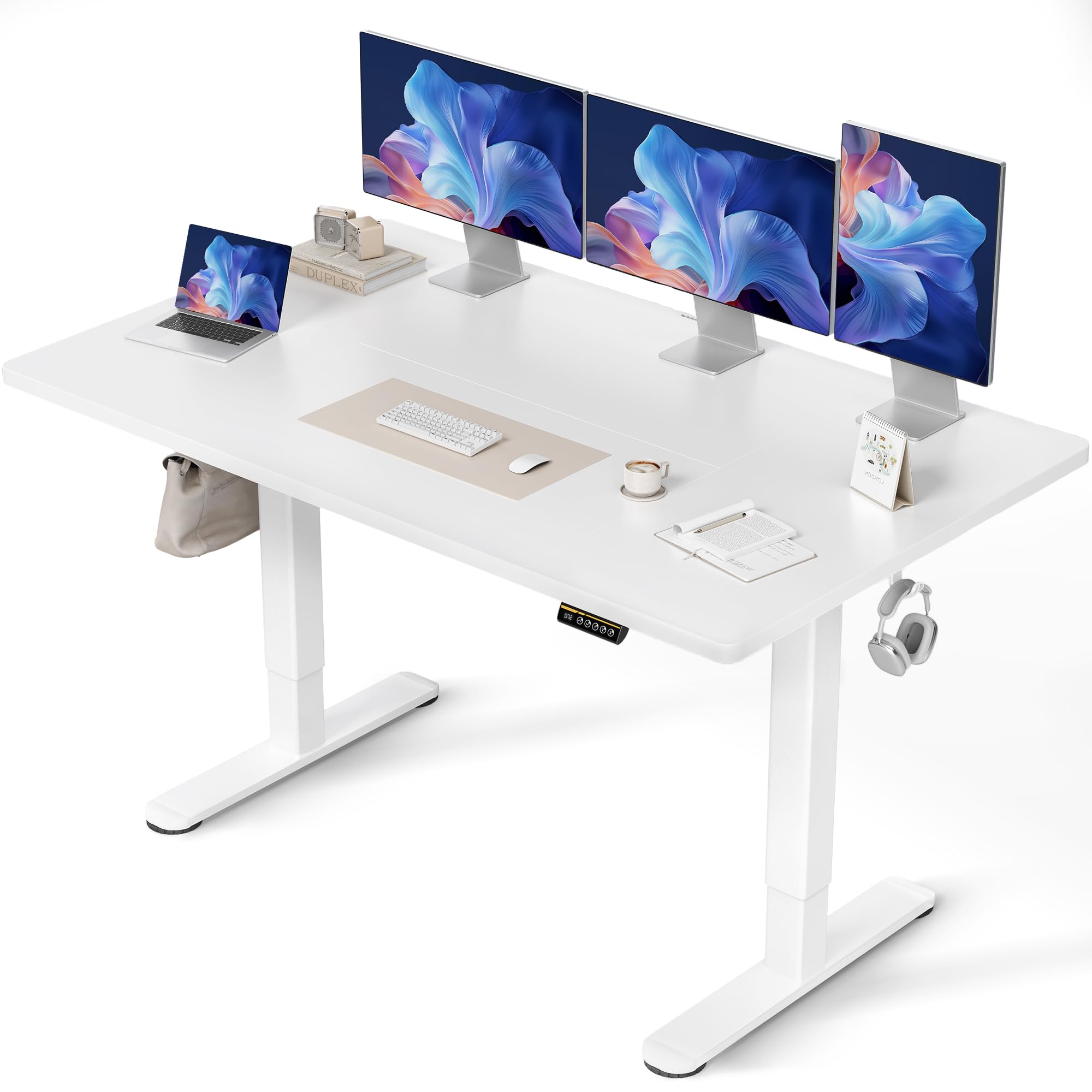
- Tabletop (Multi-part)
- د حافظې پریسیټونو سره د کنټرول پینل
- د بریښنا اډاپټر او کیبل
- د اسمبلۍ هارډویر (سکرو، ایلن کیز)
- Cable Management Tray and Hooks
- د کارن لارښود
د مجلس لارښوونې
Assembly typically takes approximately 15 minutes. A screwdriver is required (not included). Follow these steps carefully:
- اجزا خلاص کړئ: په احتیاط سره د بسته بندۍ ټولې برخې لرې کړئ او په پاکه، نرمه سطحه یې واچوئ ترڅو د سکریچونو مخه ونیول شي.
- د میز چوکاټ راټول کړئ: د چمتو شوي پیچونو په کارولو سره د میز پښې د کراس بار سره وصل کړئ. ډاډ ترلاسه کړئ چې ټولې اړیکې خوندي دي.
- د ټابلیټ ټاپ سره ضمیمه کړئ: Place the tabletop sections onto the assembled frame. Align the pre-drilled holes and secure the tabletop to the frame using the designated screws. Note that the tabletop may consist of multiple sections.
- د کنټرول پینل نصب کړئ: Mount the control panel to the underside of the tabletop in the desired position.
- د تار نښلول: Connect the motor cables from the legs to the control box, and then connect the control panel cable to the control box. Finally, connect the power adapter to the control box and plug it into a power outlet.
- د لوازمو نصب کول: Attach the cable management tray and hooks to the underside of the desk as desired.

عملیاتي لارښوونې
د لوړوالی سمون
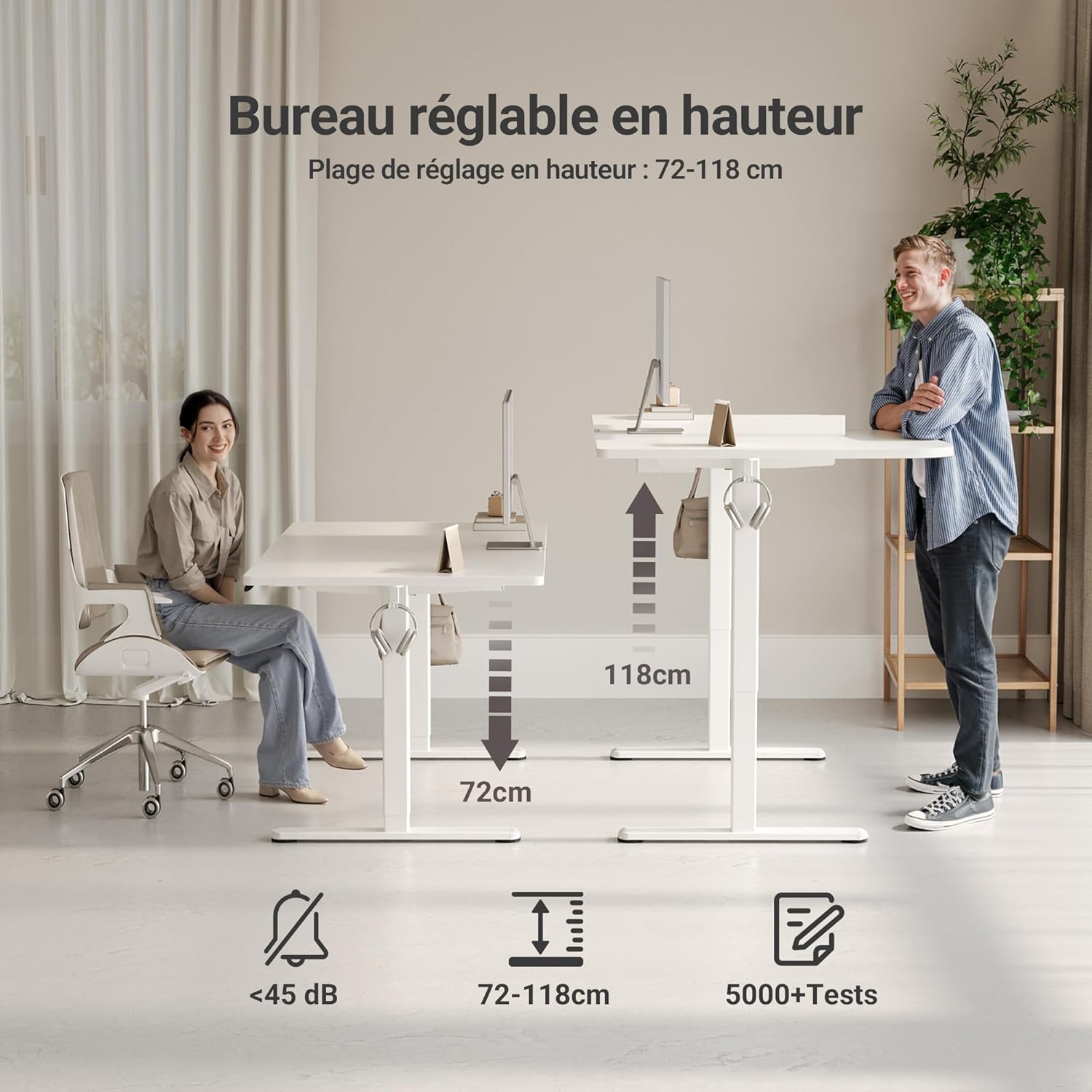
The desk features an electric motor for smooth height adjustment between 72 cm and 118 cm. Use the up and down arrow buttons on the control panel to adjust the desk to your desired height.
د حافظې پریزیټ
The control panel includes three memory preset buttons (1, 2, 3) to save your preferred sitting and standing heights.
- د حافظې د مخکینۍ سیټ تنظیم کولو لپاره: Adjust the desk to your desired height using the up/down arrows. Press the 'M' or 'Set' button (if available, otherwise hold the number button) followed by the desired number button (1, 2, or 3). The display will show 'S-' or a beep will confirm the setting.
- To Use a Memory Preset: Simply press the corresponding number button (1, 2, or 3) to automatically move the desk to the saved height.


کلیدي ځانګړتیاوې
- FSC Certified Tabletop: The desk features an FSC-certified engineered wood tabletop, promoting responsible forest management.
- پراخه کاري سطحه: برابروي ample space for multiple monitors and office supplies.
- خاموش موټور: Operates quietly (under 45 dB) for minimal disruption in any environment.
- قوي ساختمان: Stable steel frame supports up to 120 kg, ensuring stability even at maximum height.
- د کیبل مدغم مدیریت: Includes cable pass-throughs and hooks to keep your workspace organized.
- دوامداره سطحه: The tabletop is resistant to dirt and water, and features rounded, scratch-resistant edges.

ساتنه
To ensure the longevity and optimal performance of your Claiks desk, follow these maintenance guidelines:
- پاکول: د میز سطح په نرم سره پاک کړئ، دamp ټوکر. د خړوبولو پاکوونکو یا سختو کیمیاوي موادو څخه ډډه وکړئ چې کولی شي پای ته زیان ورسوي.
- د کیبل مدیریت: په دوره یي ډول کیبلونه وګورئ او تنظیم کړئ ترڅو د پیچلتیا مخه ونیسئ او د لوړوالي تنظیم کولو پرمهال اسانه عملیات ډاډمن کړئ.
- د موټرو پاملرنه: The motor is designed for durability. Avoid overloading the desk beyond its maximum weight capacity (120 kg) to prevent strain on the motor.
- منظم چکونه: Periodically inspect all screws and connections to ensure they remain tight and secure.
د ستونزو حل کول
که تاسو په خپل میز کې کومې ستونزې سره مخ شئ، لاندې عامې ستونزې او حل لارې وګورئ:
| ستونزه | احتمالي لامل | د حل لاره |
|---|---|---|
| میز نه حرکت کوي | Power cable disconnected, motor error, overload | Check power connections. Unplug and replug the power cable. Reduce weight on the desk. Perform a reset (refer to control panel instructions). |
| غیر مساوي لوړوالی تنظیم کول | خنډ، نا مساوي بار | Ensure no objects are obstructing the desk legs. Distribute weight evenly on the tabletop. |
| د کنټرول پینل ځواب نه ورکوي | Loose connection, power issue | Check the control panel cable connection to the control box. Verify power supply. |
| Desk stops mid-adjustment | Overheat protection, obstruction | Allow the motor to cool down for 20 minutes. Remove any obstructions. |
If the problem persists after attempting these solutions, please contact Claiks customer support.
مشخصات
| صفت | تفصیل |
|---|---|
| برانډ | کلایکس |
| د ماډل شمیره | P1.01.016 |
| رنګ | سپین |
| د محصول ابعاد (L x W x H) | 70 x 140 x 75 سانتي متره |
| د توکي وزن | 25 کیلوګرامه |
| مواد | Engineered Wood (Tabletop), Metal (Base) |
| د لوړوالی تنظیم کولو سلسله | ۴۸ سانتي متره - ۵۶.۸ سانتي متره |
| د اعظمي بار ظرفیت | 120 کیلو ګرامه |
| ځانګړتیاوې | Ergonomic, Adjustable, Scratch-resistant, Silent Motor, Memory Presets, Cable Management |
| د پای ډول | لایک شوی |
تضمین او ملاتړ
The Claiks Electric Height Adjustable Desk comes with a 5 کلن تضمین on the motor and frame, covering manufacturing defects and malfunctions under normal use. Please retain your proof of purchase for warranty claims.
For technical assistance, troubleshooting not covered in this manual, or warranty inquiries, please contact Claiks customer support through the retailer where you purchased the product or visit the official Claiks webد اړیکو معلوماتو لپاره سایټ.