
پیژندنه
Thank you for choosing the Defender ARGA GM-049 Gaming Mouse. This manual provides detailed instructions for setting up, operating, maintaining, and troubleshooting your new gaming mouse. Please read this manual carefully before use to ensure optimal performance and longevity of your device.
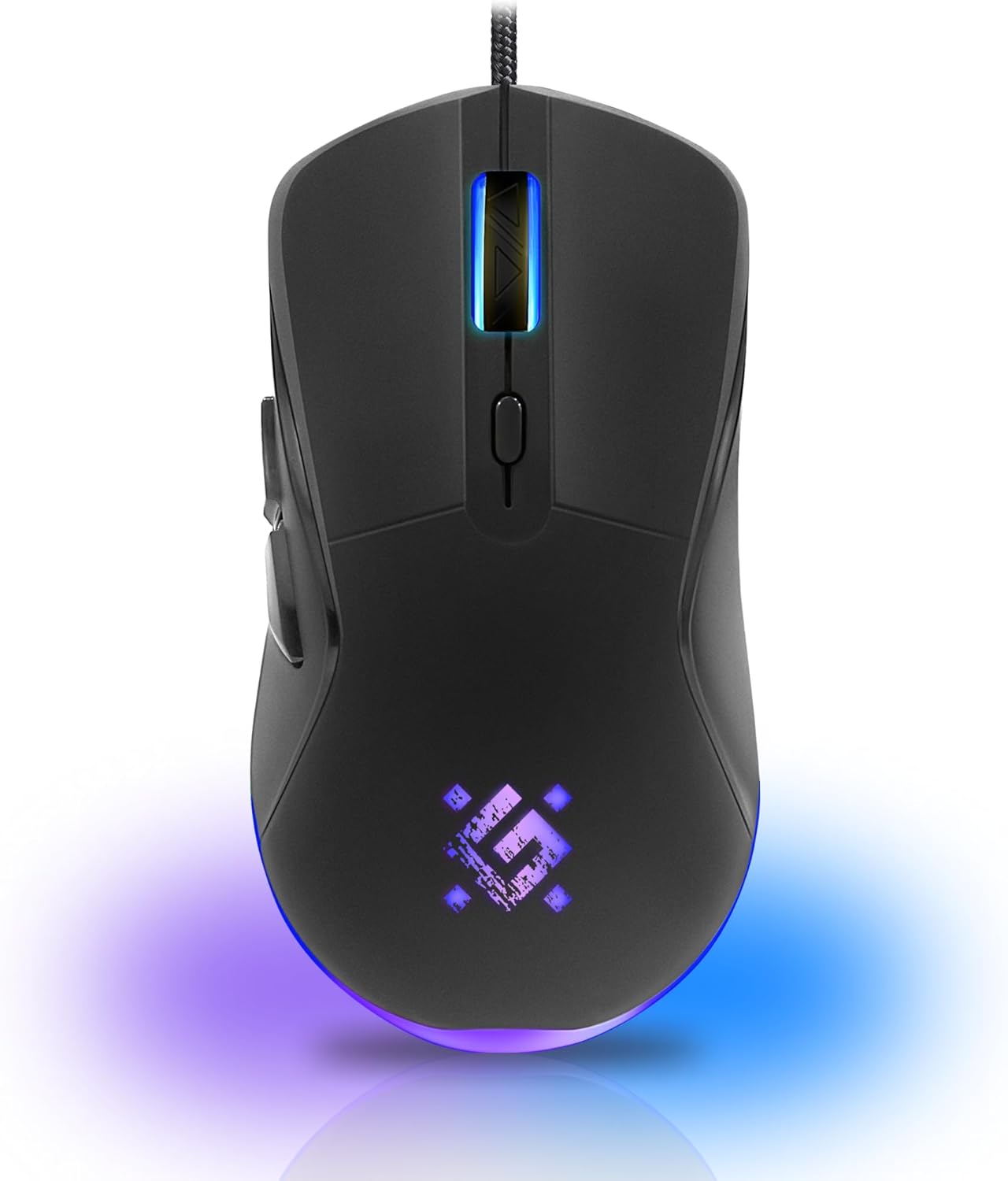
انځور: مخکینۍ برخه view of the Defender ARGA GM-049 Gaming Mouse, showcasing its ergonomic design and customizable RGB lighting.
چمتو کول
1. موږک سره نښلول
- په خپل کمپیوټر کې موجود USB پورټ ومومئ.
- Plug the gold-plated USB connector of the Defender ARGA GM-049 mouse into the USB port.
- عملیاتي سیسټم به په اتوماتيک ډول اړین چلوونکي کشف او نصب کړي. دا پروسه ممکن څو دقیقې وخت ونیسي.
۳. د سافټویر نصبول (اختیاري)
For advanced customization, including macro programming and button remapping, install the Defender Game Center Software.
- Visit the official Defender website to download the latest version of the Defender Game Center Software.
- د نصبولو بشپړولو لپاره د پردې پر لارښوونو تعقیب کړئ.
- یوځل چې نصب شي، د خپل موږک ترتیباتو تنظیم کولو لپاره سافټویر لانچ کړئ.

Image: Diagram illustrating the Defender Game Center Software, macro editor, optical sensor, and compatibility with Windows 2000/XP/Vista/7/8/10+ and macOS X10+.
عملیاتي لارښوونې
1. بنسټیز کارونه
- کیڼ کلیک: لومړنۍ کړنه.
- ښي کلیک: Secondary action, typically opens context menus.
- سکرول ویل: اسناد پورته/ښکته سکرول کړئ یا web pages. Pressing the scroll wheel often acts as a middle click.
۴.۴. د DPI سمون
The Defender ARGA GM-049 features adjustable DPI (Dots Per Inch) settings, allowing you to change mouse sensitivity on the fly. The available DPI levels are 1200, 1800, 2400, and 3600.
- Press the dedicated DPI button (usually located behind the scroll wheel) to cycle through the preset DPI levels.
- Each DPI level may correspond to a different LED lighting color for easy identification (refer to software for customization).
۴. د پروګرام وړ تڼۍ
The mouse is equipped with 6 buttons, 5 of which are programmable using the Defender Game Center Software. These include the two main clicks, the scroll wheel click, and two side buttons.
- Launch the Defender Game Center Software.
- Navigate to the button assignment section.
- Select a button and assign a desired function, macro, or key combination.
4. د RGB رڼا
The ARGA GM-049 features customizable RGB lighting. The lighting effects and colors can be configured through the Defender Game Center Software to match your preferences or current DPI setting.

Image: Visual representation of the mouse's features including 10 million clicks lifespan, 5 programmable buttons, RGB lighting, and DPI settings (1200/1800/2400/3600).
ساتنه
مناسب ساتنه ستاسو د لوبو موږک اوږد عمر او غوره فعالیت تضمینوي.
1. پاکول
- د پاکولو دمخه موږک له خپل کمپیوټر څخه جلا کړئ.
- د موږک سطحه د پاکولو لپاره نرم، وچ، لینټ نه پاک ټوکر وکاروئ.
- د سختې خاورې لپاره، لږ څهampټوکر د اوبو یا یو نرم، غیر خارښونکي پاکونکي سره ومینځئ. د سختو کیمیاوي موادو څخه ډډه وکړئ.
- Use a cotton swab or compressed air to clean around the buttons and scroll wheel.
- مایعاتو ته اجازه مه ورکوئ چې موږک ته ننوځي casing.
2. عمومي پاملرنه
- د موږک له غورځولو یا د قوي ټکانونو سره د مخ کیدو څخه ډډه وکړئ.
- Keep the mouse away from extreme temperatures and direct sunlight.
- Do not attempt to disassemble the mouse, as this may void your warranty.
د ستونزو حل کول
If you encounter issues with your Defender ARGA GM-049 mouse, refer to the following common solutions:
| ستونزه | احتمالي حل |
|---|---|
| موږک ځواب نه ورکوي |
|
| د کرسر ناڅاپي حرکت |
|
| تڼۍ یا سکرول ویل کار نه کوي |
|
| د LED څراغ کار نه کوي |
|
مشخصات
| فیچر | تفصیل |
|---|---|
| برانډ | مدافع |
| ماډل | ARGA GM-049 |
| د ارتباط ټیکنالوژي | Wired USB (Gold-plated connector) |
| د حرکت کشف ټیکنالوژي | نظري |
| د DPI کچه | 1200 / 1800 / 2400 / 3600 |
| د تڼیو شمیر | 6 (5 د پروګرام وړ) |
| ځانګړي ځانګړتیاوې | RGB LED lighting, Programmable buttons, Macro editor, Durable rubberized surface, Teflon feet, Ferrite noise filter |
| د کیبل اوږدوالی | 1.5 meters (Braided cable structure) |
| تڼۍ د ژوند موده | تر 10 ملیون کلیکونو پورې |
| مطابقت | Windows 2000/XP/Vista/7/8/10+, macOS X10+ |
| لوازم شامل دي | Mouse Pad (220 x 180 mm) |

Image: Product packaging highlighting key features such as rainbow backlight, 2 thumb buttons, 4 resolution modes up to 3600 DPI, wide rubberized backlit scroll wheel, 5 customizable buttons, durable Teflon feet, ferrite noise filter, gold-plated USB connector, and bonus mouse pad.

Image: The Defender ARGA GM-049 Gaming Mouse shown alongside its included mouse pad, indicating dimensions of 220mm by 180mm.
تضمین او ملاتړ
د تضمین معلومات
For detailed warranty information regarding your Defender ARGA GM-049 Gaming Mouse, please refer to the warranty card included with your product or consult the retailer from whom you purchased the device. Warranty terms and conditions may vary by region and retailer.
تخنیکي ملاتړ
If you require further assistance or encounter issues not covered in this manual, please visit the official Defender website for support resources, FAQs, and contact information for technical support.