
1. پیژندنه
د پیرودلو لپاره مننهasing the TriPole Mini Portable Desk Fan, Model KW59. This manual provides important information regarding the safe use, operation, and maintenance of your fan. Please read it thoroughly before using the product and retain it for future reference.
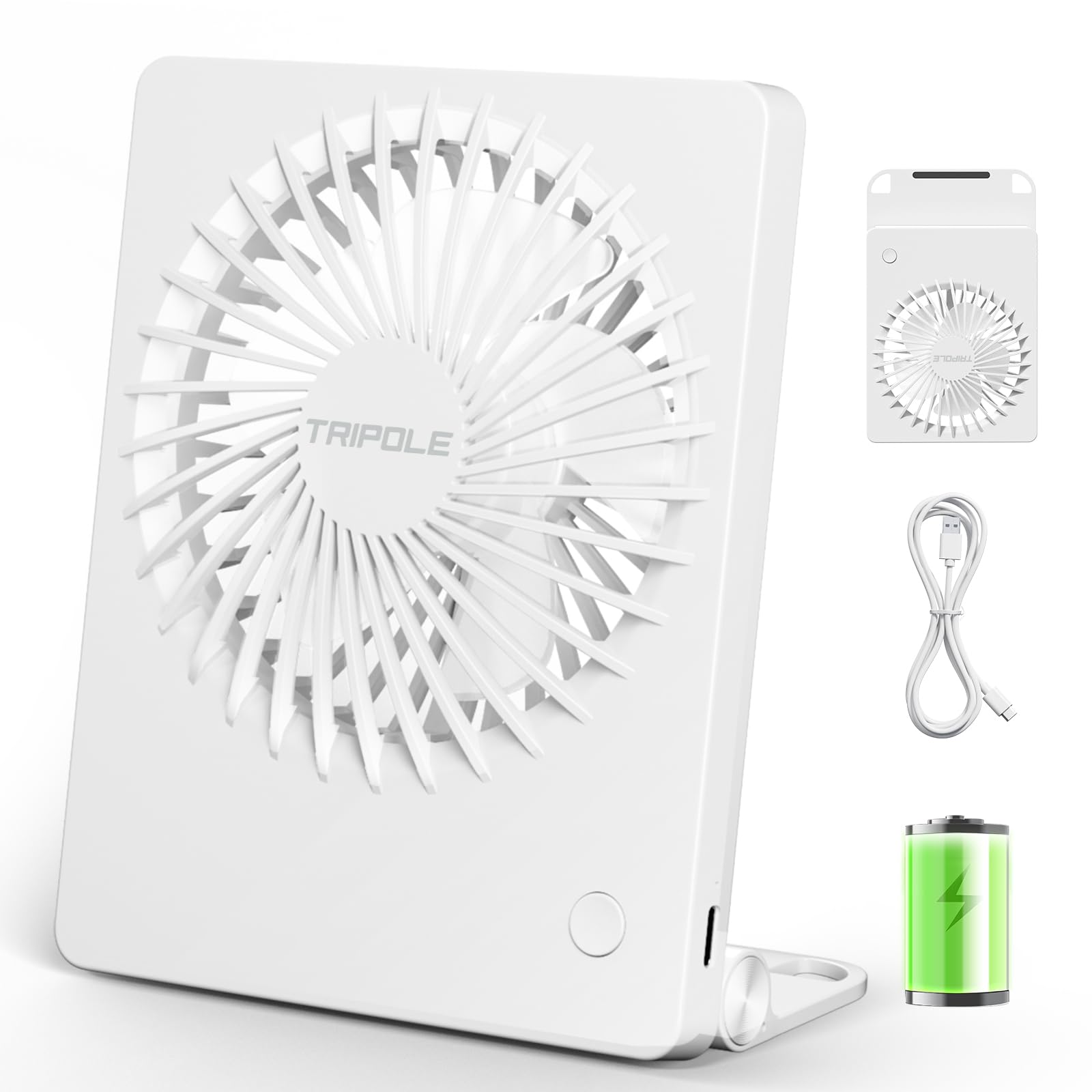
The TriPole Mini Portable Desk Fan in its compact white design.
2. د محصول ب Featuresې
- الټرا خاموش عملیات: Operates at a minimum noise level of just 25 dB, ensuring a peaceful environment for work, study, or sleep.
- کمپیکٹ او پورټ ایبل ډیزاین: Small and thin, making it highly convenient to carry for travel, office, or outdoor use.
- د تنظیم وړ هوا جریان: Provides a maximum wind speed of 4.6 m/s with three adjustable speed settings (Soft, Cool, Strong).
- د چارج وړ USB: Equipped with a 1200 mAh battery that fully charges in approximately 2 hours via USB.
- د بیټرۍ اوږد ژوند: Offers up to 6 hours of continuous operation on a single charge (on the lowest speed setting).
- 180° Tilt and Foldable Stand: Features a versatile stand that allows for 180-degree tilt adjustment and can be folded for hanging.

داخلي view highlighting the silent brushless motor and five-blade fan design for quiet operation.

The fan features a 180-degree adjustable and foldable stand, allowing for versatile placement on a desk or hanging from a hook.
۲. په بکس کې څه دي؟
Upon opening your TriPole Mini Portable Desk Fan package, you should find the following items:
- TriPole Mini Portable Desk Fan (Model KW59)
- د USB چارج کیبل
- د کارن لارښود
Video demonstrating the unboxing and features of the TriPole Portable Small Fan, including its compact size and USB charging cable.
4. ترتیب کول
- لومړنی لګښت: Before first use, fully charge the fan. Connect the provided USB charging cable to the fan's charging port and plug the other end into a USB power adapter (not included), computer, or power bank. The charging indicator light will show charging status. A full charge takes approximately 2 hours.
- موقعیت:
- د میز کارول: Unfold the integrated stand to position the fan on a flat surface. Adjust the fan head to your desired angle (up to 180 degrees).
- د ځړولو کارول: Utilize the hooks on the foldable stand to hang the fan from a suitable fixture.

The fan is easily rechargeable via USB. Ensure it is fully charged before initial use.
5. عملیاتي لارښوونې
- پاور آن/بند: Press the power button located on the front of the fan once to turn it on to the lowest speed setting. Press again to cycle through the speed settings. To turn off the fan, press the power button after the highest speed setting.
- د سرعت تنظیمول: فین درې د سرعت ترتیبات لري:
- لومړی مطبوعات: Low Speed (Soft wind, approx. 2.4 m/s, 2700 rpm)
- دوهم مطبوعات: Medium Speed (Cool wind, approx. 3.6 m/s, 3400 rpm)
- دریم مطبوعات: High Speed (Strong wind, approx. 4.6 m/s, 4000 rpm)
- څلورم مطبوعات: بریښنا بنده
- زاویه تنظیمول: The fan head can be manually tilted up to 180 degrees to direct airflow as needed.

The fan offers three distinct speed settings for personalized comfort.
6. ساتنه
- پاکول: Ensure the fan is turned off and unplugged before cleaning. Use a soft, dry cloth to wipe the exterior of the fan. Do not use abrasive cleaners or immerse the fan in water.
- د تیغ پاکول: Carefully use a soft brush or compressed air to remove dust from the fan blades. Do not insert fingers or foreign objects into the fan grille.
- ذخیره کول: کله چې د اوږدې مودې لپاره نه کارول کیږي، نو فین په یخ او وچ ځای کې وساتئ، د مستقیم لمر وړانګو او سختې تودوخې څخه لرې.
- د بیټرۍ پاملرنه: To prolong battery life, avoid fully discharging the battery frequently. Recharge the fan when the battery is low.
7. ستونزه حل کول
| ستونزه | احتمالي لامل | د حل لاره |
|---|---|---|
| فین نه چالانېږي. | بیټرۍ ختمه شوې. | د ورکړل شوي USB کیبل په کارولو سره فین چارج کړئ. |
| ضعیف هوا جریان. | فین په ټیټ سرعت ترتیب کې دی یا بیټرۍ ټیټه ده. | Increase the speed setting or recharge the fan. |
| د عملیاتو پرمهال غیر معمولي شور. | د پنکې په تیغونو کې خنډ یا داخلي ستونزه. | Turn off and unplug the fan. Carefully check for any obstructions and remove them. If the issue persists, contact customer support. |
| فین چارج نه کوي. | د USB کیبل یا بریښنا اډاپټر نیمګړتیا. | Try using a different USB cable or power adapter. Ensure connections are secure. |
8. مشخصات
| برانډ | درې قطب |
| د ماډل نوم | KW59 |
| رنګ | سپین |
| د فین ډول | Mini Portable Desk Fan |
| د بریښنا سرچینه | د بیټرۍ چلول (۲۰۰۰ mAh) |
| د چارج کولو وخت | نږدې 2 ساعته |
| د بیټرۍ ژوند | تر ۲۰ ساعتونو پورې (ټيټ سرعت) |
| د باد سرعت | اعظمي ۱۱ متره/ ثانیې |
| د شور کچه | Min 25 Decibels |
| د سرعت شمیره | 3 |
| د کنټرول طریقه | ت Touchۍ ت .ۍ |
| د سمون وړتیا | 180° Tilt, Foldable Stand |
| ابعاد (تقریبا) | ۱۰" x ۱۰" x ۲۹" (L x W x H) |
| د توکي وزن | 6.7 اونس |
| مواد | پلاستیک |
9. تضمین او ملاتړ
د تضمین معلوماتو یا تخنیکي ملاتړ لپاره، مهرباني وکړئ د محصول بسته بندۍ ته مراجعه وکړئ یا مستقیم له پلورونکي سره اړیکه ونیسئ. د پیرود ثبوت په توګه د پیرود رسید وساتئ.
جوړونکی: Keeway Technology Co., Ltd.
پته: Room 1019, Building B, Guangming Hi-Tech Park, No. 3, Xinguang Road, Xinhu Community, Guangming Street, Guangming District, Shenzhen