
پیژندنه
The Xiaomi Smart Camera C500 is an advanced indoor surveillance camera designed to provide comprehensive monitoring for your home. Featuring a dual-lens system, 4-megapixel resolution, and dual-band Wi-Fi 6 connectivity, it offers enhanced security features such as human tracking, crying detection, and pet tracking. This manual provides detailed instructions for setting up, operating, and maintaining your camera to ensure optimal performance.
د خوندیتوب معلومات
- ډاډ ترلاسه کړئ چې کیمره په یو باثباته ځای کې نصب شوې ده ترڅو د رالویدو مخه ونیسي.
- یوازې د وسیلې سره چمتو شوي اصلي بریښنا اډاپټر وکاروئ.
- کیمره د لوړې تودوخې، رطوبت، یا مستقیم لمر وړانګو ته مه ښکاره کوئ.
- Keep the camera away from water or other liquids. This product is not water-resistant.
- Do not attempt to disassemble or repair the camera yourself. Contact authorized service personnel for assistance.
- د ماشومانو د لاسرسي څخه لرې وساتئ.
د بسته محتويات
ډاډ ترلاسه کړئ چې ټول توکي ستاسو په کڅوړه کې شتون لري:
- 1 × Xiaomi Smart Camera C500 4MP Dual Lens with Wi-Fi 6 Dual-Band
- د بریښنا اډاپټر
- Mounting Accessories (if applicable for ceiling/wall mount)
- د کارن لارښود
محصول پای ته ورسیدview
The Xiaomi Smart Camera C500 features a compact dome design with dual lenses for extended coverage. It includes a power port, status indicator light, and a microSD card slot for local storage.
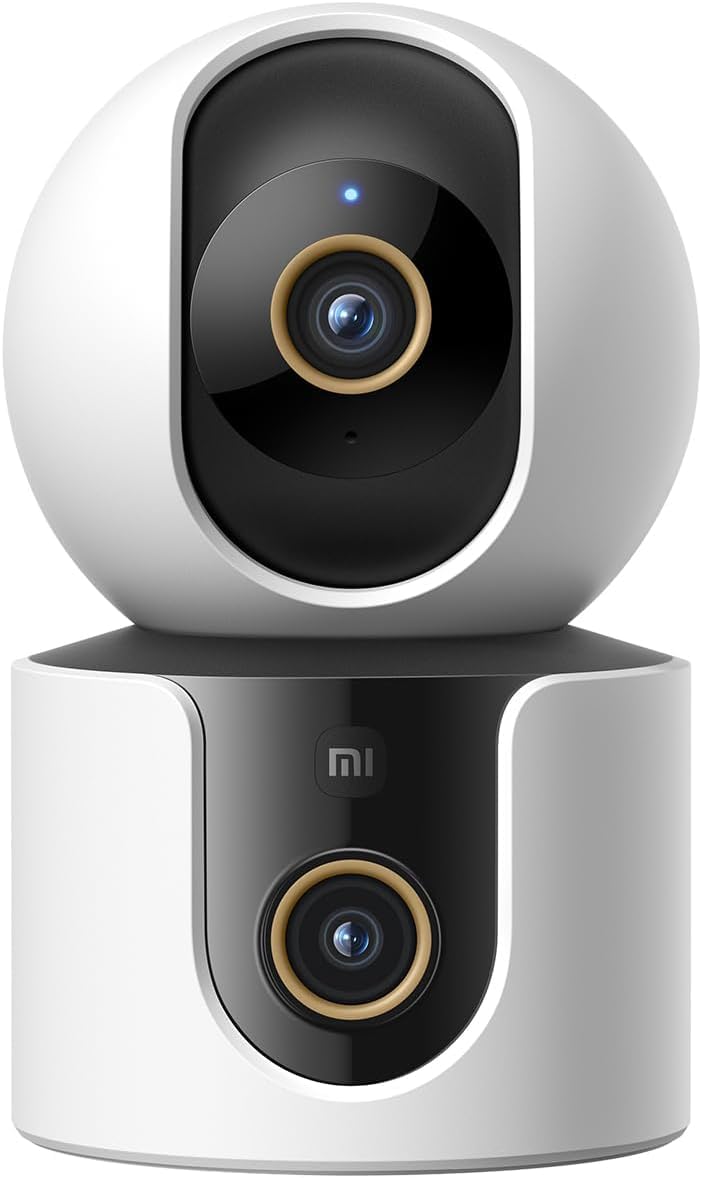
شکل 1: مخکی view of the Xiaomi Smart Camera C500, showing its dual-lens design and white and black casing.

شکل ۱: پورته څخه ښکته view of the Xiaomi Smart Camera C500, highlighting its spherical upper section and ventilation holes.

شکل 3: اړخ view of the Xiaomi Smart Camera C500, showing the power input and other ports on the base.
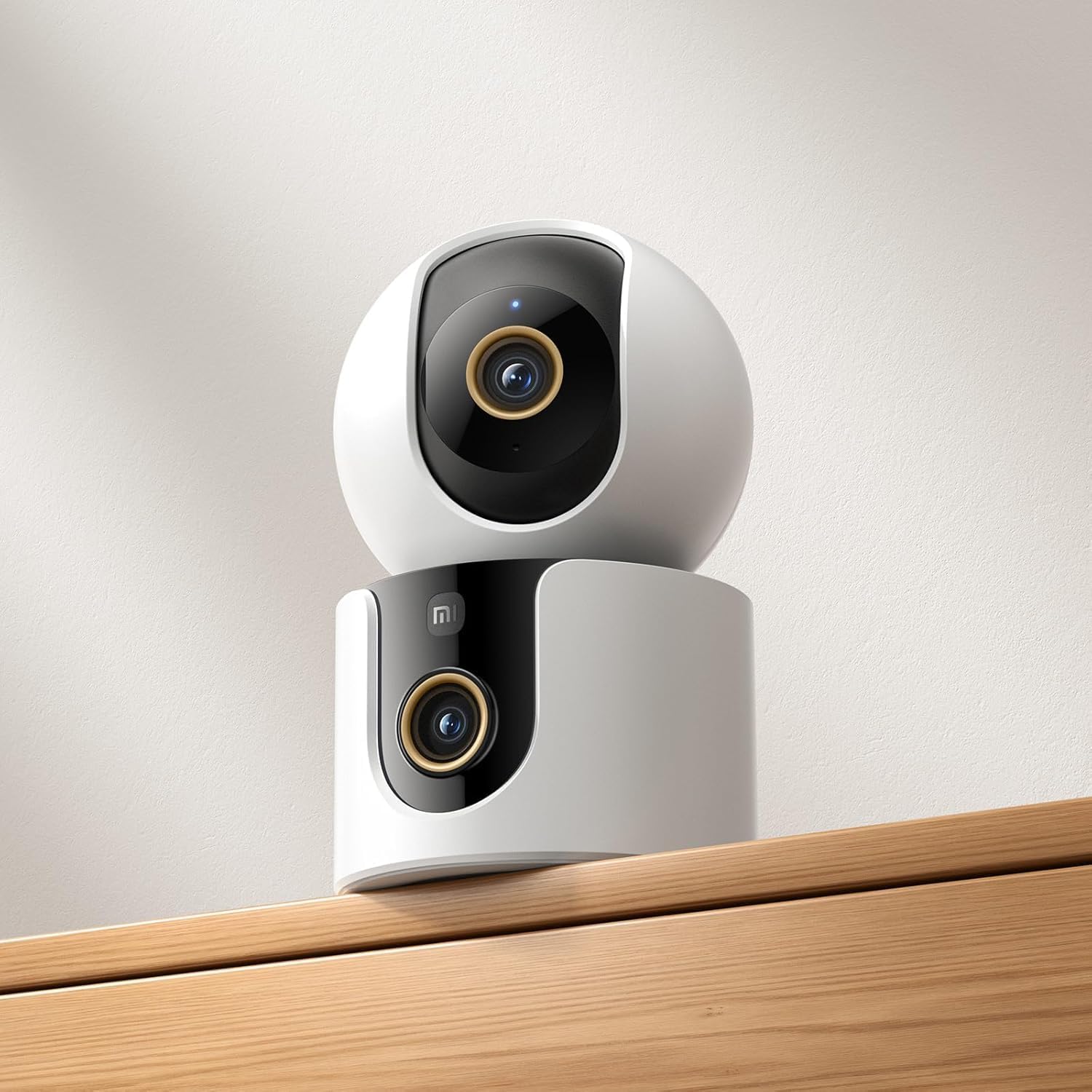
Figure 4: The Xiaomi Smart Camera C500 positioned on a wooden shelf, demonstrating its compact size and discreet placement.
چمتو کول
1. په بریښنا چالانول
- د بریښنا اډاپټر د کیمرې د بریښنا ان پټ پورټ سره وصل کړئ.
- د بریښنا اډاپټر په دیوال کې ولګوئ.
- The camera will automatically power on, and the indicator light will begin to flash, indicating it is ready for connection.
2. د اپلیکیشن نصب کول
- ډاونلوډ کړئ د ژیاومي کور ستاسو د سمارټ فون د اپلیکیشن پلورنځي څخه اپلیکیشن (د انډرایډ لپاره ګوګل پلی سټور یا د iOS لپاره ایپل اپلیکیشن پلورنځی).
- Open the app and create a Xiaomi account or log in if you already have one.
3. د اپلیکیشن سره جوړه کول
- In the Xiaomi Home app, tap the "+" icon in the top right corner to add a new device.
- د شته وسیلو له لیست څخه د Xiaomi سمارټ کیمره C500 غوره کړئ.
- Follow the on-screen instructions to connect the camera to your Wi-Fi network. Ensure your phone is connected to a 2.4GHz or 5GHz Wi-Fi network (the camera supports dual-band Wi-Fi 6).
- Scan the QR code displayed on your phone screen using the camera lens. You will hear a voice prompt confirming successful scanning.
- یوځل چې وصل شو، تاسو کولی شئ خپل کیمره نوم کړئ او یوې ځانګړې خونې ته یې وټاکئ.
4. د کیمرې نصب کول
The camera supports tabletop placement or ceiling/wall mounting.
- د میز ټاپ غره: کیمره په یوه فلیټ او مستحکم سطحه کېږدئ.
- چت/دیوال نصب: Use the provided mounting base and screws to secure the camera to a desired location. Ensure the camera is securely attached and has a clear field of view.
عملیاتي لارښوونې
1. ژوندی View
Open the Xiaomi Home app and select your camera to view the live feed. You can pan and tilt the camera remotely using the controls in the app to achieve 360-degree coverage.
۹. ثبت او پلې بیک
- ځایی ذخیره: Insert a microSD card (up to 256GB) into the camera's slot for continuous or event-triggered recording.
- د بادل ذخیره کول: Optional cloud storage services may be available through the Xiaomi Home app for secure backup of recordings.
- پلې بیک: ثبت شوي foo ته لاسرسیtage through the app's playback feature, navigating by date and time.
۴.۲. دوه اړخیزه آډیو
Use the microphone and speaker icon in the live view interface to enable two-way communication. This allows you to speak through the camera and hear audio from its location.
4. Motion Detection and Human Tracking
The camera can detect motion and intelligently track human figures. Enable these features in the app settings to receive alerts and automatically record when activity is detected.
5. Crying Detection
For parents, the crying detection feature can be enabled to send instant notifications to your phone when a baby's cry is detected, allowing for quick response.
6. Pet Tracking
The camera can also track pets, providing alerts and recording their movements. This feature is useful for monitoring your furry companions throughout the day.
7. د شپې لید
The camera automatically switches to ultra-low light color mode or infrared night vision in dim conditions, ensuring clear visibility up to 15 meters even in complete darkness.
ساتنه
- پاکول: د کیمرې لینز او بدن په نرم او وچ ټوکر سره په نرمۍ سره پاک کړئ. سخت کیمیاوي مواد یا د کثافاتو پاکوونکي مه کاروئ.
- د فرم ویئر تازه معلومات: Regularly check for and install firmware updates through the Xiaomi Home app to ensure optimal performance and access to new features.
- د مایکرو ایس ډی کارت: If using a microSD card, periodically check its status and format it if necessary to maintain recording quality and prevent data corruption.
د ستونزو حل کول
| مسله | احتمالي حل |
|---|---|
| کیمره د وای فای سره وصل کیدو کې پاتې راغلې | Ensure your Wi-Fi network is 2.4GHz or 5GHz. Check Wi-Fi password. Move camera closer to router. Reset camera and try pairing again. |
| نه ژوندی view یا ثبت کول | Check power connection. Ensure Wi-Fi is stable. Verify microSD card is inserted correctly and not full. Check app permissions. |
| د ویډیو خراب کیفیت | Clean the camera lens. Ensure adequate lighting. Check Wi-Fi signal strength. Adjust video resolution settings in the app. |
| خبرتیاوې ندي ترلاسه شوي | Check app notification settings on your phone. Ensure motion/crying detection is enabled in the camera settings. Verify app has necessary permissions. |
| دوه طرفه آډیو کار نه کوي | Check microphone and speaker settings in the app. Ensure phone volume is up. Avoid placing camera in noisy environments. |
مشخصات
| فیچر | تفصیل |
|---|---|
| د برانډ نوم | Xiaomi |
| د ماډل نوم | د څارنې کیمره |
| د ماډل شمیره | C500 ډبل |
| د محصول لپاره وړاندیز شوي کارول | د کور دننه امنیت |
| د ارتباط ټیکنالوژي | بېسیم |
| ځانګړي ځانګړتیاوې | لوړ تعریف |
| د کور دننه / بهر کارول | دننه |
| مطابقت لرونکې وسیلې | سمارټ فون |
| د بریښنا سرچینه | د بریښنا تار شوی |
| د مخابراتو پروتوکول | د وای فای شبکه |
| د کنټرولر ډول | ایمیزون الیکسا |
| د نصب کولو ډول | د ټابلیټاپ ماونټ، فری سټینډینګ |
| رنګ | سپین |
| د فارم فکتور | گنبد |
| مواد | اکریلونایتریل بوټاډین سټیرین (ABS) |
| د اوبو د مقاومت کچه | د اوبو مقاومت نلري |
| د توکي بڼه | گنبد |
| د خبرتیا ډول | غږ او حرکت |
| د کوټې ډول | دفتر |
| د رڼا سرچینه | انفراریډ |
| د انځور سینسر ریزولوشن | ۲ میګاپکسله |
| د کنټرول طریقه | د اپلیکیشن له لارې |
| والیtage | 5.0 |
| واټtage | 10.0 |
| بیټرۍ ته اړتیا ده؟ | نه |
| د چینلونو شمیر | 2 |
| د ویډیو کوډ کول | H.265 |
| د ویډیو نیول بڼه | MPEG-4 |
| د شپې لید لړۍ | 15 متره |
| د شپې لید | د شپې رنګ |
| Number of Infrared LED Lights | 10 |
| د فلش حافظې ډول | مایکرو ایس ډی |
| Maximum Supported Flash Memory Size | 256 جي بي |
| د توکو شمیر | 1 |
| د محصول ځانګړي استعمالونه | د 360 درجې پوښښ، څارنه |
| جوړونکی | Xiaomi |
| د بې سیمه مخابراتو ټیکنالوژي | وای فای |
| د ویډیو نیول حل | 1080p |
| د چوکاټ نرخ | په هره ثانیه کې 25 چوکاټونه |
| Viewزاویه | 360 درجې |
| د تمرکز ډول | اتوماتیک تمرکز |
| د انځور سینسر ټیکنالوژي | CMOS |
| د توکي ابعاد | 7.8 x 7.8 x 11.5 سانتي متره |
| د توکي وزن | 327 ګرامه |
| د واحد شمیره | 1.0 شمېره |
تضمین او ملاتړ
د تضمین معلوماتو لپاره، مهرباني وکړئ د تضمین کارت ته مراجعه وکړئ چې ستاسو د محصول بسته بندۍ کې شامل دی یا رسمي Xiaomi ته مراجعه وکړئ. website. For technical support, troubleshooting assistance, or to report issues, please contact Xiaomi customer service through their official channels or the Xiaomi Home app.
You can find additional resources and FAQs on the Xiaomi official support page.