
محصول پای ته ورسیدview
The SMAEL 8029 is a robust wristwatch featuring both digital and analog displays, designed for leisure and sport. It includes a stopwatch, date display, alarm, and night light function, all housed in an alloy case with a durable TPU strap.
کلیدي ځانګړتیاوې:
- دوه ګونی ښودنه: Analog and digital timekeeping for versatile use.
- د اوبو مقاومت: Daily waterproof function (3 Bar). Not suitable for swimming or diving.
- Luminous Mode: Ensures clear visibility in low-light conditions.
- دندې: Stopwatch, Date, Alarm, Night Light.
- دوامدار ساختمان: Alloy case and TPU strap for comfort and resilience.
د څارنې اجزا:
Refer to the image below for an illustration of the watch's main components and buttons.

انځور: مخکی view of the SMAEL 8029 watch, highlighting the dual display, various indicators, and control buttons on the side. This image shows the Armygreen variant.
چمتو کول
ابتدايي بریښنا فعاله:
Your watch may arrive in a power-saving mode. Press any button to activate the display.
د وخت او نیټې ټاکل:
- په نورمال وخت حالت کې، فشار ورکړئ او ونیسئ موډ button (usually bottom left) until the seconds start flashing. This indicates you are in setting mode.
- فشار ورکړئ RESET button (usually bottom right) to cycle through the setting options: Seconds → Hour → Minute → Month → Date → Day of Week.
- د کارولو START button (usually top right) to adjust the flashing value.
- کله چې ټول ترتیبات سم شي، فشار ورکړئ موډ د ترتیب حالت څخه د وتلو لپاره بیا تڼۍ.
یادونه: The analog hands are typically synchronized automatically with the digital time or can be adjusted independently using a crown if present (refer to specific model details if a crown is available, though this model appears to be button-controlled for digital time primarily).
عملیاتي لارښوونې
د موډل انتخاب:
فشار ورکړئ موډ button (bottom left) to cycle through the different functions:
- د نورمال وخت ښودنه
- د تمځیو حالت
- د الارم تنظیم کولو حالت
د سټاپ واچ کارول:
- د سټاپ واچ حالت ته د فشار ورکولو سره ننوځئ موډ button until "ST" or "STOP" appears.
- فشار ورکړئ START button (top right) to begin timing.
- مطبوعاتي START بیا د سټاپ واچ د بندولو لپاره.
- فشار ورکړئ RESET button (bottom right) to reset the stopwatch to zero while paused.
- د لیپ وختونو ثبتولو لپاره، فشار ورکړئ RESET پداسې حال کې چې سټاپ واچ چلیږي. د لیپ وخت به په لنډ ډول ښکاره شي، او سټاپ واچ به په شالید کې روان وي.
د الارم ترتیب کول:
- Enter Alarm Setting Mode by pressing the موډ تڼۍ تر هغه وخته پورې چې "AL" یا "ALARM" ښکاره شي.
- فشار ورکړئ RESET د ساعت یا دقیقې د ټاکلو لپاره تڼۍ.
- د کارولو START د چمکۍ ارزښت تنظیمولو لپاره تڼۍ.
- فشار ورکړئ موډ د الارم ترتیب تایید او وتلو لپاره تڼۍ.
- د الارم د فعالولو/بندولو لپاره، فشار ورکړئ START button while in Alarm Setting Mode. An alarm icon will appear/disappear.
د شپې ر Lightا کارول:
فشار ورکړئ رڼا button (usually top left) to illuminate the display for a few seconds, allowing visibility in dark conditions.
ساتنه
د اوبو مقاومت:
The SMAEL 8029 watch has a water resistance rating of 3 Bar (30 meters). This means it is suitable for daily use, such as splashes, rain, or accidental short immersion. It is not recommended for swimming, showering, or diving. Do not operate any buttons while the watch is wet or submerged to prevent water ingress.
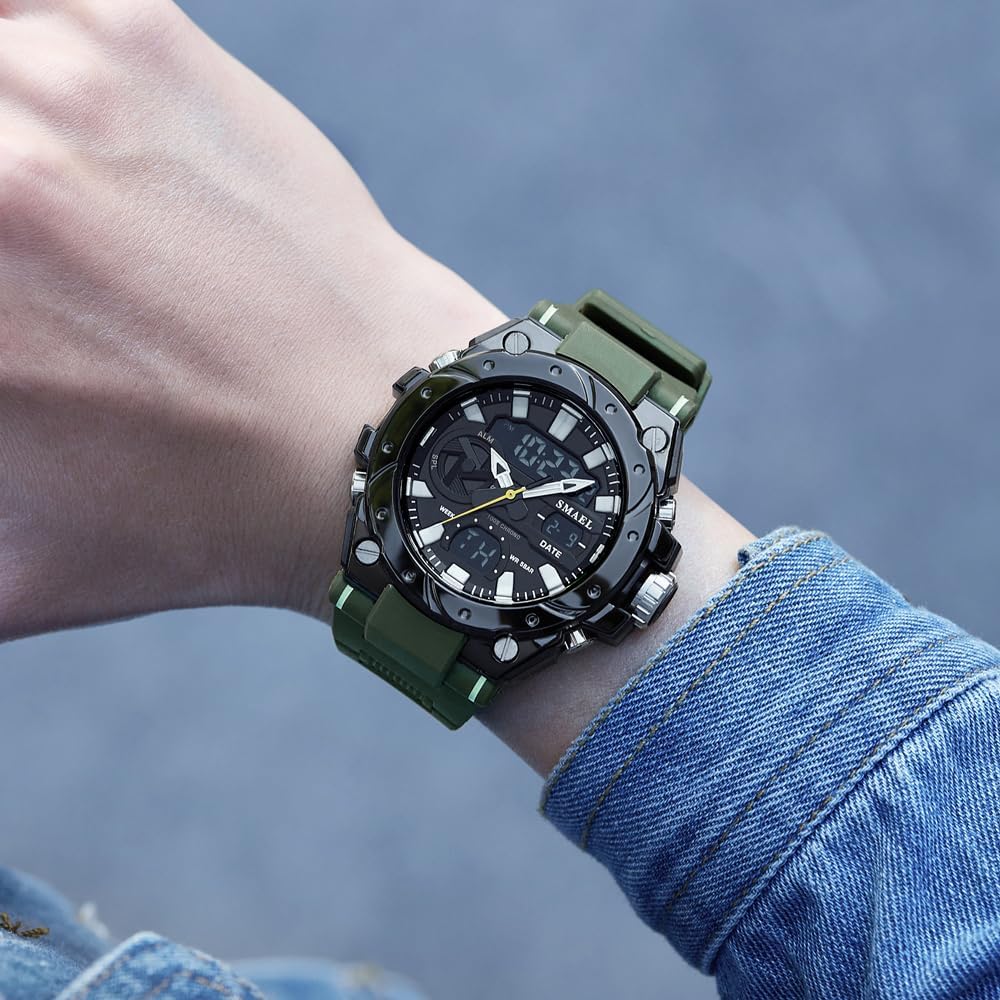
انځور: The SMAEL 8029 watch worn on a wrist, demonstrating its size and appearance during wear. This image shows the Armygreen variant.
پاکول:
د ساعت کیسه او تسمه د نرم، d سره پاک کړئamp cloth. Avoid using chemical cleaners, which may damage the materials. For stubborn dirt, a mild soap solution can be used, followed by thorough rinsing with clean water and drying.
د بیټرۍ بدلول:
When the display becomes dim or functions become erratic, the battery may need replacement. It is recommended to have the battery replaced by a qualified watch technician to ensure proper sealing and maintain water resistance.
د ستونزو حل کول
- ښودنه خالي یا تیاره ده: The battery may be low or depleted. Replace the battery. Ensure the watch is not in a power-saving mode; press any button to activate.
- تڼۍ بې ځوابه دي: Ensure the watch is not wet. If wet, dry thoroughly. If the issue persists, a reset may be required (consult a technician if no external reset button is available).
- وخت ناسم دی: Re-set the time and date following the "Setting Time and Date" instructions. If inaccuracy persists, the movement may require servicing.
- د ساعت دننه اوبه: ساعت سمدلاسه مسلکي کس ته د معاینې او ترمیم لپاره بوځئ ترڅو نور زیان ونه رسیږي. هڅه مه کوئ چې پخپله یې وچ کړئ.
مشخصات
| فیچر | تفصیل |
|---|---|
| د ماډل شمیره | SL-8029 |
| برانډ | سمایل |
| د حرکت ډول | ډیجیټل (کوارټز) |
| د ښودلو ډول | انالوګ-ډیجیټل دوه ګونی ښودنه |
| د قضیې مواد | الماس |
| بانډ مواد | TPU |
| ډیل قطر | 53mm |
| د قضیې ضخامت | 18mm |
| د بند پراخوالی | 22mm |
| د اوبو مقاومت ژوروالی | ۵ بار (۵۰ متره) |
| د کلاسپ ډول | Needle Buckle |
| ځانګړتیاوې | Stopwatch, Date, Alarm, Night Light |
تضمین او ملاتړ
The SMAEL 8029 watch comes with a limited warranty. For specific warranty terms and conditions, please refer to the warranty card included with your purchase or visit the official SMAEL website. For technical support or service inquiries, please contact SMAEL customer service through their official channels.
جوړونکی: سمایل
د لومړي شتون نیټه: د اکتوبر ۲۹، ۲۰۲۳

انځور: A display of six SMAEL 8029 watches, showcasing the available color variants including Black, Colorful, Black Silver, Dark Green, Black Golden, and ArmyGreen.