
AT&T EL51403
د AT&T EL51403 DECT 6.0 بې تاره کور تلیفون سیسټم - د 4 هینډسیټونو کارونکي لارښود
ماډل: EL51403
برانډ: AT&T
1. پیژندنه
This manual provides instructions for the installation, operation, and maintenance of your AT&T EL51403 DECT 6.0 Cordless Home Phone System. This system includes a base unit and four cordless handsets, designed for clear communication and ease of use in your home or office environment.
Key features include DECT 6.0 technology for interference-free communication, a simulated full-duplex handset speakerphone, a backlit LCD display, a lighted keypad, and Caller ID/Call Waiting functionality.
۲. په بکس کې څه دي؟
ډاډ ترلاسه کړئ چې ستاسو کڅوړه لاندې توکي لري:
- د بنسټ واحد
- 4 لاسي صنایع
- 3 Adaptors (for charging cradles)
- 4 د بیټرۍ کڅوړه
- د ټیلیفون کرښه
- د چټک پیل لارښود

انځور: اوورview of the AT&T EL51403 4-handset cordless phone system, showing the main base unit with one handset and three additional charging cradles with their respective handsets.
3. ترتیب کول
3.1. د بیټرۍ نصب کول
- د هر هینډسیټ په شا کې د بیټرۍ د برخې پوښ خلاص کړئ.
- د بیټرۍ پیک پلګ په خوندي ډول د کمپارټمنټ دننه جیک سره وصل کړئ.
- Place the battery pack with the label UP into the compartment.
- د بیټرۍ د برخې پوښ بیرته خپل ځای ته وغورځوئ تر هغه چې کلیک وکړي.
۳.۲. د اساس واحد او چارج کولو زنګونونو سره نښلول
- Plug the large end of the base unit power adapter into an electrical outlet.
- Plug the small end of the base unit power adapter into the power jack on the back of the base unit.
- د ټیلیفون لاین تار یوه پای د بیس یونټ شاته د ټیلیفون جیک سره وصل کړئ.
- د ټیلیفون لاین تار بل پای د ټیلیفون دیوال جیک سره وصل کړئ.
- For each additional handset, plug the power adapter into an electrical outlet and the charging cradle.
۱. ابتدايي چارج کول
Place each handset in its respective base unit or charging cradle. The CHARGE light on the handset will illuminate. Allow the handsets to charge for at least 16 hours before initial use to ensure optimal battery performance.
4. عملیاتي لارښوونې
۵.۱. زنګونه وهل او ځواب ورکول
- د تلیفون کولو لپاره: مطبوعاتي تلیفون / فلش، بیا شمیره ډایل کړئ.
- زنګ ته ځواب ویل: کله چې تلیفون زنګ وهي ، فشار ورکړئ تلیفون / فلش یا کوم ډایل کولو کیلي (0-9، *، #).
- د تلیفون پای ته رسولو لپاره: مطبوعاتي بند / لغوه or place the handset back in the base/charger.
۴.۳. د سپیکر فون کارول
د زنګ وهلو پرمهال سپیکر button to activate the speakerphone. Press it again to return to normal handset mode.
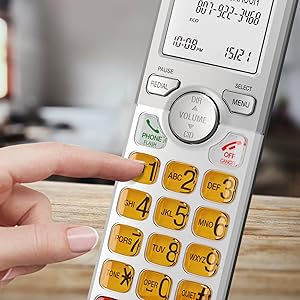
Image: A cordless handset on its base, with the speakerphone function active, illustrating a simulated full-duplex conversation between two individuals.
4.3. د حجم تنظیم کول
د تلیفون په جریان کې، فشار ورکړئ حجم (DIR/CID) up or down to adjust the listening volume.
۴.۲. د تلیفون کتاب لارښود
The phonebook can store up to 50 names and numbers. To access, add, or edit entries:
- مطبوعاتي مینو/انتخاب کله چې هینډسیټ بیکاره وي.
- Scroll to "Phonebook" and press مینو/انتخاب.
- Follow the on-screen prompts to add, review, or edit entries.
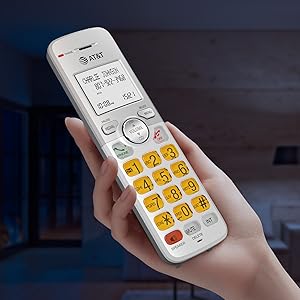
Image: A cordless handset on its base, with the screen showing a phonebook directory interface, indicating the ability to store up to 50 names and numbers.
۶. د زنګ وهونکي ID/د زنګ وهلو انتظار
The handset displays the caller's name and number if you subscribe to Caller ID service. The phone stores up to 50 Caller ID records.
- Reviewing Caller ID History: مطبوعاتي CID when the handset is idle. Scroll through the list using the DIR / VOLUME تڼۍ
- To Call Back: په داسې حال کې viewing a Caller ID entry, press تلیفون / فلش.

Image: A close-up of the cordless handset's screen showing an incoming call with caller ID information, including name and number.
5. ځانګړتیاوې
- DECT 6.0 ټیکنالوژي: Provides superior sound quality, security, and range. This digital technology ensures calls are clear and interference-free, with an operating range of up to 1000 feet outdoors.
- Simulated Full-Duplex Handset Speakerphone: Allows both parties to speak and be heard simultaneously, enhancing natural conversation flow.
- د ECO حالت: An energy-saving feature that intelligently manages power consumption, extending battery life and reducing energy usage.
- Backlit Screen and Lighted Keypad: The high-contrast white backlit LCD screen and illuminated keypad ensure easy readability and dialing in various lighting conditions, including low light.
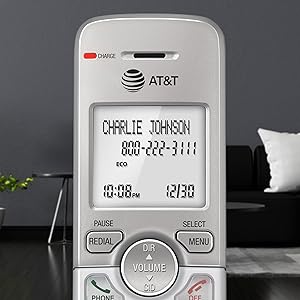
Image: A hand holding the cordless handset, clearly showing the illuminated keypad and the bright, backlit LCD screen in a dimly lit room.
- ډېر لوی نندارتون: The large text on the screen makes it easy to read caller ID information and navigate menus.
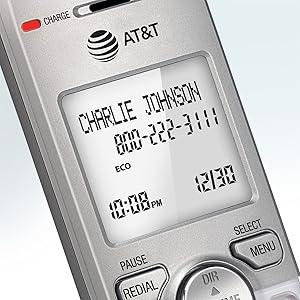
انځور: نږدې انځور view of the cordless handset's screen, highlighting the large, easy-to-read text for caller ID and time display.
- لوی تڼۍ: Features large font and extra-large backlit keys, which are particularly helpful for users with visual impairments.
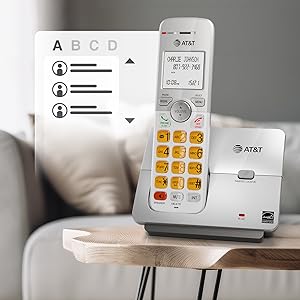
Image: A cordless handset on its base, showing the large, clearly visible, and backlit numeric keys. An inset image shows an elderly man comfortably using the phone.
- Wall-Mount Bracket Included: The base unit can be easily installed on a table or mounted on a wall for flexible placement options.
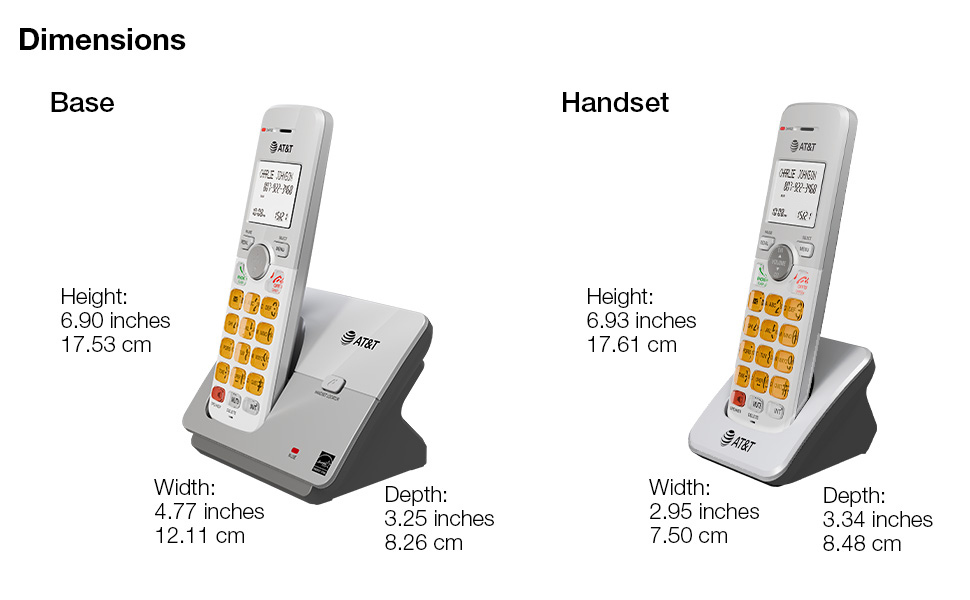
Image: The cordless phone base unit with a handset, shown mounted on a wall using the included bracket, demonstrating its versatile installation options.
6. ساتنه
- پاکول: Clean the phone and base unit with a soft, slightly damp ټوکر. د پاکولو سپرې یا سخت کیمیاوي توکي مه کاروئ.
- د بیټرۍ پاملرنه: To maintain optimal battery life, fully charge the handsets for 16 hours before first use. If the phone will not be used for an extended period, remove the batteries.
- د چاپیریال شرایط: تلیفون په مستقیم لمر وړانګو، د تودوخې سرچینو ته نږدې، یا په هغو سیمو کې چې ډیر رطوبت یا دوړې لري، مه کیږدئ.
7. ستونزه حل کول
۶.۲. د ډایل ټون نشته
- Ensure the base unit's power adapter is securely plugged into an electrical outlet and the telephone line cord is connected to a working wall jack.
- Check if other phones on the same line are working. If not, contact your telephone service provider.
7.2. Handset Does Not Charge
- Verify the handset is correctly placed in the charging cradle and the CHARGE light is on.
- Ensure the battery pack is properly installed and connected inside the handset.
- Clean the charging contacts on both the handset and the cradle with a dry cloth.
7.3. Poor Sound Quality or Interference
- هینډسیټ د بیس واحد ته نږدې حرکت وکړئ.
- د نورو الکترونیکي وسایلو (لکه مایکروویو، کمپیوټرونو، وای فای روټرونو) ته نږدې د بیس یونټ له ځای پر ځای کولو څخه ډډه وکړئ چې ممکن د مداخلې لامل شي.
- If using a DSL service, ensure a DSL filter is installed on the telephone line.
7.4. Display is Blank or Handset Does Not Power On
- Ensure the battery pack is fully charged. Place the handset in the charger for at least 16 hours.
- Check that the battery pack is correctly installed.
8. مشخصات
| د محصول ابعاد | 4.76 x 3.29 x 6.81 انچه |
|---|---|
| د توکي وزن | ۲.۴۵ پونډه |
| د ماډل شمیره | EL51403 |
| بیټرۍ | 4 د محصول ځانګړي بیټرۍ اړین دي (شامل دي) |
| د تلیفون ډول | بې تاره |
| مواد | پلاستیک |
| د بریښنا سرچینه | د بریښنا تار شوی |
| د ډایلر ډول | واحد کیپډ |
| د ځواب ورکولو سیسټم ډول | نه |
| مطابقت لرونکې وسیلې | PSTN Landline Services |
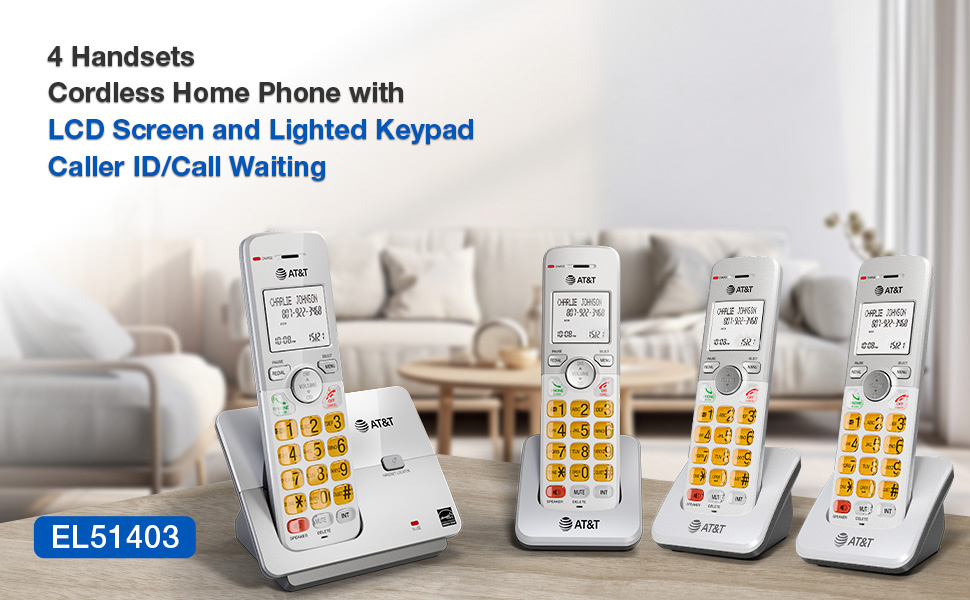
Image: A visual representation of the AT&T EL51403 base unit and a handset, detailing their respective height, width, and depth measurements.
9. تضمین او ملاتړ
AT&T products are manufactured by VTech Communications, Inc. A standard limited warranty typically covers defects in materials and workmanship under normal use for a specified period from the date of purchase. Please refer to the warranty card included in your product packaging or visit the official AT&T product support website for detailed warranty information and customer service contact options.
For technical support or warranty claims, please contact AT&T customer service. Keep your purchase receipt as proof of purchase.
Ask a question about this manual
Ask about setup, troubleshooting, compatibility, parts, safety, or missing instructions. Manuals+ will review the question and use this page’s manual context to help answer it.