
1. پیژندنه
This manual provides essential information for the safe and efficient operation of your Xiaomi Toaster BHR8811EU. Please read these instructions carefully before first use and retain them for future reference. This 2-slice toaster features 6 browning settings, a defrost function, and a removable crumb tray for easy cleaning.
2. د خوندیتوب لارښوونې
- Always ensure the toaster is placed on a stable, heat-resistant surface, away from flammable materials.
- ګرمو سطحو ته لاس مه ورکوئ. لاسونه او غوټۍ وکاروئ.
- Unplug the toaster from the outlet when not in use and before cleaning. Allow it to cool completely before handling or cleaning.
- د بریښنایی خطرونو په وړاندې د ساتنې لپاره، تار، پلګ، یا ټوسټر په اوبو یا نورو مایعاتو کې مه ډوب کړئ.
- په ټوسټر کې لوی خواړه، د فلزي ورق کڅوړې، یا لوښي مه دننه کوئ ځکه چې دا ممکن د اور یا بریښنا شاک خطر رامینځته کړي.
- Do not operate the toaster if the cord or plug is damaged, or if the appliance malfunctions or has been damaged in any manner.
- هیڅکله د کارولو پرمهال ټوسټر بې پامه مه پریږدئ.
- Do not use abrasive cleaners or sharp objects to clean the toaster.
- دا وسیله یوازې د کورنۍ کارولو لپاره ده.
3. د محصول اجزا

انځور 1: مخکی view of the Xiaomi Toaster BHR8811EU. This image displays the control panel with the browning control knob, defrost button, and cancel button, along with the bread slots.
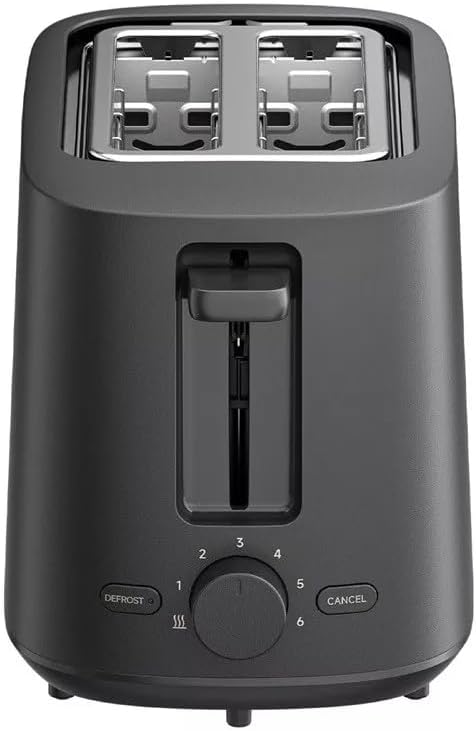
انځور 2: پورته view of the Xiaomi Toaster BHR8811EU. This image highlights the two wide bread slots designed to accommodate various bread types.

انځور 3: اړخ view of the Xiaomi Toaster BHR8811EU. This image shows the side of the toaster, featuring the pull-out handle for the removable crumb tray at the bottom.
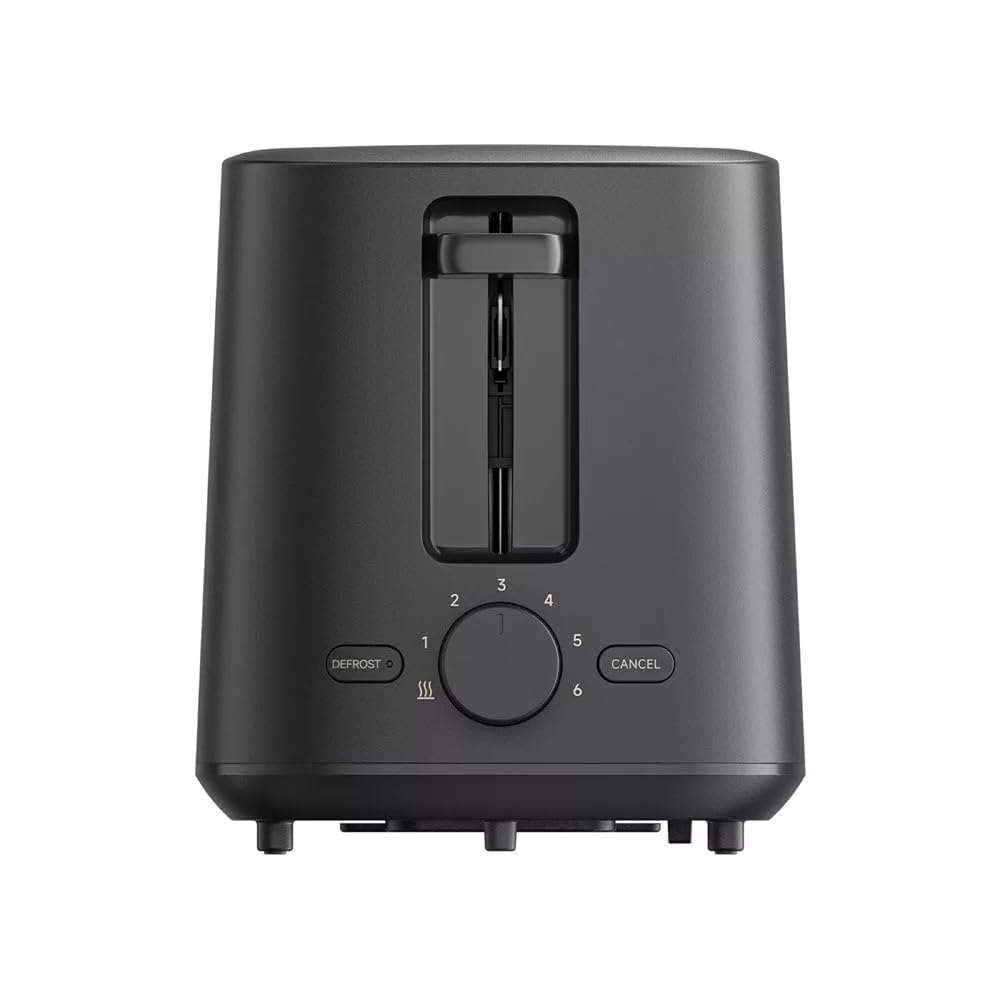
انځور 4: شاته view of the Xiaomi Toaster BHR8811EU. This image displays the back of the appliance, featuring the Xiaomi brand logo.
- د ډوډۍ سلاټونه: Two wide slots for bread slices.
- Toasting Lever: Lowers bread into the slots and initiates the toasting cycle.
- Browning Control Knob: Adjusts the desired level of browning from 1 (lightest) to 6 (darkest).
- د Defrost تtonۍ: Activates the defrost function for frozen bread.
- د لغوه کولو تڼۍ: په هر وخت کې د ټوسټ کولو دوره ودروي.
- د لرې کولو وړ کرمب ټری: د اسانه پاکولو لپاره ټوټې راټولوي.
4. ترتیب کول
- بسته بندي کول: ټوسټر او ټول بسته بندي مواد په احتیاط سره لرې کړئ. ډاډ ترلاسه کړئ چې ټولې برخې شتون لري او زیانمن شوي ندي.
- ځای په ځای کول: Place the toaster on a flat, stable, and heat-resistant surface. Ensure there is adequate space around the toaster for ventilation.
- لومړی کارول: Before toasting bread for the first time, operate the toaster without bread for a few cycles at the highest browning setting. This will burn off any manufacturing residues and eliminate initial odors. A slight smell or smoke is normal during this process. Ensure the area is well-ventilated.
5. عملیاتي لارښوونې
- بریښنا وصل کړئ: د برېښنا تار په یوه مناسب 220-240V، 60Hz بریښنایی آوټ لیټ کې ولګوئ.
- ډوډۍ دننه کړئ: Place one or two slices of bread into the bread slots. The toaster features automatic bread centering for even toasting.
- د نسواري کولو کچه غوره کړئ: Turn the browning control knob to your desired setting, from 1 (lightest) to 6 (darkest).
- ټوسټ کول پیل کړئ: Press the toasting lever down until it locks into place. The indicator light will illuminate, and the toasting cycle will begin.
- Defrost Function (for frozen bread): If toasting frozen bread, insert the bread, select your desired browning level, press the toasting lever down, and then press the تخریب تڼۍ. د ډیفروسټ شاخص رڼا به روښانه شي.
- لغوه کول د ټوسټ کولو دورې د بندولو لپاره په هر وخت کې، فشار ورکړئ لغوه کول button. The bread will automatically pop up.
- بشپړول: Once the selected browning cycle is complete, the bread will automatically pop up, and the toaster will switch off.
6. ساتنه او پاکول
منظم پاکول غوره فعالیت تضمینوي او ستاسو د ټوسټر ژوند اوږدوي.
- تل خلاص کړئ: د پاکولو دمخه، تل ټوسټر د بریښنا له سایټ څخه خلاص کړئ او پریږدئ چې په بشپړه توګه یخ شي.
- د ټوټو ټری پاکول: Pull out the removable crumb tray from the bottom of the toaster. Dispose of accumulated crumbs. Wipe the tray with a damp cloth and dry thoroughly before reinserting it. Ensure the crumb tray is fully inserted before using the toaster.
- بهرنۍ پاکوالی: د ټوسټر بهرنۍ برخه په نرم، دamp cloth. Do not use abrasive cleaners, metal scouring pads, or harsh chemicals, as these can damage the surface.
- د کور پاکول: Do not attempt to clean the inside of the toaster with any tools or objects. If bread becomes jammed, unplug the toaster and carefully remove the bread after it has cooled.
7. ستونزه حل کول
- ټوسټر نه چالانیږي: Ensure the power cord is securely plugged into a working outlet. Check if the toasting lever is fully pressed down and locked.
- Bread is unevenly toasted: Ensure bread slices are not too thick or irregularly shaped. The automatic centering mechanism works best with standard bread slices.
- د لوګي یا سوځېدو بوی: This can occur if crumbs accumulate in the toaster or if food is jammed. Immediately press the لغوه کول button, unplug the toaster, and allow it to cool. Clean the crumb tray and remove any jammed food.
- ډوډۍ نه راپورته کېږي: فشار ورکړئ لغوه کول button. If the bread still does not pop up, unplug the toaster and carefully remove the bread once it has cooled.
8. مشخصات
| برانډ | Xiaomi |
| د ماډل شمیره | BHR8811EU |
| رنګ | تور |
| بریښنا / واټtage | 930 واټ |
| والیtage | 220-240 وولټونه |
| فریکونسی | 60 Hz |
| مواد | فلزي، المونیم |
| د سلاټونو شمیر | 2 |
| ځانګړي ځانګړتیاوې | Defrost function, 6 browning settings, Removable crumb tray, Automatic bread centering |
| د محصول ابعاد (د x څلویښتم x څلویښتم) | ۱۴ سانتي متره x ۵.۲۳ سانتي متره x ۷.۰۶ سانتي متره (تقریبا) |
| د توکي وزن | 1.7 کیلوګرامه |
9. تضمین او ملاتړ
Your Xiaomi Toaster BHR8811EU is covered by a manufacturer's warranty. Please refer to the warranty card included with your purchase for specific terms and conditions, including warranty duration and coverage details. For technical support, service, or inquiries, please visit the official Xiaomi webپه خپله سیمه کې د دوی د پیرودونکو خدماتو څانګې سره اړیکه ونیسئ یا اړیکه ونیسئ. د تضمین ادعاوو لپاره د پیرود ثبوت وساتئ.