
پیژندنه
Thank you for choosing the TECKNET TK-MS017 Ergonomic Wireless Vertical Mouse. This manual provides detailed instructions for setting up, operating, maintaining, and troubleshooting your new mouse. Designed for comfort and efficiency, this vertical mouse helps reduce wrist strain during prolonged use.

The TECKNET Ergonomic Vertical Mouse, designed for comfortable use.
د محصول ځانګړتیاوې
- ارګونومیک عمودی ډیزاین: Mimics a natural handshake posture to reduce wrist and arm pressure, preventing discomfort from prolonged use.
- د تنظیم وړ DPI: 5 levels of DPI (800/1600/2400/3200/4800) for precise tracking and adaptable sensitivity.
- خاموش کلیکونه: 99% noise reduction for a quiet working environment. (Forward/Backward buttons are not silent).
- 6 تڼۍ: Includes standard left/right click, scroll wheel, DPI switch, and convenient forward/backward buttons for web نیویگیشن
- Stable 2.4G Wireless Connection: Provides a reliable connection up to 10 meters with a plug-and-play USB receiver.
- د بیټرۍ اوږد ژوند: Features an independent power switch and automatic sleep function to conserve battery, offering up to 24 months of use.
- پراخه مطابقت: Supports Windows 11/10/8/7/XP, Mac OS X10.4, Chrome OS, and Linux.

Comparison of vertical ergonomic grip and traditional mouse grip, highlighting reduced wrist tension with the vertical design.
د تنظیم کولو لارښوونې
- بیټرۍ نصب کړئ:
Locate the battery compartment on the underside of the mouse. Open the cover and insert two AA batteries (not included), ensuring correct polarity. Close the battery cover securely.

The underside of the mouse, illustrating the battery compartment and the storage slot for the USB receiver.
- د USB رسیدونکي سره وصل کړئ:
Remove the USB receiver from its storage slot next to the battery compartment. Plug the receiver into an available USB port on your computer (PC, laptop, Mac, Chromebook, or tablet).
- پاور آن:
Flip the ON/OFF switch on the bottom of the mouse to the "ON" position. The mouse should automatically connect to your device. No additional drivers are typically required for most operating systems.
عملیاتي لارښوونې
د تڼۍ دندې
- کیڼ کلیک: معیاري انتخاب او فعالول.
- ښي کلیک: د شرایطو مینو پرانیزي.
- سکرول ویل: اسناد سکرول کوي او web pages vertically. Can also be pressed for middle-click functionality.
- د DPI سویچ تڼۍ: Located near the scroll wheel. Press to cycle through DPI settings (800/1600/2400/3200/4800). The red indicator light will flash to confirm the change.
- د وړاندې کولو تڼۍ: مخ په وړاندې ځي web براوزرونه یا file explorers. (Not supported on Mac OS).
- شاته تڼۍ: شاته نیویګیټ کوي web براوزرونه یا file explorers. (Not supported on Mac OS).
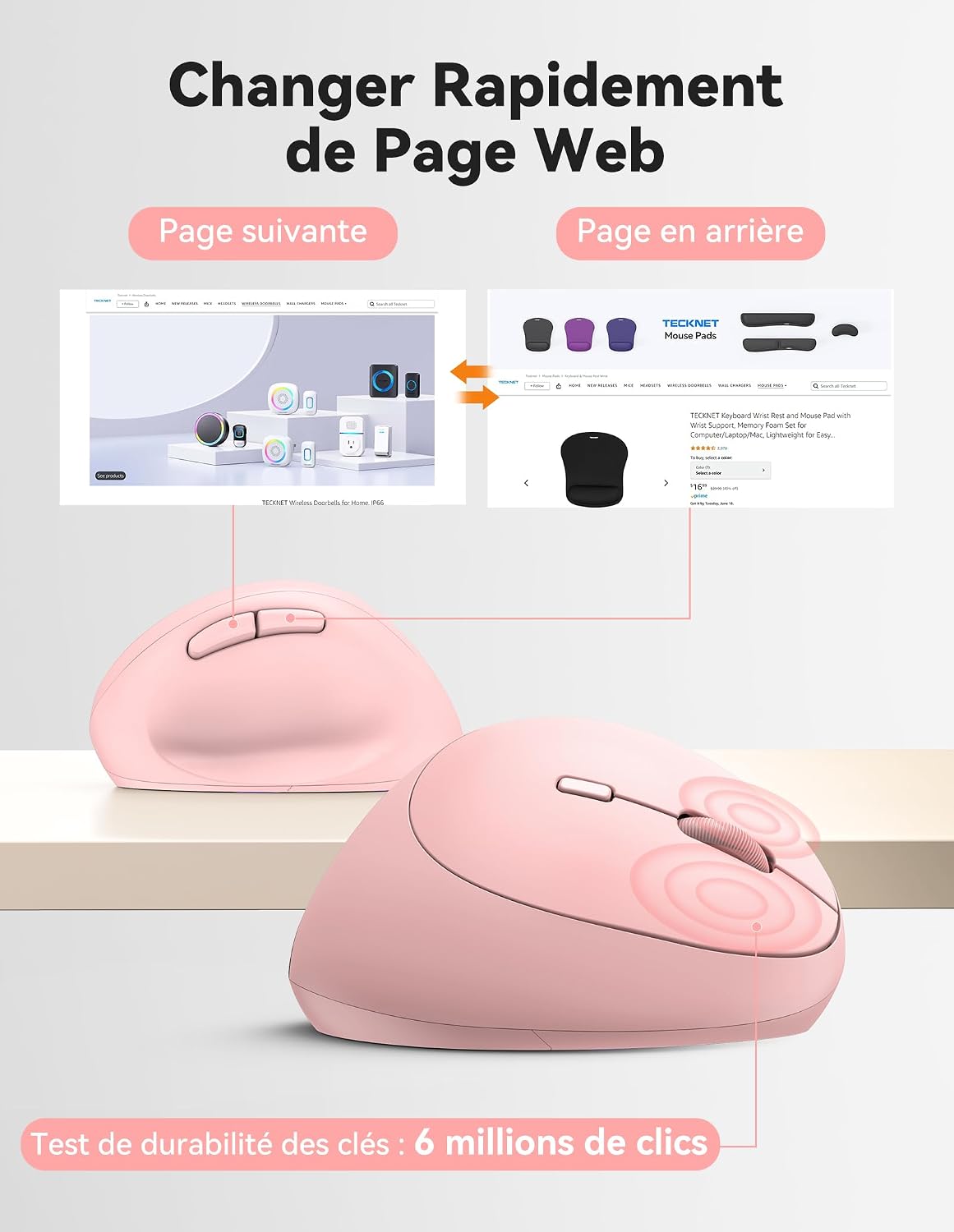
Diagram illustrating the location and function of each button on the TECKNET vertical mouse.
د DPI تعدیل
The mouse offers 5 adjustable DPI levels to suit various tasks and preferences. Press the DPI switch button to change the cursor speed. The red indicator light will flash a corresponding number of times to indicate the current DPI setting:
- Flash X1: 800 DPI (Web Navigation)
- Flash X2: 1600 DPI (Excel Editing)
- Flash X3: 2400 DPI (Video Editing)
- Flash X4: 3200 DPI (Photoshop)
- Flash X5: 4800 DPI (Gaming Track)

Visual representation of the 5 adjustable DPI levels for different usage scenarios.
د بریښنا خوندي کولو حالت
To conserve battery life, the mouse will automatically enter sleep mode after 8 minutes of inactivity. To wake it up, simply move the mouse or click any button.
ساتنه
- پاکول: د موږک د پاکولو لپاره نرم، وچ ټوکر وکاروئ. د سختو کیمیاوي موادو یا کثافاتو موادو کارولو څخه ډډه وکړئ.
- د بیټرۍ بدلول: When the mouse performance degrades or the cursor becomes erratic, it's time to replace the batteries. Ensure you use fresh AA batteries and dispose of old batteries responsibly.
- ذخیره کول: When not in use for extended periods, turn off the mouse using the ON/OFF switch to further conserve battery life. Store the USB receiver inside the mouse's battery compartment to prevent loss.
د ستونزو حل کول
- موږک ځواب نه ورکوي:
- ډاډ ترلاسه کړئ چې موږک چالان دی.
- وګورئ چې بیټرۍ په سمه توګه نصب شوي او کافي چارج لري. که اړتیا وي نو بدل یې کړئ.
- ډاډ ترلاسه کړئ چې د USB ریسیور په خوندي ډول په کار کوونکي USB پورټ کې ولګول شوی دی. یو بل USB پورټ هڅه وکړئ.
- د رینج مسلو د له منځه وړلو لپاره موږک د USB ریسیور ته نږدې کړئ.
- خپل کمپیوټر بیا پیل کړئ.
- د کرسر غیر منظم حرکت:
- د موږک په ښکته برخه کې نظري سینسر پاک کړئ.
- Ensure you are using the mouse on a suitable surface. The mouse is designed to track on various surfaces like resin, wood, fabric, paper, and metal. Avoid highly reflective or transparent surfaces.
- Adjust the DPI setting to a lower level if the cursor is too sensitive.
- په میک کې د مخ/شاته تڼۍ کار نه کوي:
These side buttons are not supported by Mac OS. This is a system limitation, not a mouse malfunction.
مشخصات
| برانډ | ټیکنیټ |
| د ماډل شمیره | TK-MS017 |
| د ارتباط ټیکنالوژي | 2.4G Wireless (Radio-frequency) |
| د حرکت کشف ټیکنالوژي | نظري |
| د DPI کچه | ۱، ۲، ۵، ۶، ۸ |
| د تڼیو شمیر | 6 |
| د لاس لارښوونه | سمه ده |
| د محصول ابعاد | ۲۸ لیتره x ۱۹.۵ واټ سانتي متره |
| د بیسیم رینج | تر 10 مترو پورې |
| د بریښنا سرچینه | 2 x AA بیټرۍ (شامل ندي) |
| د اوسط بیټرۍ ژوند | تر 24 میاشتو پورې |
| مطابقت لرونکي عملیاتي سیسټمونه | Windows 11/10/8/7/XP, macOS X10.4+, Chrome OS, Linux |
تضمین او ملاتړ
TECKNET provides a 36-month support period for registered products. If you encounter any issues during the use of this product, please contact the professional TECKNET customer service team for assistance.
For more information and support, please visit the official TECKNET webسایټ ته مراجعه وکړئ یا مستقیم د دوی د پیرودونکو خدماتو سره اړیکه ونیسئ.
Webسایټ: TECKNET Store on Amazon