
1. پیژندنه
The MiBOXER K3S Rotating Wheel Remote provides intuitive control over LED lighting systems, allowing for precise adjustment of both color temperature and brightness. Utilizing 2.4GHz wireless technology, this remote ensures stable and responsive operation. Its ergonomic design facilitates easy handling and accurate adjustments, making it suitable for various lighting applications.
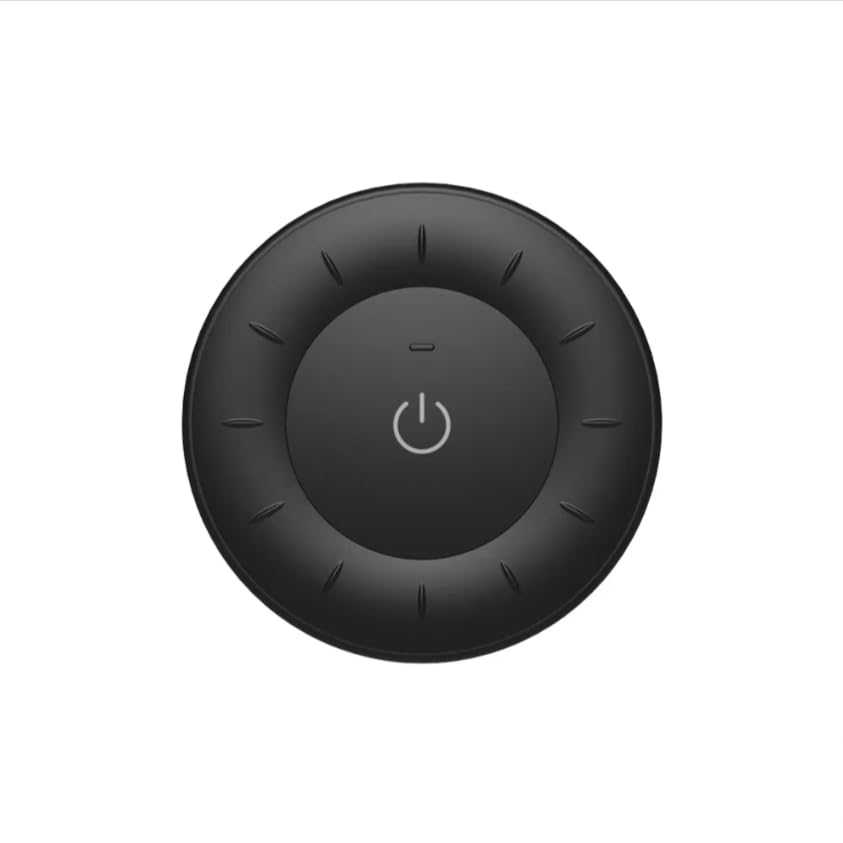
Image 1.1: MiBOXER K3S Rotating Wheel Remote (Black)
This image displays the MiBOXER K3S remote control in black, highlighting its circular design and central power button.
2. د محصول ب Featuresې
- د تنظیم وړ روښانتیا او رنګ تودوخه: Allows fine-tuning of lighting intensity and warmth.
- د څرخیدونکي څرخ ډیزاین: Provides smooth and intuitive control for easy adjustments.
- 2.4GHz بې سیم ټیکنالوژي: Ensures stable, interference-free connectivity with compatible devices.
- ارګونومیک ډیزاین: Comfortable to hold and operate.
- Multi-Environment Compatibility: Suitable for various settings including homes, offices, and commercial spaces.
3. د بسته محتويات
د بسته بندۍ پرانستلو سره، ډاډ ترلاسه کړئ چې ټولې برخې شتون لري:
- MiBOXER K3S د څرخ څرخي ریموټ
- د کارن لارښود
Note: CR2032 battery is purchased separately and is not included in the package.
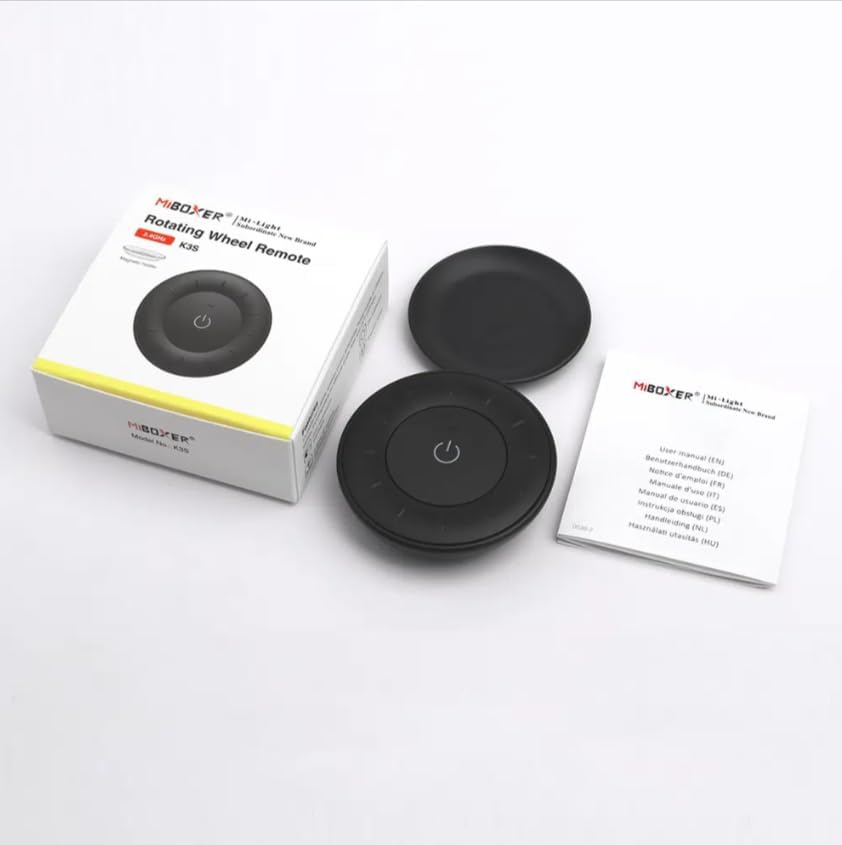
انځور ۳.۱: د بستې محتوياتview
This image shows the MiBOXER K3S remote, its packaging box, and the included user manual, laid out on a surface.
4. د محصول ډیاګرام

Image 4.1: Remote Control Components
This diagram illustrates the main components of the MiBOXER K3S remote, including the ON/OFF button, brightness/color temperature rotating wheel, and the battery compartment with Link/Unlink button.
- د فعال / بند تڼۍ: Central button to power the connected light on or off.
- Brightness / Color Temperature Rotating Wheel: The outer ring used to adjust brightness by default. Long press the ON/OFF button for 3 seconds to switch to color temperature adjustment mode.
- Link / Unlink Button: Located inside the battery compartment, used for pairing the remote with compatible lighting devices.
5. ترتیب کول
5.1 د بیټرۍ نصب کول
- د ریموټ کنټرول شاته د بیټرۍ کڅوړه ومومئ.
- د بیټرۍ کمپارټ پوښ خلاص کړئ.
- یوه CR2032 بیټرۍ دننه کړئ، د سم قطبیت ډاډ ترلاسه کړئ (+/-).
- د بیټرۍ کمپارټ پوښ په خوندي ډول وتړئ.
Image 5.1: Battery Installation Area
This image shows the underside of the remote, indicating the location for the CR2032 battery and the Link/Unlink button.
5.2 Linking / Unlinking the Remote
The K3S remote uses 2.4GHz RF wireless technology to communicate with compatible MiBOXER lighting devices.
Linking Procedure:
- ډاډ ترلاسه کړئ چې هغه څراغ چې تاسو یې کنټرول کول غواړئ بند دی.
- Power on the light fixture.
- Within 3 seconds of powering on the light, press the "Link/Unlink" button (located inside the battery compartment) on the K3S remote درې ځله.
- رڼا باید درې ځله ورو ورو روښانه شي، چې د بریالي نښلولو نښه ده.
Unlinking Procedure:
- ډاډ ترلاسه کړئ چې هغه څراغ چې تاسو یې خلاصول غواړئ بند دی.
- Power on the light fixture.
- Within 3 seconds of powering on the light, press the "Link/Unlink" button (located inside the battery compartment) on the K3S remote پنځه ځله.
- رڼا باید لس ځله په چټکۍ سره روښانه شي، چې د بریالي انلاین کولو نښه ده.
6. عملیاتي لارښوونې
6.1 پاور آن/بند
- مرکزي فشار ورکړئ 🏻 (ON/OFF) button once to turn the connected light on or off.
6.2 د روښانتیا تنظیم کول
- By default, rotating the outer wheel adjusts the brightness of the light.
- د روښانتیا زیاتولو لپاره د ساعت په لور وګرځئ.
- Rotate counter-clockwise to decrease brightness.
۴.۳ د رنګ د تودوخې تنظیم کول
- To switch to color temperature adjustment mode, اوږد فشار the central 🏻 (ON/OFF) button for 3 seconds.
- Once in color temperature mode, rotate the outer wheel to adjust the color temperature.
- Rotate clockwise for cooler (bluer) light.
- Rotate counter-clockwise for warmer (yellower) light.
- To switch back to brightness adjustment, long press the 🏻 (ON/OFF) button for another 3 seconds.
7. مشخصات
| د ماډل نوم | K3S |
| برانډ | MiBOXER |
| د ارتباط ټیکنالوژي | 2.4G RF Wireless |
| د کنټرول ډول | روښانتیا، د رنګ حرارت |
| اعظمي حد | 30 متره |
| د بیټرۍ ډول | CR2032 (purchased separately) |
| ابعاد (قطر x لوړوالی) | Ø60mm x 15mm (approx.) |
| Weight (Gross Weight per box) | 0.05 KGS (approx.) |

Image 7.1: Remote Control Dimensions
This diagram provides the physical dimensions of the MiBOXER K3S remote, showing a diameter of 60mm and a thickness of 15mm (or 19.5mm with the base).
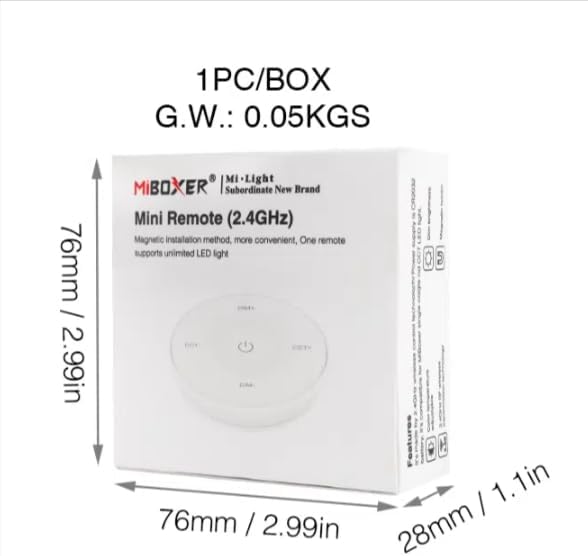
Image 7.2: Packaging Dimensions
This image displays the dimensions of the product packaging, indicating it is 76mm x 76mm x 28mm with a gross weight of 0.05 KGS.
8. ساتنه
- ریموټ کنټرول د نرم او وچ ټوکر سره پاک وساتئ.
- Avoid exposing the remote to moisture, extreme temperatures, or direct sunlight.
- If the remote is not used for an extended period, remove the battery to prevent leakage.
- Replace the battery when the remote's performance degrades or it stops responding.
9. ستونزه حل کول
| ستونزه | احتمالي لامل | د حل لاره |
|---|---|---|
| ریموټ ځواب نه ورکوي | ټیټ یا مړ بیټرۍ | د CR2032 بیټرۍ بدل کړئ. |
| Light not linking | Incorrect linking procedure or light not compatible | Ensure the light is powered on within 3 seconds of pressing the link button. Verify light compatibility with MiBOXER 2.4G RF remotes. |
| محدود حد | خنډونه او مداخلې | Reduce distance between remote and light. Remove obstructions. Avoid areas with strong 2.4GHz interference. |
| Brightness/Color Temp adjustment not working | ریموټ په غلط حالت کې دی | Long press the ON/OFF button for 3 seconds to switch between brightness and color temperature adjustment modes. |
10. تضمین او ملاتړ
The product comes with a manufacturer's warranty. For specific warranty details and duration, please refer to the documentation included with your purchase or contact MiBOXER customer support.
For technical support or inquiries, please visit the official MiBOXER webسایټ یا د دوی د پیرودونکي خدماتو څانګې سره اړیکه ونیسئ.
جوړونکی: Miboxer