
1. پیژندنه
This manual provides detailed instructions for the FREEWOLF M68 60% Wireless Gaming Keyboard. Please read this manual carefully before using the product to ensure proper operation and longevity.

Figure 1: FREEWOLF M68 Wireless Gaming Keyboard (Shimmer color variant)
2. محصول ختم شوview
کلیدي ځانګړتیاوې:
- درې اړخیزه اړیکه: Supports wired (USB-C), 2.4GHz wireless, and Bluetooth 5.0 connections.
- د څو وسیلو مطابقت: Connects to Windows, Mac, Linux, PC, Laptop, iPad, iOS, and Android devices.
- د ۶۰٪ کمپیکټ ترتیب: Features 67 keys, optimizing desktop space.
- د PBT کیلي کیپس: Durable Polybutylene Terephthalate keycaps with clear legends.
- د رینبو LED شاته رڼا: Offers constant and breathing modes with adjustable brightness and speed.
- اوږدمهاله بیټرۍ: Built-in 2000mAH battery provides extended usage.
- ارګونومیک ډیزاین: Double leg braces allow for three adjustable typing angles.
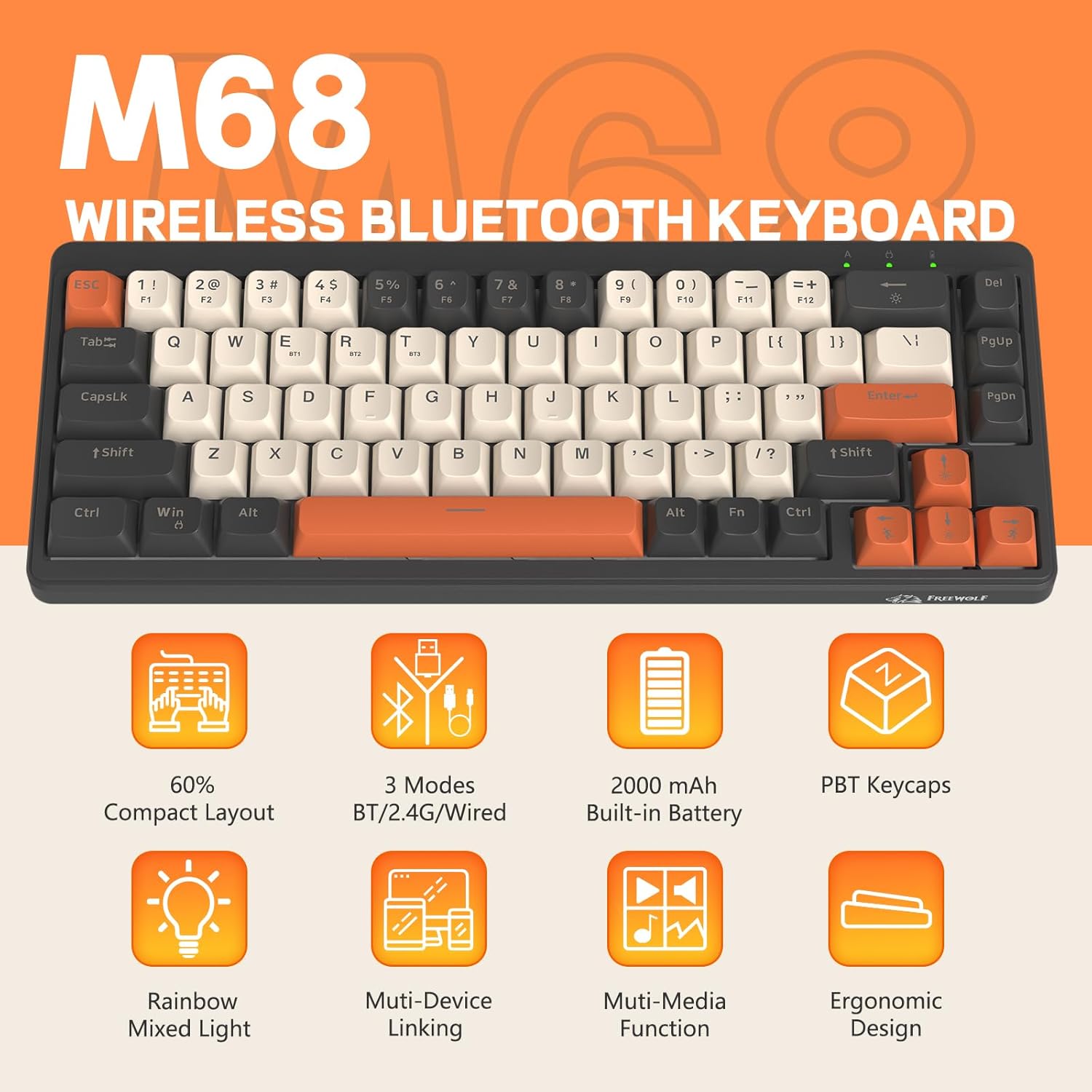
شکل 2: پایview of FREEWOLF M68 key features.
3. تنظیم او پیوستون
3.1. Tri-Mode Connection Overview
The M68 keyboard supports three connection methods: wired via USB-C, 2.4GHz wireless via a USB receiver, and Bluetooth 5.0. You can switch between these modes using the dedicated switch on the keyboard.

شکل 3: مفصل view of the 3-mode connection options.
3.2. د تار نښلول
- په کیبورډ کې د USB-C پورټ ومومئ.
- ورکړل شوی USB-C کیبل د کیبورډ سره او بل پای یې د خپل کمپیوټر USB پورټ سره وصل کړئ.
- ډاډ ترلاسه کړئ چې په کیبورډ کې د موډ سویچ د تار (USB) موقعیت ته تنظیم شوی دی.
- کیبورډ به په اتوماتيک ډول ستاسو سیسټم لخوا وپیژندل شي.
۳.۲. ۲.۴GHz بېسیم اتصال
- Locate the 2.4GHz USB receiver (often stored in a compartment on the keyboard).
- د USB ریسیور په خپل کمپیوټر کې موجود USB پورټ کې ولګوئ.
- Set the mode switch on the keyboard to the 2.4GHz wireless position.
- کیبورډ باید په اتوماتيک ډول وصل شي. که نه، فشار ورکړئ FN + R جوړه پیل کول.
3.4. د بلوتوث پیوستون
The M68 can connect to up to three Bluetooth devices simultaneously.
- په کیبورډ کې د موډ سویچ د بلوتوث موقعیت ته تنظیم کړئ.
- To enter pairing mode for a specific channel (BT1, BT2, or BT3), press and hold FN + Q (د BT1 لپاره)، FN + W (د BT2 لپاره)، یا FN + E (for BT3) until the corresponding indicator light flashes rapidly.
- On your device (PC, laptop, tablet, phone), open Bluetooth settings and search for "FREEWOLF M68".
- د جوړې کولو لپاره کیبورډ غوره کړئ. د شاخص رڼا به یوځل چې وصل شي قوي شي.
- د جوړو بلوتوث وسیلو ترمنځ د بدلولو لپاره، فشار ورکړئ فرعي + پوښتنه/وچ/وروسته په لنډه توګه
4. عملیات
4.1. د backlight کنټرول
The M68 features customizable rainbow LED backlighting.
- FN + بیک سپیس: Toggle backlight on/off or switch between constant and breathing modes.
- FN + کیڼ غشی: د بیک لائټ سرعت کم کړئ.
- FN + ښي تیر: د بیک لایټ سرعت زیات کړئ.
- FN + پورته تیر: د شاته رڼا روښانتیا زیاته کړئ.
- FN + ښکته تیر: د شاته رڼا روښانتیا کمه کړئ.

Figure 4: Backlight adjustment key combinations.
۳.۱. ارګونومیک سمون
The keyboard includes double leg braces on the back to adjust the typing angle for comfort.
- Flip the keyboard over to access the leg braces.
- Adjust the two-stage leg braces to achieve your preferred typing angle (flat, one stage, or two stages).

Figure 5: Ergonomic angle adjustments.
4.3. د بیټرۍ مدیریت
The keyboard has a built-in 2000mAH rechargeable battery.
- چارج کول: Connect the keyboard via the USB-C cable to a power source (computer USB port or wall adapter). The charging indicator will show status.
- د بیټرۍ ژوند: Up to 60 hours with backlight on, and up to 200 hours with backlight off.
- د بریښنا سپما: The keyboard will enter sleep mode after a period of inactivity to conserve battery. Press any key to wake it up.

Figure 6: Battery capacity information.
5. ساتنه
- پاکول: Use a soft, dry cloth to clean the keyboard surface. For keycaps, you may use a slightly damp ټوکر. د ډیر رطوبت څخه ډډه وکړئ.
- د کیلي کیپ لرې کول: If necessary, use a keycap puller to carefully remove PBT keycaps for deeper cleaning or replacement.
- ذخیره کول: کیبورډ په یخ او وچ ځای کې د مستقیم لمر وړانګو او سختې تودوخې څخه لرې وساتئ.
- د مایعاتو څخه ډډه وکړئ: Do not expose the keyboard to liquids to prevent damage to internal components.
6. ستونزه حل کول
| ستونزه | احتمالي لامل | د حل لاره |
|---|---|---|
| کیبورډ ځواب نه ورکوي (وایر شوی) | د کیبل اتصال خلاص دی، غلط حالت. | Ensure USB-C cable is securely connected. Check if the mode switch is set to wired. Try a different USB port. |
| Keyboard not responding (2.4GHz) | USB receiver not connected, incorrect mode, pairing issue. | Ensure USB receiver is plugged in. Set mode switch to 2.4GHz. Re-pair by pressing FN + R. Try a different USB port for the receiver. |
| کیبورډ ځواب نه ورکوي (بلوتوث) | Not paired, incorrect mode, device Bluetooth off. | Ensure device Bluetooth is on. Set mode switch to Bluetooth. Enter pairing mode (فرعي + پوښتنه/وچ/وروسته) and re-pair. Forget the device on your system and re-pair. |
| د شا څراغ کار نه کوي یا بند پاتې دی | Backlight off, low battery, software glitch. | مطبوعاتي FN+Backspace to toggle. Charge the keyboard. Try resetting the keyboard (refer to advanced functions if available, or disconnect/reconnect). |
| هغه کیلي چې راجستر نه کیږي یا دوه ځله ټایپ کیږي | Dust/debris under keycap, switch issue. | Carefully remove keycap and clean. If issue persists, contact support. |
7. مشخصات
| ماډل | M68 |
| برانډ | فری ولف |
| ارتباط | تار لرونکی (USB-C)، 2.4GHz بېسیم، بلوتوث 5.0 |
| کلیدي ترتیب | ۶۰٪ (۶۱ کیلي) |
| د کیکیپ مواد | PBT (پولیبیوتیلین ټیرفتهالیټ) |
| شاته رڼا کول | Rainbow LED (RGB) |
| د بیټرۍ ظرفیت | 2000mAH |
| مطابقت لرونکې وسیلې | Laptop, PC, Tablet (Windows, Mac, Linux, iOS, Android) |
| د محصول ابعاد | 32.51 x 12.5 x 3.99 سانتي متره |
| وزن | 600 ګرامه |
| ځانګړي ځانګړتیاوې | Ergonomic (adjustable angles), Backlit |
8. تضمین او ملاتړ
For warranty information, technical support, or customer service inquiries, please refer to the contact information provided with your purchase or visit the official FREEWOLF webسایټ
مهرباني وکړئ د هر ډول تضمین ادعا لپاره د پیرود ثبوت وساتئ.