
Ergear EGESD7W-CA
د ایر ګیر بریښنایی ولاړ میز کارونکي لارښود
Model: EGESD7W-CA | Brand: ErGear
پیژندنه
Thank you for choosing the ErGear Electric Standing Desk. This manual provides detailed instructions for assembly, operation, maintenance, and troubleshooting to ensure optimal performance and longevity of your desk. Please read this manual thoroughly before installation and use, and retain it for future reference.
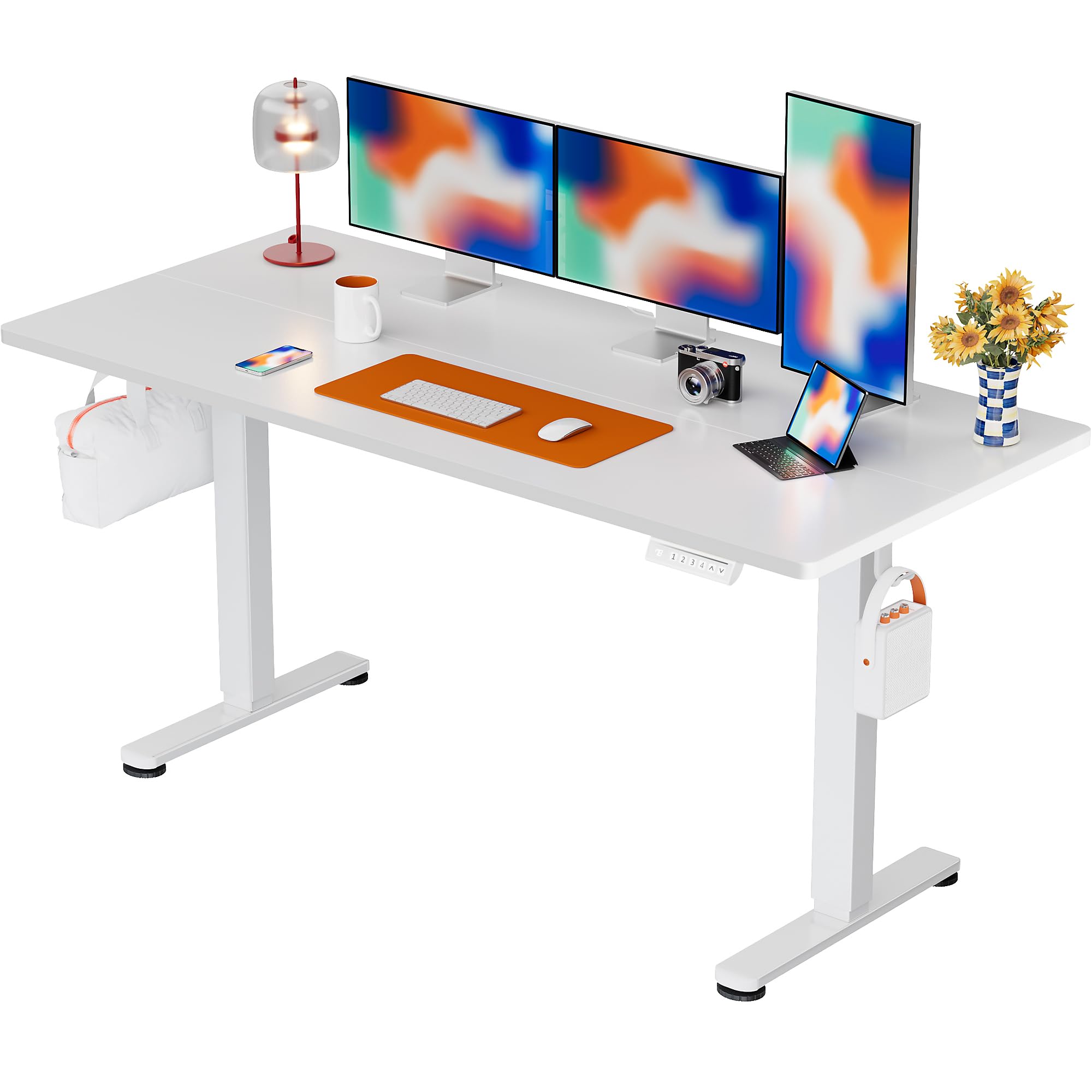
The ErGear Electric Standing Desk, 63x28 inch, in a white finish, featuring a spacious desktop and electric height adjustment capabilities.
د خوندیتوب معلومات
- ډاډ ترلاسه کړئ چې ټولې برخې شتون لري او د راټولولو دمخه زیانمن شوي ندي. که کومې برخې ورکې یا نیمګړتیاوې ولري نو مه کاروئ.
- د ټپي کیدو مخنیوي لپاره د عملیاتو په جریان کې ماشومان او څاروي له میز څخه لرې وساتئ.
- Do not overload the desk. The maximum weight recommendation is 176 pounds (80 kg).
- ډاډ ترلاسه کړئ چې د بریښنا تار نه دی غوڅ شوی یا خراب شوی. د ځمکې لاندې ساکټ سره وصل شئ.
- د مایعاتو مستقیم د کنټرول پینل یا بریښنایی برخو ته نږدې د ځای پرځای کولو څخه ډډه وکړئ.
- په منظم ډول ټول پیچونه او اړیکې وګورئ ترڅو ډاډ ترلاسه کړئ چې دوی کلک او خوندي دي.
- دا میز یوازې د داخلي کارونې لپاره ډیزاین شوی.
د بسته محتويات
د اسمبلۍ پیل کولو دمخه، مهرباني وکړئ تصدیق کړئ چې لاندې ټولې برخې ستاسو په کڅوړه کې شاملې دي:
- Desktop Boards ×2
- Leg with Motor ×1
- پښه ×1
- Leg Bases ×2
- Crossbar & Transmission Rod
- Controller & Power Cable
- د مجلس ټول اړین وسایل او هارډویر
د مجلس لارښوونې
Follow these steps carefully to assemble your ErGear Electric Standing Desk. An assembly video is also provided for visual guidance.
Official ErGear Electric Standing Desk Assembly Video. This video demonstrates the step-by-step process for setting up your desk.
Step 1: Assemble the Desk Legs
Attach the leg bases to the desk legs using the provided screws. Ensure they are securely fastened.

The stable T-shaped desk legs provide a sturdy foundation for the electric standing desk.
Step 2: Attach Side Plates and Transmission Rod
Connect the side plates to the desk legs. Insert the transmission rod fully into the left leg and secure it. If the two desk legs are not at the same height, insert the rod into the left leg and turn to adjust.
Step 3: Assemble and Attach the Desktop
Place the two desktop boards together, aligning the dowels. Secure the desktop to the assembled frame using the provided screws and brackets. Ensure all connections are tight.
شپږم ګام: کیبلونه وصل کړئ
Connect the motor and control panel cables to the main control box. Ensure all connections are firm and correctly oriented.
Step 5: Install Cable Hole Covers
Place the cable hole covers into the designated openings on the desktop to manage wires neatly.

Ergonomic guidelines for using the standing desk, showing optimal monitor and arm positions for both sitting and standing.
عملیاتي لارښوونې
د کنټرول پینل ختم شوview
The desk features an intuitive control panel with height adjustment buttons and memory presets.
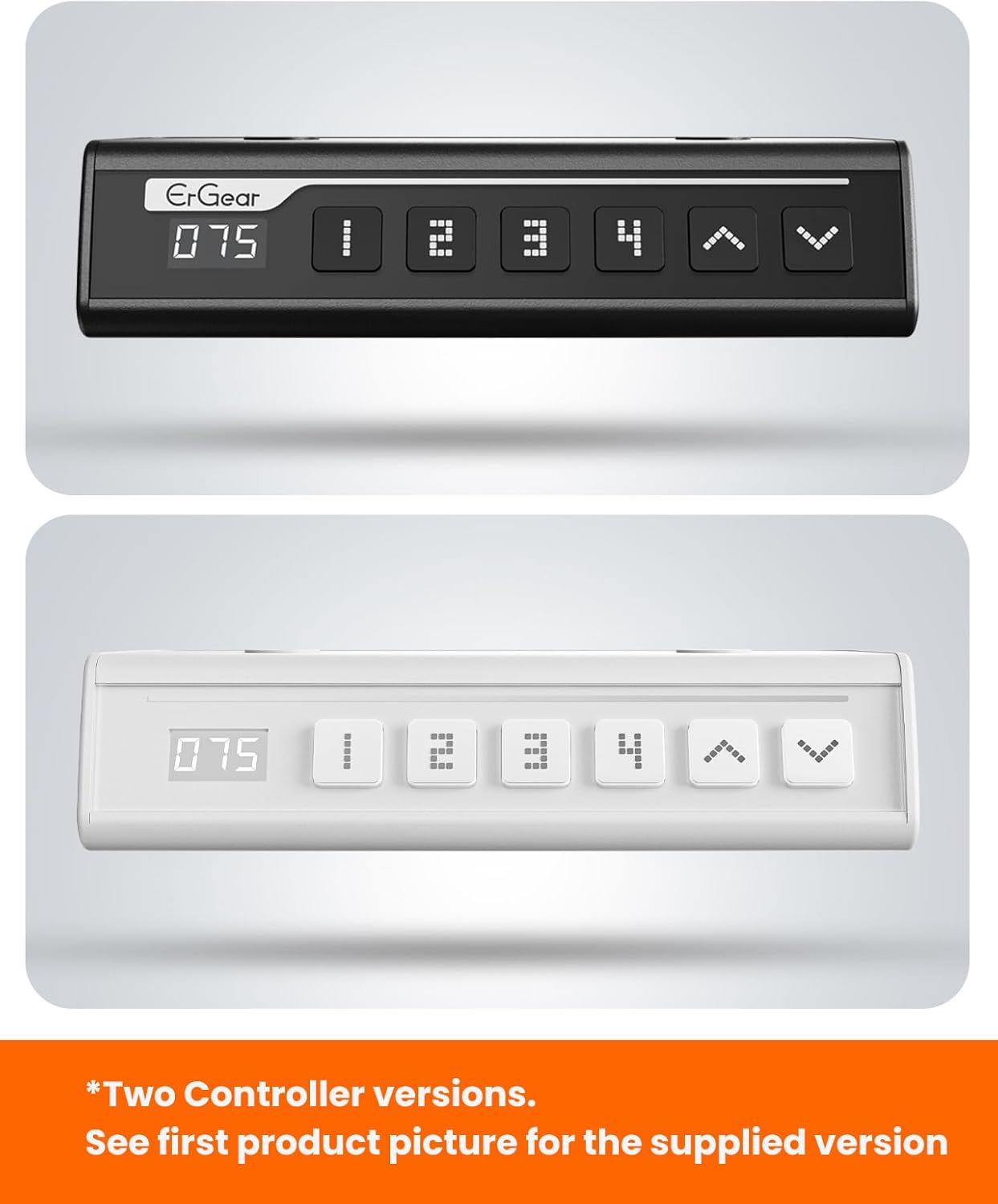
The ErGear control panel, available in two versions, features a digital height display and four programmable memory settings.
د لوړوالی سمون
- د کارولو پورته (^) او ښکته (v) arrows to smoothly adjust the desk height between 28.35 inches and 46.46 inches.
- Release the button at your desired height.
د حافظې پریزیټ
The desk allows you to save up to 4 preferred height settings.
- د پورته/ښکته تیرونو په کارولو سره میز د خپلې خوښې لوړوالي سره سم تنظیم کړئ.
- فشار ورکړئ M button (or equivalent memory set button). The display will flash.
- د شمېرل شوي مخکینۍ تڼۍ څخه یو فشار ورکړئ (۳، ۴، ۵، یا ۶) within 3 seconds to save the current height to that preset.
- د خوندي شوي لوړوالي د یادولو لپاره، په ساده ډول د اړونده شمیرې سره سم تڼۍ فشار ورکړئ. میز به په اتوماتيک ډول خوندي شوي موقعیت ته لاړ شي.
This video demonstrates the smooth and quiet operation of the ErGear Electric Standing Desk, showcasing its height adjustment and memory preset features.
ساتنه
- پاکول: ډیسټاپ او چوکاټ د نرم، d سره پاک کړئamp ټوکر. د سختو کیمیاوي موادو یا د کثافاتو پاکوونکو څخه ډډه وکړئ.
- معاینه: Periodically check all screws and connections for tightness. Re-tighten if necessary.
- د کیبل مدیریت: Ensure cables are neatly organized and not tangled or pinched to prevent damage.
د ستونزو حل کول
که تاسو د خپل ErGear بریښنایی سټینډینګ ډیسک سره کومې ستونزې سره مخ شئ، مهرباني وکړئ لاندې عام ستونزو او حلونو ته مراجعه وکړئ:
| ستونزه | احتمالي لامل | د حل لاره |
|---|---|---|
| میز نه حرکت کوي | Power cable disconnected, motor error, overloaded desk. | Check power connections. Unplug for 30 seconds and plug back in. Reduce weight on the desk. |
| غیر مساوي لوړوالی | Transmission rod not fully inserted or adjusted. | Refer to Step 2 of assembly to ensure the transmission rod is correctly installed and adjusted. |
| د عملیاتو پرمهال شور | Normal operation sound, loose screws. | A slight motor sound is normal. Check and tighten any loose screws on the frame. |
| د حافظې مخکینۍ سیټونه کار نه کوي | د خوندي کولو ناسمه پروسه. | Follow the memory preset instructions carefully (press M, then the number within 3 seconds). |
مشخصات
| فیچر | تفصیل |
|---|---|
| برانډ | ار ګیر |
| د ماډل شمیره | EGESD7W-CA |
| د میز ډیزاین | سټینګ ډیسک |
| شکل | مستطیل |
| د محصول ابعاد (د x څلویښتم x څلویښتم) | ۹ اړخ x ۲۰ واټ x ۹ ساعته سانتي متره |
| اندازه | 63*28 انچه |
| رنګ | سپین |
| لږ تر لږه لوړوالی | ۷۸۷ انچه |
| اعظمي لوړوالی | ۷۸۷ انچه |
| د ټابلیټ ضخامت | 1.5 سانتي متره |
| اساسی مواد | د الماس فولاد |
| د پورته موادو ډول | Engineered Wood (Walnut Wood finish) |
| ځانګړي ځانګړتیاوې | Adjustable Height, Electric, Ergonomic |
| د اعظمي وزن سپارښتنه | 176 پونډه (80 kg) |
| مجلس ته اړتیا ده | هو (د ټولو اسمبلۍ وسایلو په ګډون) |
تضمین او ملاتړ
ErGear is committed to providing high-quality products and customer satisfaction. This product comes with:
- دوه کلن محافظت on the desktop and desk frame.
- دوه کلن محافظت on motors and electrical components.
For any questions, concerns, or warranty claims, please contact ErGear customer support. You can typically find contact information on the product packaging or the official ErGear website. Please have your model number (EGESD7W-CA) and purchase details ready when contacting support.

The ErGear Electric Standing Desk seamlessly integrates into various home office environments.
Ask a question about this manual
Ask about setup, troubleshooting, compatibility, parts, safety, or missing instructions. Manuals+ will review the question and use this page’s manual context to help answer it.