
ARPHA AL501-01
ARPHA Smart Door Lock with Video Camera User Manual
ماډل: AL501-01
1. پیژندنه
The ARPHA AL501 Smart Door Lock with Video Camera is an advanced 6-in-1 security solution designed for modern homes. It integrates a 2K HD camera, doorbell, fingerprint reader, keypad, traditional key access, and Wi-Fi app control into a single device. This manual provides comprehensive instructions for installation, operation, and maintenance to ensure optimal performance and security.
۲. په بکس کې څه دي؟
د نصبولو پیل کولو دمخه ډاډ ترلاسه کړئ چې ټولې برخې شتون لري:
- ARPHA AL501 Smart Door Lock (Exterior and Interior Assemblies)
- Rechargeable 10,000 mAh Battery Pack
- Doorbell Chime Module
- د لګولو کينډۍ
- د نصبولو هارډویر (سکرو، سپینډل، او نور)
- د کارونکي لارښود (دا لاسوند)
- د چټک پیل لارښود
- ۳۲ جي بي SD کارت (مخکې نصب شوی یا شامل شوی)
- دودیزې کیلي (2)
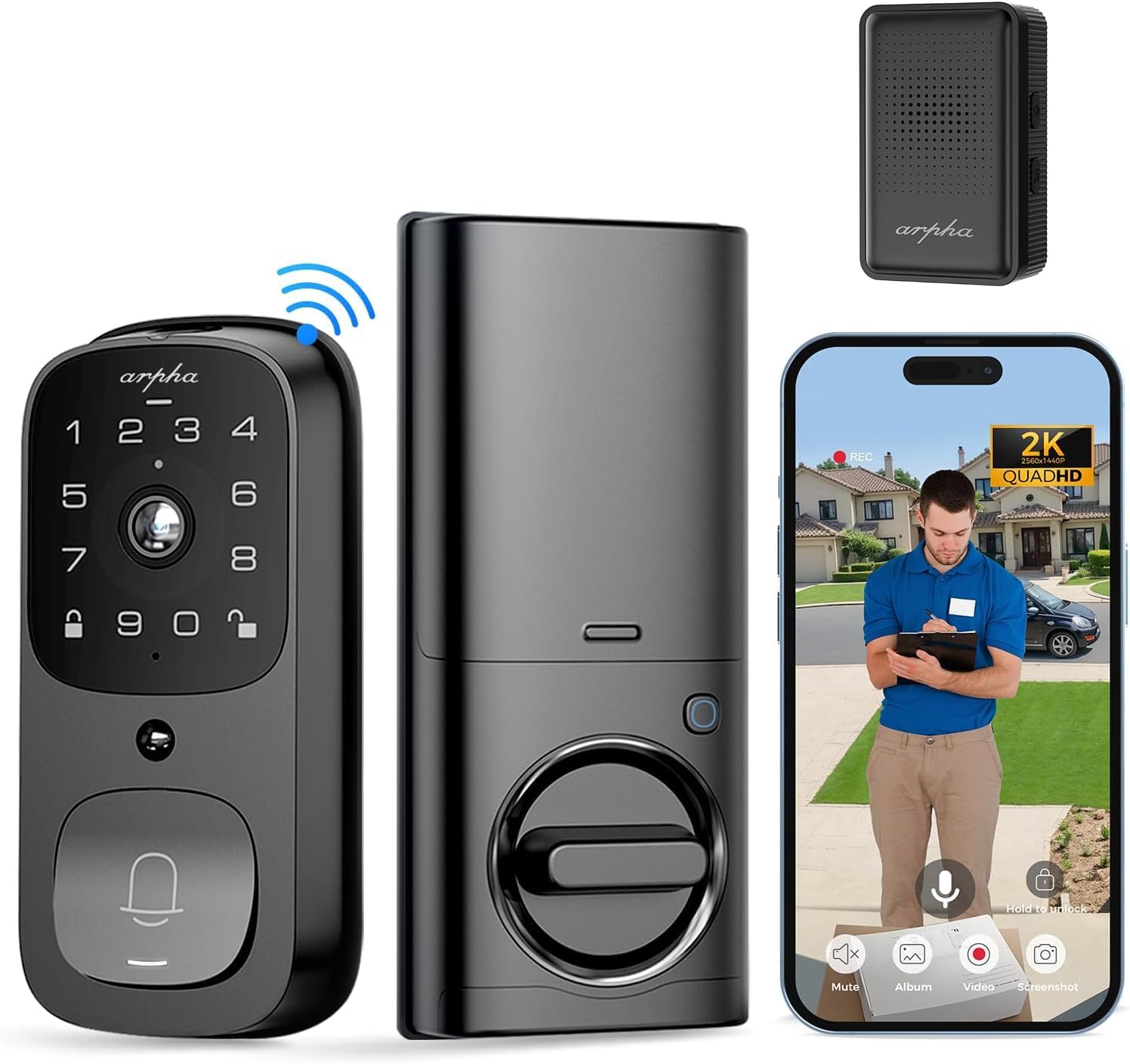
انځور: اوورview of the ARPHA AL501 Smart Door Lock and its accessories.
3. ترتیب او نصب کول
3.1 د نصب کولو دمخه چک لیست
- Ensure your door thickness is between 1-3/8" to 2-1/8" (35mm - 55mm).
- Verify your door's backset is 2-3/8" (60mm) or 2-3/4" (70mm).
- Confirm the lock is suitable for both left and right-handed door directions.
- A screwdriver is the primary tool required for installation.

Image: Door compatibility and dimensions for installation.
3.2 د نصبولو مرحلې
د سم نصبولو لپاره دا ګامونه په دقت سره تعقیب کړئ:
- موجوده هارډویر لرې کړئ: Unscrew and remove your current deadbolt and any associated hardware from the door.
- د لیچ بولټ نصب کړئ: Insert the new latch bolt into the door edge, ensuring the "UP" arrow is pointing upwards. Secure it with screws.
- بهرنۍ مجلس نصب کړئ: Place the exterior keypad assembly onto the door, aligning the spindle through the latch bolt. Ensure the cable passes through the door.
- د نصب کولو پلیټ نصب کړئ: Secure the interior mounting plate to the door using the provided screws, ensuring it's flush against the door surface.
- کیبلونه وصل کړئ: کیبل د خارجي مجلس څخه داخلي مجلس ته وصل کړئ.
- د داخلي مجلس نصبول: Attach the interior assembly to the mounting plate, securing it with screws. Ensure the thumb turn operates smoothly.
- بیټرۍ داخل کړئ: Fully charge the 10,000 mAh battery pack before first use. Insert the charged battery into the interior assembly.
- Install Doorbell Chime: Plug the Doorbell Chime module into a USB power port. Press and hold the doorbell icon button on the chime for 10 seconds until you hear a sound to pair it with the lock.
- د ازموینې عملیات: Test the lock's functionality using the keypad, fingerprint sensor, and traditional key.
- د اپلیکیشن ترتیب: Download the "Arpha Plus" app from your device's app store. Follow the in-app instructions to connect your smart lock to your 2.4GHz Wi-Fi network and complete the setup.
4. عملیاتي لارښوونې
4.1 Arpha App Control
The Arpha Plus App provides remote control and monitoring capabilities:
- ریموټ خلاصول: Unlock your door from anywhere using the app.
- Temporary Codes: Generate and share one-time or time-limited access codes for visitors and family.
- د ریښتیني وخت خبرتیاوې: Receive alerts for motion detection, doorbell rings, and lock status changes.
- ژوندی View: Access the 2K HD camera live feed to see who is at your door.
- دوه طرفه آډیو: Communicate with visitors directly through the app.

Image: Two-way audio and app control interface.
۵.۱ د ګوتو نښې خلاصول
The integrated fingerprint sensor offers quick and secure access:
- چټکه پېژندنه: Unlock the door in approximately 0.3 seconds.
- لوړ دقت: Features a 99.9% accuracy rate with AI self-learning for improved recognition over time.
- نوم لیکنه: Follow the app instructions to enroll multiple fingerprints for authorized users.

Image: Fingerprint unlock feature.
۴.۱ د کیپډ ننوتل
Use the touchscreen keypad for code-based entry:
- د ترتیب کوډونه: Create and manage user codes through the Arpha Plus app.
- د لید ضد پاسورډ: Enter random digits before or after your actual code to prevent others from guessing your entry code.
- شاته کیپډ: The keypad illuminates for easy use in low-light conditions.
4.4 2K Video & Two-Way Audio
The integrated camera and audio features enhance security and communication:
- 2K HD Video: Provides clear, high-resolution video footage.
- د 170 درجې پراخه زاویه لینز: پراخه وړاندې کوي view of your front door area, minimizing blind spots.
- د شپې لید ته وده ورکول: See clearly up to 33 feet in low-light conditions.
- دوه طرفه آډیو: Speak and listen to visitors in real-time via the Arpha Plus app.
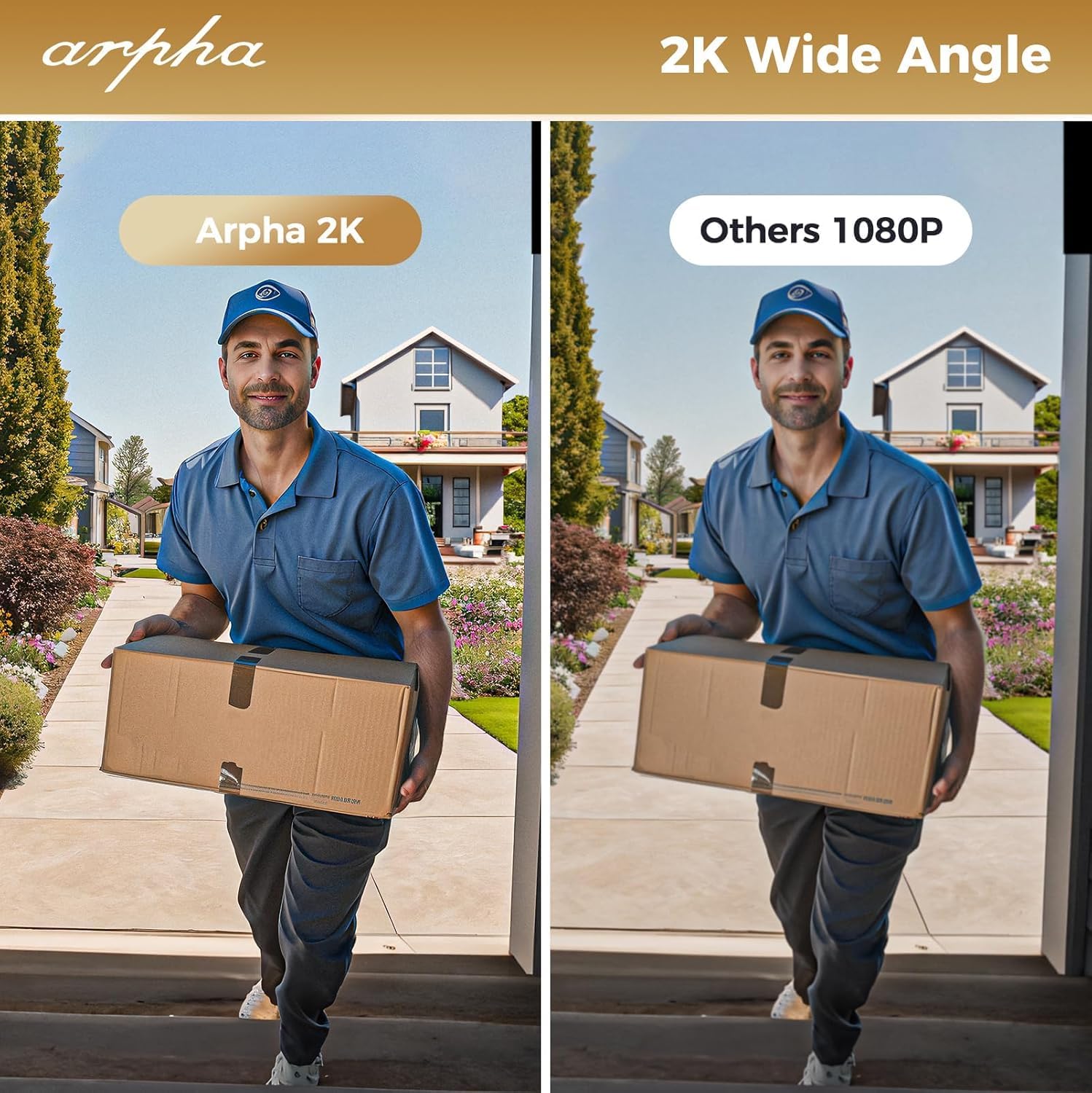
Image: 2K wide-angle camera view پرتله کول
۶.۲ د پیر حرکت کشف
The Passive Infrared (PIR) sensor detects movement and provides alerts:
- Human/Animal Detection: Identifies motion in the front door area.
- د ریښتیني وخت خبرتیاوې: Sends instant alerts to your Arpha Plus app when motion is detected.
- Customizable Activity Areas: Define specific zones to monitor, reducing unwanted alerts.
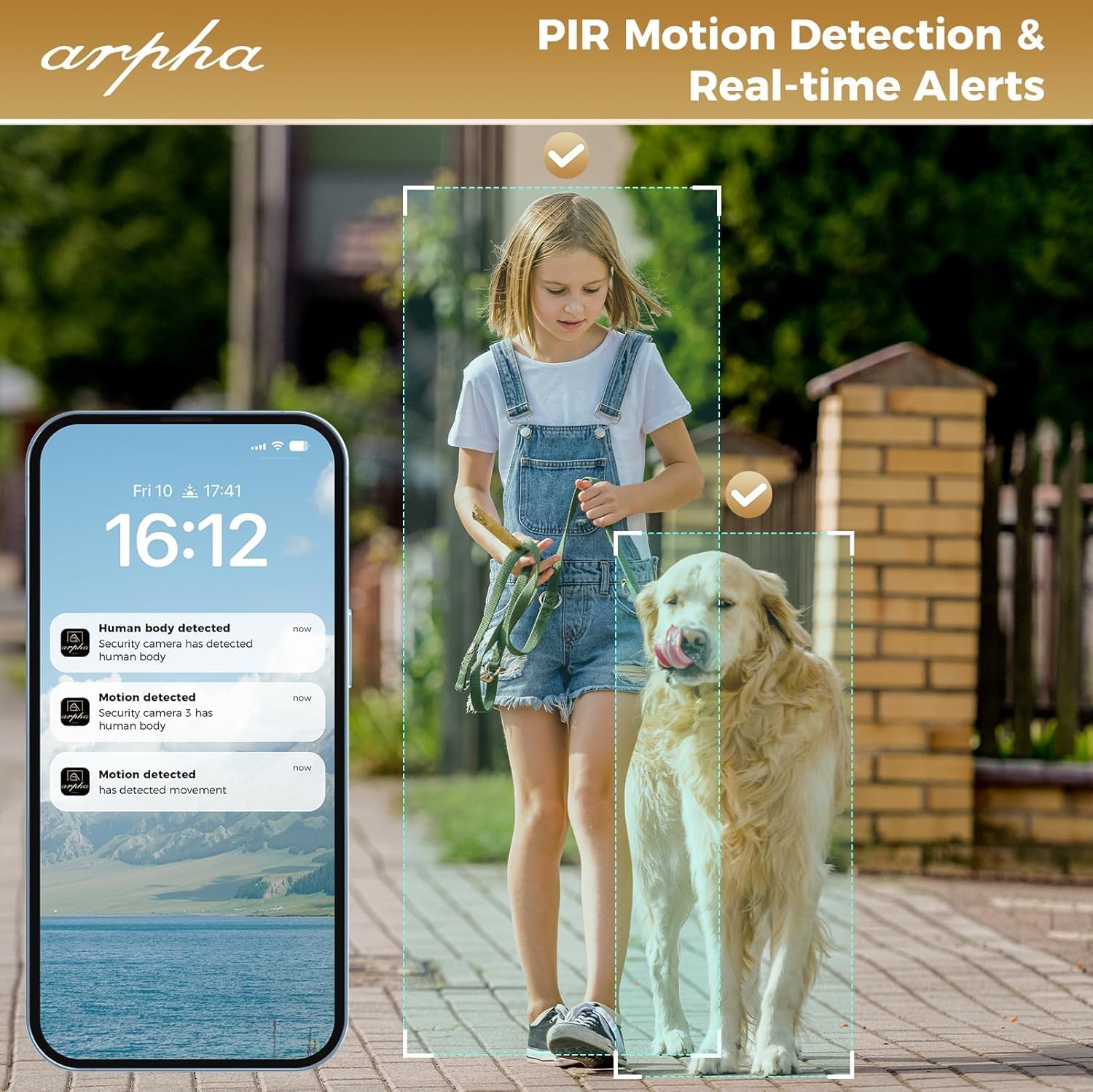
Image: PIR motion detection and real-time alerts.
5. ساتنه
- د بیټرۍ ژوند: The 10,000 mAh battery pack can last up to 270 days with 10 daily uses on a single full charge.
- چارج کول: Recharge the battery using the provided USB cable when the low battery warning is issued.
- ځایی ذخیره: The lock supports up to 32GB of local storage for video recordings.
- پاکول: Regularly clean the camera lens with a soft microfiber cloth to ensure clear video quality. Avoid harsh cleaners.
- د هوا ککړتیا: The lock is IP65 weatherproof, designed to withstand rain and various weather conditions.

Image: Long battery life feature.
6. ستونزه حل کول
- قلف ځواب نه ورکوي: Check battery level. If low, recharge the battery. Ensure the battery is properly seated.
- د ګوتو نښې پېژندنې ستونزې: ډاډ ترلاسه کړئ چې ستاسو ګوته پاکه او وچه ده. که ستونزې دوام وکړي نو خپل د ګوتو نښې بیا ثبت کړئ.
- د وای فای اتصال ستونزې: The lock only connects to 2.4GHz Wi-Fi networks. Ensure your router is broadcasting on this frequency. Move the router closer if signal is weak.
- Doorbell Chime Not Working: Ensure the chime module is plugged into a USB power port. Re-pair the chime by pressing and holding its doorbell icon button for 10 seconds until it makes a sound.
- App Issues (Android): As of mid-August, the Android app is undergoing an upgrade. If you experience issues, please contact customer service for assistance.
- د ویډیو خراب کیفیت: Clean the camera lens with a soft microfiber cloth. Ensure adequate lighting for optimal night vision performance.
- د غلط حرکت خبرتیاوې: Adjust the sensitivity settings for PIR motion detection in the Arpha Plus app. Consider customizing activity areas to exclude high-traffic zones.
- Lock Not Fitting Door: Double-check your door's thickness and backset against the specifications in Section 3.1.
7. مشخصات
| فیچر | تفصیل |
|---|---|
| برانډ | ARPHA |
| د ماډل نوم | AL501 |
| د توکي ماډل شمیره | AL501-01 |
| د بند ډول | Biometric (Fingerprint), Keypad, Key, App Control |
| ارتباط | وای فای (یوازې 2.4GHz) |
| د کیمرې ریزولوشن | 2K HD |
| د کیمرې زاویه | 170° پراخه زاویه |
| د شپې لید لړۍ | تر 33 فوټو پورې |
| د بیټرۍ ظرفیت | 10,000 mAh لیتیم پولیمر |
| ځایی ذخیره | 32GB SD کارت (شامل دی) |
| د هوا ساتنه | IP65 |
| د دروازې ضخامت مطابقت | 1-3/8" to 2-1/8" (35mm - 55mm) |
| د بیک سیټ مطابقت | 2-3/8" (60mm) and 2-3/4" (70mm) |
| مواد | فلزي |
| د توکي ابعاد (L x W x H) | 2.8 x 5.9 x 1.2 انچه |
| د توکي وزن | ۲.۴۵ پونډه |
8. تضمین او ملاتړ
ARPHA is committed to providing high-quality products and excellent customer service. For any questions, concerns, or support needs regarding your ARPHA Smart Door Lock, please contact our support team.
- آنلاین خدمت: ۲۴/۷ آنلاین ملاتړ شتون لري.
- د ځواب وخت: د پوښتنو لپاره په ۲۴ ساعتونو کې د ځواب تمه وکړئ.
- د بریښنالیک ملاتړ: د مرستې لپاره، مهرباني وکړئ برېښنالیک واستوئ support@arpha.com.

Image: ARPHA Support Team commitment.
Ask a question about this manual
Ask about setup, troubleshooting, compatibility, parts, safety, or missing instructions. Manuals+ will review the question and use this page’s manual context to help answer it.