
1. پیژندنه
Thank you for choosing the MEETION BTM011 Ergonomic Wireless Bluetooth Vertical Mouse. This device is designed to provide a comfortable and efficient computing experience by promoting a natural hand position, reducing wrist strain. It offers versatile connectivity options for multiple devices and adjustable precision to suit various tasks.

The ergonomic design of the MEETION vertical mouse helps maintain a natural hand and wrist posture, reducing discomfort compared to traditional mice.
2. د بسته محتويات
- MEETION BTM011 Ergonomic Wireless Bluetooth Vertical Mouse
- USB 2.4G Receiver (stored in the mouse battery compartment)
- USB-A ته USB-C اډاپټر
- د کارن لارښود
3. محصول ختم شوview
Familiarize yourself with the various components and buttons of your MEETION BTM011 mouse.

تفصيلي view of the mouse components, including the Mode Switching Button, Power Switch (ON/OFF), Low Battery Indicator, Charging Indicator, DPI Speed Switch Button, 2.4G Connection Indicator, Bluetooth 1 Connection Indicator, and Bluetooth 2 Connection Indicator.
- کیڼ تڼۍ: معیاري کیڼ کلیک فعالیت.
- ښي تڼۍ: د ښي کلیک کولو معیاري فعالیت.
- سکرول ویل: For scrolling up and down.
- د وړاندې کولو تڼۍ: مخ په وړاندې ځي web براوزرونه یا file سپړونکي
- د شا تڼۍ: شاته نیویګیټ کوي web براوزرونه یا file سپړونکي
- د DPI سویچ تڼۍ: د کرسر حساسیت تنظیموي.
- د حالت بدلولو تڼۍ: Switches between 2.4G, Bluetooth 1, and Bluetooth 2 modes.
- د بریښنا سویچ (چالو/بند): موږک آن یا بندوي.
- د بیټرۍ کڅوړه: Located at the bottom, for 1x AA battery and USB receiver storage.
۴. د تنظیم لارښوونې
4.1 د بیټرۍ نصب کول
The mouse requires one AA battery (not included).
- د موږک په ښکته برخه کې د بیټرۍ د برخې پوښ ومومئ.
- پوښ خلاص کړئ.
- یو AA بیټرۍ دننه کړئ، د سم قطبیت ډاډ ترلاسه کړئ (+/-).
- د بیټرۍ کمپارټ پوښ په خوندي ډول وتړئ.

Insert one AA battery into the compartment. The USB receiver is also stored here.
۸ پاور آن/بند
Slide the power switch located on the bottom of the mouse to the "ON" position to turn it on. Slide to "OFF" to conserve battery when not in use.
۴.۲ د ارتباط طریقې
The MEETION BTM011 mouse supports three connection modes: 2.4GHz wireless (via USB receiver) and two independent Bluetooth 5.3 channels (BT1 and BT2). You can connect to up to three devices simultaneously and switch between them.

The mouse supports 2.4G wireless and two Bluetooth 5.3 connections for seamless switching between devices.
4.4 2.4GHz USB Connection
- د موږک د بیټرۍ له برخې څخه د USB ریسیور وباسئ.
- Insert the USB receiver into an available USB-A port on your computer. If your computer only has USB-C ports, use the provided USB-A to USB-C adapter.
- د بریښنا سویچ په کارولو سره موږک چالان کړئ.
- Press the Mode Switching Button until the 2.4G Connection Indicator (green light) lights up. The mouse should now be connected.
۳.۲.۲ د بلوتوټ اتصال (BT1 / BT2)
- د بریښنا سویچ په کارولو سره موږک چالان کړئ.
- Press the Mode Switching Button to select either Bluetooth 1 (BT1) or Bluetooth 2 (BT2). The corresponding blue indicator light will blink, indicating pairing mode.
- په خپل وسیله (کمپیوټر، لیپ ټاپ، ټابلیټ، سمارټ فون) کې، د بلوتوث ترتیباتو ته لاړ شئ.
- لټون new devices. You should find "Meetion_MS_BT1" or "Meetion_MS_BT2".
- Select the device to pair. Once paired, the blue indicator light will stop blinking and remain solid for a few seconds.

Visual guide for connecting the mouse via 2.4G USB receiver and Bluetooth modes.
5. عملیاتي لارښوونې
5.1 د DPI تعدیل
The mouse features 4 adjustable DPI levels: 1200, 1600, 2400, and 3200. Press the DPI Switch Button (located behind the scroll wheel) to cycle through these settings. Each press changes the cursor speed, allowing you to select the precision suitable for your task.
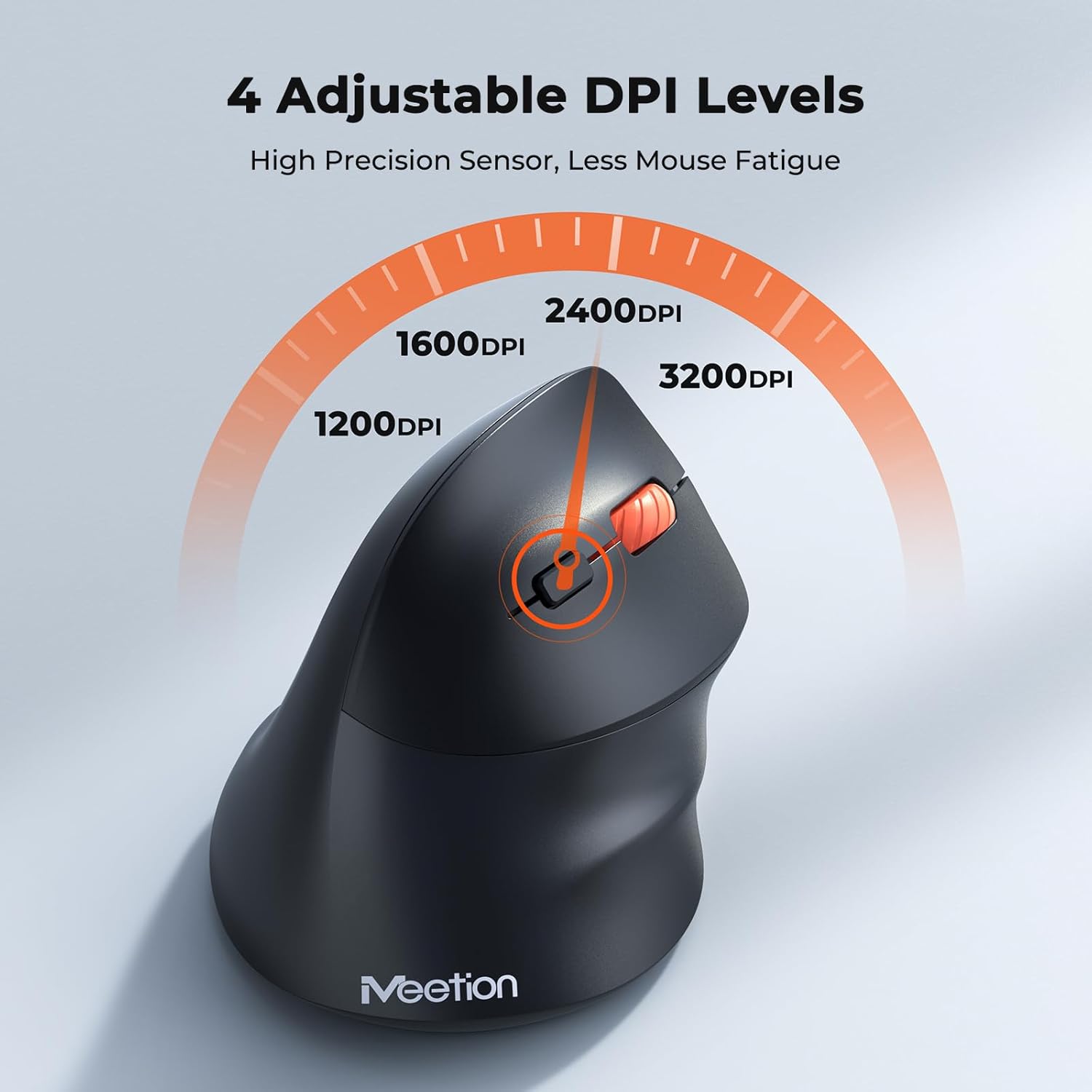
Adjust the DPI to match your preference for cursor speed and precision.
۳.۱ د څو وسیلو بدلول
To switch between connected devices, simply press the Mode Switching Button located on the bottom of the mouse. The corresponding indicator light (green for 2.4G, blue for BT1/BT2) will illuminate to show the active connection.
5.3 Forward/Back Buttons
Use the Forward and Back buttons, conveniently located on the side of the mouse, for quick navigation in web browsers, file explorers, and other applications that support these functions.
6. د بریښنا مدیریت
6.1 Auto-Sleep Mode
To conserve battery life, the mouse will automatically enter sleep mode after 20 minutes of inactivity. This intelligent feature helps extend the battery's operational time.
6.2 Waking the Mouse
To wake the mouse from sleep mode, simply press any button. It will instantly reconnect to the last active device.
6.3 د بیټرۍ ژوند
With typical usage, a single AA battery can power the mouse for up to 3 months. Actual battery life may vary based on usage patterns and battery quality.
7. ساتنه
د خپل موږک د غوره فعالیت او اوږد عمر ډاډمن کولو لپاره، د ساتنې دا لارښوونې تعقیب کړئ:
- پاکول: د موږک سطحه د پاکولو لپاره نرم، وچ ټوکر وکاروئ. د سختې خاورې لپاره، یو څه damp ټوکر کارول کیدی شي، مګر ډاډ ترلاسه کړئ چې رطوبت وسیله ته ننوځي. د سختو کیمیاوي موادو یا د کثافاتو پاکوونکو څخه ډډه وکړئ.
- د بیټرۍ بدلول: Replace the AA battery when the low battery indicator lights up or when mouse performance degrades. Always dispose of used batteries responsibly.
- ذخیره کول: کله چې د اوږدې مودې لپاره نه کارول کیږي، موږک بند کړئ او په وچ او یخ ځای کې یې وساتئ.
8. ستونزه حل کول
If you encounter issues with your MEETION BTM011 mouse, refer to the following solutions:
| ستونزه | د حل لاره |
|---|---|
| موږک ځواب نه ورکوي |
|
| د کرسر حرکت بې نظمه یا ورو دی |
|
| د بلوتوث له لارې نشي نښلول کیدی |
|
| Forward/Back buttons not working |
|
9. مشخصات
| فیچر | تفصیل |
|---|---|
| ماډل | BTM011 |
| ارتباط | 2.4GHz Wireless, Bluetooth 5.3 (BT1, BT2) |
| د DPI کچه | 1200 / 1600 / 2400 / 3200 |
| تڼۍ | 7 (Left, Right, Scroll Wheel, Forward, Back, DPI Switch, Mode Switch) |
| د بریښنا سرچینه | 1x AA Battery (not included) |
| اتومات خوب | د 20 دقیقو غیر فعالیت وروسته |
| مطابقت | Windows, Mac OS, Linux, Android, iOS (for iPad/iPhone) |
| مواد | پلاستیک |
| ابعاد (تقریبا) | 4.4 x 3.29 x 2.74 انچه (11.18 x 8.36 x 6.96 سانتي متره) |
10. تضمین او ملاتړ
10.1 د تضمین معلومات
MEETION products are designed and manufactured to the highest quality standards. This product is covered by a limited warranty against defects in materials and workmanship. Please retain your proof of purchase for warranty claims. Specific warranty terms may vary by region; refer to your local retailer or the official MEETION webد توضیحاتو لپاره سایټ.
10.2 د پیرودونکي ملاتړ
For technical assistance, troubleshooting, or general inquiries, please contact MEETION customer support:
- بریښنالیک: service@meetion.com
- Webسایټ: Visit the official MEETION webد FAQs او اضافي سرچینو لپاره سایټ.