
فلیکس سپاټ ای۳
FLEXISPOT E6 Electric Height Adjustable Standing Desk Instruction Manual
Model: E6 (White Frame + 55"x24" Solid Wood Desktop)
پیژندنه
This manual provides detailed instructions for the assembly, operation, and maintenance of your FLEXISPOT E6 Electric Height Adjustable Standing Desk. Please read this manual thoroughly before assembly and use to ensure proper function and safety. Keep this manual for future reference.

Image: The FLEXISPOT E6 standing desk in a home office setting.
د خوندیتوب معلومات
To prevent injury or damage to the desk, please observe the following safety guidelines:
- Always ensure the desk is properly assembled and stable before use.
- د وزن اعظمي حد له 220 پونډو (100 کیلو ګرامه) څخه ډیر مه کوئ.
- Keep the work area clear of obstacles to prevent accidents during height adjustment.
- Always use both hands when adjusting the desk height to maintain stability.
- Never leave children unattended near the desk.
- Ensure all cables are properly managed to avoid entanglement during movement.
- د مایعاتو مستقیم د کنټرول پینل یا بریښنایی برخو ته نږدې د ځای پرځای کولو څخه ډډه وکړئ.

Image: Anti-collision system diagram.
تنظیم او مجلس
Follow these steps to assemble your FLEXISPOT E6 standing desk. It is recommended to have assistance for certain steps due to the weight of components.
۱. اجزا خلاص کړئ
ټول اجزا په احتیاط سره خلاص کړئ او په خپل بسته بندۍ کې چمتو شوي پرزو لیست سره تایید کړئ. ډاډ ترلاسه کړئ چې ټولې برخې شتون لري او زیانمن شوي ندي.
۱. چوکاټ راټول کړئ
Begin by assembling the crossbeams and pedestals. Ensure screws are aligned with square holes in the cross member and pressed tightly. Pre-tighten all screws for installing the cross beams, then tighten them simultaneously.
Video: FLEXISPOT E6 Essential Standing Desk Installation Guide. This video demonstrates the step-by-step assembly process for the desk frame and desktop attachment.
3. Attach the Desktop
Carefully place the desktop upside down on a soft, clean surface. Position the assembled frame onto the desktop, ensuring proper alignment. The distance between the supporting bracket and the edge of the tabletop should not exceed 200mm. Secure the frame to the desktop using the provided screws. Use a drill for efficiency, but ensure not to overtighten.

Image: The assembled desk with a light wood top and white frame.
4. Install Keypad and Cable Management
Attach the intelligent keypad to the underside of the desktop. Ensure the keypad is on the same side as the adapter bracket and its curved edge is flush with the edge of the table top. Connect all necessary cables (AC power cable, power adaptor, extension cord) to the control box and motors. Utilize the cable clips for organized cable management.
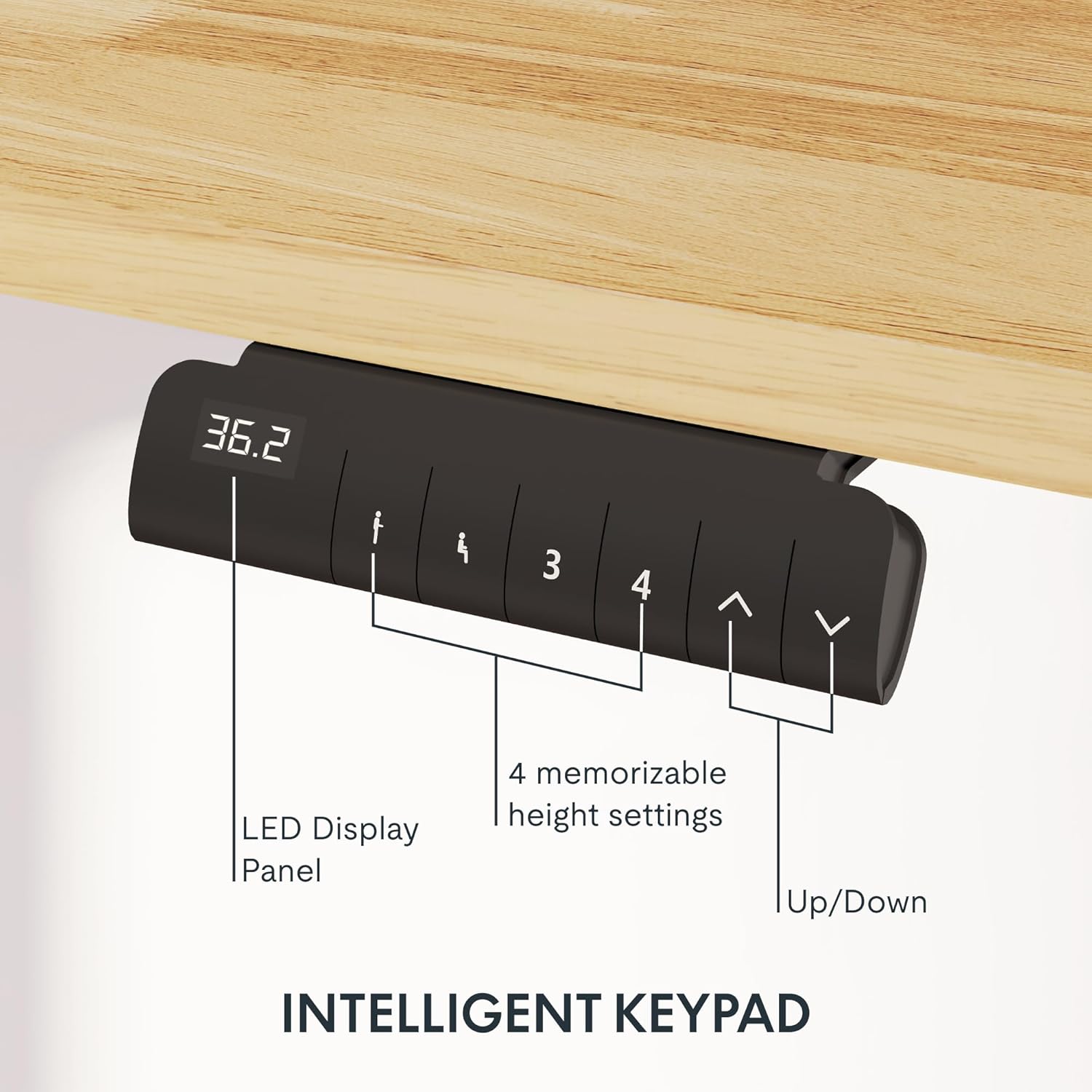
Image: Close-up of the intelligent keypad for height adjustment.
عملیاتي لارښوونې
Your FLEXISPOT E6 desk features a dual-motor system for smooth and quiet height adjustments.
د لوړوالی سمون
- د کارولو Up او ښکته arrows on the keypad to manually adjust the desk height.
- The LED display panel will show the current height.
د حافظې پریزیټ
The keypad includes four memorizable height settings for convenience:
- د پورته/ښکته تیرونو په کارولو سره میز د خپلې خوښې لوړوالي سره سم تنظیم کړئ.
- فشار ورکړئ M button (or similar memory set button) followed by a number button (1, 2, 3, or 4) to save the current height to that preset.
- د خوندي شوي لوړوالي د یادولو لپاره، په ساده ډول د اړونده شمېرې تڼۍ فشار ورکړئ.

Image: Illustration of the desk's height adjustment range.
ساتنه
منظم ساتنه ستاسو د ولاړ میز اوږد عمر او غوره فعالیت تضمینوي.
- پاکول: ډیسټاپ او چوکاټ د نرم، d سره پاک کړئamp ټوکر. د خړوبولو پاکوونکو یا سختو کیمیاوي موادو څخه ډډه وکړئ چې کولی شي پای ته زیان ورسوي.
- د کیبل مدیریت: Periodically check and reorganize cables to prevent tangling or damage, especially after moving the desk.
- د سکرو کلکوالی: Occasionally check all screws and bolts to ensure they are securely tightened. Retighten if necessary.
- د وزن ویش: Distribute weight evenly across the desktop to prevent strain on the motors and frame.
د ستونزو حل کول
If you encounter issues with your FLEXISPOT E6 desk, refer to the following common solutions:
- میز نه حرکت کوي: Check all power connections. Ensure the power adapter is securely plugged into both the wall outlet and the control box.
- ناانډوله حرکت: Perform a reset procedure (refer to the specific reset instructions in your packaged manual, as procedures can vary). Ensure no obstacles are impeding movement.
- د تېروتنې کوډونه: If an error code appears on the LED display, consult the full product manual for specific code meanings and solutions.
- د عملیاتو پرمهال شور: A slight hum is normal for dual motors. Excessive or unusual noise may indicate loose components; check all connections and screws.
د دوامداره ستونزو لپاره، مهرباني وکړئ د FLEXISPOT پیرودونکو ملاتړ سره اړیکه ونیسئ.
مشخصات
Key specifications for the FLEXISPOT E6 Electric Height Adjustable Standing Desk:
| فیچر | تفصیل |
|---|---|
| برانډ | FLEXISPOT |
| د ماډل شمیره | E6 |
| د ډیسټاپ مواد | Rubber Solid Wood (FSC-Certified) |
| د چوکاټ مواد | فلزي |
| د محصول ابعاد (د x څلویښتم x څلویښتم) | 55.1" x 23.6" x 23.6" (at minimum height) |
| د ډیسټاپ اندازه | 55"x24" (Whole-piece) |
| لږ تر لږه لوړوالی | 23.6 انچه |
| اعظمي لوړوالی | 48.8 انچه |
| د اعظمي وزن ظرفیت | 220 پونډه |
| د موټرو ډول | دوه ګونی موټرونه |
| د شور کچه | له 45dB څخه کم |
| د تضمین اداره | Intelligent Keypad with LED Display and 4 Memory Presets |
| ځانګړي ځانګړتیاوې | Anti-collision system, Finger Joint Design |
| مجلس ته اړتیا ده | هو |
| د مجلس لپاره وړاندیز شوي اوزار | سکرو ډرایور |
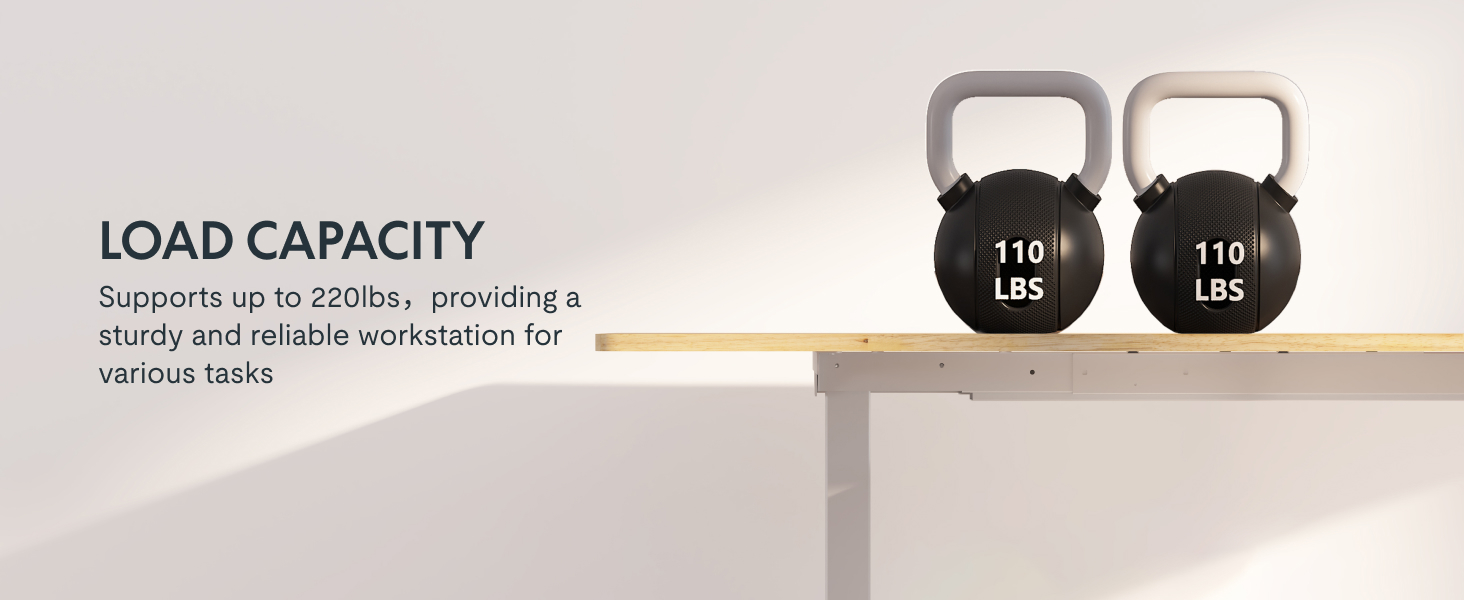
Image: Desk illustrating its 220 lbs maximum load capacity.
تضمین او ملاتړ
FLEXISPOT ستاسو د ذهني سکون لپاره جامع تضمین پوښښ وړاندې کوي:
- دوه کلن پوښښ: د میز چوکاټ او موټرو باندې تطبیق کیږي.
- دوه کلن پوښښ: د کنټرول پینل او برقیاتو لپاره تطبیق کیږي.
For any assistance, warranty claims, or product inquiries, please contact FLEXISPOT customer support. You can find contact information on the official FLEXISPOT webسایټ یا ستاسو د پیرود پلیټ فارم له لارې.
د ۲۰۲۶ کال د جنوري تر ۳۱ پورې بیرته ستنیدنه.
Ask a question about this manual
Ask about setup, troubleshooting, compatibility, parts, safety, or missing instructions. Manuals+ will review the question and use this page’s manual context to help answer it.