
پیژندنه
Thank you for choosing the HOMCOM Ergonomic Kneeling Chair with Backrest. This chair is designed to promote a healthier sitting posture, reduce back and lumbar pain, and enhance focus during extended periods of work or meditation. Its unique rocking mechanism encourages active sitting, distributing weight evenly between your hips and legs.
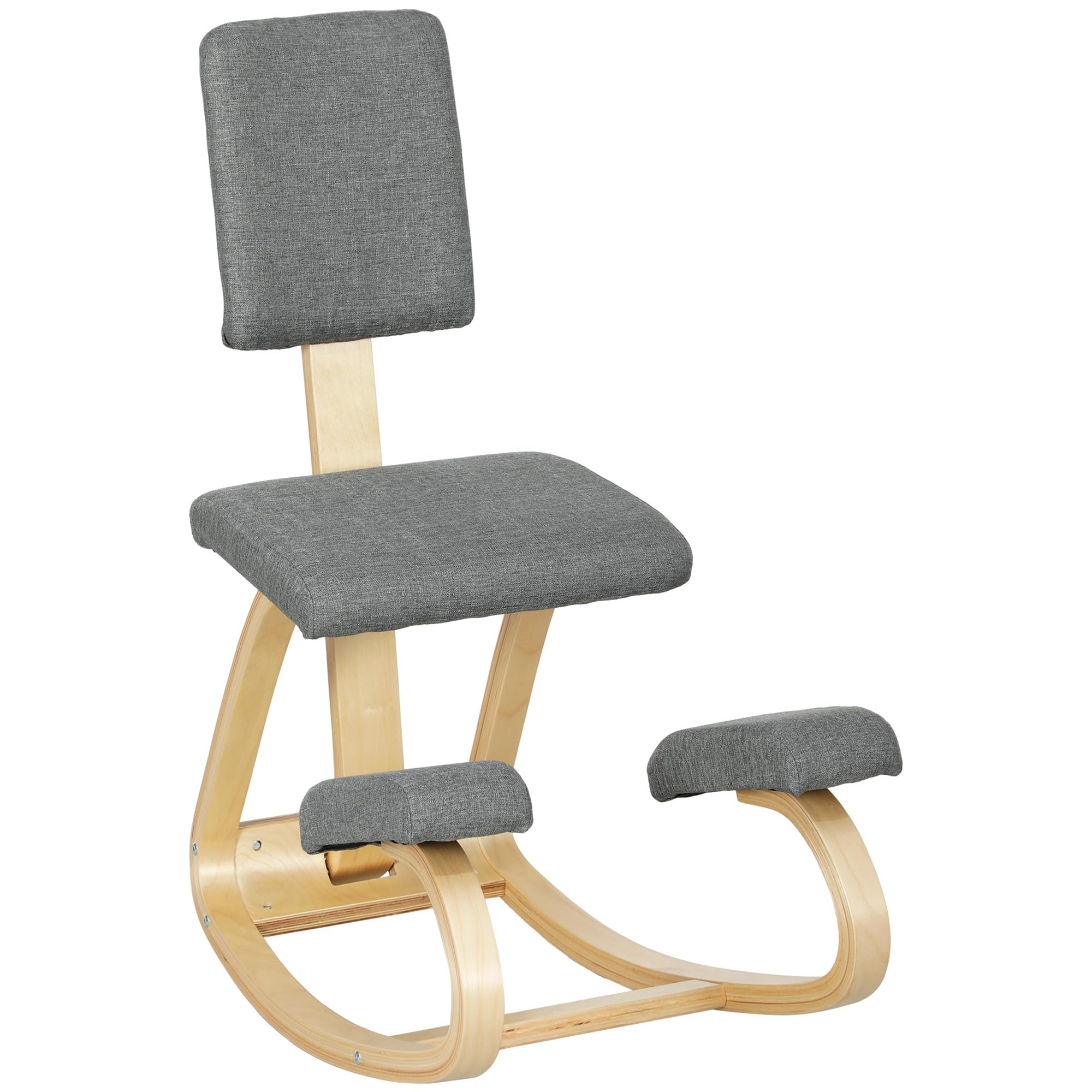
The HOMCOM Ergonomic Kneeling Chair with Backrest, designed for improved posture and comfort.
د خوندیتوب معلومات
مهرباني وکړئ د راټولولو او کارولو دمخه د خوندیتوب ټولې لارښوونې ولولئ او پوه شئ.
- Use the chair gradually and take regular breaks to avoid injury.
- Do not exceed the maximum recommended weight capacity of 120 kg (264 lbs).
- Ensure all screws and fasteners are securely tightened before each use.
- د غونډې پرمهال ماشومان او څاروي له څوکۍ څخه لرې وساتئ.
- Use on a stable, level surface.
د بسته محتويات
Before beginning assembly, please ensure all components are present and undamaged. If any parts are missing or damaged, please contact customer support.
- شالید
- څوکۍ
- Knee Pads (2)
- Frame Components (Birch Wood)
- Assembly Hardware (Screws, Allen Key)
د مجلس لارښوونې
This chair requires simple assembly. Follow the steps below for proper setup. An electric screwdriver can expedite the process, but avoid over-tightening.
- ټولې برخې خلاصې کړئ او په پاکه، نرمه سطحه یې کېږدئ ترڅو د سکریچونو مخه ونیول شي.
- Attach the main seat to the wooden frame using the provided screws. Ensure it is oriented correctly.
- Secure the knee pads to the lower rocking frame using the designated hardware.
- Attach the backrest support to the main frame, then secure the backrest cushion to its support. The backrest height may be adjustable via a knob on the rear support.
- Once all components are attached, gently tighten all screws. Do not overtighten.
- Perform a stability check by gently rocking the chair and ensuring all parts are firm.

شاته view of the chair, highlighting the backrest and potential adjustment mechanism.
عملیاتي لارښوونې
The HOMCOM Ergonomic Kneeling Chair is designed to encourage an open hip angle, which helps align the spine and reduce pressure on the lower back.
- د ناستې حالت: Sit with your buttocks on the main seat cushion and your shins resting comfortably on the knee pads. Your hips should be open, and your spine naturally aligned.
- Rocking Feature: The chair's rocking base allows for gentle movement, which can help maintain focus and engage core muscles. Utilize this feature to find a comfortable and dynamic sitting position.
- Backrest Use: The backrest provides additional lumbar support. Adjust its position if possible (refer to assembly section for adjustment knob) to suit your comfort.
- ابتدايي استعمال: If you are new to kneeling chairs, start with short periods of use (15-30 minutes) and gradually increase as your body adapts. Take regular breaks to stand and stretch.

Demonstration of correct sitting posture on the ergonomic kneeling chair.

Benefits of using the kneeling chair, including even weight distribution and core engagement.
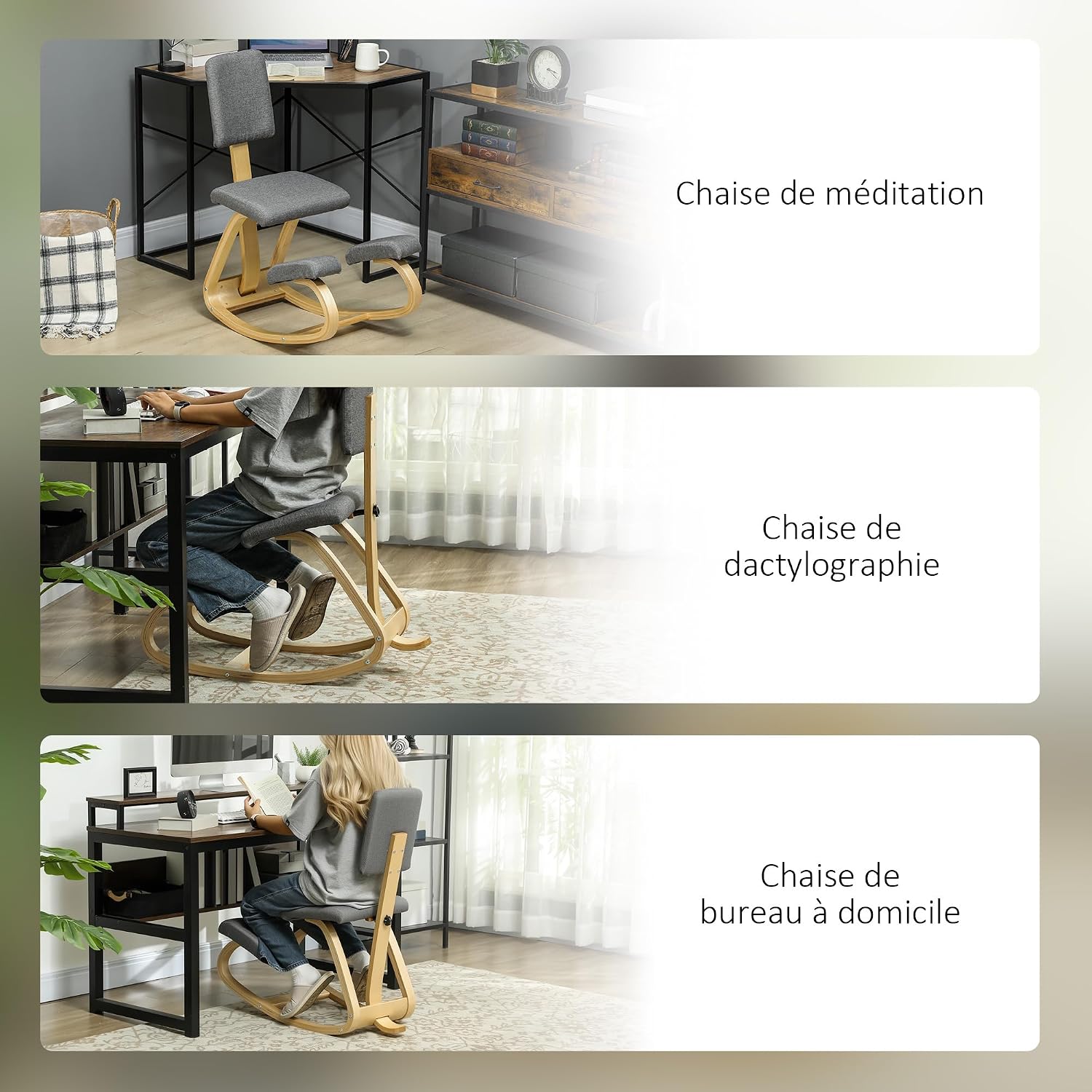
The versatile use of the kneeling chair for various activities such as meditation, typing, and home office work.
ساتنه
To ensure the longevity and appearance of your HOMCOM Ergonomic Kneeling Chair, follow these simple maintenance guidelines:
- پاکول: For fabric parts, spot clean only. Use a mild detergent and a damp cloth to gently wipe away spills or stains. Avoid harsh chemicals or abrasive cleaners.
- د چوکاټ ساتنه: Wipe the wooden frame with a soft, dry cloth. Avoid prolonged exposure to moisture.
- منظم چکونه: Periodically inspect all screws and fasteners. Tighten them as needed to maintain stability and prevent loosening over time.
د ستونزو حل کول
If you encounter any issues with your kneeling chair, refer to the following common solutions:
- Chair feels wobbly or unstable: This is often due to loose screws. Re-tighten all assembly screws, especially those connecting the frame components and seat/knee pads. Do not overtighten.
- د کارولو پرمهال تکلیف: Kneeling chairs require an adjustment period. Ensure you are sitting with an open hip angle and your shins are comfortably supported. Take frequent breaks. If discomfort persists, consult a healthcare professional.
- د چیغو غږونه: Check for any loose connections and tighten them. A small amount of lubricant on metal-to-metal contact points (if applicable and accessible) might help, but ensure it does not stain the fabric or wood.
مشخصات
Detailed specifications for the HOMCOM Ergonomic Kneeling Chair (Model 921-788V00GY):
| برانډ | HOMCOM |
| د ماډل شمیره | 921-788V00GY |
| رنګ | خړ |
| مواد | 100% Polyester, Birch Wood, Foam |
| ټولیز ابعاد (D x W x H) | 84P x 51l x 93H cm (33.1 x 20.1 x 36.6 inches) |
| د توکي وزن | 6.3 کیلوګرامه (13.9 پونډه) |
| اعظمي سپارښتنه شوی بار | 120 کیلوګرامه (264 پونډه) |
| شاته سټایل | Full Backrest |
| د چوکاټ مواد | برچ لرګی |
| ځانګړي ځانګړتیاوې | Rocking, Ergonomic, Simple Assembly, Versatile, Stable and Robust |
| وړاندیز شوی کارول | Office, Meditation |
| مجلس ته اړتیا ده | هو |
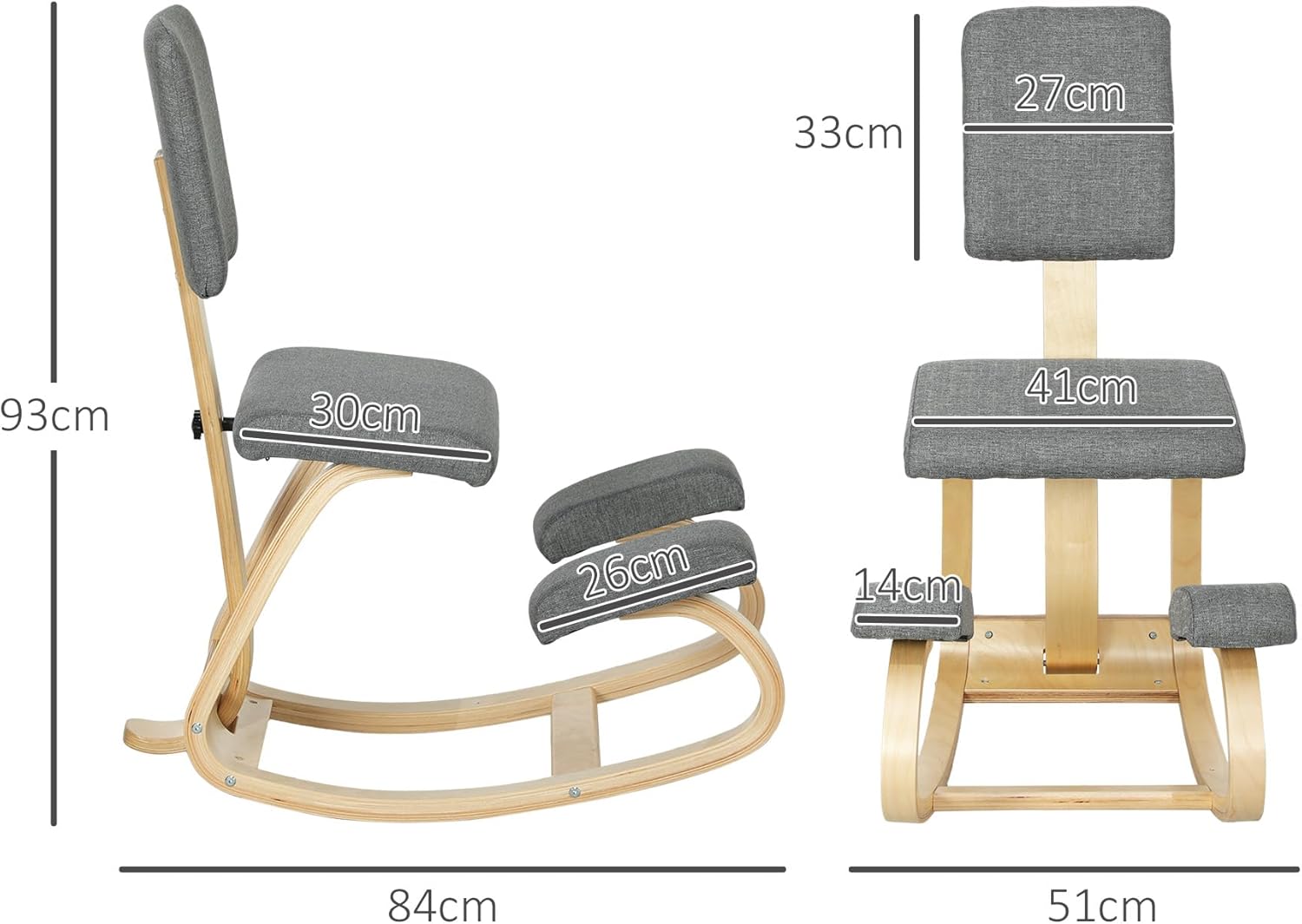
Detailed dimensions of the kneeling chair for reference.
تضمین او ملاتړ
تضمین: This HOMCOM product comes with a 2-year manufacturer's warranty, covering defects in materials and workmanship under normal use. Please retain your proof of purchase for warranty claims.
د پیرودونکي ملاتړ: For any questions, missing parts, or assistance with assembly or operation, please contact HOMCOM customer service. Refer to the contact information provided with your purchase or visit the official HOMCOM webد ملاتړ توضیحاتو لپاره سایټ.