
1. محصول ختم شوview
The Morpheus 360 Sanctuary ANC Wireless UC Headset is designed for professional communication and audio playback. It features Active Noise Canceling (ANC), a noise-canceling boom microphone, and Bluetooth connectivity with an included USB dongle for unified communication platforms.
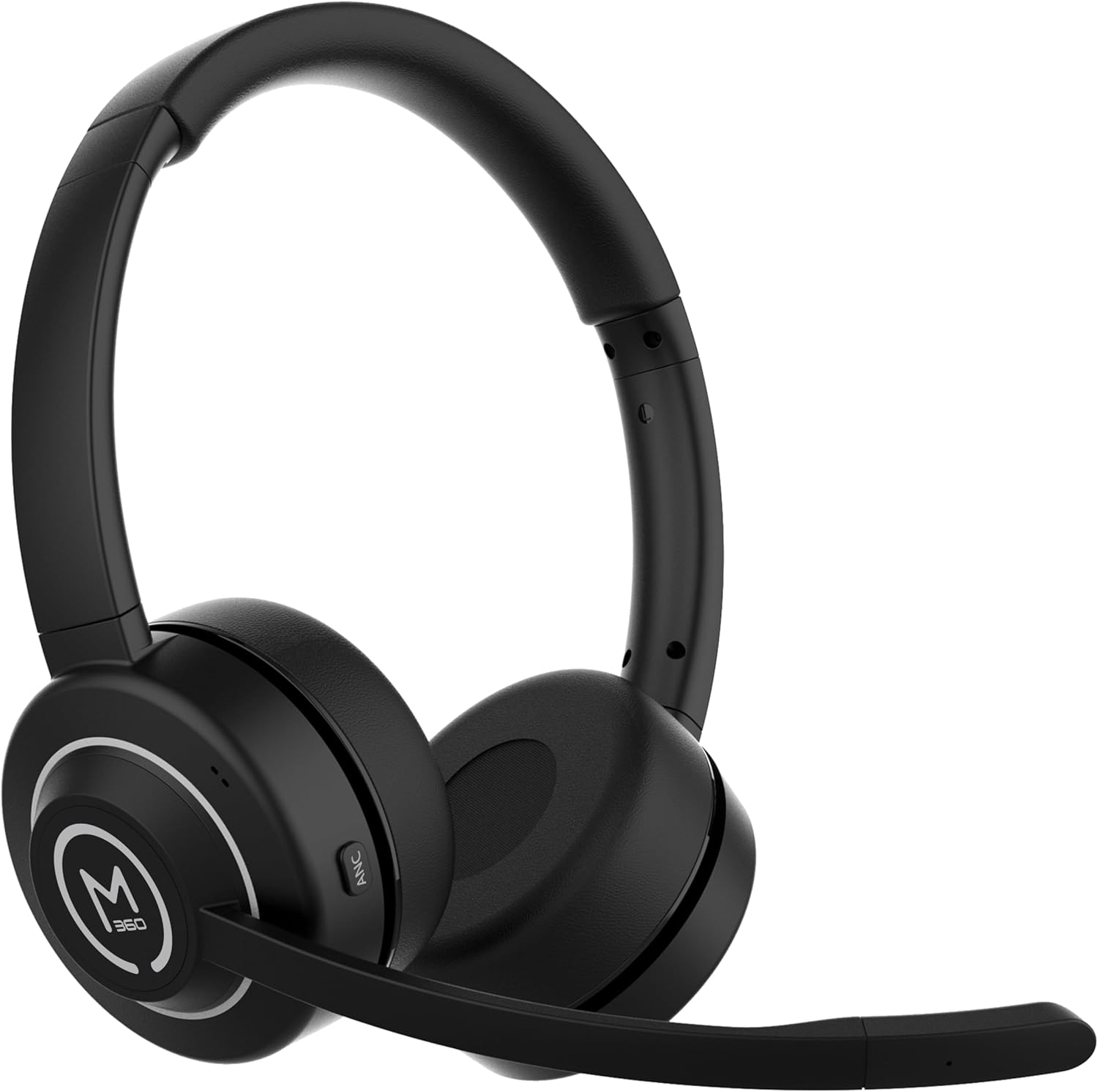
انځور 1.1: مخکی view of the Morpheus 360 Sanctuary ANC Wireless UC Headset.
۲. په بکس کې څه دي؟
- Morpheus 360 Sanctuary ANC Wireless UC Headset
- د USB بلوتوټ ډونګل
- د چارج کولو سټینډ
- د USB-C چارج کیبل

Image 2.1: The dedicated charging stand for the headset.
3. ترتیب کول
۶.۲ د هیډسیټ چارج کول
- Connect the USB-C charging cable to the charging stand and a power source.
- Place the headset onto the charging stand, ensuring proper alignment. The headset will begin charging.
- بشپړ چارج د بیټرۍ ژوند شاوخوا ۱۳ ساعته چمتو کوي.
یادونه: The headset cannot be used while it is charging on the stand.
۲.۴ د وسایلو سره جوړه کول
The headset can be paired via Bluetooth or using the included USB dongle.
بلوتوث
- ډاډ ترلاسه کړئ چې هیډسیټ بند دی.
- د بریښنا تڼۍ فشار ورکړئ او ونیسئ تر هغه چې د LED شاخص نیلي او سور روښانه شي، د جوړه کولو حالت په ګوته کوي.
- On your device (smartphone, tablet), go to Bluetooth settings and select "Morpheus 360 Sanctuary" from the list of available devices.
- یوځل چې وصل شي، د LED شاخص به یو قوي نیلي رڼا وښيي.
USB Dongle Pairing (for PC/Mac):
- Plug the USB Bluetooth dongle into an available USB port on your computer.
- Power on the headset. It should automatically connect to the dongle. The LED on the dongle will indicate a successful connection.
- ډاډ ترلاسه کړئ چې هیډسیټ ستاسو د کمپیوټر د غږ ترتیباتو کې د آډیو ان پټ او آوټ پټ وسیلې په توګه غوره شوی.
احتیاط: Handle the USB dongle with care. Repeated insertion and removal, or improper handling, may cause the dongle to separate.
۶ د هیډسیټ اغوستل
- د سر بانډ تنظیم کړئ ترڅو ستاسو په سر کې په آرامۍ سره فټ شي.
- Position the earcups so they sit gently on your ears. The eco-leather ear cushions are designed for comfort.
- Adjust the flexible boom microphone to be near your mouth for optimal voice pickup.

انځور ۵.۱: اړخ view of the headset highlighting the boom microphone and control buttons.
۴. د هیډسیټ چلول
۸ پاور آن/بند
- پاور آن: د 3 ثانیو لپاره د بریښنا تڼۍ فشار او ونیسئ.
- بندول: د 5 ثانیو لپاره د بریښنا تڼۍ فشار او ونیسئ.
۵.۳ د فعال شور لغوه کول (ANC)
The ANC feature detects and reduces background noise by up to 20dB, helping you focus. This is effective against consistent low-frequency sounds like office chatter or keyboard noise.
- ANC فعالول: Press the ANC button located on the earcup.
- ANC غیر فعال کړئ: د ANC تڼۍ بیا فشار ورکړئ.
4.3 د روڼتیا حالت
Transparency Mode allows you to hear your surroundings without removing the headset, useful for quick conversations or awareness.
- د شفافیت حالت فعال/غیر فعال کړئ: Refer to the specific button on your headset (often shared with ANC or a dedicated button).
۶.۳ د زنګ وهلو مدیریت
- ځواب / پای کال: یوځل د ملټي فنکشن ت buttonۍ فشار ورکړئ.
- زنګ رد کړئ: د 2 ثانیو لپاره د ملټي فنکشن تڼۍ فشار او ونیسئ.
- د مایکروفون خاموش/غیر غږول: Use the dedicated mute button on the boom microphone or earcup.
The noise-canceling boom microphone uses specialized technology to filter out background noise from your voice during calls.
4.5 د میوزیک غږ
- پلی کول / ودرول: یوځل د ملټي فنکشن ت buttonۍ فشار ورکړئ.
- بله لار: د حجم پورته کولو تڼۍ کېکاږئ او ونیسئ.
- مخکینی لار د حجم ښکته تڼۍ فشار او وساتئ.
4.6 د حجم کنټرول
- حجم زیات کړئ: د حجم پورته کولو تڼۍ کېکاږئ.
- حجم کم کړئ: د حجم کمولو تڼۍ کېکاږئ.
5. ساتنه
5.1 پاکول
- Wipe the headset and ear cushions with a soft, dry, lint-free cloth.
- سخت کیمیاوي مواد، د پاکولو محلول، یا قوي صابون مه کاروئ.
- په هر ډول خلاصیدو کې د رطوبت له ننوتلو څخه ډډه وکړئ.
5.2 ذخیره کول
- هیډسیټ په یخ او وچ ځای کې د مستقیم لمر وړانګو او سختې تودوخې څخه لرې وساتئ.
- When not in use, placing the headset on its charging stand can help keep it organized and ready for use.
5.3 د بیټرۍ پاملرنه
- د بیټرۍ د ژوند اوږدولو لپاره، د هیډسیټ په مکرر ډول په بشپړ ډول چارج کولو څخه ډډه وکړئ.
- Charge the headset regularly, even if not used for extended periods.
6. ستونزه حل کول
۵.۳ د اتصال مسلې
- هیډسیټ نه جوړیږي: Ensure the headset is in pairing mode (flashing blue/red LED). Check your device's Bluetooth settings.
- USB Dongle not connecting: Ensure the dongle is fully inserted into the USB port. Try a different USB port. Re-pair the headset if necessary.
- وقفې وقفې اړیکه: Ensure no major obstructions are between the headset and your device/dongle. Move closer to the connected device.
6.2 د آډیو مسلې
- غږ نشته: Check volume levels on both the headset and your connected device. Ensure the headset is selected as the audio output device.
- مایکروفون کار نه کوي: Ensure the microphone is not muted. Check that the headset is selected as the audio input device in your computer's sound settings.
6.3 Active Noise Canceling (ANC) Performance
- ANC is most effective against consistent low-frequency sounds. It may not completely block out human speech or sudden loud noises.
- Ensure the earcups are properly seated on your ears for optimal ANC performance.
6.4 USB Dongle Durability
Some users have reported the USB dongle separating. To prevent this, handle the dongle gently when inserting or removing it from USB ports or the charging stand. Avoid pulling it out by the plastic casing alone.
6.5 Battery Alerts
The headset may issue 'Charge headset' warnings when the battery level is around 30%. This is normal behavior to prompt early recharging.
7. مشخصات
| د ماډل شمیره | HS6750ANC |
| برانډ | مورفیوس ۳ |
| رنګ | تور |
| مواد | Faux Leather, Plastic, Stainless Steel |
| د بیټرۍ ژوند | تر 55 ساعتونو پورې |
| د فعال شور لغوه کول | Up to 20dB reduction |
| مایکروفون | Noise Canceling Boom Microphone |
| ارتباط | Bluetooth, USB Dongle |
| UPC | 856816008590 |
8. د تضمین معلومات
The Morpheus 360 Sanctuary ANC Wireless UC Headset (Model HS6750ANC) comes with a د 1 کال برخې او کار warranty from the date of purchase. Please retain your proof of purchase for warranty claims.
9. ملاتړ
For further assistance, technical support, or warranty inquiries, please refer to the official Morpheus 360 webسایټ ته مراجعه وکړئ یا د دوی د پیرودونکو خدماتو څانګې سره اړیکه ونیسئ. د اړیکو معلومات معمولا د محصول په بسته بندۍ یا د برانډ رسمي آنلاین شتون کې موندل کیدی شي.