
1. پیژندنه
This manual provides detailed instructions for the setup, operation, customization, and maintenance of your Xtrike Me GM314 RGB Gaming Mouse. Please read this manual thoroughly before using the product to ensure optimal performance and longevity.
The Xtrike Me GM314 is a wired gaming mouse featuring a 7200 DPI optical sensor, 7 programmable buttons, and customizable RGB lighting, designed for personal computer use.
2. محصول ختم شوview
Familiarize yourself with the components of your Xtrike Me GM314 RGB Gaming Mouse.
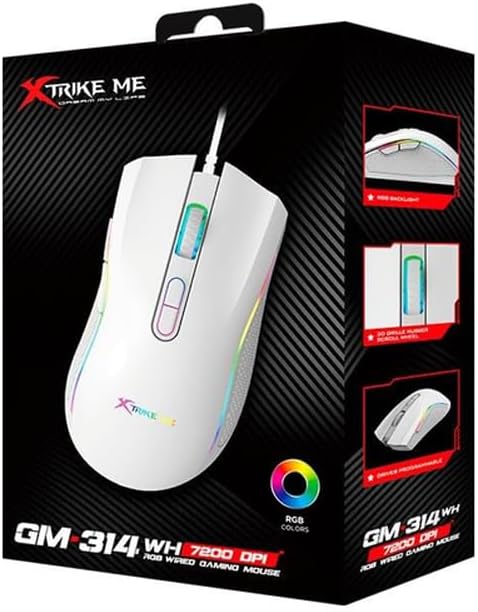
شکل 2.1: پورته view of the GM314 Gaming Mouse.

شکل ۳: زاویه لرونکی view showing scroll wheel and DPI buttons.
The mouse features a comfortable design with a textured grip on the sides. It includes a scroll wheel, left and right click buttons, two DPI adjustment buttons, and two side buttons for enhanced functionality.
3. ترتیب کول
3.1. د بسته محتويات
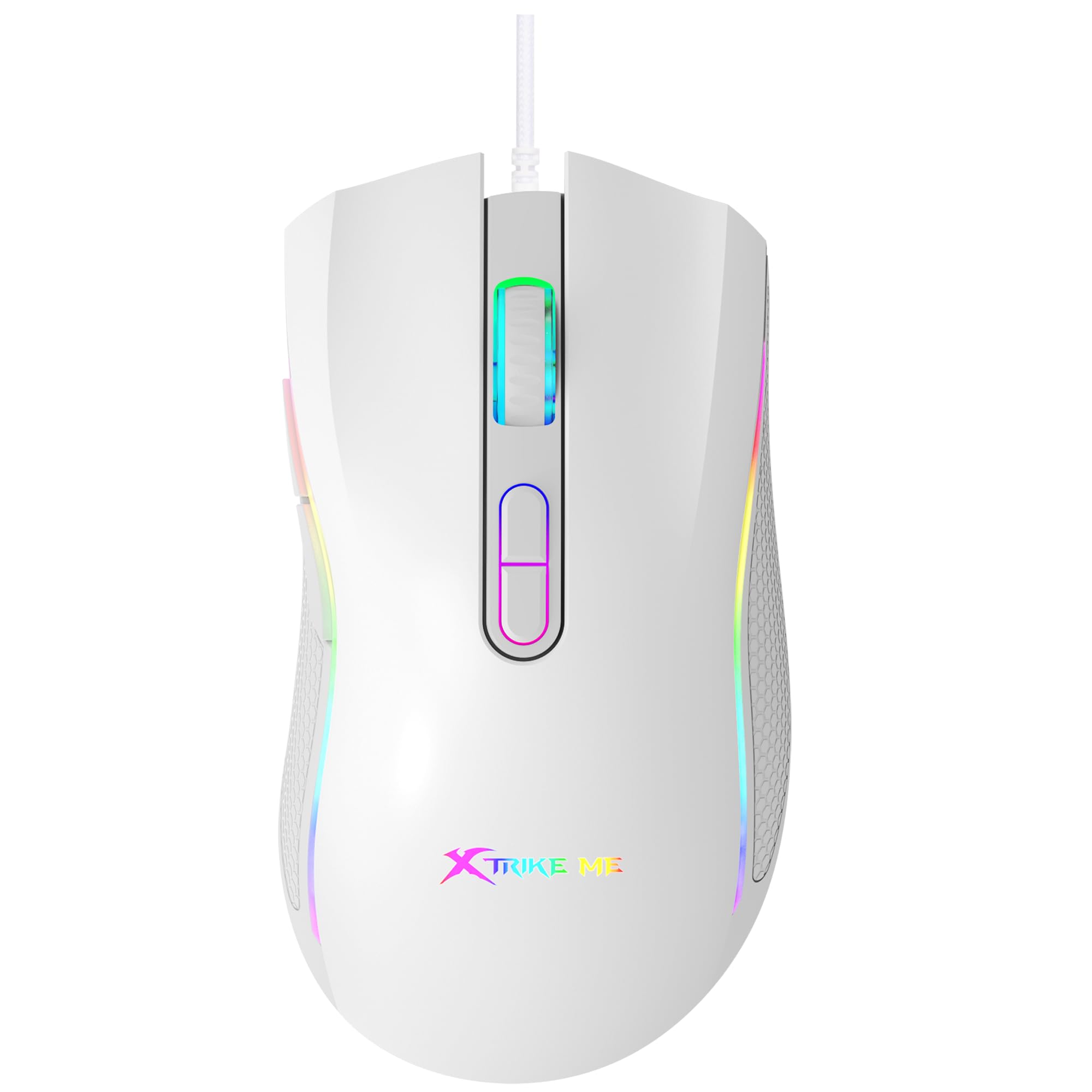
Figure 3.1: GM314 Product Packaging.
ډاډ ترلاسه کړئ چې لاندې توکي ستاسو په بسته کې شامل دي:
- Xtrike Me GM314 RGB Gaming Mouse
- د کارونکي لارښود (دا لاسوند)
- Driver Software (if provided on disc or download link)
3.2. موږک سره نښلول
- Locate an available USB port on your personal computer.
- Plug the USB connector of the GM314 mouse into the USB port.
- عملیاتي سیسټم به په اتوماتيک ډول اړین چلوونکي کشف او نصب کړي. دا ممکن یو څو دقیقې وخت ونیسي.
- یوځل چې نصب شي، موږک به د اساسي کارونې لپاره چمتو وي.
۳.۳. د ډرایور سافټویر نصبول
For full customization of programmable buttons and RGB lighting, install the dedicated driver software.
- If a driver disc is included, insert it into your computer's optical drive and follow the on-screen instructions.
- Alternatively, download the latest driver software from the official Xtrike Me webسایټ (د محصول بسته بندۍ یا جوړونکي ته مراجعه وکړئ) website for the correct URL).
- انسټالر چل کړئ او د نصبولو بشپړولو لپاره لارښوونې تعقیب کړئ.
- خپل کمپیوټر بیا پیل کړئ که غوښتنه وشي.
4. عملیاتي لارښوونې
4.1. بنسټیز کارونه
- کیڼ کلیک: لومړنۍ کړنه، انتخاب.
- ښي کلیک: د شرایطو مینو، دوهم عمل.
- سکرول ویل: Scroll up/down, middle click for universal scroll or other assigned functions.
۴.۴. د DPI سمون
The GM314 mouse features adjustable DPI (Dots Per Inch) settings, allowing you to change cursor sensitivity on the fly. The available DPI levels are 1200, 2400, 4800, and 7200.
Figure 4.1: DPI Adjustment Buttons.
- فشار ورکړئ DPI+ تڼۍ (usually the forward button behind the scroll wheel) to increase DPI.
- فشار ورکړئ DPI- تڼۍ (usually the rear button behind the scroll wheel) to decrease DPI.
- The RGB lighting may change color to indicate the current DPI setting (refer to driver software for specific color assignments).
۵.۳. د غاړې تڼۍ
The GM314 includes two side buttons, typically located on the left side of the mouse.
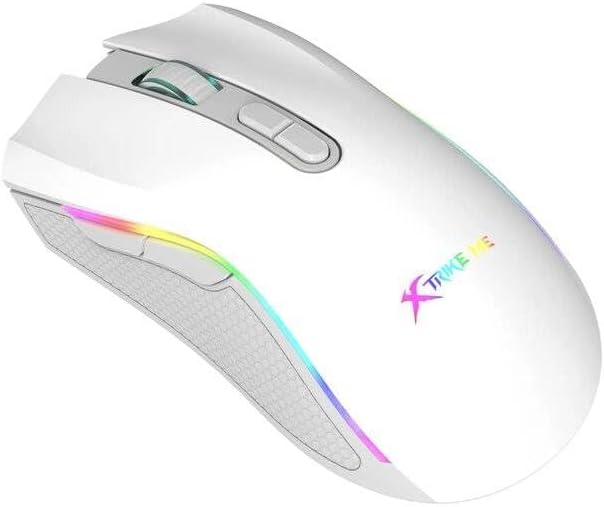
Figure 4.2: Side Buttons.
By default, these buttons often function as 'Forward' and 'Back' in web براوزرونه یا file explorers. Their functions can be customized using the driver software.
5. اصلاح کول
The Xtrike Me GM314 mouse offers extensive customization options through its dedicated driver software. This includes:
- د پروګرام کولو تڼۍ: Assign custom functions, macros, or key combinations to any of the 7 programmable buttons.
- د DPI ترتیبات: Fine-tune DPI levels and assign specific colors to each level for visual identification.
- د RGB رڼا: Choose from various lighting effects, colors, and brightness levels for the mouse's RGB backlight.
- د رای ورکولو کچه: Adjust the data transmission rate (e.g., 125 Hz) for responsiveness.
- پروfiles: ګڼ شمېر پرو جوړ او خوندي کړئfiles for different games or applications, allowing quick switching between settings.
Refer to the driver software's built-in help or interface for detailed instructions on using these customization features.
6. ساتنه
مناسب ساتنه ستاسو د لوبو موږک اوږد عمر او فعالیت تضمینوي.
- پاکول: د موږک سطحه د پاکولو لپاره نرم، وچ ټوکر وکاروئ. د سختې خاورې لپاره، یو څه وچampټوکر د اوبو یا نرم پاکولو محلول سره ومینځئ. د سختو کیمیاوي موادو څخه ډډه وکړئ.
- د سینسر پاملرنه: Keep the optical sensor on the underside of the mouse clean and free from dust or debris. Use a cotton swab if necessary.
- د کیبل مدیریت: Avoid sharp bends or excessive pulling on the USB cable. Store the mouse in a way that prevents cable damage. The cable includes a magnetic ring for improved signal stability.
- ذخیره کول: کله چې د اوږدې مودې لپاره نه کارول کیږي، موږک په پاک او وچ چاپیریال کې وساتئ.
7. ستونزه حل کول
If you encounter issues with your GM314 gaming mouse, refer to the following common solutions:
| ستونزه | د حل لاره |
|---|---|
| موږک ځواب نه ورکوي |
|
| د کرسر حرکت بې نظمه یا ناڅاپي دی |
|
| DPI or RGB settings not changing |
|
| د پروګرام وړ تڼۍ کار نه کوي |
|
8. مشخصات
| فیچر | تفصیل |
|---|---|
| د ماډل نوم | GM314 |
| د حرکت کشف ټیکنالوژي | نظري |
| د DPI تنظیمات | 1200 / 2400 / 4800 / 7200 |
| د تڼیو شمیر | ۴ (پروګرام وړ) |
| تڼۍ ژوند | 3 ملیونه کلیکونه |
| شاته څراغ | RGB |
| د ډیټا لیږد نرخ | 125 Hz |
| د ارتباط ټیکنالوژي | USB (ویر شوی) |
| د کیبل اوږدوالی | 1.5 meters (with magnetic ring) |
| مطابقت لرونکې وسیلې | شخصي کمپیوټر |
| د توکي وزن | 104 ګرامه |
| رنګ | سپین |
9. تضمین او ملاتړ
The Xtrike Me GM314 RGB Gaming Mouse comes with a standard manufacturer's warranty. Please refer to the warranty card included in your product packaging or visit the official Xtrike Me webد تضمین د تفصيلي شرایطو او مقرراتو لپاره سایټ.
For technical support, driver downloads, or further assistance, please visit the official Xtrike Me support page or contact their customer service department. Contact information can typically be found on the product packaging or the manufacturer's webسایټ