
THINKYA Y19
THINKYA Portable CD Player User Manual
Model: Y19 | Brand: THINKYA
1. پیژندنه
Thank you for choosing the THINKYA Portable CD Player Y19. This multi-functional device combines classic CD playback with modern connectivity options, including Bluetooth, USB, AUX, and Optical modes. Featuring built-in HiFi stereo speakers and a convenient remote control, it offers a versatile audio experience for your home or on the go. Please read this manual thoroughly before use to ensure proper operation and longevity of your device.
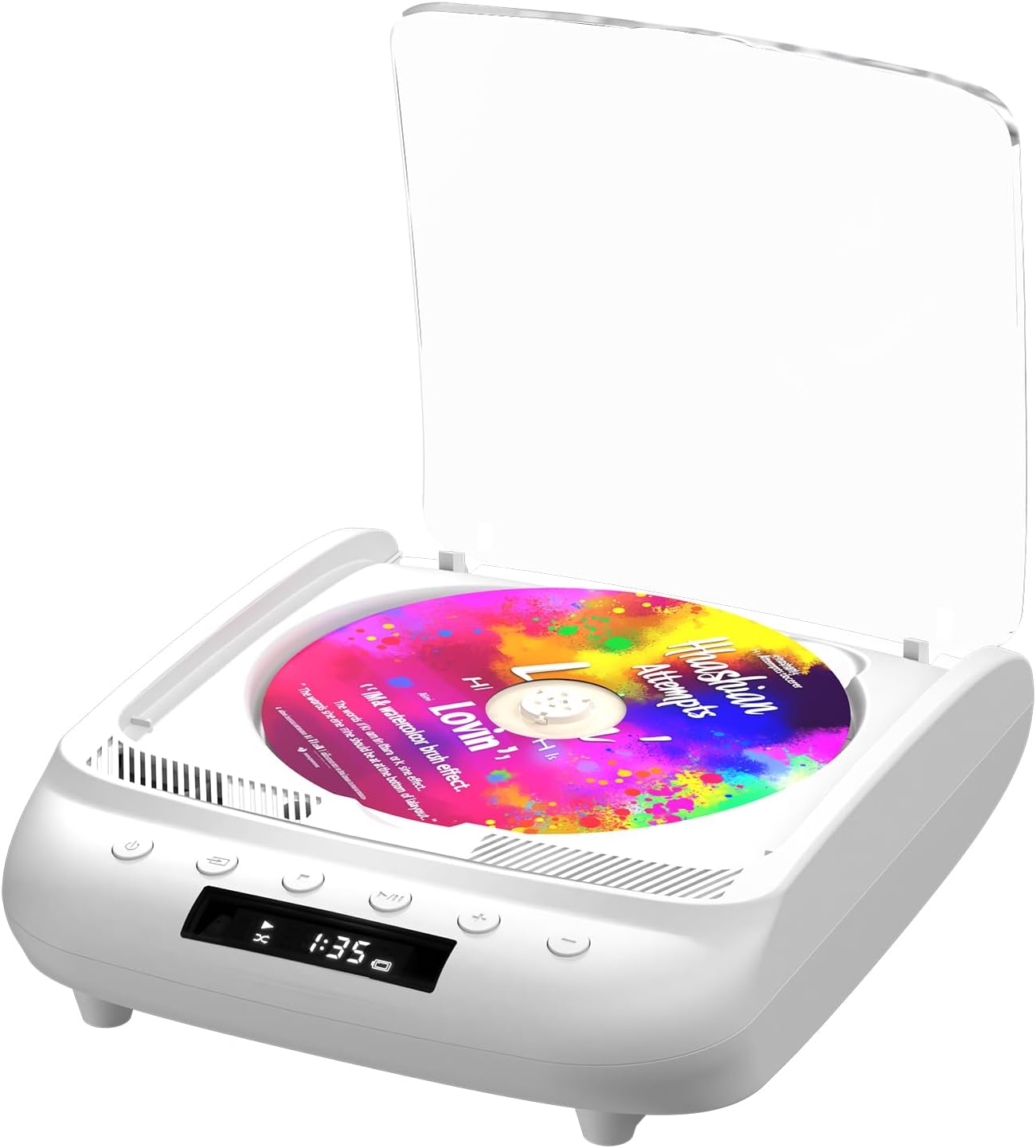
Figure 1.1: THINKYA Portable CD Player Y19
2. د بسته محتويات
ډاډ ترلاسه کړئ چې ټول توکي شتون لري او د بکس خلاصولو پر مهال په ښه حالت کې دي:
- Portable CD Player x 1
- د ریموٹ کنټرول x 1
- د USB-C کیبل x 1
- 3.5mm AUX کیبل x 1
- د کارن لارښود x 1
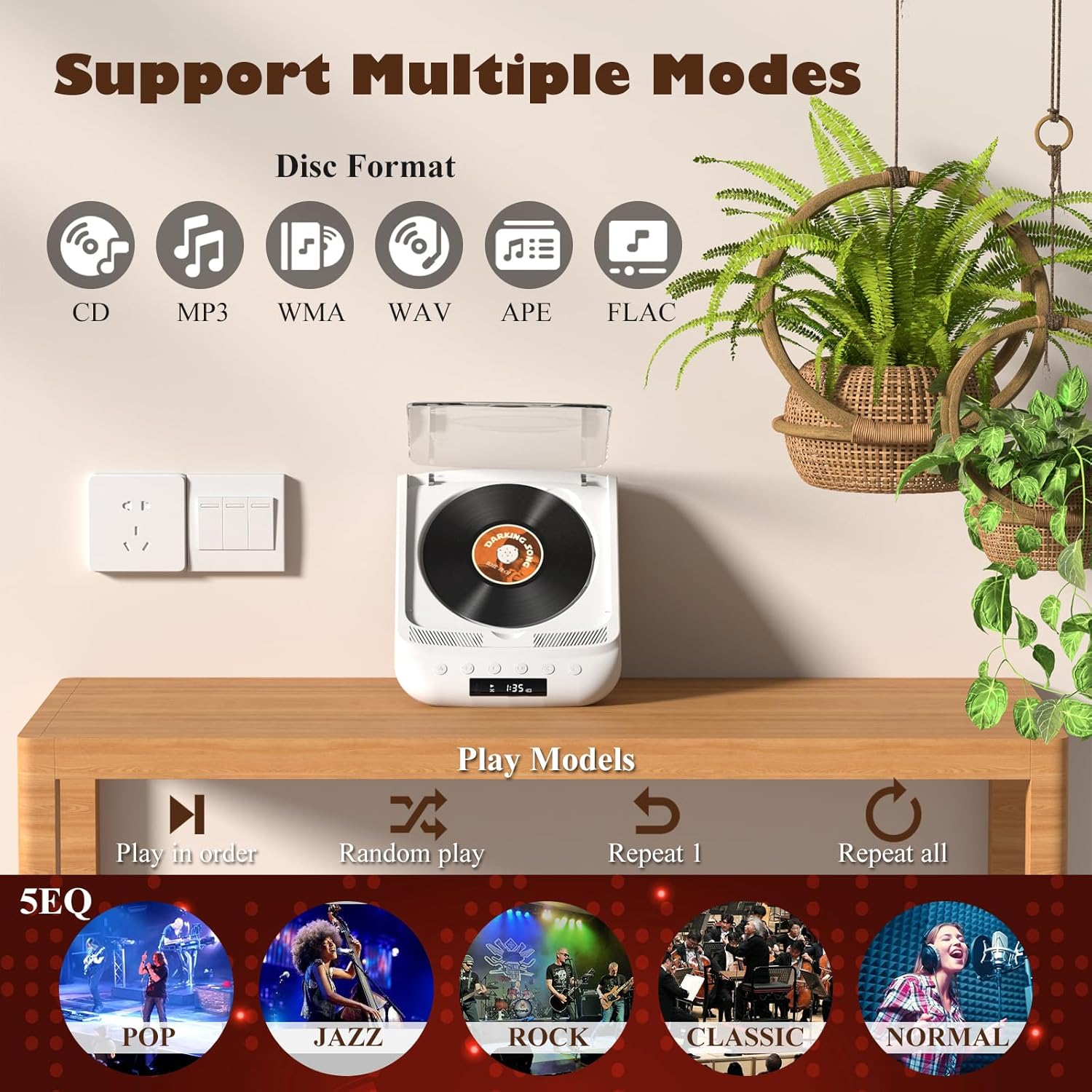
Figure 2.1: All items included in the package.
3. محصول ختم شوview کنټرولونه
Familiarize yourself with the player's layout and functions:

Figure 3.1: Front panel controls and rear ports. (1) Optical, (2) Headphone, (3) AUX, (4) USB, (5) DCIN 5V, (6) On/Off switch.
د مخکښې پینل ت :ۍ:
- د بریښنا تڼۍ: وسیله آن/بندوي.
- د حالت تڼۍ: Cycles through playback modes (CD, USB, Bluetooth, AUX, Optical).
- د ت Stopۍ ت :ۍ: د پلې بیک مخه نیسي.
- د پلی کولو/پاز بټن: پلے بیک شروع کوي یا وقفه کوي.
- ټوک - / مخکینی ټریک: حجم کموي یا پخواني ټریک ته ځي.
- حجم + / راتلونکی ټریک: حجم زیاتوي یا بل ټریک ته ځي.
د شا پینل بندرونه:
- SPDIF (Optical) Output: د آپټیکل کیبل له لارې د بهرني آډیو سیسټمونو سره د نښلولو لپاره.
- د هیډفون جیک (3.5mm): د هیډفونونو سره د شخصي اوریدلو لپاره.
- د AUX ان پټ (۳.۵ ملي متره): د AUX کیبل له لارې د بهرنیو آډیو وسیلو د نښلولو لپاره.
- USB پورټ: د آډیو غږولو لپاره fileد USB ډرایو څخه.
- DCIN 5V (USB-C): Power input for charging and continuous operation.
- آن/بند سویچ: د وسیلې لپاره اصلي بریښنا سویچ.

شکل 3.2: مفصل view of 3.5mm Earphone Jack and USB Playback port.

Figure 3.3: Enjoying purer singing with Optical Mode connection to external speakers.
4. ابتدايي ترتیب
4.1 د وسیلې چارج کول
The THINKYA CD Player has a built-in 2600mAh rechargeable battery. Before first use, fully charge the device.
- Connect the provided USB-C cable to the DCIN 5V port on the rear of the player.
- Connect the other end of the USB-C cable to a compatible 5V/2A USB power adapter (not included), power bank, or computer USB port.
- The LED screen will indicate charging status. A full charge takes approximately 3 hours and provides 4-8 hours of playback time.

Figure 4.1: Flexible charging options for the built-in rechargeable battery.
۳.۲ د سي ډي داخلول
To insert a CD:
- Gently lift the transparent lid of the CD player.
- If present, remove the protective cardboard from the CD compartment.
- Place the CD onto the spindle with the label side facing up. Ensure it clicks securely into place.
- Close the transparent lid.
Figure 4.2: Correct placement of a CD in the player.
5. عملیاتي لارښوونې
The THINKYA CD Player supports multiple playback modes. Press the د موډ تڼۍ on the front panel or remote control to switch between them.
5.1 CD Playback Mode
After inserting a CD and powering on the device, it will automatically enter CD mode and begin playback. The LED screen will display the track number and playback time.
- پلی کول / ودرول: د Play/Pause تڼۍ کېکاږئ.
- راتلونکی / مخکینی لار: Use the Volume +/- buttons (short press) to skip tracks.
- درېدل: د تمب ت .ۍ کېکاږئ.

Figure 5.1: Dual HiFi Stereo Speakers and CD playback options (Repeat All, Random, In Order, Repeat 1).
5.2 Bluetooth Mode (Input & Output)
The player can act as both a Bluetooth transmitter and receiver.
Bluetooth Receiver (Connect your phone/tablet to the CD Player):
- Switch the CD player to Bluetooth mode (BT will flash on the LED screen).
- On your mobile device, search for "THINKYA Y19" in the Bluetooth settings.
- Select to pair. Once connected, the BT indicator will stop flashing. You can now play audio from your device through the CD player's speakers.
Bluetooth Transmitter (Connect the CD Player to Bluetooth headphones/speakers):
- Ensure the CD player is in CD, USB, or AUX mode.
- په خپل بلوتوث هیډفون یا سپیکر کې د جوړه کولو حالت فعال کړئ.
- The CD player will automatically search for and connect to nearby Bluetooth audio devices. Once connected, audio will be transmitted to your external Bluetooth device.

Figure 5.2: Bluetooth 5.0 connectivity for both transmitting and receiving audio.
Video 5.1: Demonstration of THINKYA Portable CD Player's Bluetooth functionality, including pairing with external speakers.
5.3 USB Playback Mode
Insert a USB flash drive into the USB port on the rear panel. The player supports MP3/WMA/WAV/APE/FLAC formats. Switch to USB mode using the Mode button.
5.4 AUX حالت
Connect an external audio device (e.g., smartphone, MP3 player) to the AUX input port using the provided 3.5mm AUX cable. Switch to AUX mode using the Mode button.
5.5 Optical Mode
Connect the SPDIF (Optical) output port to an external audio system with an optical input. This mode is for digital audio output from the CD player to a compatible receiver or soundbar.
6. د ریموټ کنټرول کارول
The included remote control allows for convenient operation from a distance (up to 15ft). It requires 2 AAA batteries (not included).
شکل ۳: د اسانه عملیاتو لپاره ریموټ کنټرول.
د ریموټ کنټرول دندې:
- ځواک: آن/بند
- VOL +/-: حجم تنظیموي.
- مخکینی/راتلونکی: ټریکونه پریږدي.
- پلی کول / ودرول: پلے بیک شروع کوي یا وقفه کوي.
- درېدل: د پلې بیک مخه نیسي.
- EQ: Cycles through equalizer presets (POP, JAZZ, ROCK, CLASSIC, NORMAL).
- BT: Switches to Bluetooth mode.
- نورې تڼۍ: May include Bass, Treble adjustments depending on the remote version.
7. تخنیکي مشخصات
| فیچر | مشخصات |
|---|---|
| ماډل | Y19 |
| ننوتۍ جلدtage | 5V-2A |
| د بیټرۍ ظرفیت | 2600 mAh لیتیم ایون |
| د چارج کولو وخت | نږدې 3 ساعته |
| د پلې بیک وخت | نږدې 4-8 ساعته |
| د پورټ وړ اندازه | 8.27 x 6.69 x 3.03 انچه |
| وزن | 2.2 lb (1.72 pounds listed in specs, using A+ content for consistency) |
| سپیکر | 4Ω-2*2W (Independent Sound Cavity) |
| CD Format Support | CD-DA, CD-R, MP3 |
| USB Format Support | MP3 / WMA / WAV / APE / FLAC |
| انٹرفیس | 3.5mm Audio, USB, Optical, Headphone, USB-C Charge |
| د لوبغاړي حالت | CD Play, Bluetooth, USB, AUX, Optical |
8. پاملرنه او ساتنه
- پاکول: د پلیر بهرنۍ برخه پاکولو لپاره نرم، وچ ټوکر وکاروئ. د سي ډي لینز لپاره، د سي ډي لینز ځانګړي کلینر وکاروئ. د کثافاتو پاکونکي یا محلول مه کاروئ.
- CD Handling: Always hold CDs by their edges. Avoid touching the playing surface. Store CDs in their cases to prevent scratches and dust accumulation.
- ذخیره کول: کله چې د اوږدې مودې لپاره نه کارول کیږي، لوبغاړی په یخ او وچ ځای کې د مستقیم لمر وړانګو او سخت تودوخې څخه لرې وساتئ.
- د بیټرۍ پاملرنه: د بیټرۍ د ژوند اوږدولو لپاره، د بیټرۍ په مکرر ډول د بشپړ چارج کولو څخه ډډه وکړئ. وسیله په منظم ډول چارج کړئ، حتی که په فعاله توګه نه وي.
9. د ستونزو د حل لارښود
If you encounter issues with your THINKYA CD Player, refer to the common problems and solutions below:
۷.۱ بریښنا نشته / وسیله نه چالانېږي
- Ensure the main On/Off switch on the rear panel is in the 'On' position.
- Check if the device is properly charged. Connect the USB-C cable and verify the charging indicator.
- یو بل USB-C کیبل یا د بریښنا اډاپټر هڅه وکړئ.
9.2 CD Not Playing / Disc Error
- Ensure the CD is clean and free of scratches or smudges. Clean with a soft, lint-free cloth from the center outwards.
- Verify the CD is inserted correctly with the label side facing up and securely on the spindle.
- Make sure the player is in CD mode.
- د خراب ډیسک د ردولو لپاره یوه بله سي ډي هڅه وکړئ.
9.3 غږ نشته
- Adjust the volume using the buttons on the player or the remote control.
- If using headphones or external speakers, ensure they are properly connected and functional.
- If in Bluetooth mode, ensure the player is correctly paired with your external device and the volume on both devices is adjusted.
- If in AUX mode, check the AUX cable connection and ensure the external device's volume is up.
- Ensure the correct playback mode is selected (CD, USB, BT, AUX, Optical).
۷.۲ د بلوتوث اتصال ستونزې
- Ensure the player is in Bluetooth mode (BT flashing).
- Keep the player and the Bluetooth device within the effective range (typically 10 meters/33 feet).
- Turn off and on the Bluetooth function on both the player and your external device, then try pairing again.
- Clear previous Bluetooth pairings on your external device and try to connect again.
۹. تضمین او د پیرودونکو ملاتړ
10.1 د تضمین معلومات
THINKYA products are manufactured to the highest quality standards. For specific warranty details, please refer to the warranty card included in your product packaging or contact THINKYA customer support. Keep your purchase receipt as proof of purchase.
10.2 د پیرودونکي ملاتړ
If you require further assistance or have questions not covered in this manual, please contact our customer support team:
- بریښنالیک: support@thinkya.com
- Webسایټ: www.thinkya.com
Ask a question about this manual
Ask about setup, troubleshooting, compatibility, parts, safety, or missing instructions. Manuals+ will review the question and use this page’s manual context to help answer it.